Sleigh Box Card Tutorial

Merry Christmas!  I can’t believe that Christmas is just a few days away.  Time flies this time of year.  Lori has so many holiday cards and projects in the shop, and I simply do not have enough time to create.  But it’s no secret that I love to make her Box Cards, they are so easy and they just have the best Wow! factor when you are giving them or mailing them.  They are really a gift within themselves.  I will show you how easy they are to create.  I used the Sleigh with Presents Box Card in Lori’s SVG Shop or you can find in here in the Silhouette Design Store.

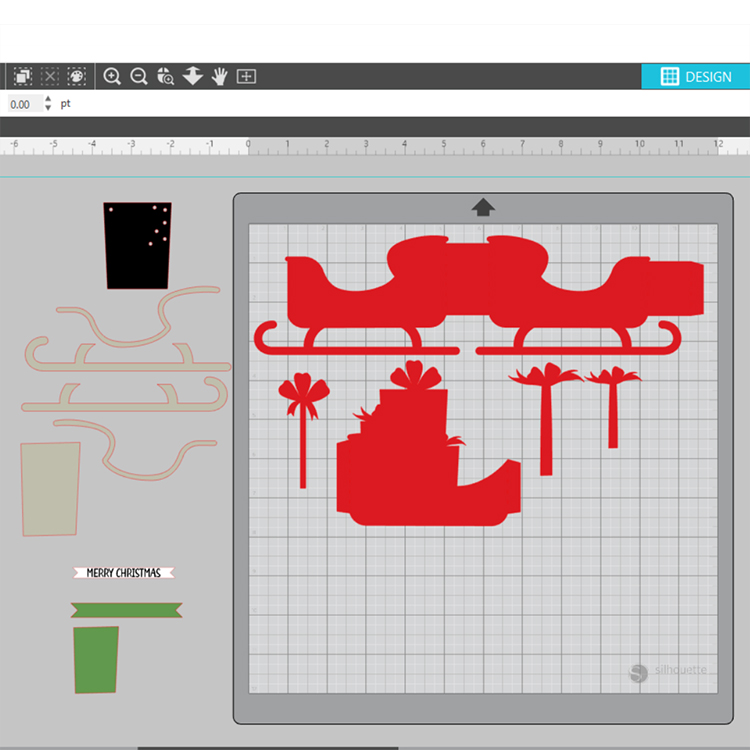
You can see the file here on my screen.  The first thing I do is ungroup the file and I always sort my pieces by color.  I love that Lori adds color to her files, it makes them so much easier to separate.
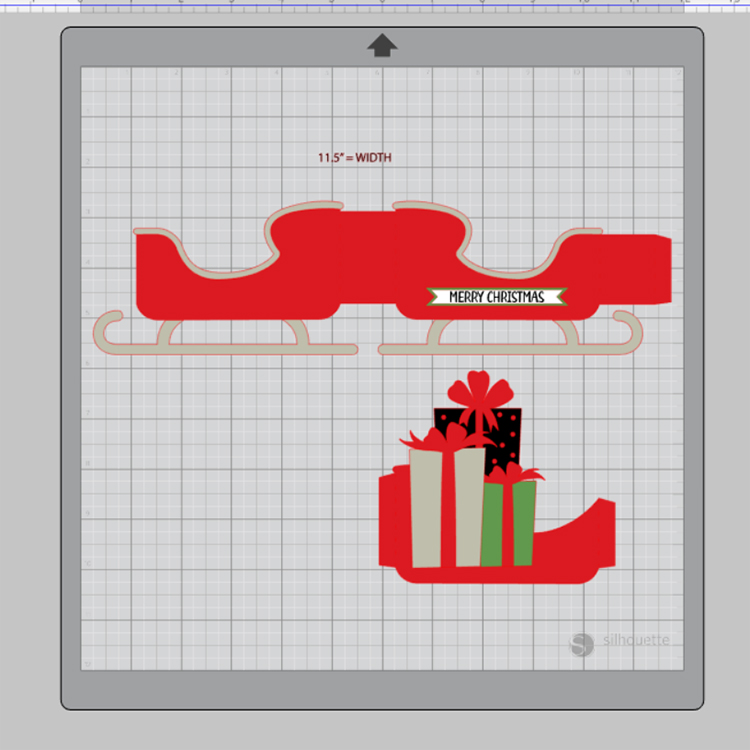
Here you can see how I separated the pieces, then you can start cutting color by color.
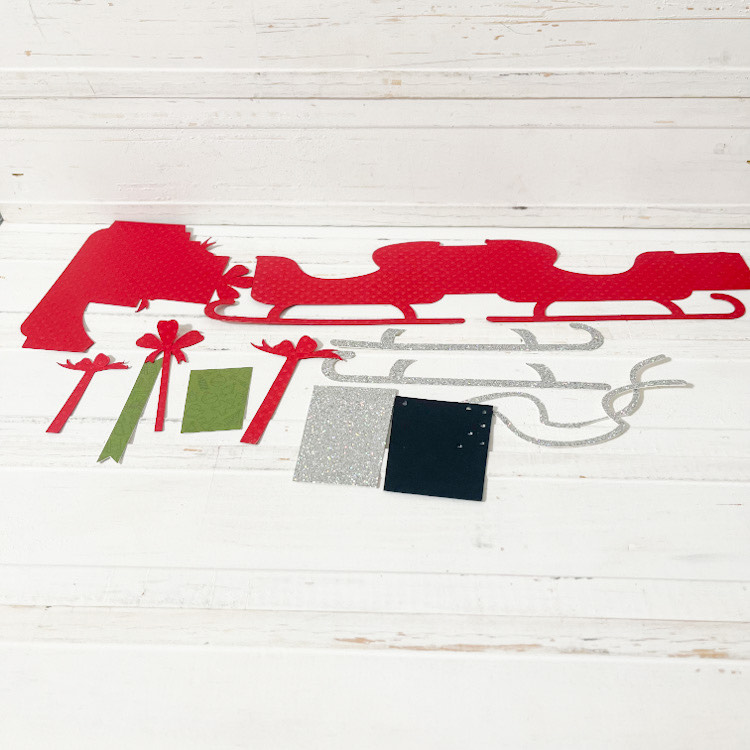
Below you can see that I have all my pieces cut out and ready for assembly!  For this card, I added my silver sleigh runners and silver trim while I had the pieces laying flat.
You see here that I added my silver trim and folded my score lines.  Yeppers, I have a boo boo on my silver trim, but didn’t have enough silver glitter paper to recut it, so I will just cover that little error up and customize it a bit….lol!  All you need to do here is add some adhesive to the little tab and create a box shape!
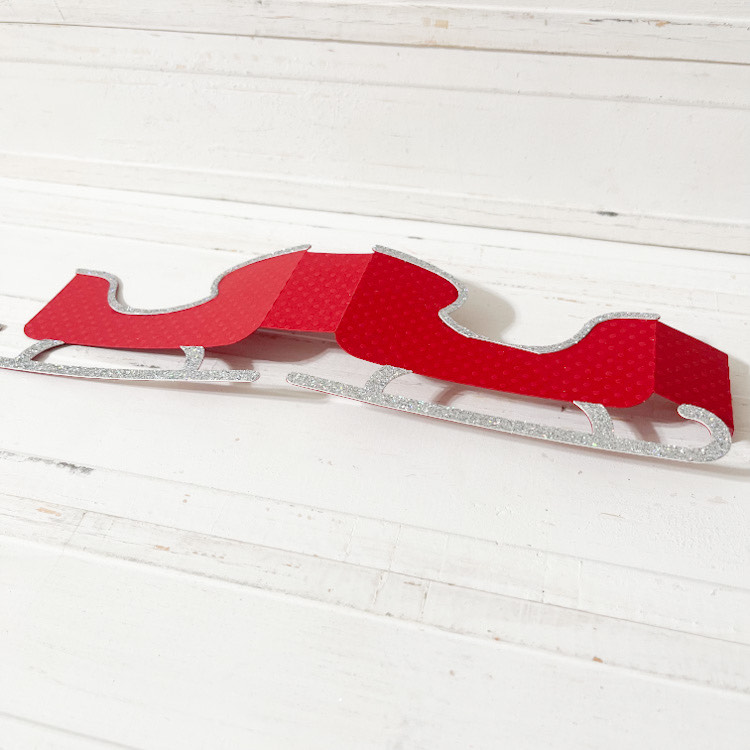
Now we have our little sleigh with that little boo boo!
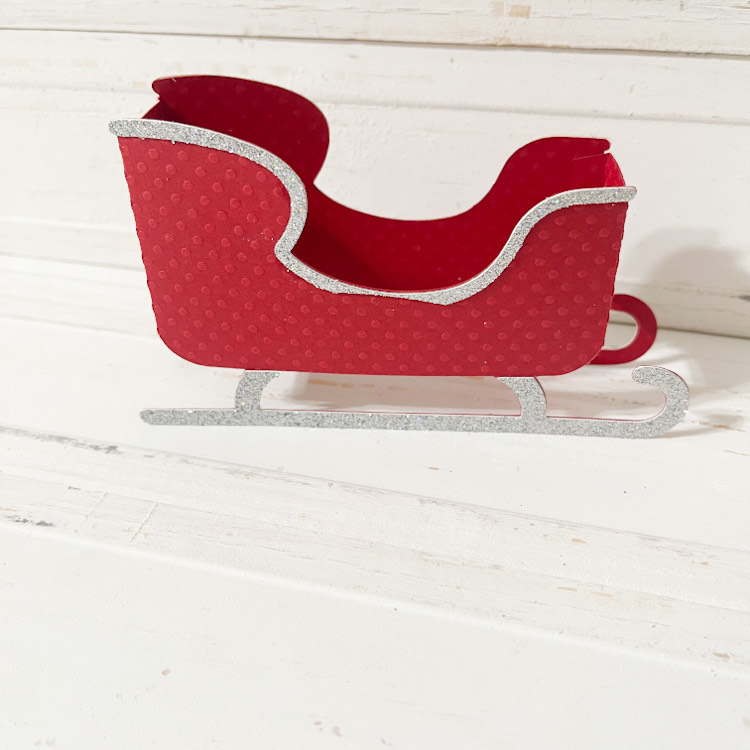
Next, you can adhere all your little pieces to the present insert piece and add you adhesive to the little tabs.  This insert is now ready to adhere to the inside sides your sleigh!
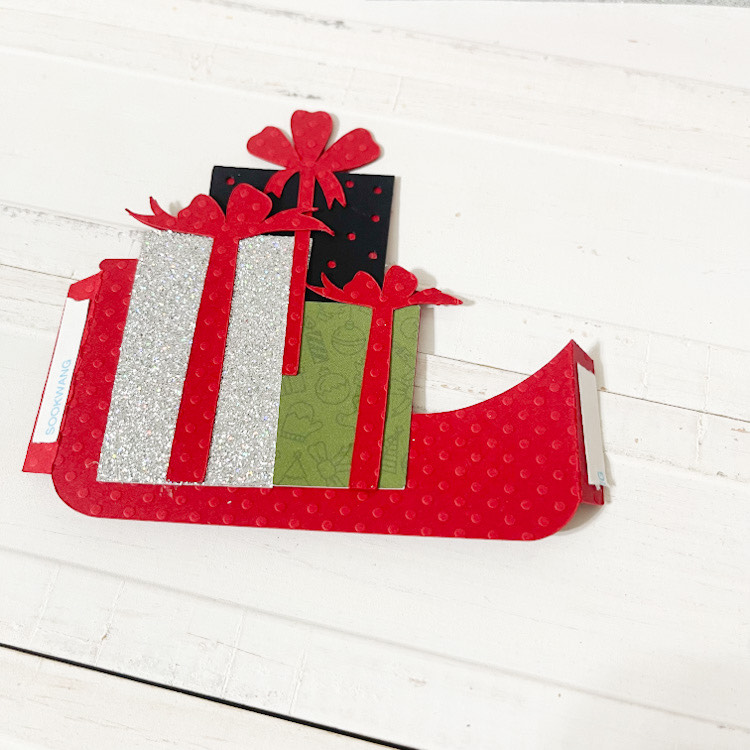
It just sits down, inside your sleigh.  Just adhere the tabs even to to sides.  And just like that you’ve created a box card.  This little sleigh only has one insert, but Lori has lots with more than one insert, and when that is the case, she numbers them in order for you.  So much fun!
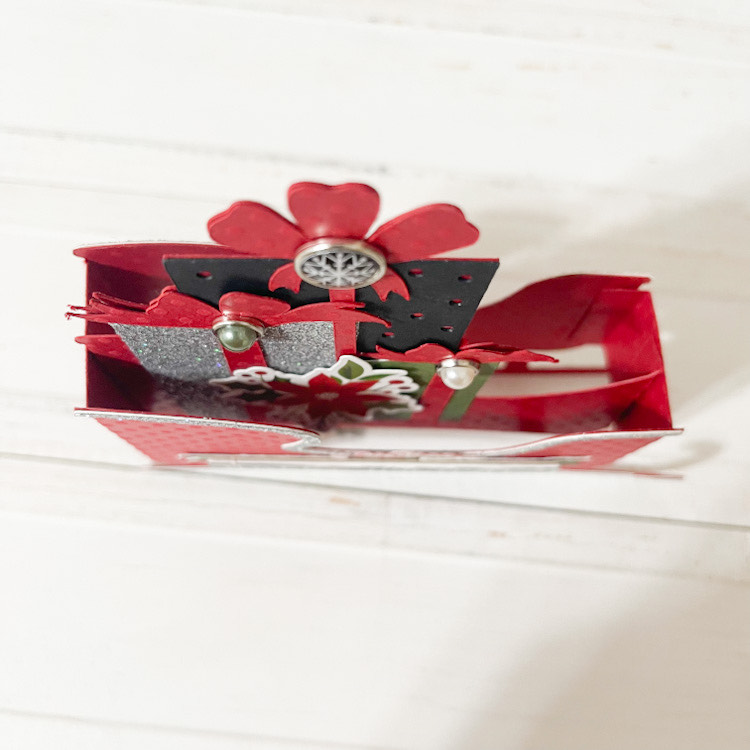
I used Lori’s Echo Park Christmas Magic collection to embellish my sleigh!  The picture below shows my sleigh before I started embellishing….my favorite part!
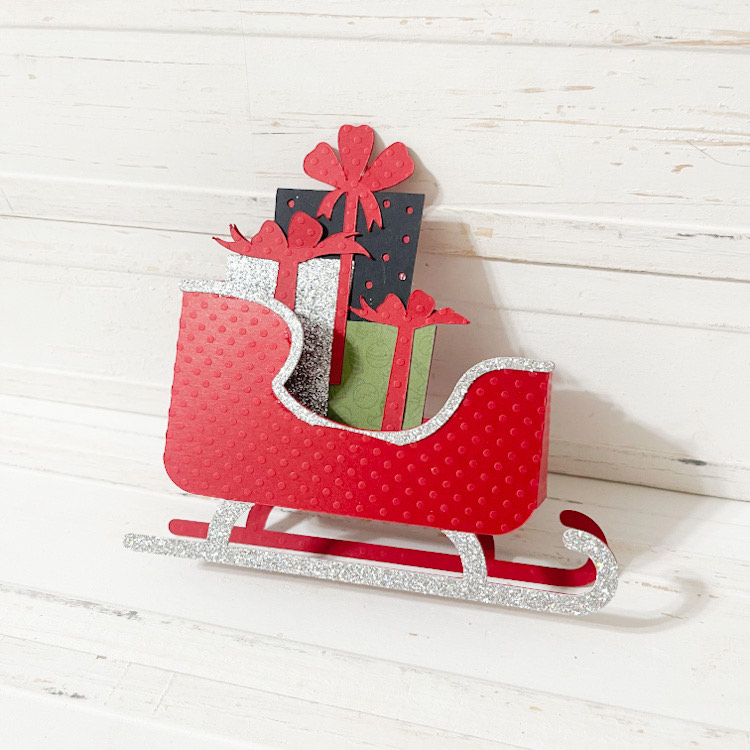
All done!  So cute!  You can’t even tell where my little error was with the silver glitter paper.  I love how this turned out!  So easy and quick to create.
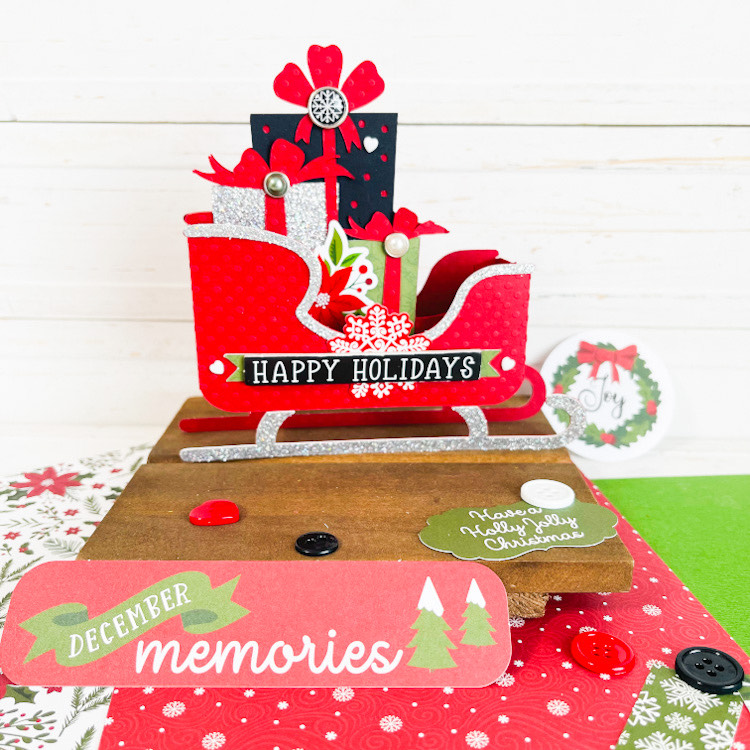
The box cards even fold flat for mailing!  Who wouldn’t want to receive one of these in the mail!?
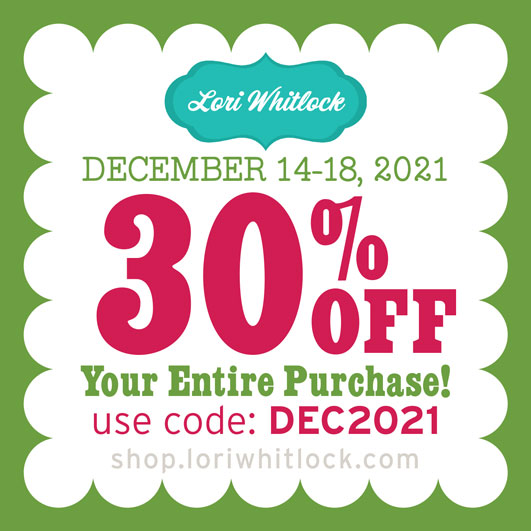
And don’t forget, there is a sale happening now in the Lori Whitlock SVG Shop!  All SVGs, Fonts, Commercial Licenses and Pattern Fills are 30% off when you used code DEC2021 at checkout! Don’t miss out, sale ends Saturday!
Thank you for joining us today, we can’t wait to see what you create!  Wishing you all a very Merry Christmas! ~ Cathy
Stadium Box Card Tutorial

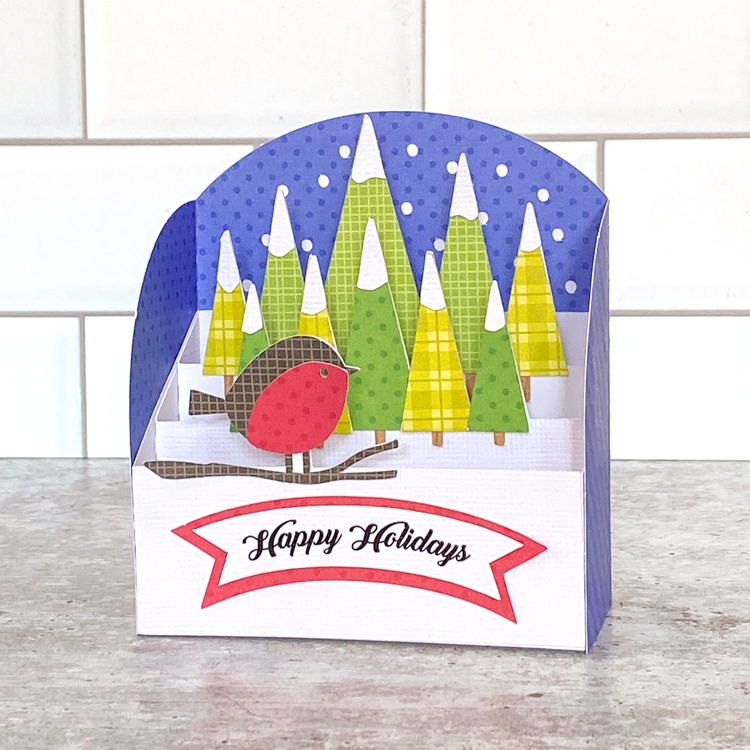
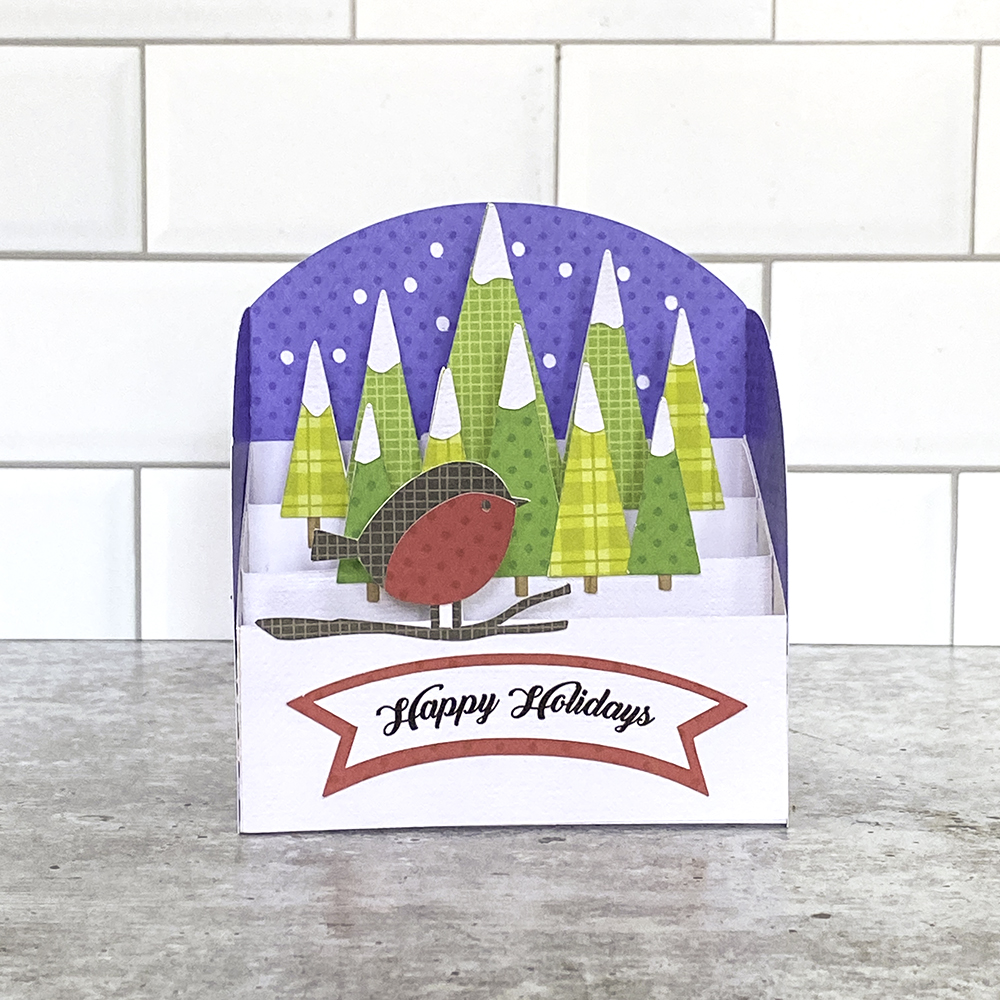
Hi Everyone!  It’s Kathy today with a fun new style of card from Lori, the Stadium Box Card.  These cards are very similar to a regular box card, but they have a nice wrap-around piece along with the inserts.  They fold flat for mailing (standard A2 Envelope) and they look so pretty on display! I’ve made a few, including this Stadium Box Card Winter Bird (SVG, Silhouette) As I mentioned they are very similar in their assembly to a regular box card, with a couple of small differences.  I’ve outlined the assembly below.

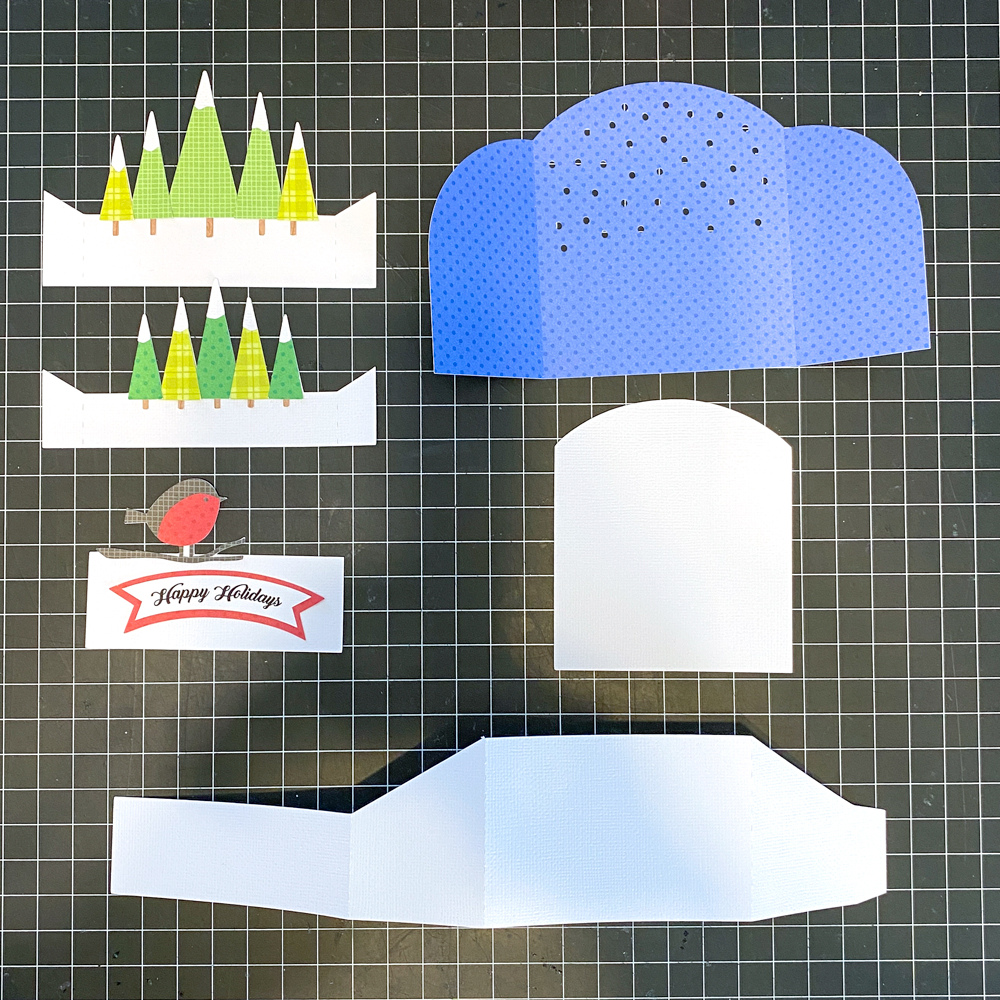
To start cut out all of your pieces.  I’ve pre-assembled some of them.  I added the trees to 2 of the inserts and the bird and branch to the 3rd.  I also created the sentiment using the Print and Cut Feature of my cutting machine.  If you ever need help with piece placement, I always find it helpful to reload the cutting file in my software.  Lori groups the pieces together as they go on the final project so it definitely helps when your trying to place that one last piece!

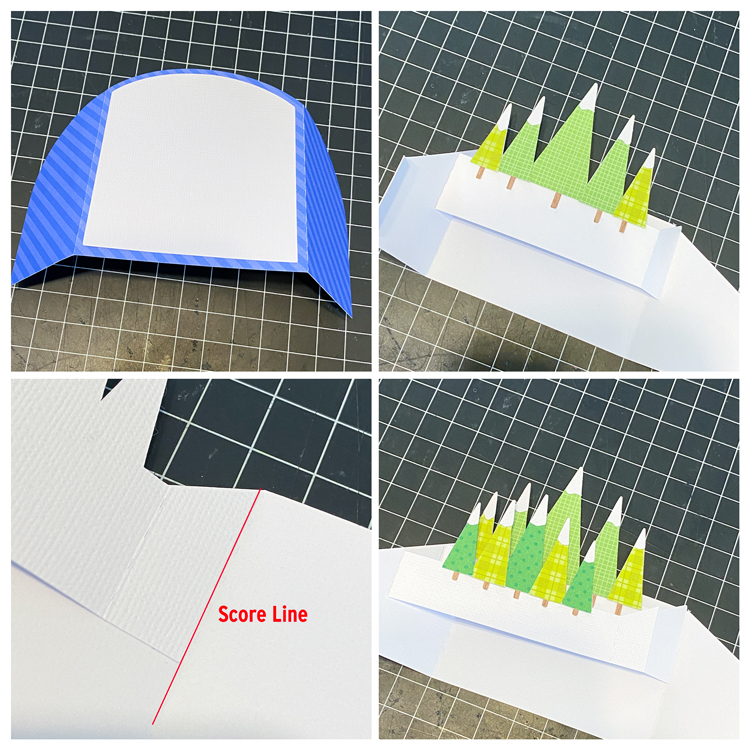
I started by adding the arched white piece to the back side of the blue piece.  When facing forward, the white looks like snow falling in the background of the card.

I then added the inserts to the card base.  I find this easier to do before I glue the “box” into shape,  I started with the backmost insert.  Align the tab of the insert along the slanted edge of the box side, and also the score line between the side and back of the card.  Don’t overlap the score line, just right to the edge.

Add the second insert, aligning that tab along the slanted edge of the side as well, then right up next to the previous insert.  When flattened it should look like the bottom photo.

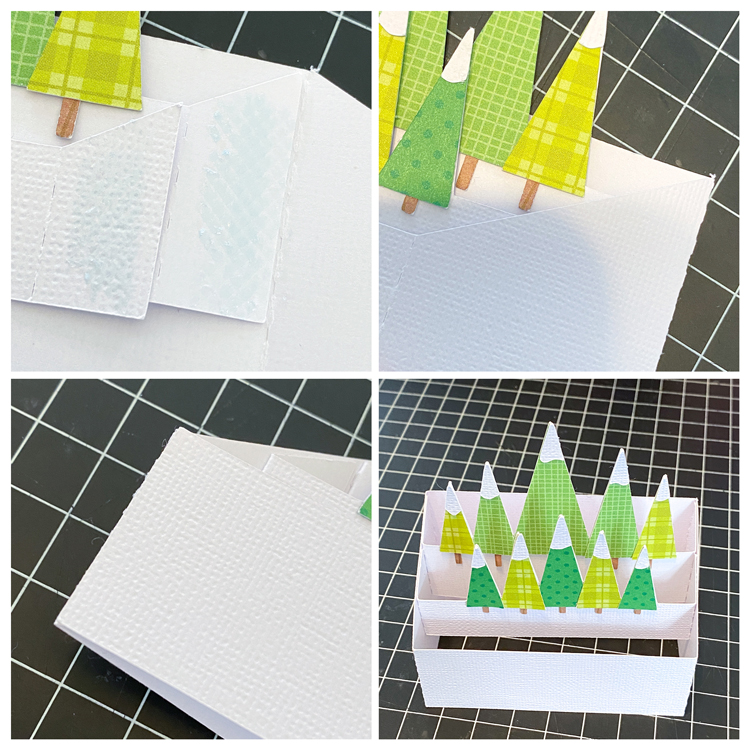
Once you have the left side glued, flatten out the two inserts, and add adhesive to the remaining two tabs on the inserts as shown in the first photo.

Fold the right side of the card base over, and press down to adhere the tabs to the side.  They should be aligned with the slanted edge of the side.

Finally add adhesive to the tab on the box base and press down.  Now when you open the box it should look like the bottom right photo.

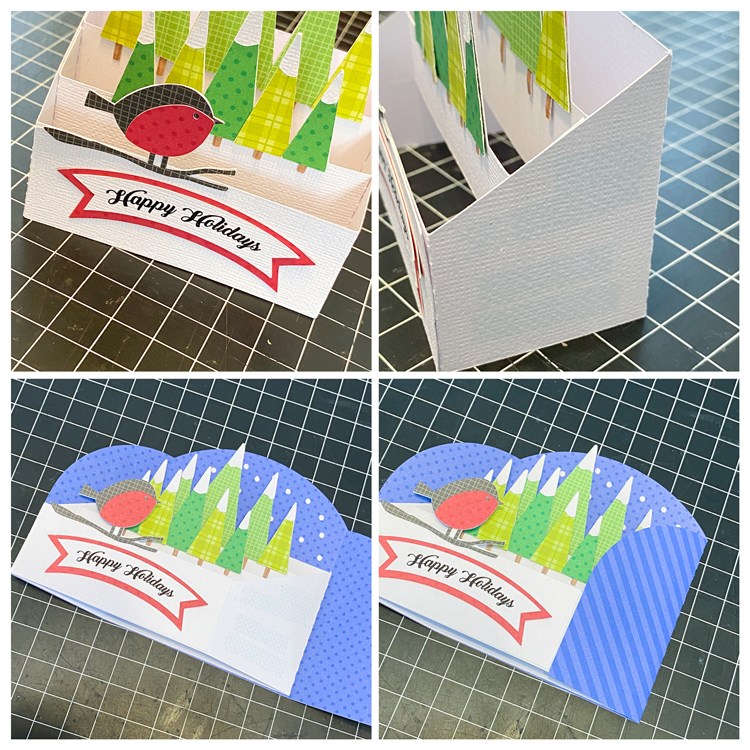
Once you have the box in shape, add the bird insert directly to the front of the box on the outside.

Finally you want to add the wrap around piece.  I started by adding adhesive to the sides and back of my box.

To align the box perfectly in the wrap piece, I folded the box as shown in the bottom left photo, and then lined up the edges with the leftmost and bottom edges of the wrap.  Once I had that in place, I folded over the remaining flap of the wrap piece and pressed to adhere.


And done!  They really do go together quickly, and just look so cute!  That’s it for me today, thanks for stopping by to peek!

BLOG | INSTAGRAM

Vintage Bucket Tutorial

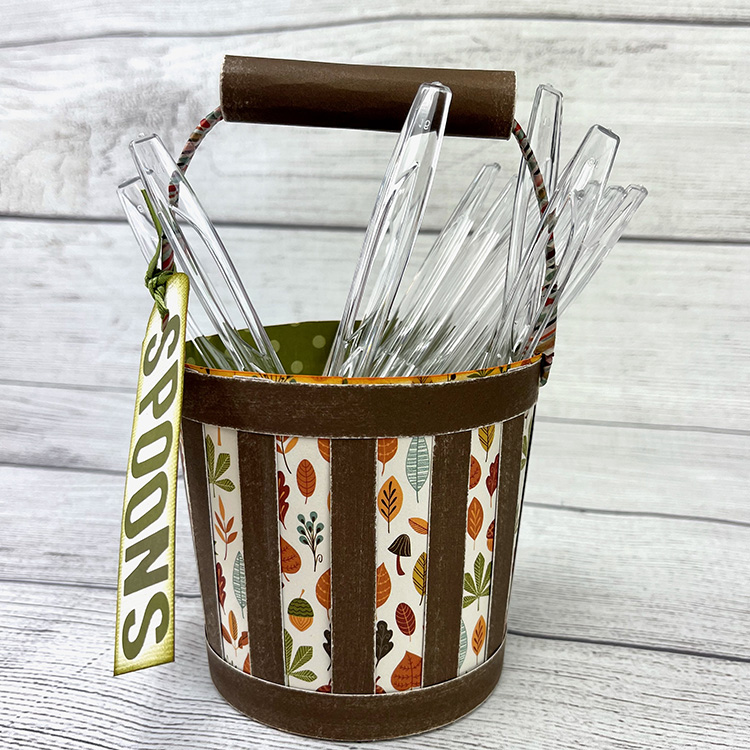
Hi there paper crafting friends!  It’s Michelle Starcher, aka the Bookish Designer, hopping onto the blog to walk you through the steps to create Lori’s Vintage Bucket (SVGSilhouette).  I was looking for something festive that I could use to hold utensils for Thanksgiving dinner, and I came across the Vintage Bucket.  This file is the perfect way to set out plastic utensils for any party or event.

VIntage Bucket

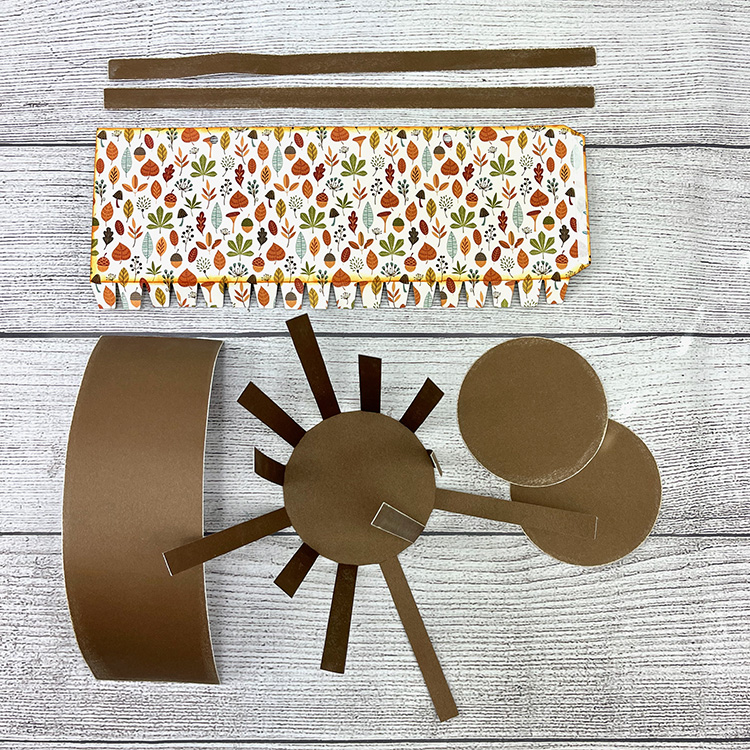
In this photo tutorial, I will break down the steps to create the Vintage Bucket.  In the cut files, you will find everything you need to complete the Vintage Bucket, expect for the floral wire or pipe cleaner used for the handle.  After cutting all of the pieces, I sanded the edges of my dark brown cardstock and inked the edges of my pattern paper to create a more vintage look.  In addition, I folded down the tabs on pattern paper and rolled it along the edge of my desk to give a little bit of curve to my paper.  I did the same thing to the long brown rectangle that will become the bucket handle.

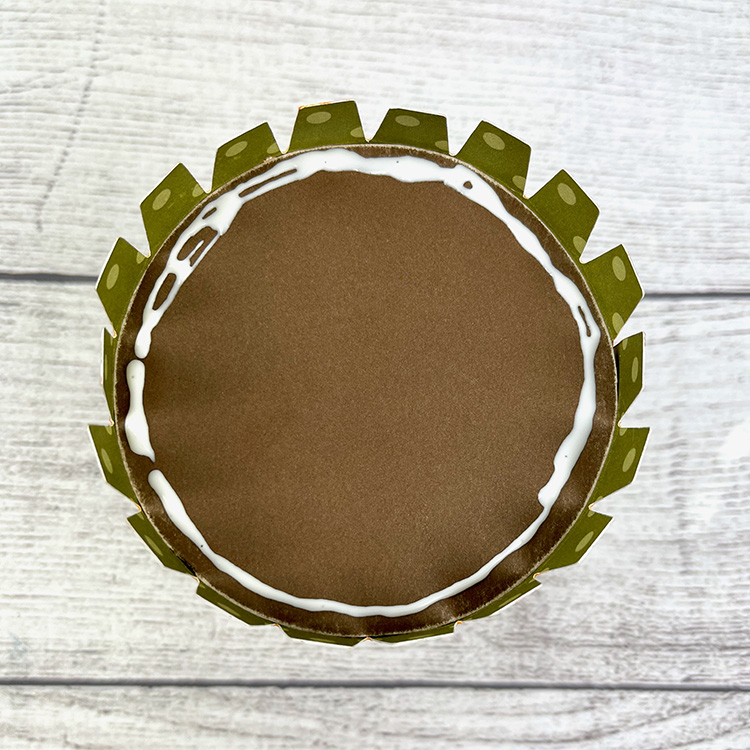
Next, I added adhesive to the tab of the “bucket” and attached it to the other side.  Be careful to line up the two sides as perfectly as you can to create the cylinder shape.  Then, place one of the circles inside the bottom of the cylinder.  Flip the bucket over, add glue along the edge of the dark circle, and fold down the little tabs.  Once you have done that, add more glue and place the second brown circle on top to cover the little tabs.

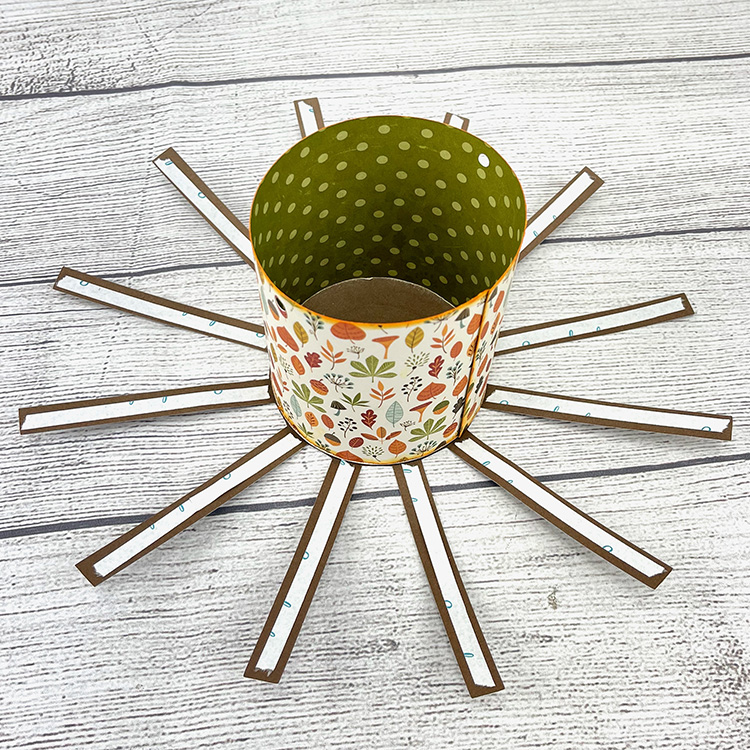
Once you have assembled your bucket, you will adhere it to the “sun” shape.  I used glue to adhere the bucket to the “sun” shape and adhesive tape to adhere the “sun’s rays” to the bucket.  I lined up one of the “sun’s rays” to cover the seam in the bucket.  This caused the holes for my handle to be covered up, but I was able to use a hole punch to create new ones when I was ready to add the handle.

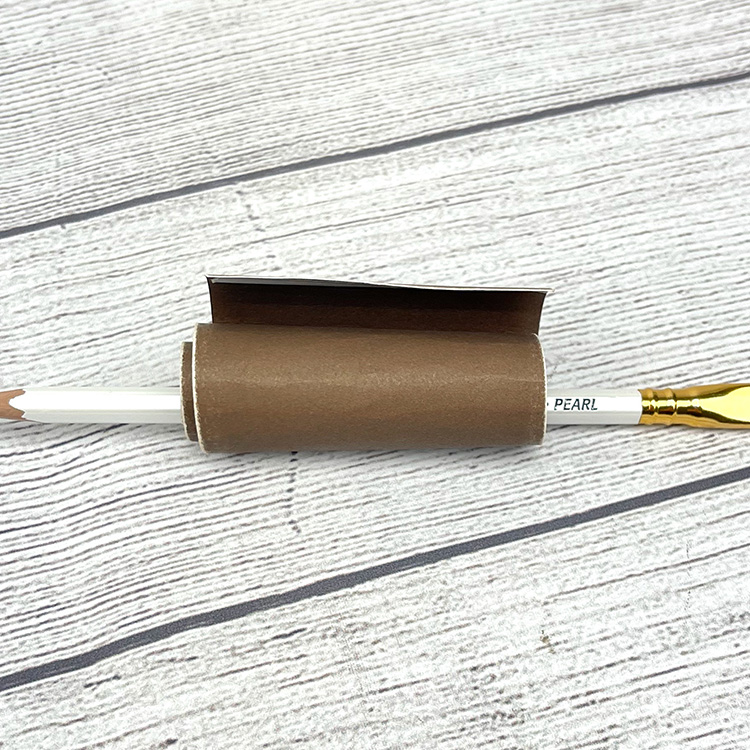
Next, I added the rectangle strips to the top and bottom of my bucket.  I added adhesive tape to both ends of the rectangle and used a pencil to help me role the rectangle piece into a tube shape. To finish the tube shape, I took the pencil out and held it in between my thumb and index finger to tighten the tube.  I used adhesive tape to close the tube.  For the handle, I used washi tape to cover the floral wire and added add the paper tube to the top to form the handle for the bucket.  Insert one end of the floral wire into one of the holes in the bucket and pinch to close. Repeat on the other side as well.

Once my bucket was finished, I made a quick tag and used alphabet stickers to spell out “Spoons”.  I inked the edges and attached the tag to the bucket using ribbon.  I am planning to make two more Vintage Buckets to hold my forks and knives as well.

If you are interested in a more detailed video tutorial on how to put together the Vintage Bucket, Lori has one available on YouTube.

Until next time,

Michelle

NEW! 3D Chipboard Village Files + Free Class

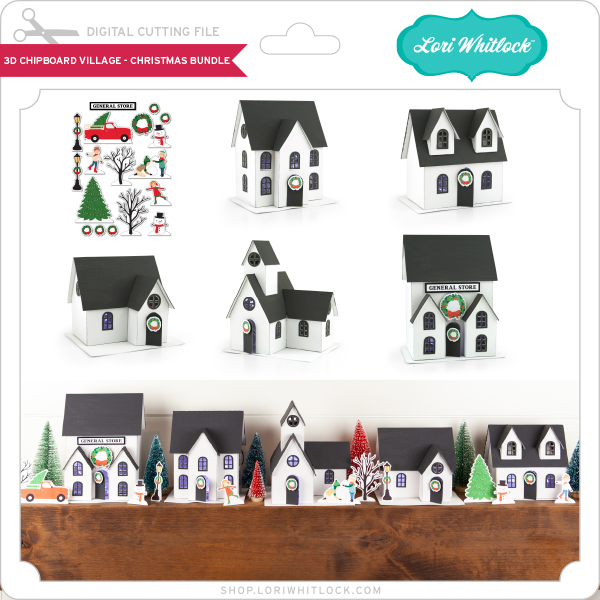
I am so excited to show you all a project that I have really been working hard on — a 3D Chipboard Village! These darling chipboard houses are part of a premium project series. My goal was to design a village that is sturdy and that can be displayed all year long. The village is made up of 5 buildings, each more fun than the next!  In addition to the houses, I have created a print and cut embellishment set for Christmas.  Going forward I plan on creating other seasonal/holiday embellishment sets so that you can decorate and enjoy your village all year long!

The village houses can be purchased in the Silhouette Store individually and as a bundle.(Silhouette bundle is available for a limited time, see link for details)  They are also available in SVG format in the Lori Whitlock SVG shop both individually and as a bundle.  Below are photos and links for the village.

3D Chipboard Village Christmas SVG Bundle

3D House Chipboard Village Church/School (SVG, Silhouette)  Finished size: 5 1/2″ x 7 1/2″ x 5″
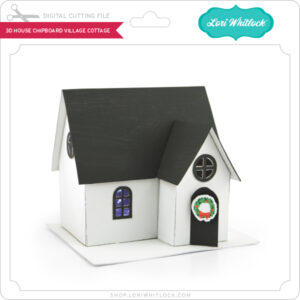
3D House Chipboard Village Cottage (SVG, SilhouetteFinished size: 4 3/4″ x 5 1/2″ x 4 1/2″
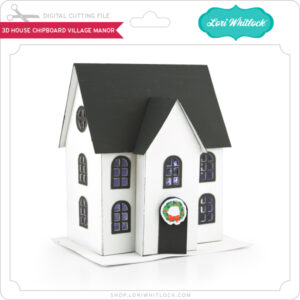
3D House Chipboard Village Manor (SVG, SilhouetteFinished size: 6″ x 5 1/4″ x 4″

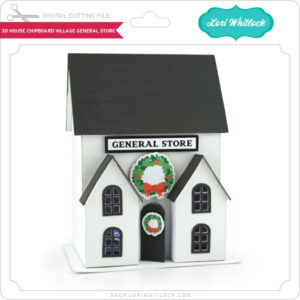
3D House Chipboard Village General Store (SVG, SilhouetteFinished size: 7 1/4″ x 5 1/2″ x 4″
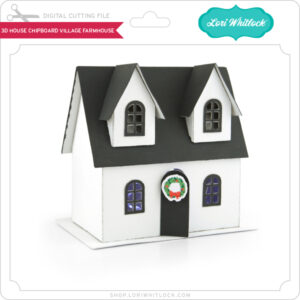
3D House Chipboard Village Farmhouse (SVG, SilhouetteFinished size: 5″ x 5 1/2″ x 3”
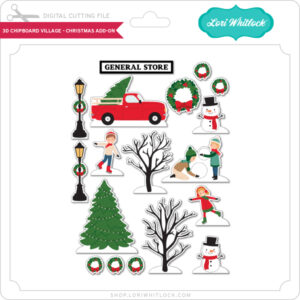
3D House Chipboard Village Christmas Add-On (SVG, Silhouette) Created using the print and cut feature of your cutter

I will be conducting a 2-part Chipboard Village class that will broadcast live from the Silhouette headquarters.  The first session will be November 9th, 2021 at 11am (MT) and the second session will be November 16th, 2021,11AM (MT)   These classes will mainly focus on the assembly of the village along with helpful hints and techniques.  The classes are free, and open to all, but you do need to register to watch the live sessions. You will need to purchase the files to create the houses.

Class One – November 9th, 2021 11AM MT – REGISTER HERE
This class will cover the assembly of the 3D House Chipboard Village Church/School, 3D House Chipboard Village Cottage and the 3D House Chipboard Village Manor

Class Two – November 16th, 2021 11AM MT – REGISTER HERE
This class will cover the assembly of the 3D House Chipboard Village General Store, 3D House Chipboard Village Farmhouse, and the 3D House Chipboard Village Christmas Add-On

Unable to attend the classes?  Both sessions will be added to Silhouette’s YouTube Channel within a couple of days of the live broadcast.

If you’re ready to join us, all you need to do is to download the files in your preferred format (links above).  I’ve also listed some basic items I used to create the village as seen above including…

• 1 Package Silhouette Chipboard
 White spray paint
 Charcoal Acrylic Paint
Adhesive (THIS one works well, too)
 Sticker Magnet Roll
 fairy lights or electric tea lights
• Patterned Paper (optional – I didn’t use any on these samples)

Of course you can use your imagination to create and embellish your chipboard house any way you desire. Because this house is made of 2 layers of chipboard, it’s nice and sturdy!

I hope that you are able to join us!  Have a great day!

3D Halloween Lantern Tutorial

Hi Everyone!  There are some new Halloween lanterns in the shop.  I thought it would be fun to make some for this weekend!

Halloween Project Bundle 2

Halloween Project Bundle 2 (SVGs)

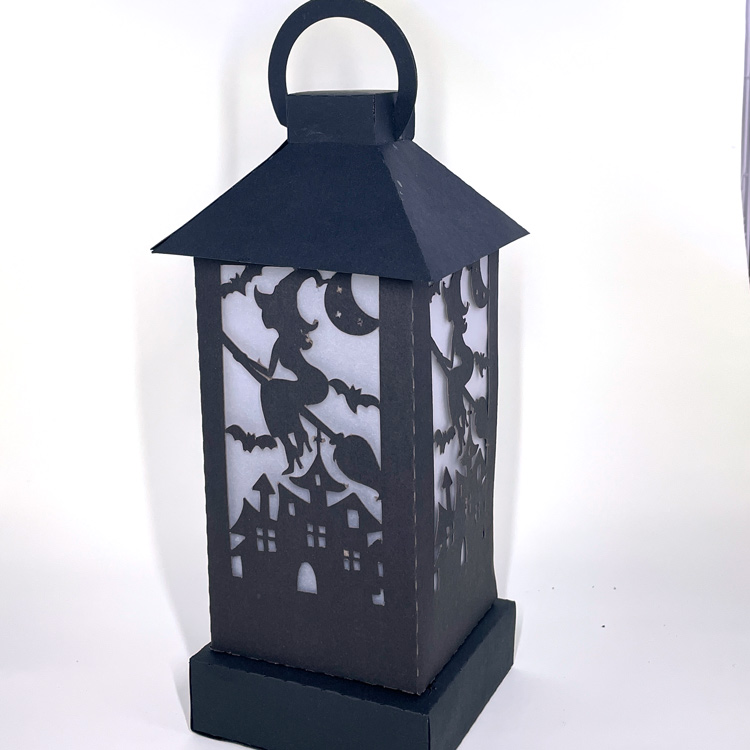
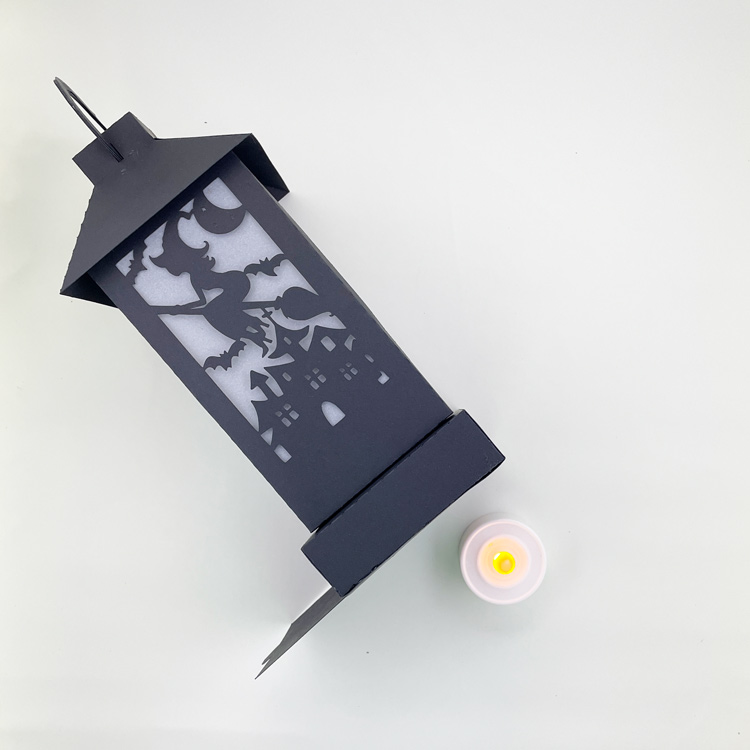
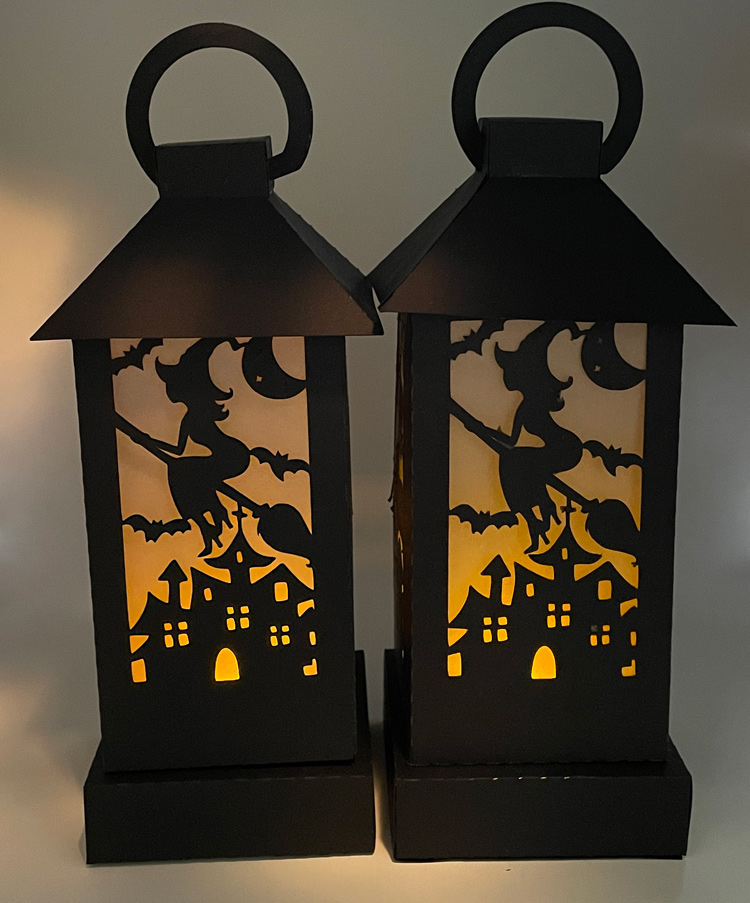
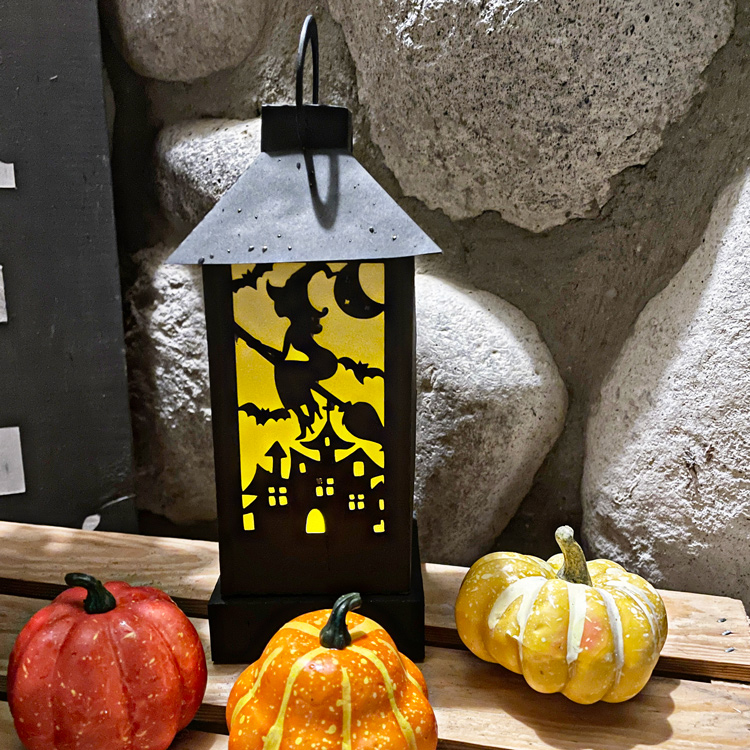
I made the 3D Witch Lantern (SVG, Silhouette )  I’ve put together a tutorial showing how to assemble today.

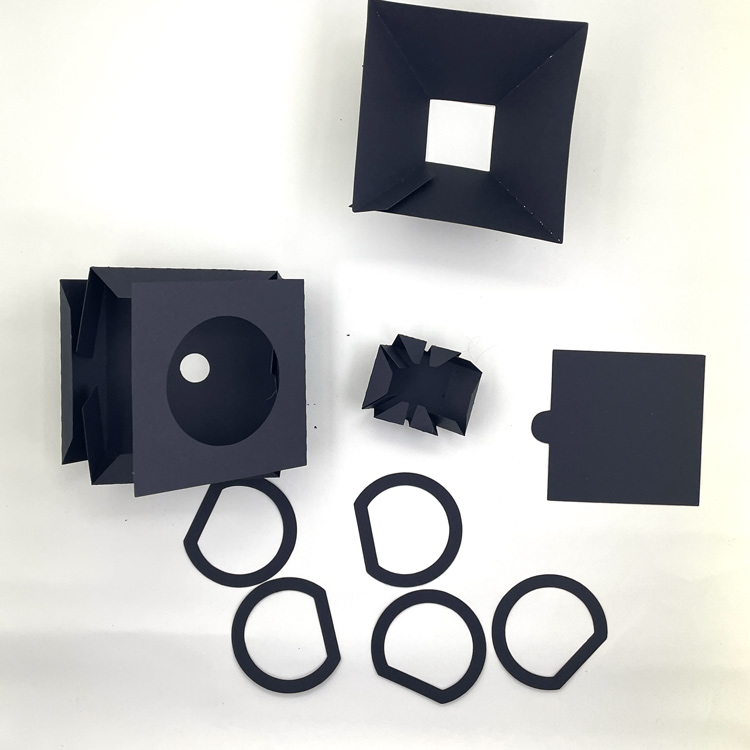
1. First, cut out all your pieces on your cutting machine.  You can see the pieces below.  I’ve folded them along their score lines.

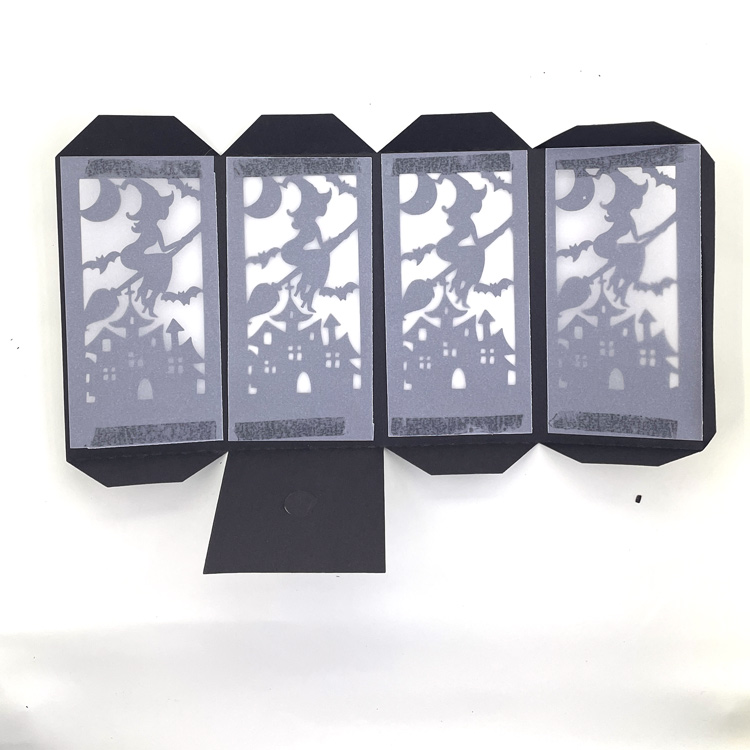
2.  If you wish to add vellum to the insides of the lantern, do this next. I cut the vellum in 2.5″ x 5″  pieces.  I used adhesive on the top and bottom of the vellum to attach the lantern.

3. Glue the individual pieces into shape by adding glue to the tabs, and folding.  The tabs go on the inside so they are not seen in the final project.

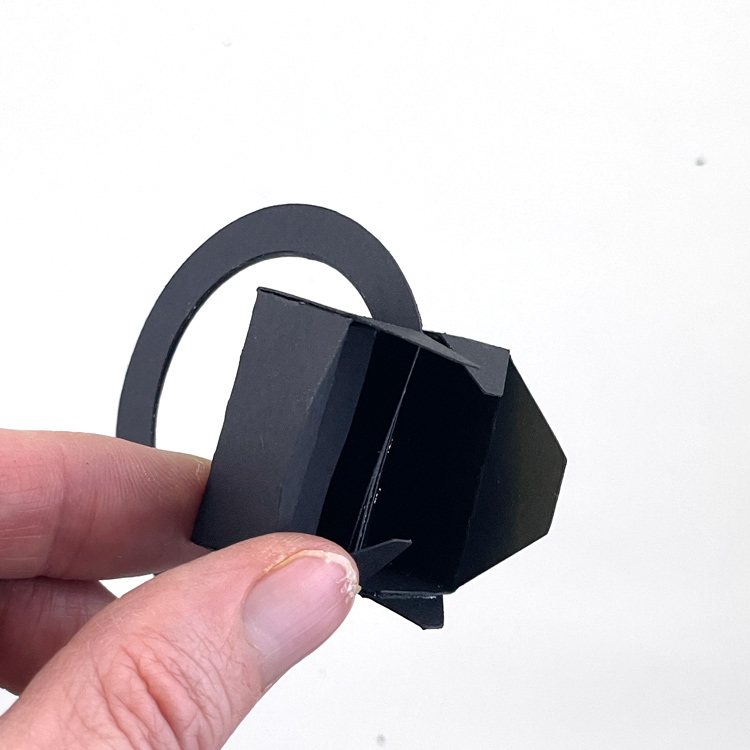
4. Glue all the circle handle pieces together in a stack to make one thick piece.  Thread the stacked circles into the slots in the small square piece.

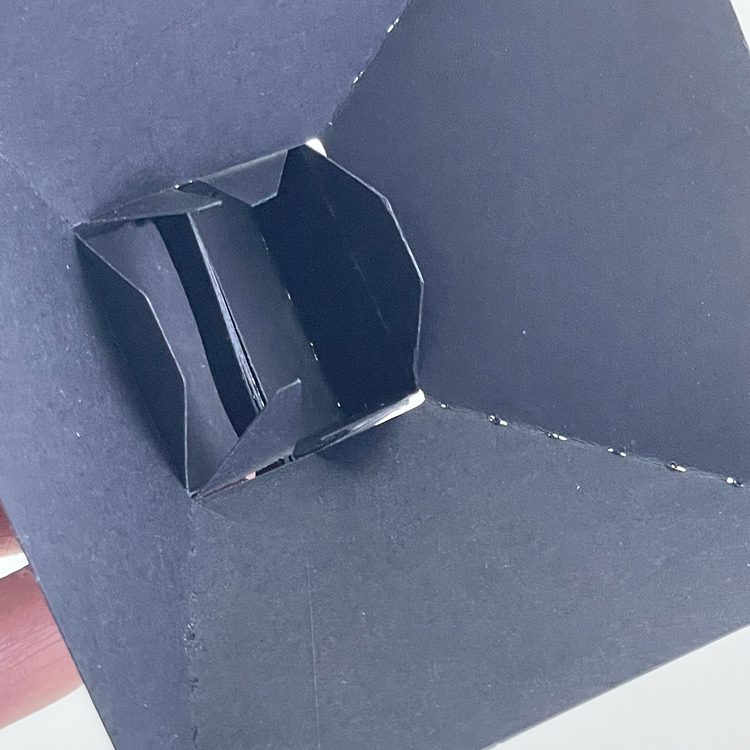
5. Insert the combined handle pieces into the domed top of the lantern, Secure by gluing the tabs of the handle to the inside sides of the dome piece.

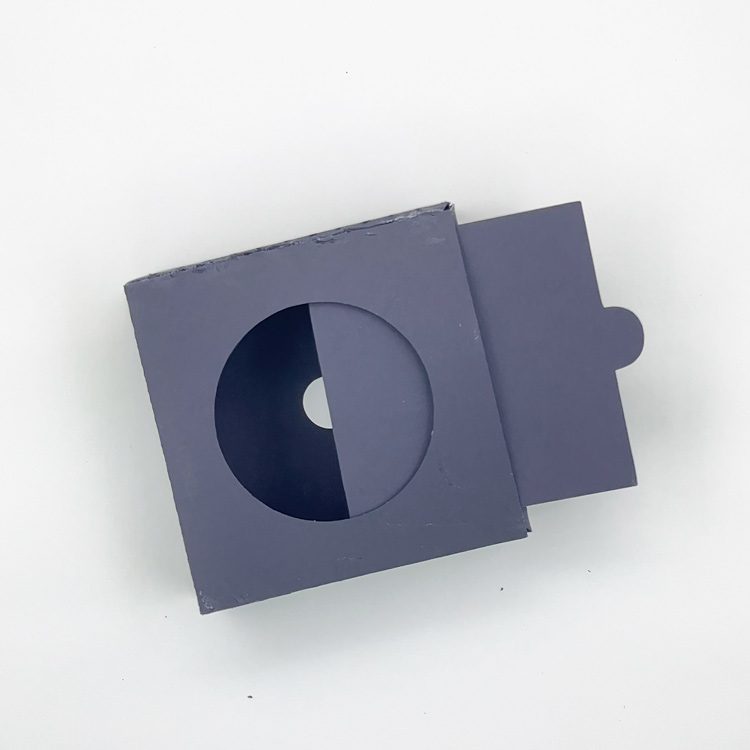
6. For the lantern base, glue 2 opposite sides of the panel with the large hole very close to the edge.  This will allow you to add the slider piece to close the hole.

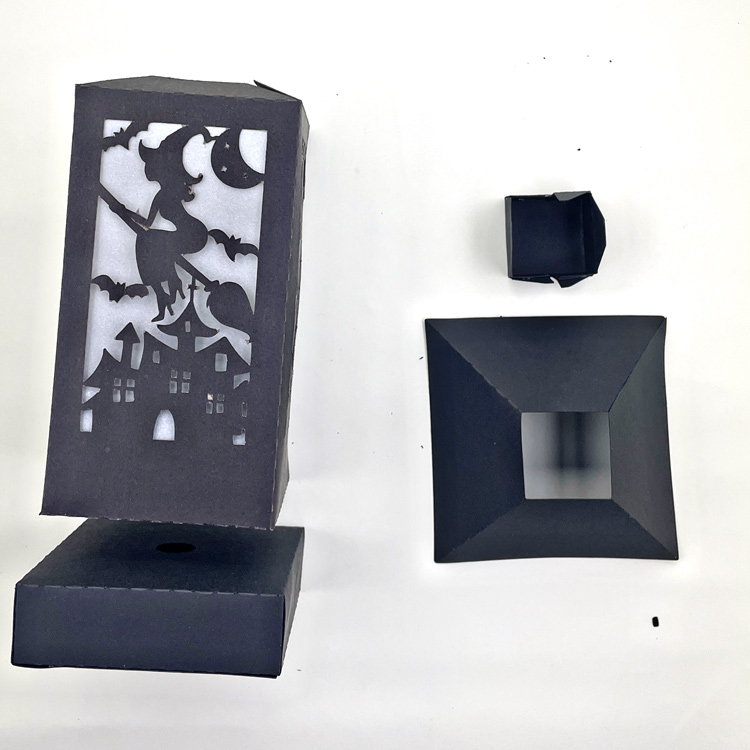
7. To complete, stack the pieces and glue.  Start with the base, then add the decorative lantern piece, and finally the top with the handle.

8. Place an electric tea light beneath the lantern. And you are ready to display!

I made a second lantern and sized it just a little smaller, so that all the cuts could fit on three pieces of 8 1/2 x 11 paper. You can see both sizes above.  An electric tea light easily fits in both sizes.

Check out all of the lanterns in the shop this week.  This post has photos and links to Lori’s SVG Shop and the Silhouette Store for each of the designs.  Have a great Halloween!

Ashley