Sticky Note Calendar 2021 Tutorial

Hi there paper crafting friends!  It’s Michelle Starcher, aka the Bookish Designer, popping in on the blog to walk you through the steps to create Lori’s Sticky Note Calendar 2021  (SVGSilhouette- coming soon). In this photo tutorial, I will break down the steps to create this super cute project to keep you on track in 2021.  I used papers from the Magical Adventure collection from Echo Park Paper Co.  The calendar goes perfectly with the organizers I made a few weeks ago.

After uploading the SVG file to the Cricut Design Studio, I needed to make a few changes, so that it would cut correctly with my Cricut Maker. Below you will find the steps I took to prepare the file for cutting.  I opened the “solid” version of the SVG in Cricut so I could use my score tool.

Ungroup the SVG file.  Change the Linetype of the fold lines on the calendar base and sticky note holder to score marks. Attach the score lines to calendar base and sticky note holder pieces.  For help on this process, see this video on Lori’s YouTube Channel.
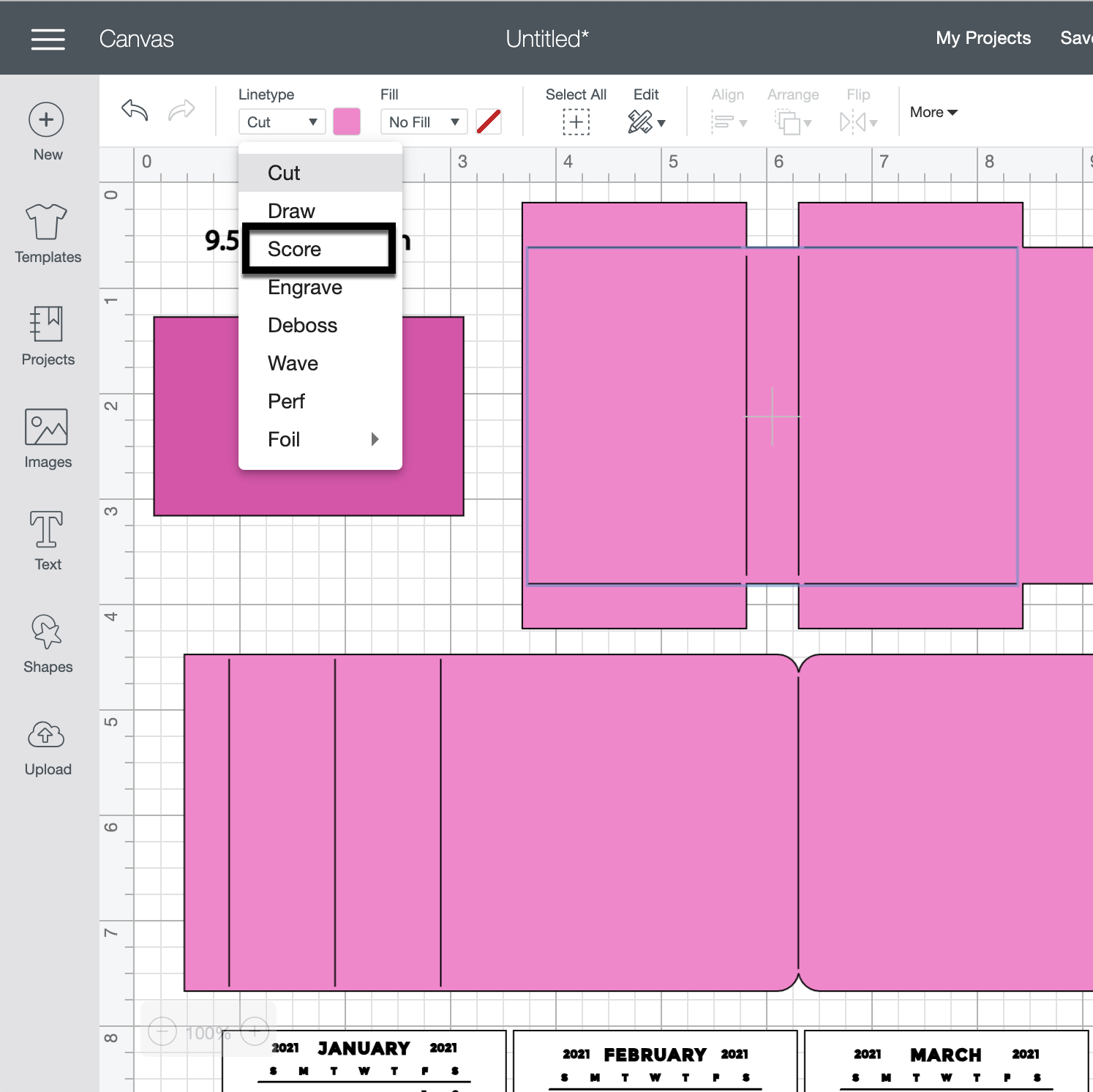
Next, change the Fill calendar pieces to Print.  You can save yourself some time by holding the control (PC) or command (Mac) key and clicking each month’s calendar.  Then change the Fill to Print for all 12 months at the same time.

The final step is to Flatten each calendar piece to the white rectangle below.  Unfortunately, you will need to do this 12 times.  Don’t forget to hide or delete the size note (9.5343 in =width).

You are ready to print and cut your project pieces.  Toggle off the Add Bleed option in the print window.  It will be grayed out when in the off position.  When I sent mine to the printer, it printed both pages.  After printing, it was time to cut all the pieces using my Cricut Maker.

After cutting all of the project pieces, I folded all the pieces with score marks and added adhesive to the joining tabs.

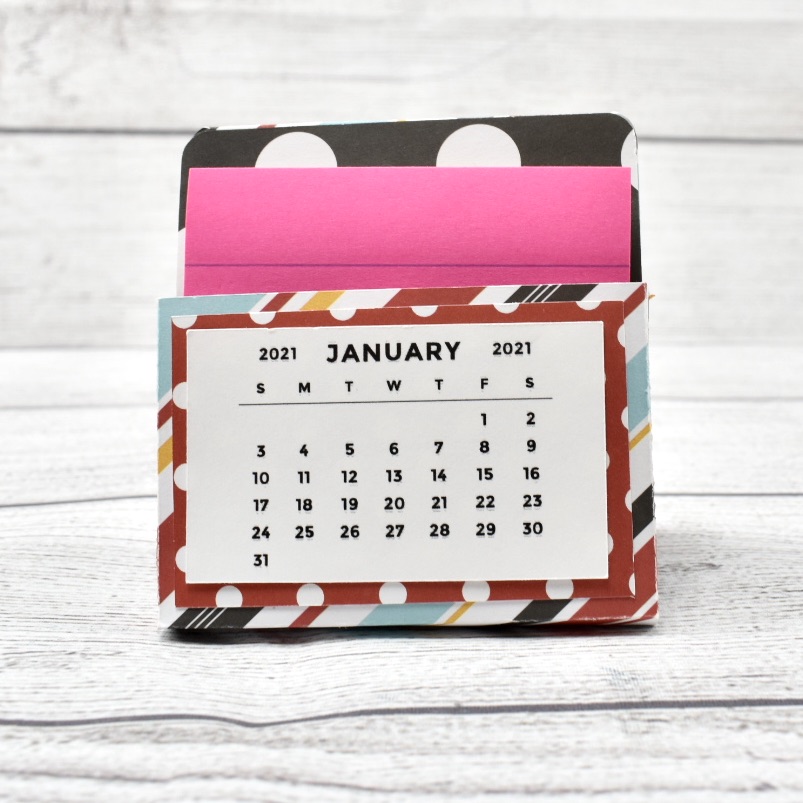
Then I adhered the calendar back (the red polka dot piece) to the front of the sticky note holder and added adhesive tape to the back of the sticky note holder.  Next, I assembled the stand and attached the sticky note holder to the stand.


I chose to attach the January 2021 calendar piece to the front of the sticky not holder and tucked the rest of the pieces behind my sticky notes.  I will add the new months to the front of the sticky note holder as the year progresses.  You can also staple the months together in a stack and add as a group to the front.


I hope you enjoyed making the Sticky Note Calendar 2021  (SVGSilhouette) as much as I did! Looking forward to 2021 and using my sticky note calendar.

Until next time,

Michelle

Halloween Card & Box Set

Hello crafty friends! It’s that time of year to bring out the tricks and treats! Today I have an adorable matching card and candy box set for a sweet someone in your life. Both ghosts are the one found in the card file and not the one that came with the box file which is why I say they are “matching”.  The card is the Floating Easel Card Haunted House (Lori’s Shop, Silhouette) and the candy box is the Handle Box Ghost (Lori’s Shop, Silhouette).
This sweet card was so much fun to make and although I messed up by using a white thread which is visible it still looks so cute! You should use fishing line which is clear.  I added some black inking around the edges of the purple cardstock to give this card an eerie effect.
And I just absolutely love this candy box that was made with the I Love Halloween collection!
That’s all from me today…I hope you give these projects a try. They are sure to put a smile on anyone’s face.
Aimee

Sympathy Cards

Happy Columbus Day Everyone:

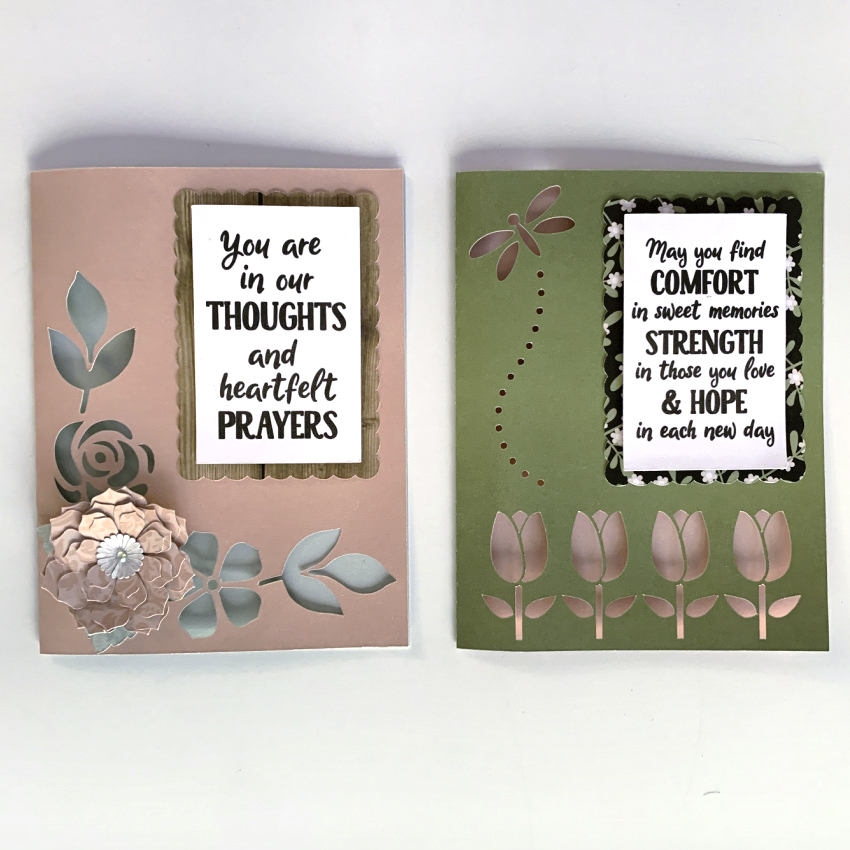
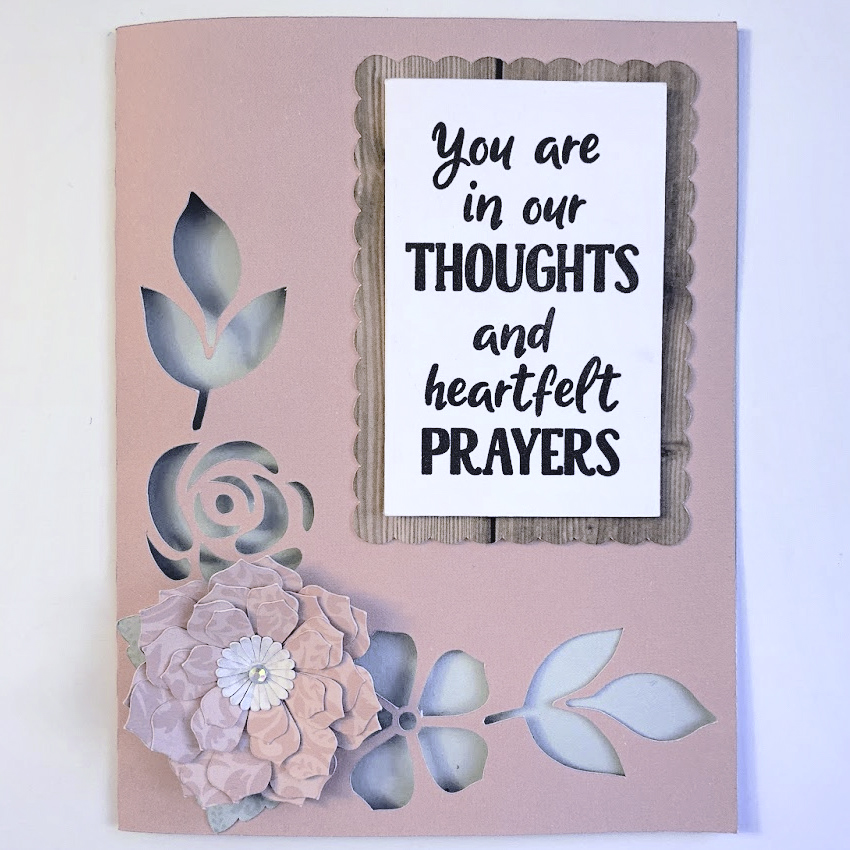
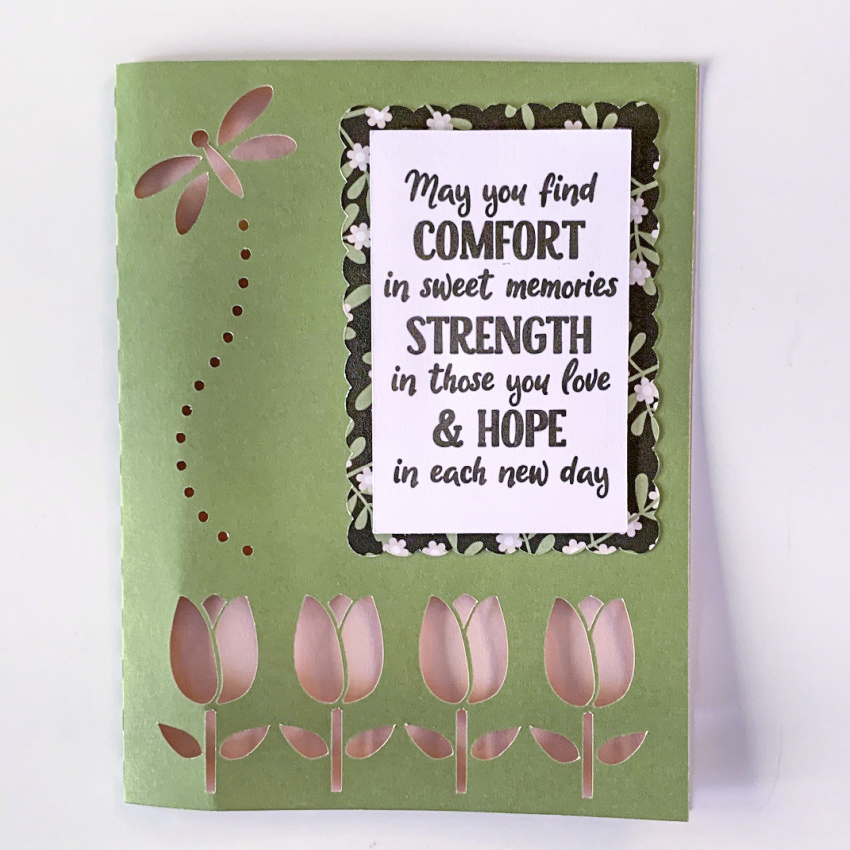
Anita here with a set of sympathy cards that I made for a dear friend who lost her uncle recently and he was a significant person in her life.  I love how elegant these are.  I used Lori’s file called Sympathy Card Thoughts Prayers which you can find here in Lori’s SVG Shop and here in the Silhouette Design store.  The second card is called Sympathy Card Comfort Strength Hope and you can find that one here in Lori’s SVG store and here in the Silhouette Design store.  I used one of Lori’s new Echo Park Paper collections called Our Wedding.  The card file comes with an insert that you can put behind the card front but I liked the colors showing through the designs.


Lori has cards for every occasion and in these times when you may be choosing to stay closer to home, you can still keep in touch with your family and friends.

Hugs,

Anita

Canvas Halloween Projects

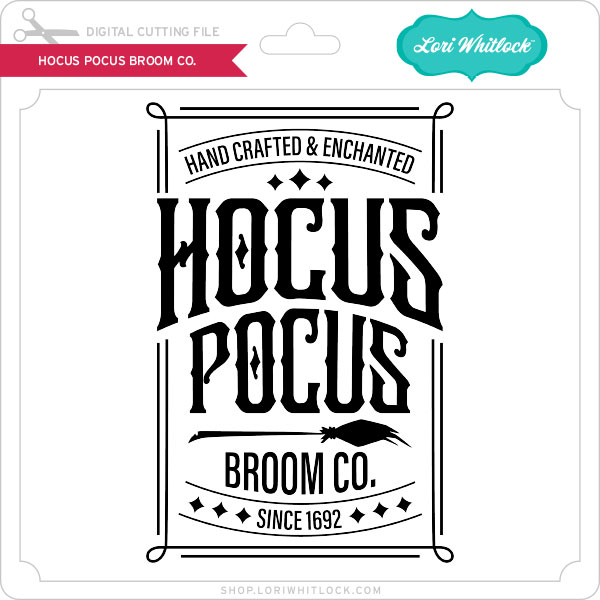
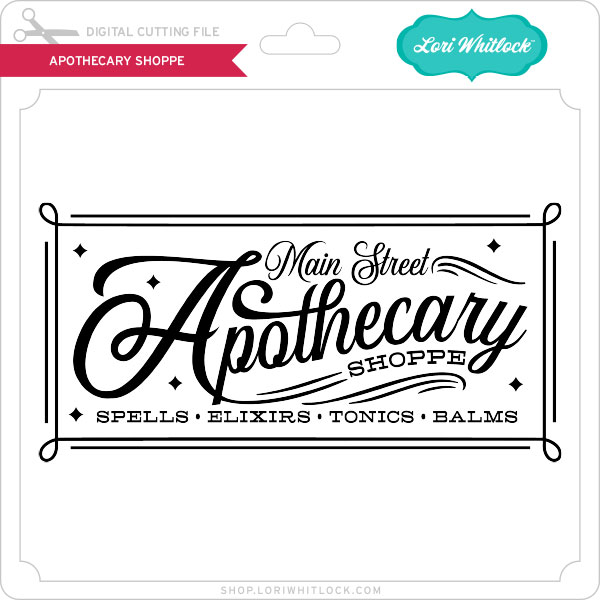
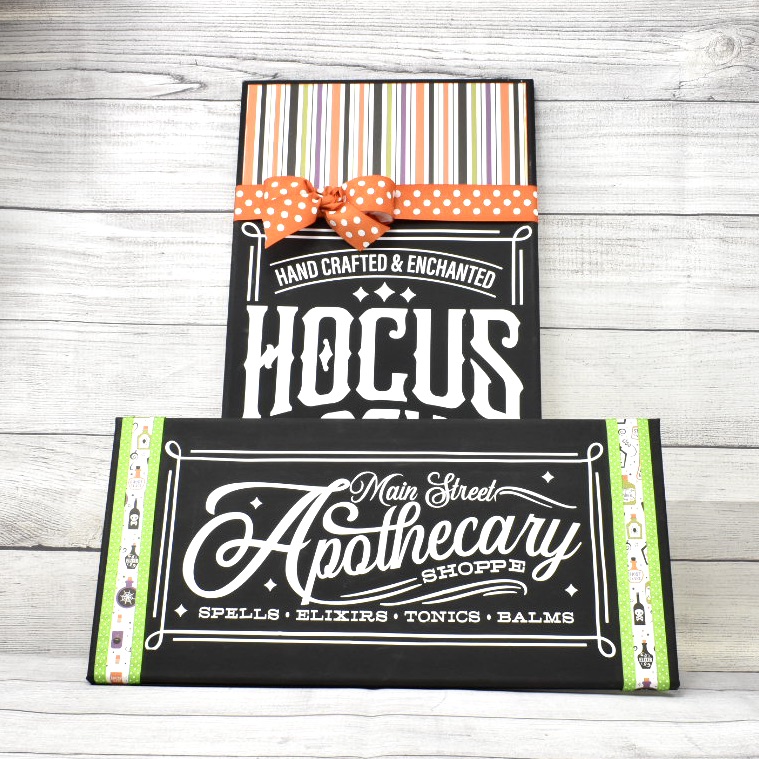
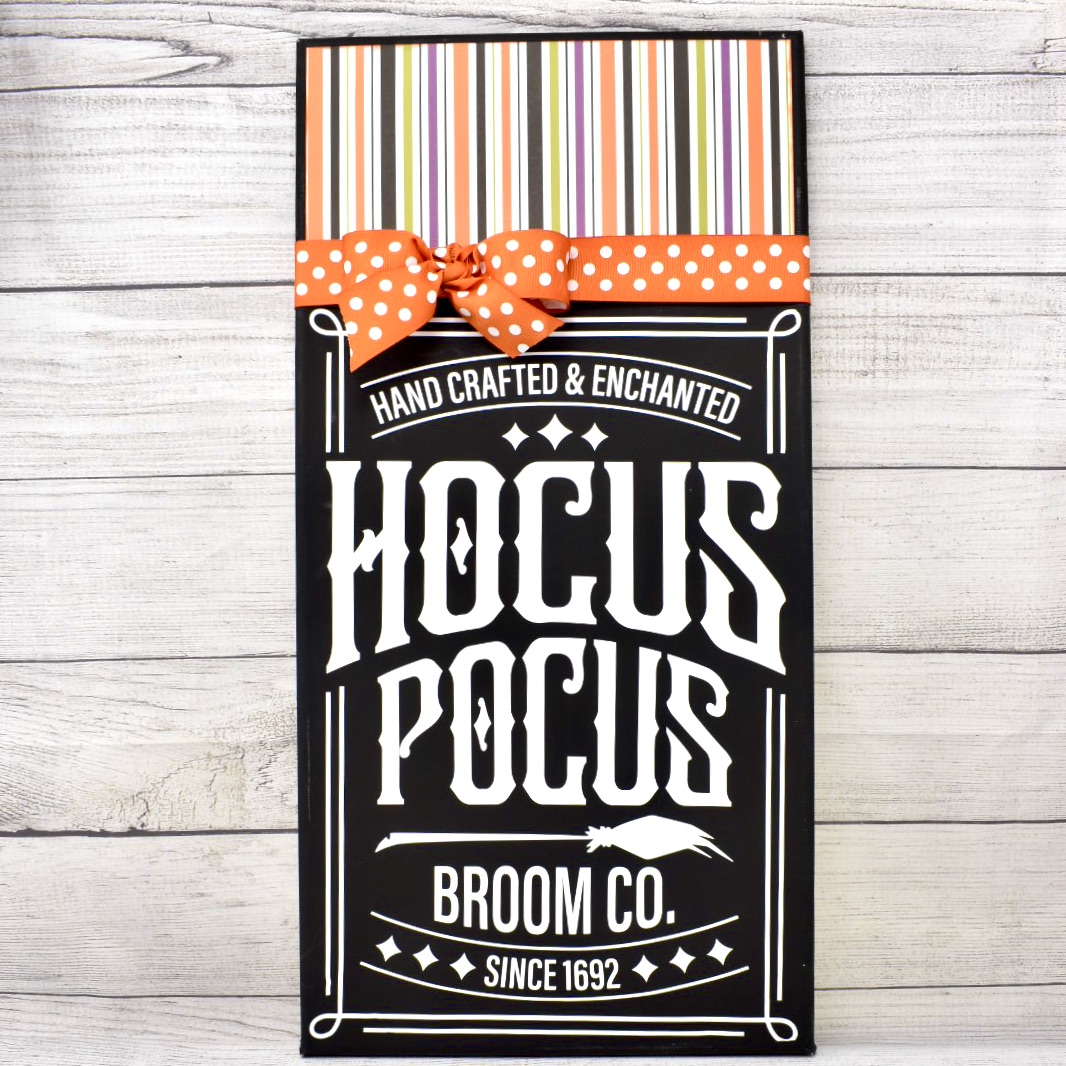
Hi there paper crafting friends!  It’s Michelle Starcher, aka the Bookish Designer, popping in on the blog to share a few canvas signs I put together this weekend.  Both signs feature paper from one of Lori’s newest collections from Echo Park Paper, I Love Halloween.  This set is loaded with spooky, cute graphics and traditional Halloween colors.  For my signs, I used two Halloween word art files:  Hocus Pocus Broom Co. (SVG, Silhouette) and Apothecary Shoppe (SVG, Silhouette).

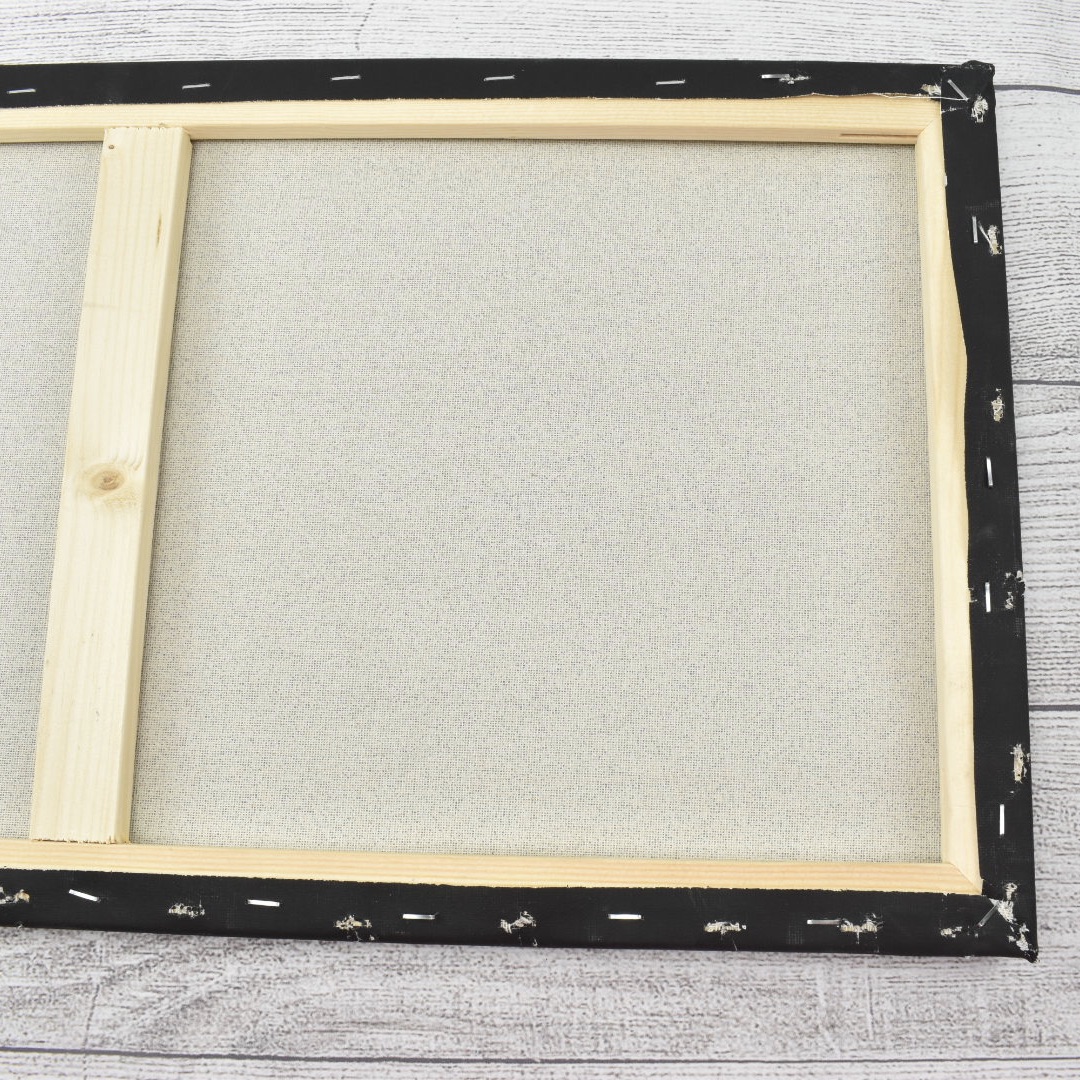
I have been wanting to create a canvas project using Lori’s word art files for awhile now, and these Halloween files were the perfect excuse!  For both projects, I used black canvases available at Michaels. The canvases come in a variety of sizes, including the 10×20 and 12×24 sizes I used for my two canvas projects.  Typically, I use white canvases, but for my Halloween projects, I wanted to try using the black.

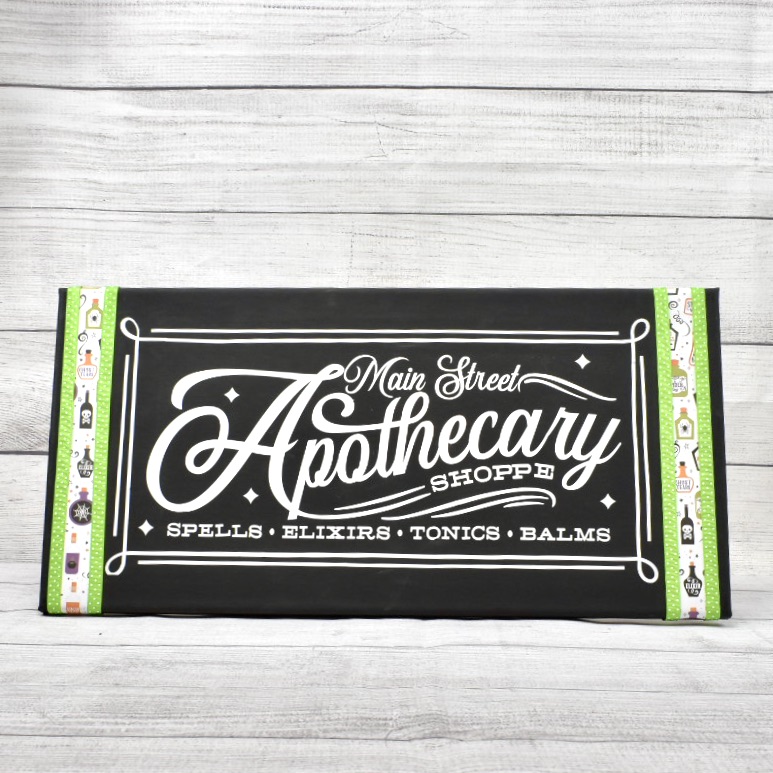
When I opened the files in Cricut Design Space, the files were a lot smaller than I needed them to be for my canvases, so I resized them to fit my canvases.  For the Apothecary Shoppe canvas, I resized the file to be about 8×16 to fit on the 10×20 canvas.  I used permanent white vinyl for this project.  I added paper from Lori’s I Love Halloween collection and lime green ribbon for a little extra color on the project.

For the Hocus Pocus Broom Co. project, I resized the file to about 11×17.  For this project, I used Iron-On vinyl and my Cricut Heat Press.  Using the iron-on material was much easier than using the vinyl when it came to weeding the project and transferring the word art to the canvas.  However, I had to remove the canvas from the wooden frame in order to apply the word art.  It wasn’t hard to do though, just make sure you have a staple puller and staple gun on hand to put it back together.

For my final touches on the Hocus Pocus Broom Co. canvas, I added striped paper and some orange polka dot ribbon to finish the project off.  I added the paper using Tacky Tape.  In my experience this works really well when adhering items to the canvas.

I really like how the projects turned out, and I am excited about all the new word art Lori has available in the shop this week to create some Christmas canvas projects.

Until next time,

Michelle
October Mini Album

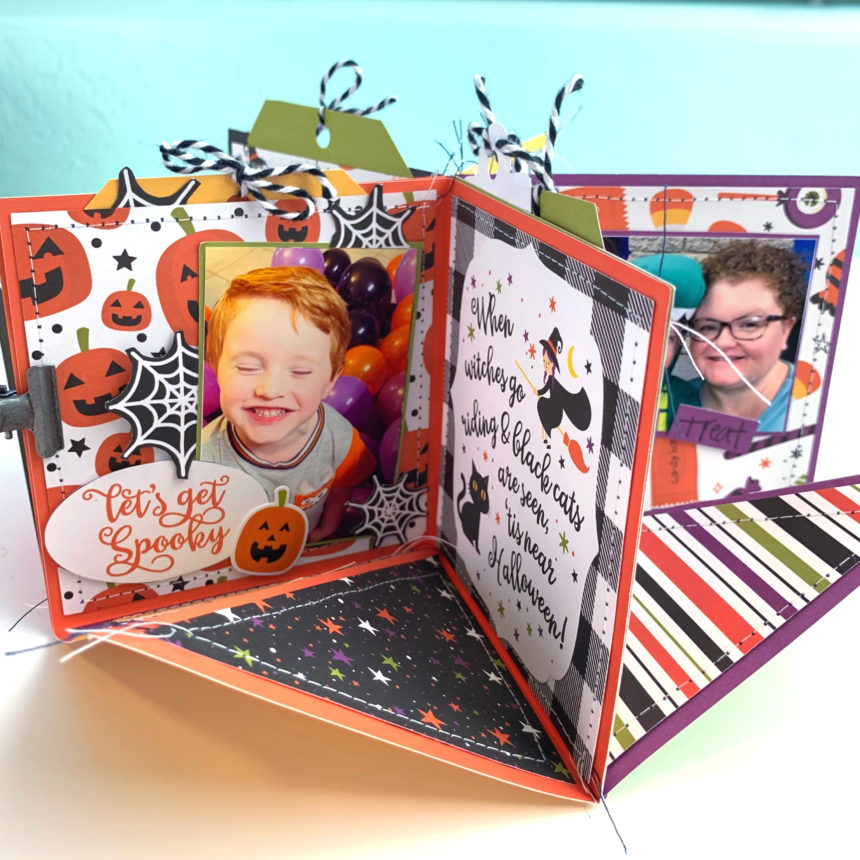
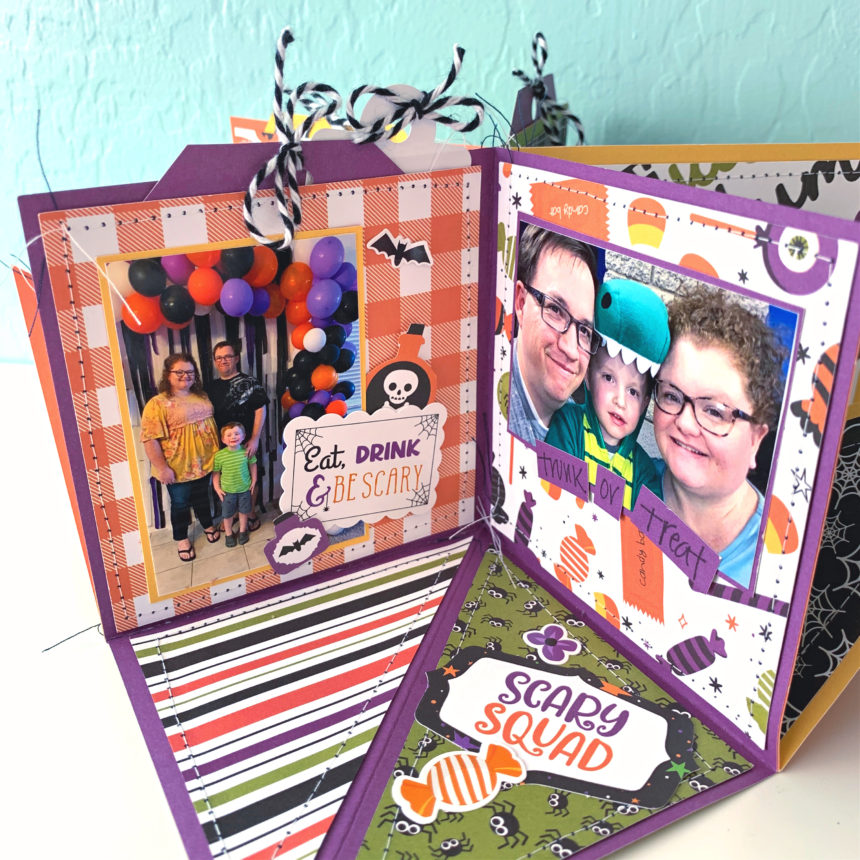
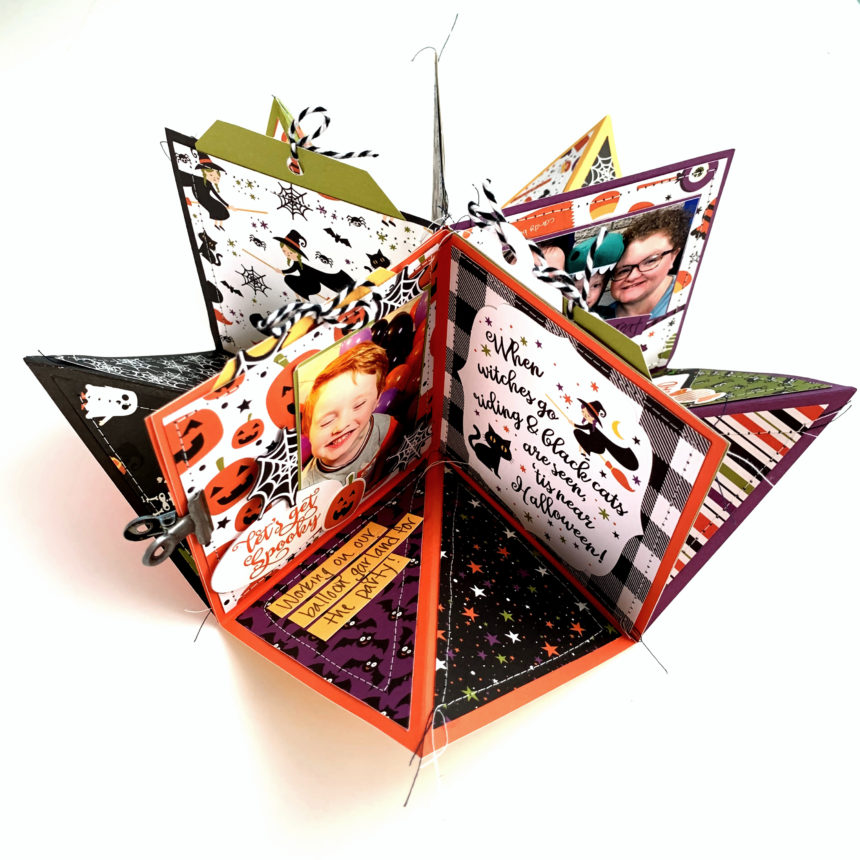
Hi there crafty friends! We made it to October! Woohoo! Time for cooler weather, pumpkin everything, and spooky fun. The last few years I have created an October daily album for all the cute fun things I have done with my family. Since this year will be scaled back I wanted to create smaller version of an October daily. I used the Circular Pop Up Card (SVG, Silhouette) for a October mini album. (I used pictures from last year for an example.)

I used my sewing machine to stich around all of the cover panels. As I glued the cover panels on I left the tops open to create pockets for tags and extra pictures.

The papers, stickers, and embellishments are from the I Love Halloween collection by Echo Park Paper Co.

I hope you are able to enjoy this Fall season and get a little crafting done too. Thanks for stopping by.

Brandie