Silk Screened Nativity Banner Tutorial with Kathy

Hi Everyone!  The holidays are in full swing now and as I was starting to decorate, I thought it would be fun to create a Nativity Banner using the new Silk Screen Kit from Silhouette.

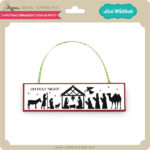
I started with some blank canvas banner pieces , the Full Nativity Child is Born 2 File (SVG, Silhouette) and the Silk Screen Starter Kit.  I assembled the silk screen frame according to the directions included in the kit.  Next I set up my design in Silhouette so that it could be used in the frame.
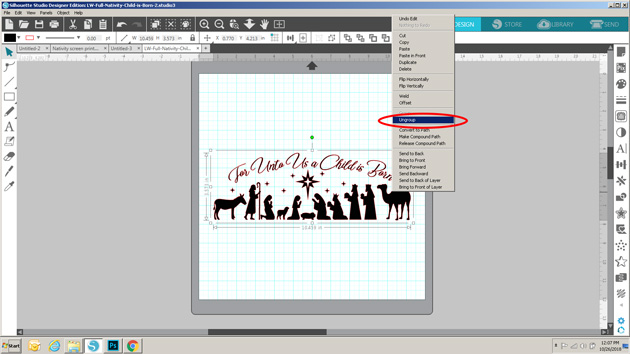
First I ungrouped the file so that I could resize and move around the individual pieces and delete those pieces I wasn’t including in the banner.
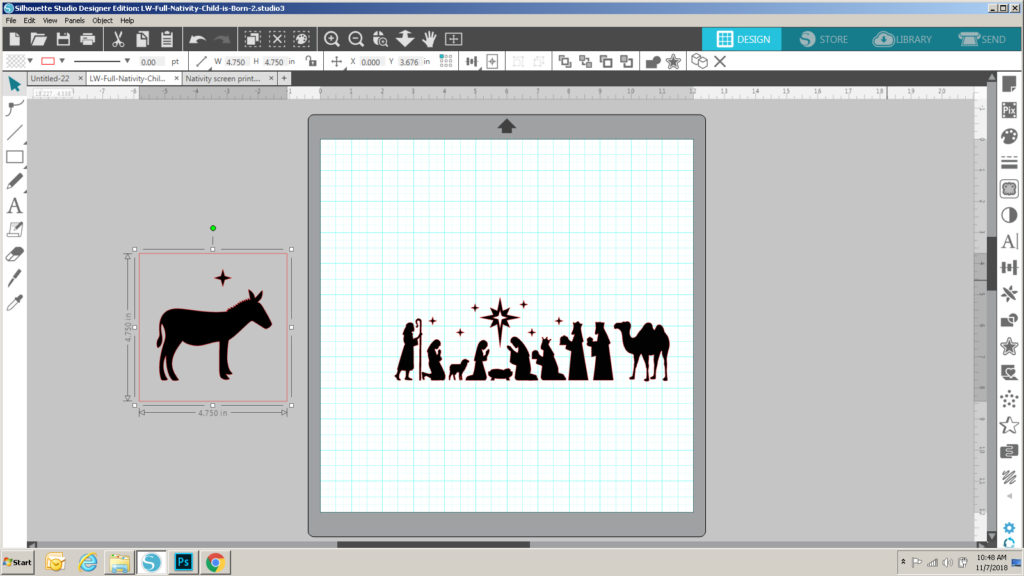
My banner pieces had a design area that was approximately 4.75″ square.  I drew a square that size on my mat as a guide, to help me re-size each figure in the file so that it fit nicely into the design area.

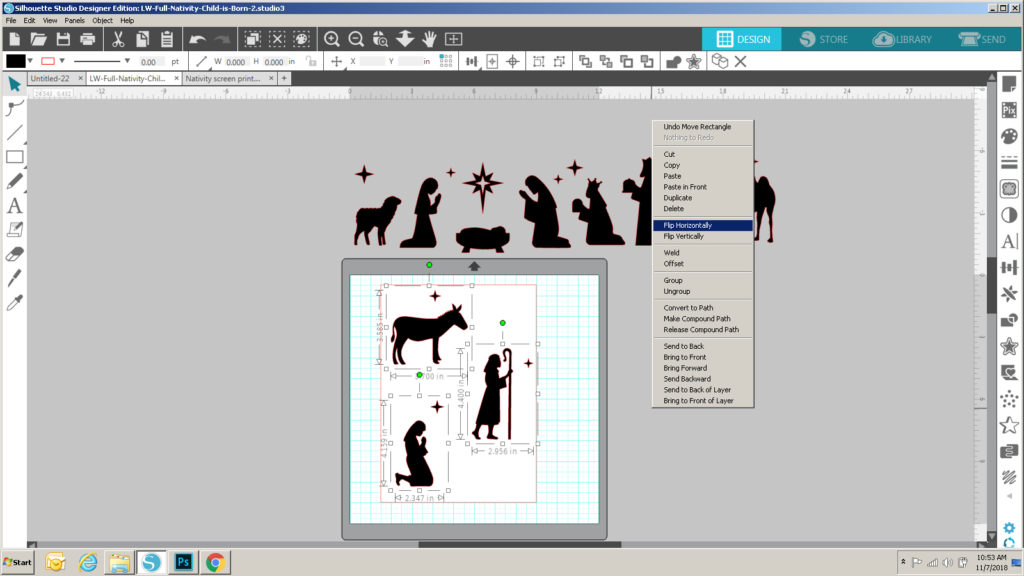
Once they were all resized, I got ready to set them up to be cut.  In the directions included with the Silk Screen Kit, it recommends that your design be able to fit into a 10.5″ x 7.5″ space so that it will fit inside the frame.  I drew a rectangle that size on my mat as a guide, and added the shapes. Before grouping the shapes together, I mirrored each of the figures.  You always want to mirror when using Heat Transfer Vinyl so that the design is going in the correct way when complete.   I ended up with 4 separate files to be cut.
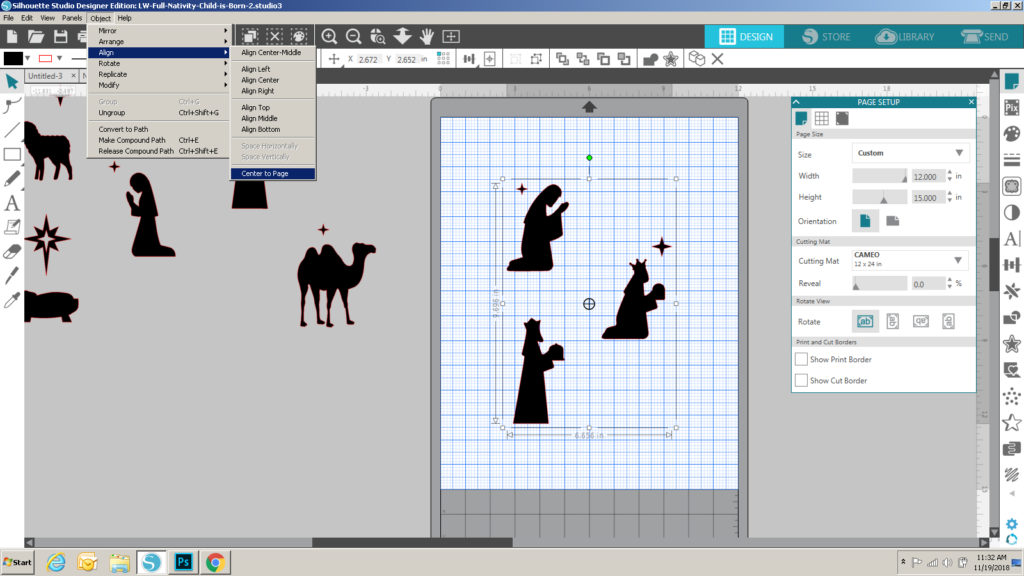
Now I was ready to cut the pieces from the heat transfer vinyl included in the kit.  The directions with the kit recommend you center the design to be cut on the full piece of vinyl (the piece is 12″x15″.)  I decided to use my 24″ cutting mat rather than just loading the vinyl directly into Silhouette.  I set up my Silhouette to include the 12″x24″ mat and changed the page size to 12″ x 15″.  I added one of my designs to the page, and centered it.
Once it was all set up I sent it to cut.  The directions called for using a blade depth of 2, but after a few test cuts, I ended up using a depth of 6.  I loaded my mat with the vinyl on it (shiny side down)  and cut.  Once cut, I weeded the actual design (not the extra pieces around the design).  Once all were cut and weeded, I ironed each design sheet onto one of the silk screens provided in the kit according to directions,  and peeled away the shiny cover layer.  Be careful when doing this part.  You want to make sure that the edges of each design are firmly ironed onto the screen to prevent any seepage.  I found it best to wait for the ironed piece to be completely cool before trying to peel away the extra layer.

Now for the fun part!  The actual silk screening!  The first step is to prepare the design to be inserted in the Silk Screen Frame.
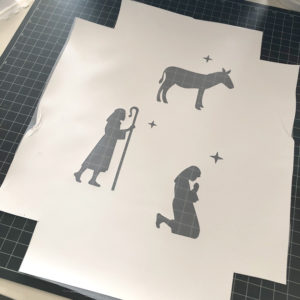
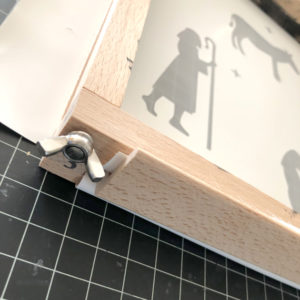
You want to cut a 2″ square from each corner of the design to make it easier to insert into the frame.  Place the frame over the design (screen side down), making sure it’s centered.  Pull up the sides outside the frame and insert the frame brackets to hold the screen in place.  Do this for all 4 sides.
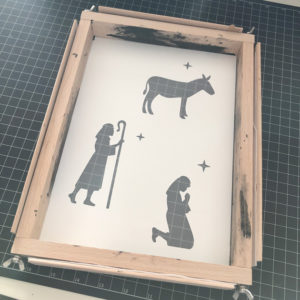
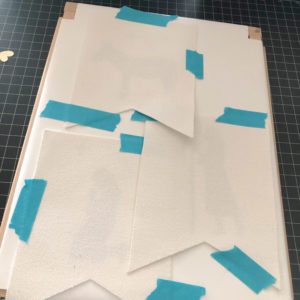
For most projects, you would then arrange the framed screen over your fabric, and continue.  Since I had multiple designs going on different banner pieces, I centered the banner pieces around the designs on the back of the screen and taped them down.
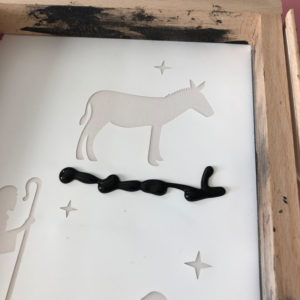
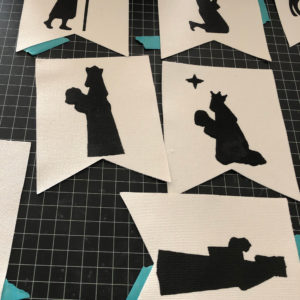
Placing the screen on a protective surface (to prevent a big mess!)  I added a line of ink along one side of one of the designs.  Using the squeegee provided in the kit, I scraped the ink  over the design.  You may need to repeat this process to make sure it’s all “filled” in.  I did this for each design on the frame, and then repeated the process for the other figures/banner pieces.  Once they were done, I let them dry overnight, and heat set them with my iron, using a piece of fabric in between to protect my iron.

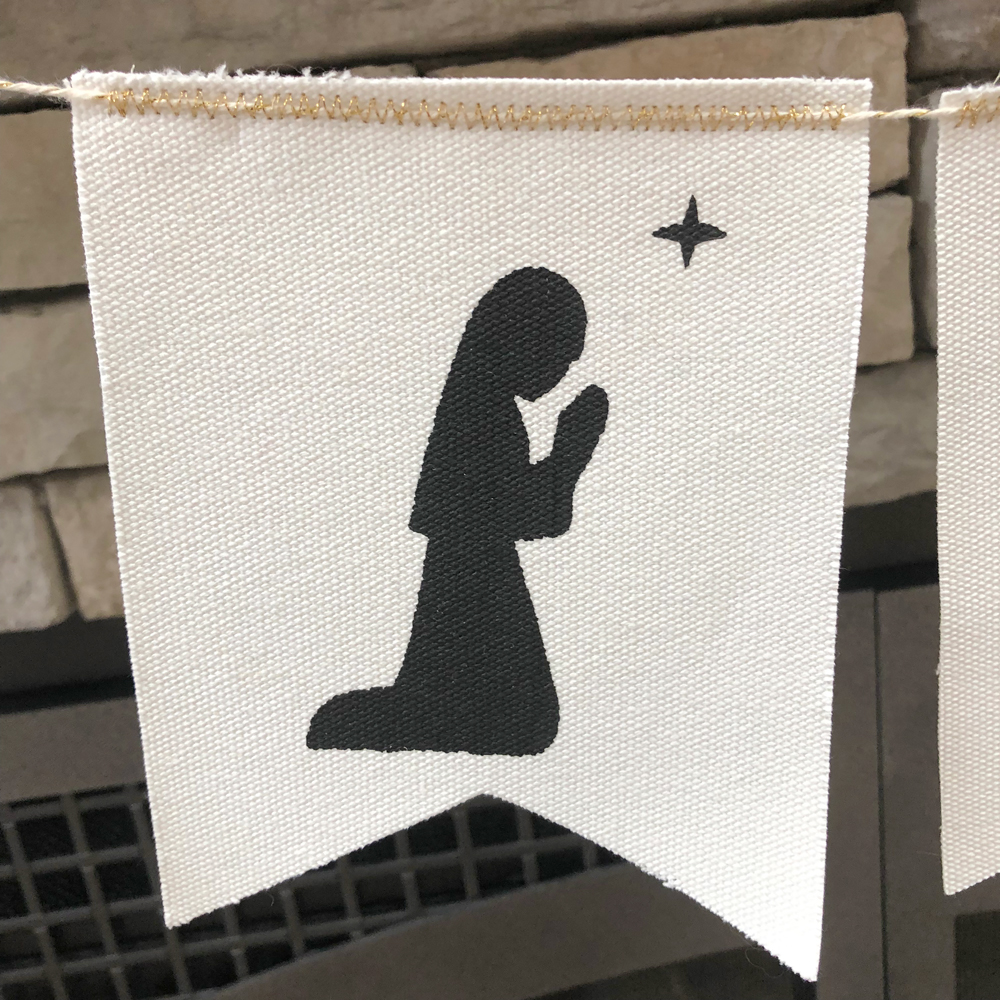
All that was left was to stitch the banner pieces together!  I used some gold twine and stitched it down with gold thread using a zig zag stitch.  You could also attach the banner pieces to the twine using small clothespins!  Here are some close-ups…

If you decide to try out the new silk screen kit with one of Lori’s designs be sure to take Lori on social media!  We’d love to see what you’ve created.  That’s it for me today, thanks for stopping by to peek.

BLOG * INSTAGRAM


Santa Set with Corri

Hi everyone!  Corri here today sharing a couple of cute Santa projects to help get you ready for Christmas.

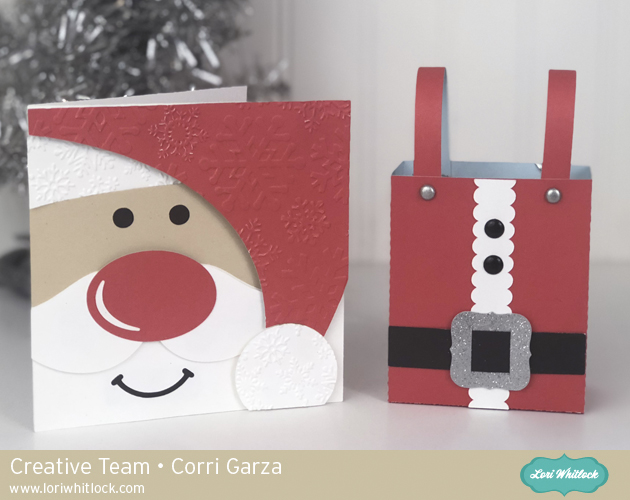
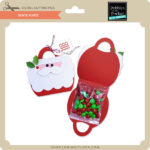
I cut the Santa Square Card (Silhouette, SVG) and the Santa Suspender Box (Silhouette, SVG).  This card is so cute and goes together really quickly.  It would be a great card to make in multiples for friends or family. I added some texture to the hat pieces by using an embossing folder.

The Suspender box is also very easy to assemble and would be so fun filled with candy.  Perfect for secret Santa,  It’s large enough to tuck a gift card inside too.   I hope you like these cute Santa projects.  Check out all the adorable Christmas files in Lori’s Shop.

Tuesday Freebie and New in Shop

ALL WEEK, this SVG file is FREE with any $1.99 purchase!

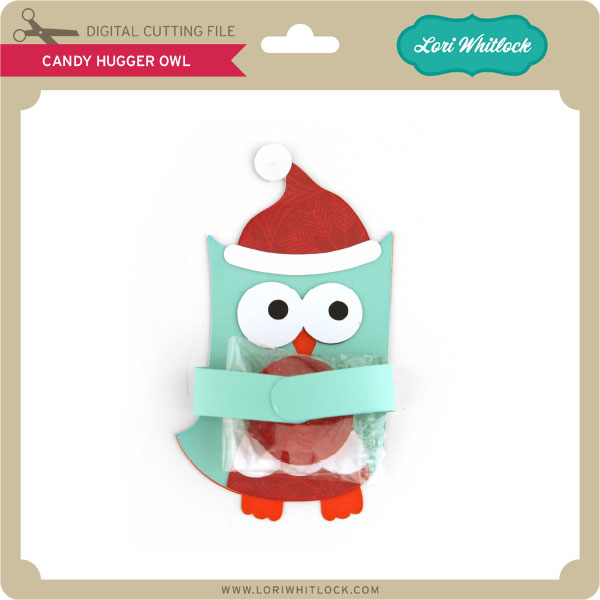
We have a FREE file with purchase all this week! Simply add this Candy Hugger Owl file  to your shopping cart along with ANY $1.99+ purchase from the SVG Shop and this file is yours FREE. Be sure to use Coupon Code: OWLHUGS (case sensitive) at checkout. This offer is good through next Sunday.

(Your cart must reach at least $3.98 before the coupon will be applied and then $1.99 will be subtracted from your total at checkout. The files will be available for immediate download after you pay for your order by visiting MY ACCOUNT>COMPLETED ORDERS>ORDER DETAILS inside of your account. Only one discount code per order allowed.)
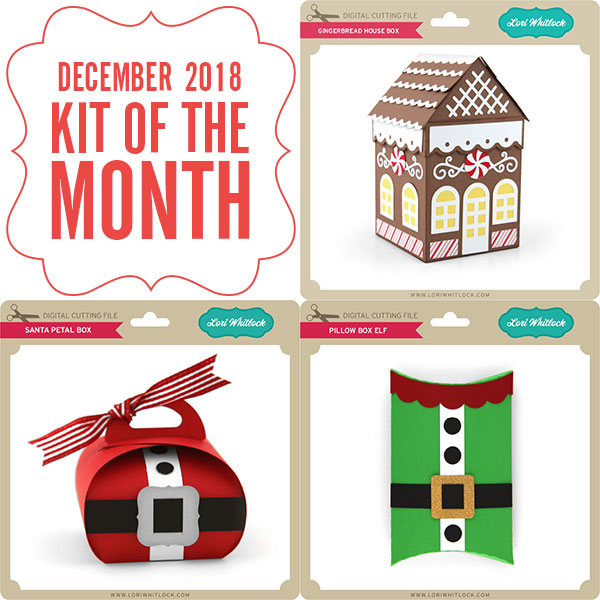
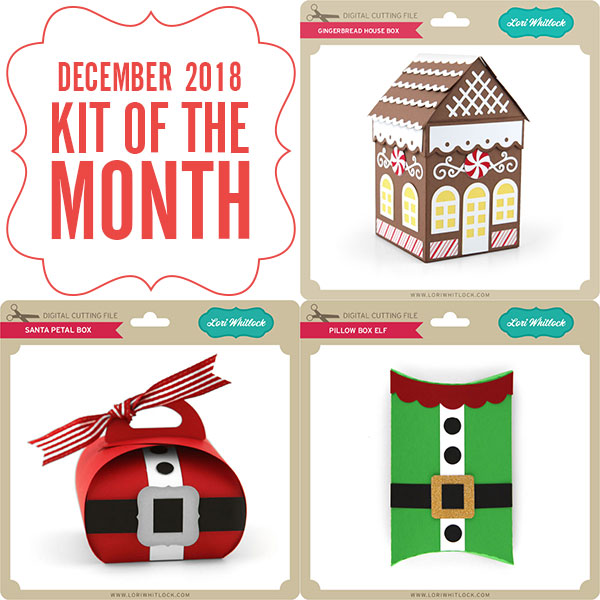
In addition, don’t forget about this special ! You can get this Free Kit of the Month with any $20 purchase (Purchase must be in one transaction.) Simply add the 2018 December Kit of the Month to your shopping cart along with ANY $20.00+ purchase from the SVG Shop and this file is yours FREE. Be sure to use Coupon Code: DEV18KOTM (case sensitive) at checkout. This offer is good through December 31, 2018!
Your cart must reach at least $27.95 before the coupon will be applied and then $7.95 will be subtracted from your total at checkout. The files will be available for immediate download after you pay for your order by visiting MY ACCOUNT>COMPLETED ORDERS>ORDER DETAILS inside of your account. Only one discount code per order allowed.)
 
Check out the new SVG files releasing this week!   And, just like always, the NEW SVG files are ON SALE 25% OFF through the weekend in the SVG Shop! These downloads include SVG files that may be used with Cricut Explore, Silhoeutte (DE upgrade required), Eclips, Brother Scan and Cut, and any other software that will open SVG files. No coupon code necessary, the newly released files are all discounted in the shop! Be sure to go get them while they are on SALE this week. 
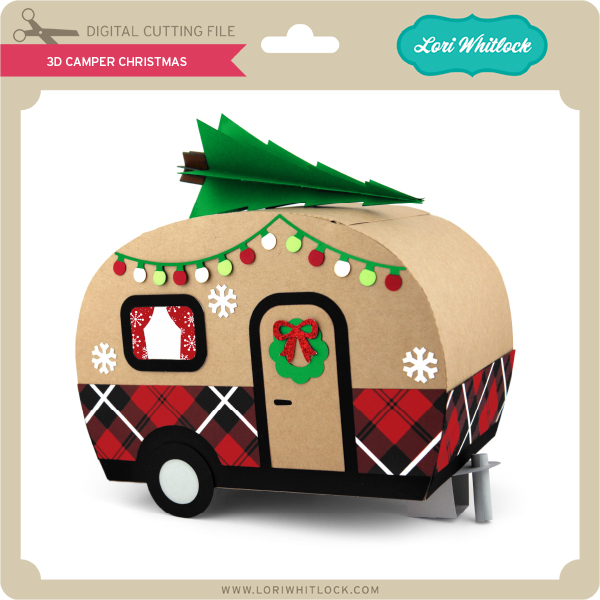
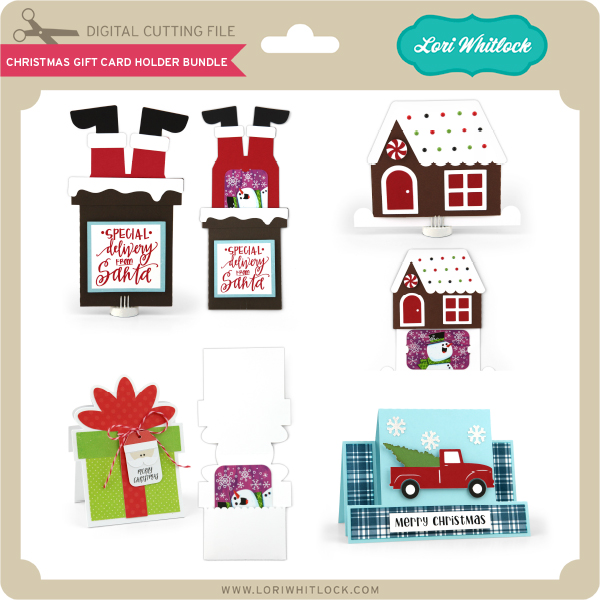
This week I have a fun new 3D Camper Christmas and a Gift Card Bundle!  We also have files from Kolette Hall, Paige Evans and Pebbles in My Pocket!
 

And while you’re thinking about crafting, make sure to check out the fabulous deals happening at Scrapbook.com!  There are new deals every day and a free gift with purchase every day until December 12th!

Each day is different over at Scrapbook.com!

Thanks for visiting the blog today! Please let us know if you need any help with your files. We want to make sure everyone is happy with their purchase. Have a great week!

Pink Gingerbread House with Michelle

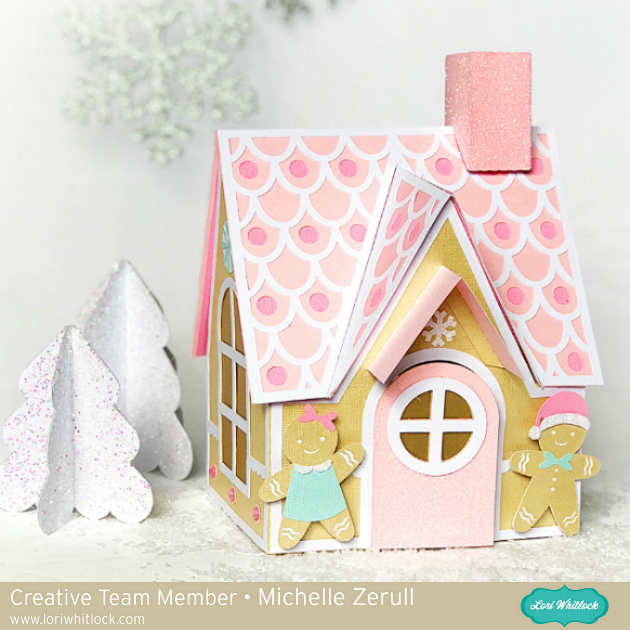
I’m excited to share one of my favorite Holiday crafting projects. My Pink Paper Gingerbread House has holiday sweetness, as well as crafting fun!

Pink Paper Gingerbread House

Lori has made a step by step assembly video to explain how to put it together. Don’t worry, it’s easier than you might think. Her video has lots of tips.

Pink Gingerbread Man closeup

You can purchase the SVG file for the Gingerbread House at the Silhouette Design Store as well as at the Lori Whitlock SVG Shop. The cute gingerbread people are included in the file too. Isn’t he adorable?

Pink Paper Gingerbread House

I hope that I’ve inspired you to hang up your apron and craft your own paper Gingerbread House. Make one for yourself and another one for a gift that will be treasured!

Have a creative day!

Michelle

December 2018 Kit of the Month

We have a brand new special for the entire month of December ! You can get this Free Kit of the Month with any $20 purchase (Purchase must be in one transaction.) Simply add the 2018 December Kit of the Month to your shopping cart along with ANY $20.00+ purchase from the SVG Shop and this file is yours FREE. Be sure to use Coupon Code: DEC18KOTM (case sensitive) at checkout. This offer is good through December 31, 2018.

(Your cart must reach at least $27.95 before the coupon will be applied and then $7.95 will be subtracted from your total at checkout. The files will be available for immediate download after you pay for your order by visiting MY ACCOUNT>COMPLETED ORDERS>ORDER DETAILS inside of your account. Only one discount code per order allowed.)

Thanks for visiting the blog today! Please let us know if you need any help with your files. We want to make sure everyone is happy with their purchase. Have a great day!