Christmas Car Reindeer

Box Card Christmas Car Reindeer 

(Lori Whitlock SVG, Silhouette Store)

or

Box Card Christmas Car Bundle

 Today I have a bit of a quick tutorial for this festive little Box Card Reindeer driver!!! This file is just so cute and you can also make other drivers- Santa, Snowman, Penguin, Elf and Gingerbread man!

I always start by making a duplicate of the file by grouping the complete cut file together. (click on the grouped file and hit control and any arrow key for a copy). I then take the copy and shrink it and pull it aside for future reference in gluing all pieces. 

Here I ungroup the file and then move all like colors and group them and then cut out all the pieces. Assemble as shown below.

Here, you can see how the four sections come together.

When assembling the front and back of the car sections you should glue on each side rectangle piece (red) and then fold it underneath before you glue the car front on as the car front ‘hangs over’ each edge. See the above photo for reference. 

I hope you give this a try!
 
🎄🎄🎄Sue🦌🦌🦌 

Box Card Barn Flowers

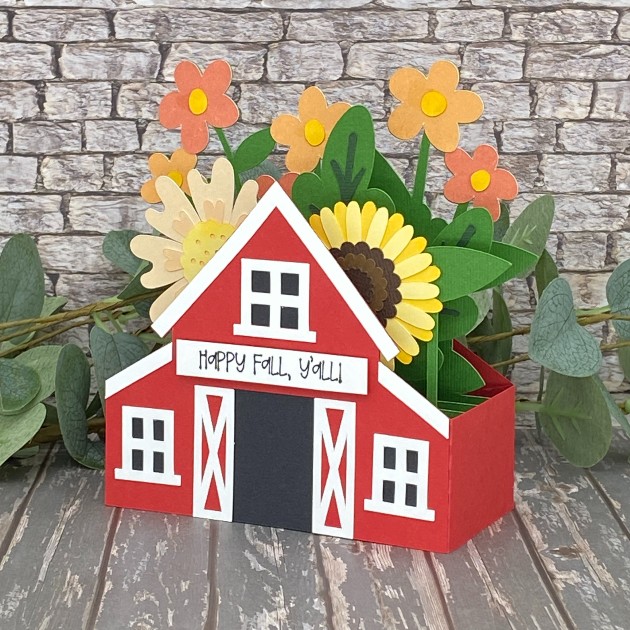
Hi friends, I hope you’re having a great week! Can you believe this month is almost over?! Leslie here, sharing a tutorial for making a Fall themed barn box card. If you love box cards as much as I do, be sure to check out Lori’s shop because she has some really awesome ones. I used the Box Card Barn Flowers SVG cut file (Silhouette)(from the A2 Box Card Autumn Bundle) along with papers from the Pattern Fill Set Autumn Joy for the flowers. So let’s make a box card!
Cut The Pieces

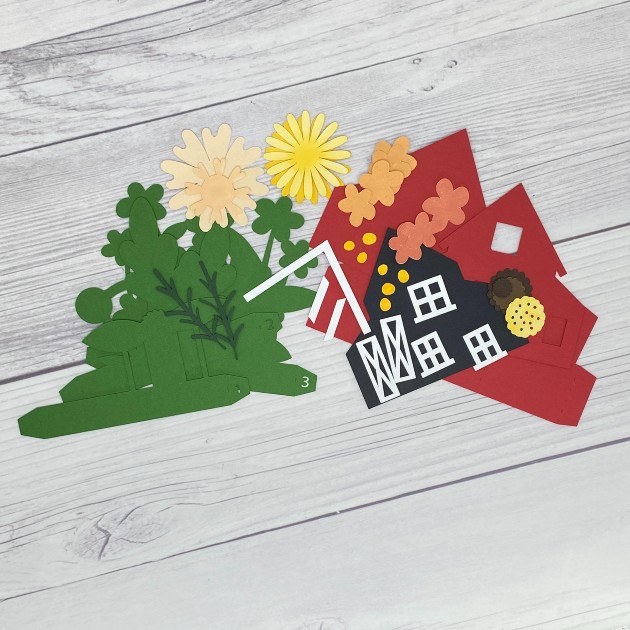
Using your choice of cardstock and patterned paper, cut all the pieces. I used a variety of cardstock in my stash for most of the pieces along with designer papers from Lori’s Pattern Fill Set Autumn Joy for some of the flowers.
Build Front, Back and Inside Panels

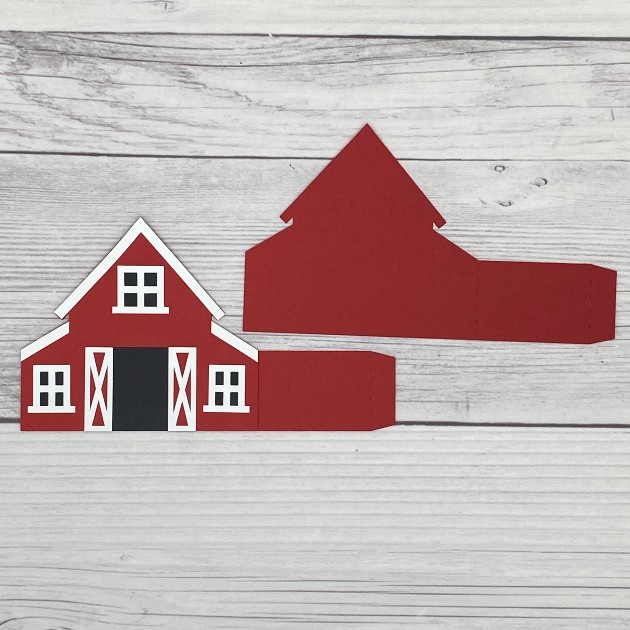
Using your choice of adhesive, build all the panels. I prefer wet glue for the ‘wiggle room’ factor. These are the front and back panels:
First insert:
Second (middle) insert:
Third (last) insert:
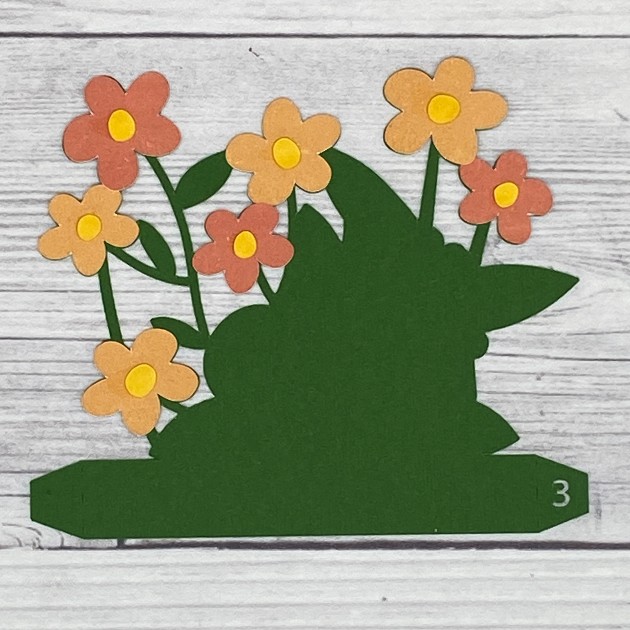
Assemble The Card

Mountain fold the score lines and adhere the tab on the right side of the front panel to the inside of the back panel.
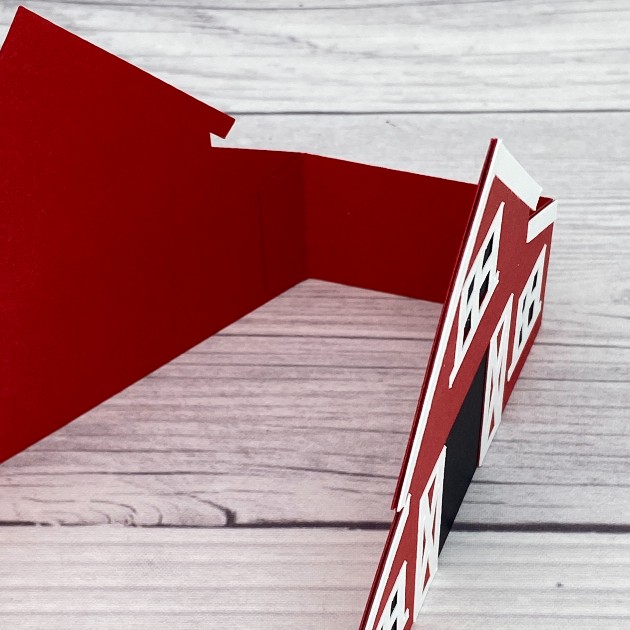
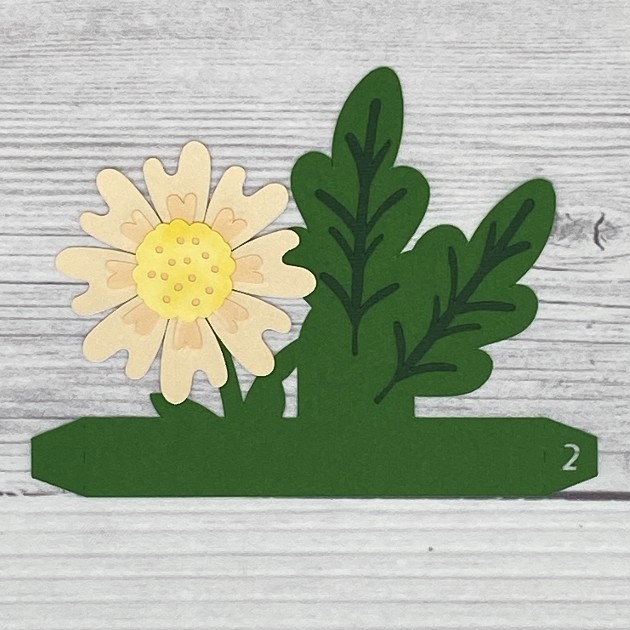
Starting with the third (last) insert, bend the right-hand tab backwards and adhere it to the inside of the card base just to the right of the score line where you adhered the tab in the last step.
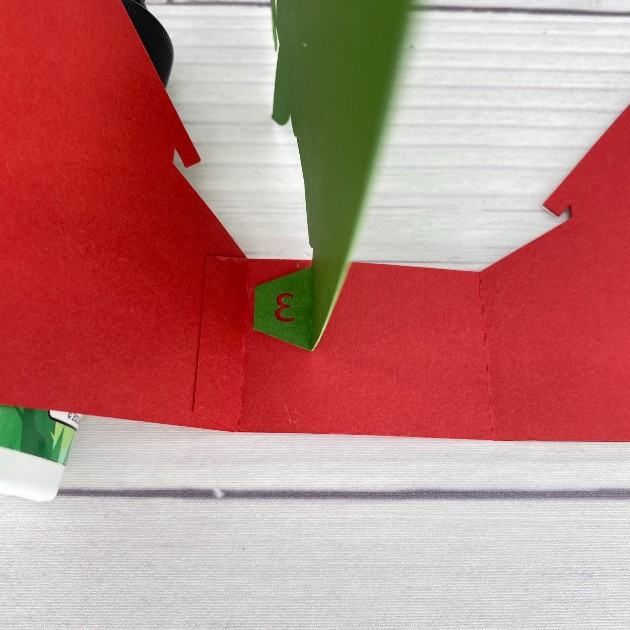
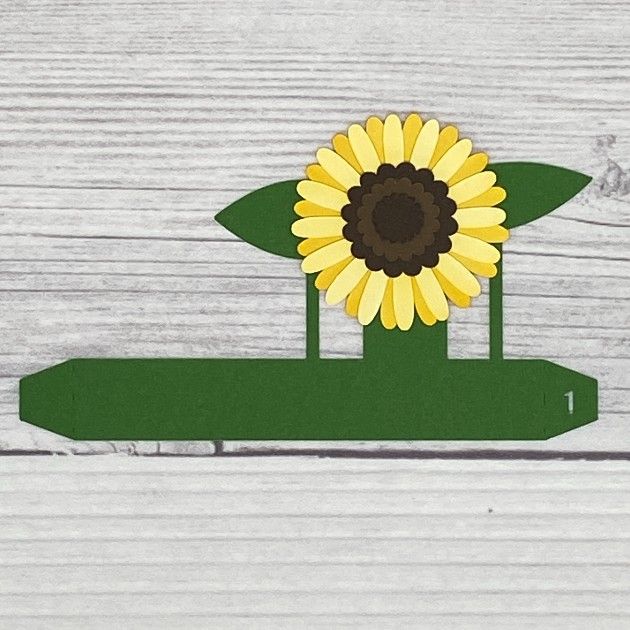
Now come in with the second (middle) insert and glue it just to the right of the third insert. So sorry but I forgot to take a photo of the first insert glued in place (ughhhh), but glue it just to the right of the second insert. They’ll be numbered 3 – 2 – 1 from left to right. The back panel is still on the left and the front panel is still on the right.
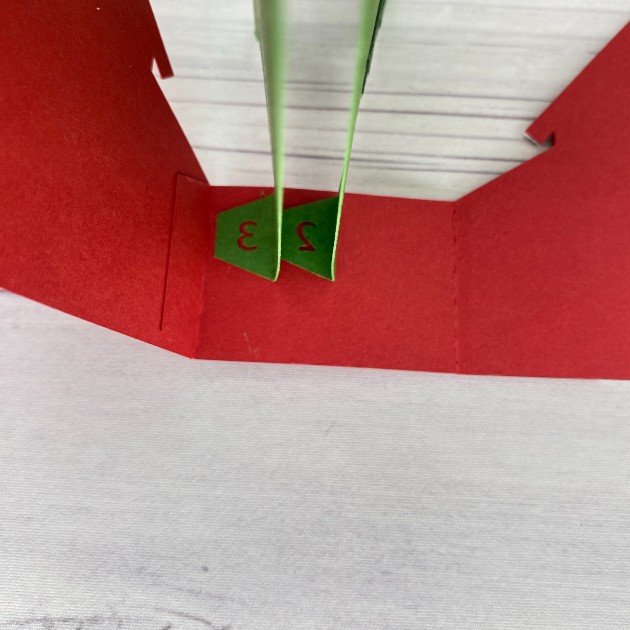
Straighten the back panel and fold all three inserts over toward the left. Be sure the bottom edges line up and apply glue to all three left-hand tabs.
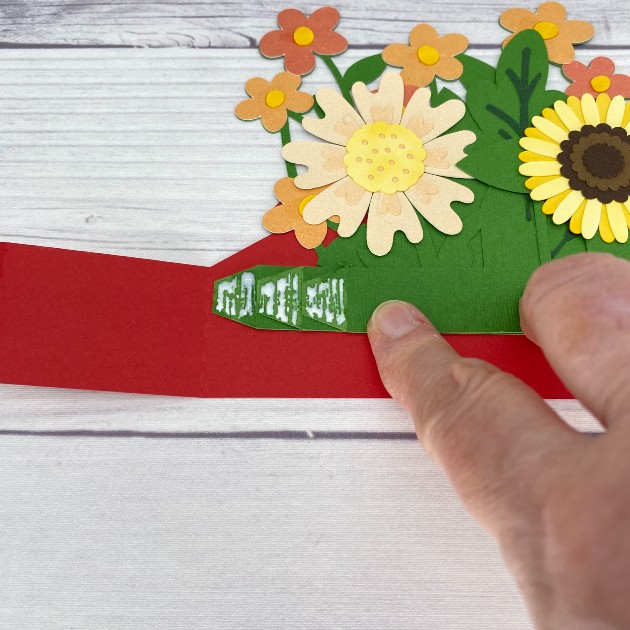
Now fold the side portion of the back panel over toward the left, catching the left-hand tabs on the inserts with the glue on them. Next, apply glue to the tab on the side portion and fold the front panel over toward the right to secure.
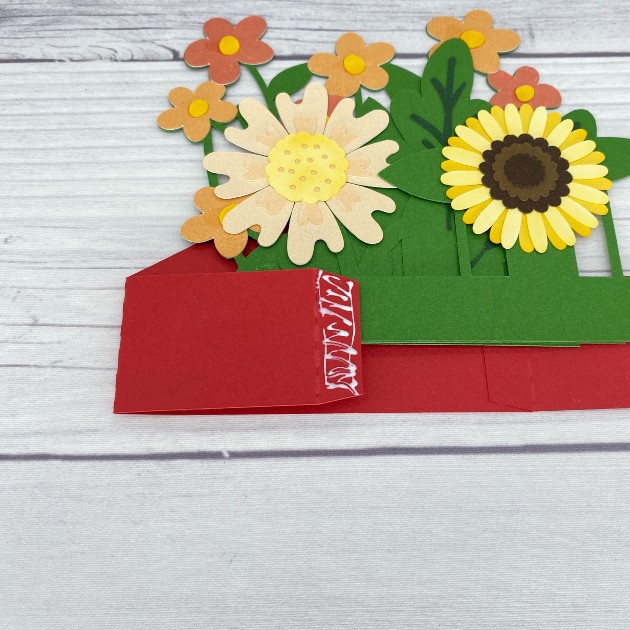
The card will now look like this.
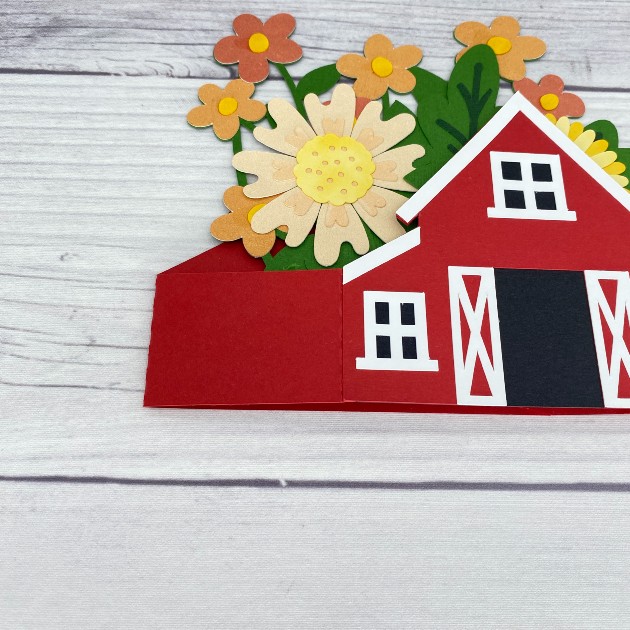
Now push the folds toward the left to help ‘train’ them to fold in either direction.
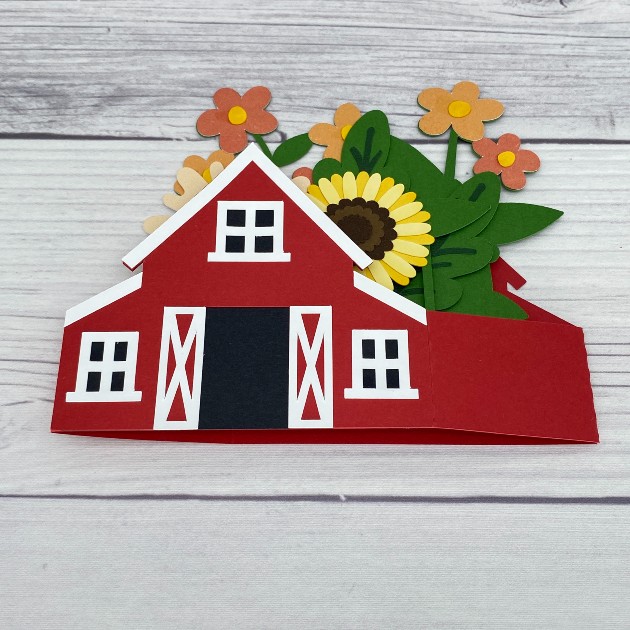
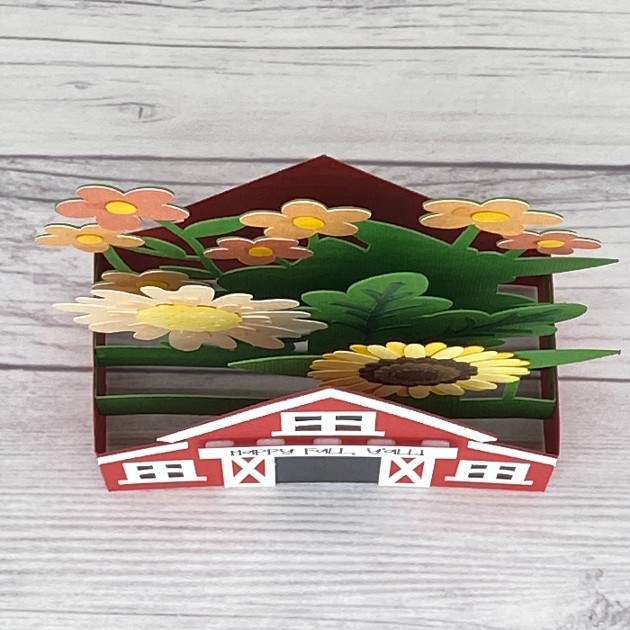
This is an overhead view of the assembled card with all three inserts.
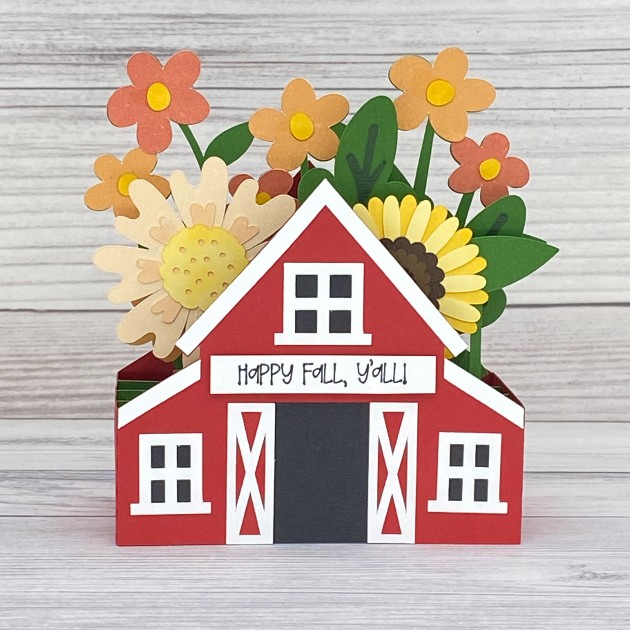
And here’s a finished frontal view. I used the draw function on my Cricut to create a fun sentiment which I popped up on foam squares.
Thanks so much for stopping by today! I hope you’ve enjoyed seeing this awesome Fall themed barn box card and you’ve been inspired to make one. They are so much fun!

Scrappy hugs,
Leslie

Ultimate XL Fold Flat Halloween Village Scene

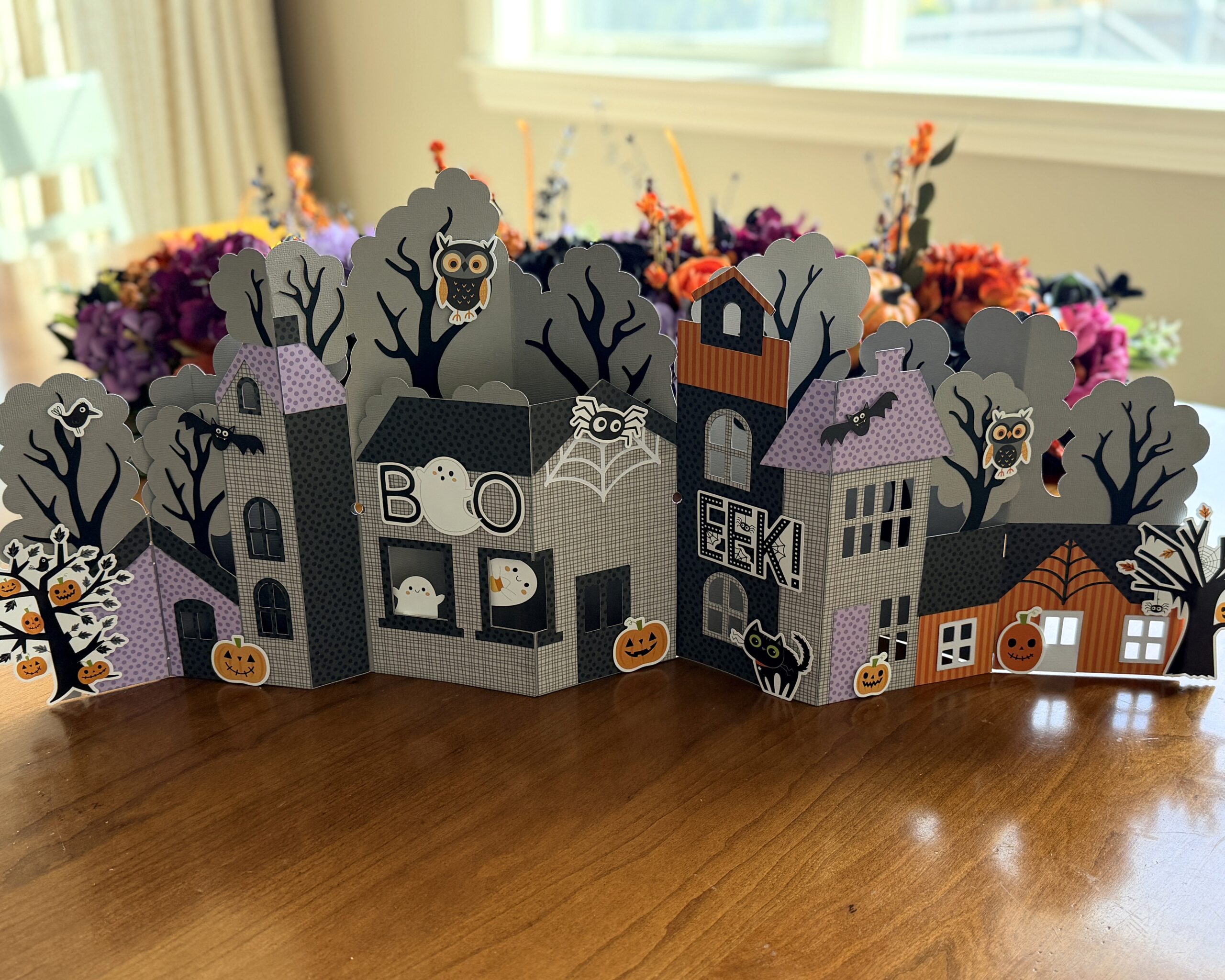
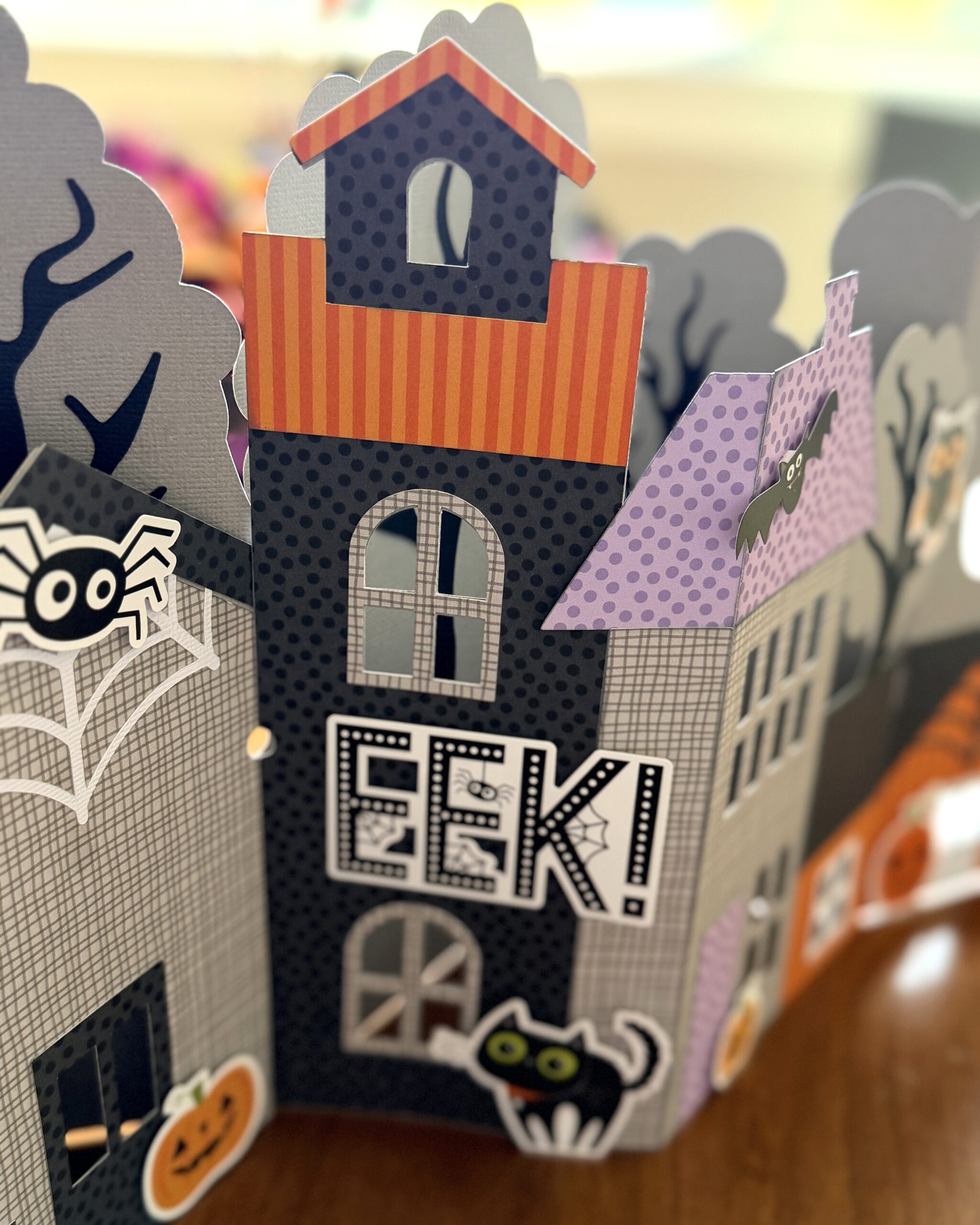
Today I’m sharing a Halloween decor piece that is sitting on my mantel (svg, silhouette). The photos don’t do it justice. It is HUGE! The pieces went together easily, like a fun puzzle. I decided to use Bella Blvd papers and embellishments. I’m going to put fairy lights behind the windows for a fun spooky effect. The best part about the finished village (besides the over the top cuteness!) is that it all folds up. I could tuck it away and use it again next year. Need a last minute centerpiece or home decor accent? Download this Ultimate XL Fold Flat Halloween Village Scene today! Let the Halloween countdown begin!

Thanks for stopping by! Happy crafting! –Lindsay

Box Card Truck Halloween Boo Truck

 Box Card Halloween Truck (SVG, Silhouette)

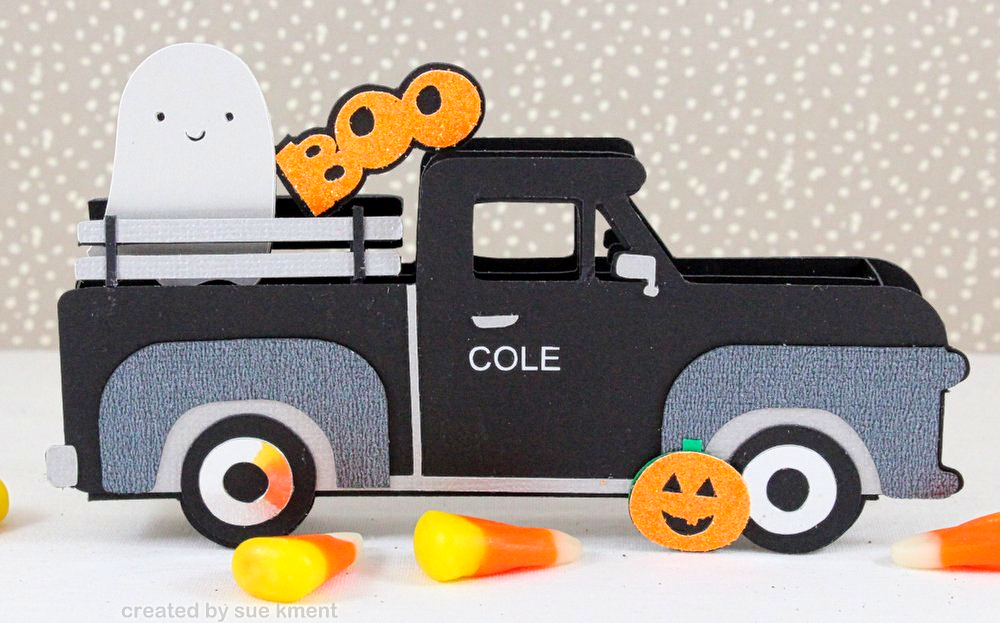
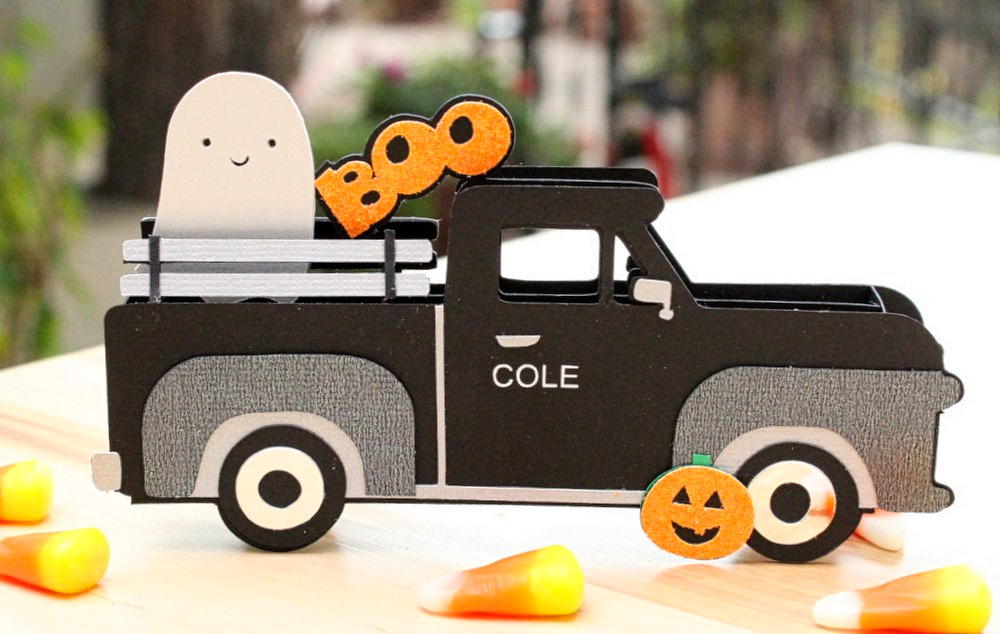
I made this cute Black Boo truck for my grandson. He drives a black truck at college so I thought this cut file would be perfect to send to him. It’s a standard box card type card with added Halloween details. I also cut out his name in white vinyl and added it to the door. Just to add a little more fun! 🙂

I used several different types of grey and silver shimmer papers for  the details and some mirror cardstock for the wheel hubs. That shimmer gives it an extra dimension!

Lori has so many cute Halloween files, it’s just hard to choose a favorite… and a little personalization adds that extra special touch.

Enjoy,

🎃👻Sue Kment 👻🎃

New Home Mini Album

Today we have a special post for you! We’re so excited to introduce the newest member of the Lori Whitlock Creative Team, Leslie Turner! 🎉

You may already know Leslie and her wonderful work with CutCardStock, Keep It Simple, ScrapbookingStore, Scrapbook Adhesives by 3L, and Cut It Up Challenges. She’s incredibly creative, and we’re thrilled to have her joining our team!

If you haven’t met Leslie yet, here’s a little bit about her—in her own words:

“I’m absolutely delighted to be the newest member of the Lori Whitlock creative team! I’m married to Ed, and we have four grown kids and six grandkids. I’m affectionately known as the crazy cat lady and crafting junkie! We are paw-rents to ten feline rescues and a Forkie (Frenchie + Yorkie) pup! I’m addicted to stamping and love making cards, ATCs, and 3-D projects (especially paper shoes, paper purses, and mini albums). I also dabble in mixed media, art journaling, altered art, and custom jewelry. If you’re looking for me, I’ll either be in my studio or getting some kitty or puppy lovins!”

We’re so happy to have you, Leslie, and can’t wait to see all the wonderful projects you create! Please join us in giving her a warm welcome to the Lori Whitlock Creative Team! ❤️✂️🎨


Here is her first post with us:

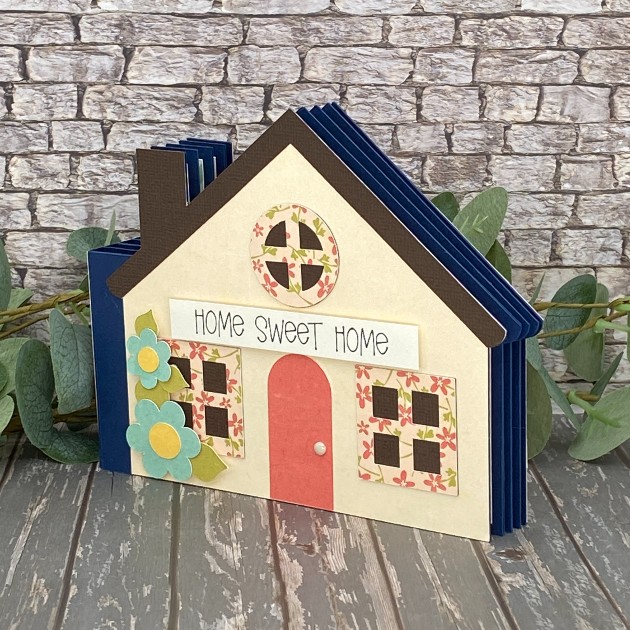
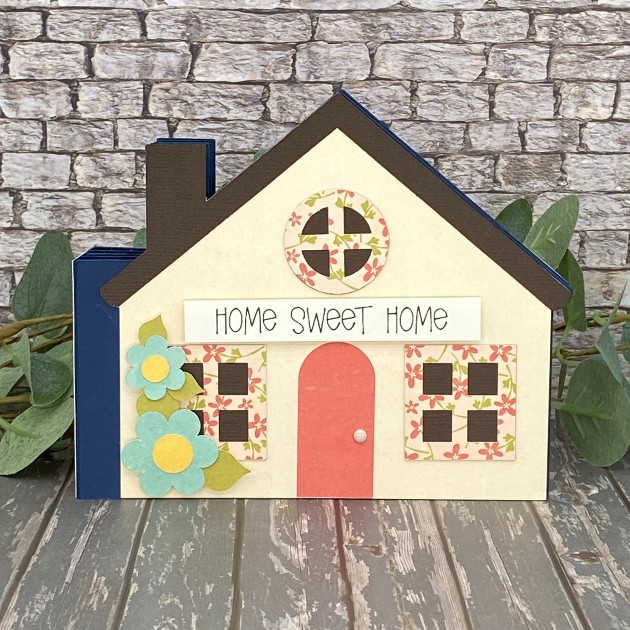
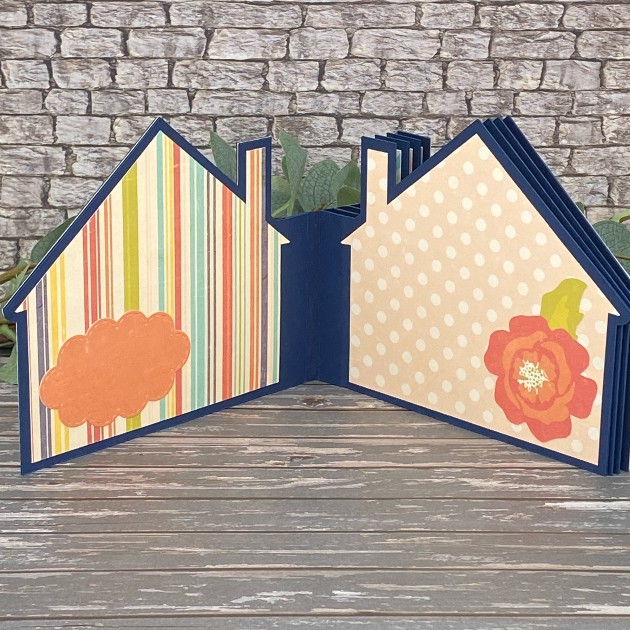
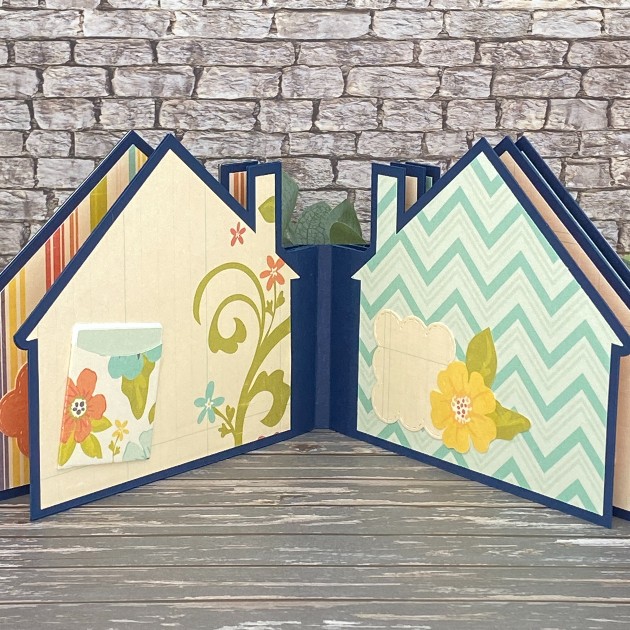
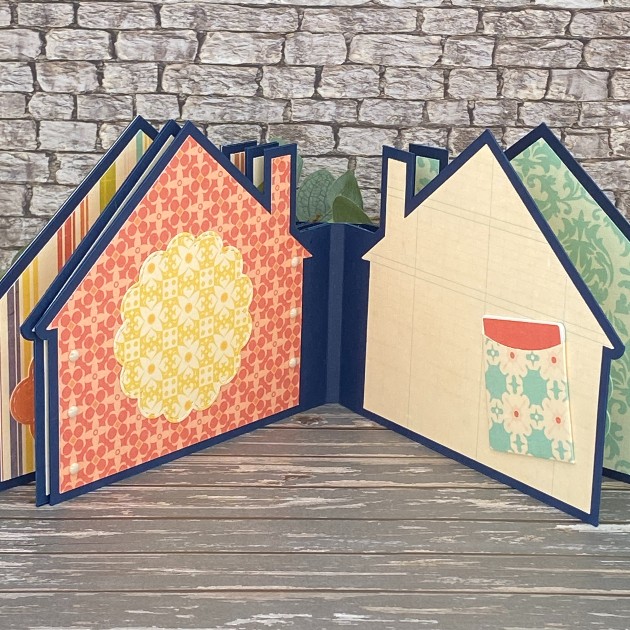
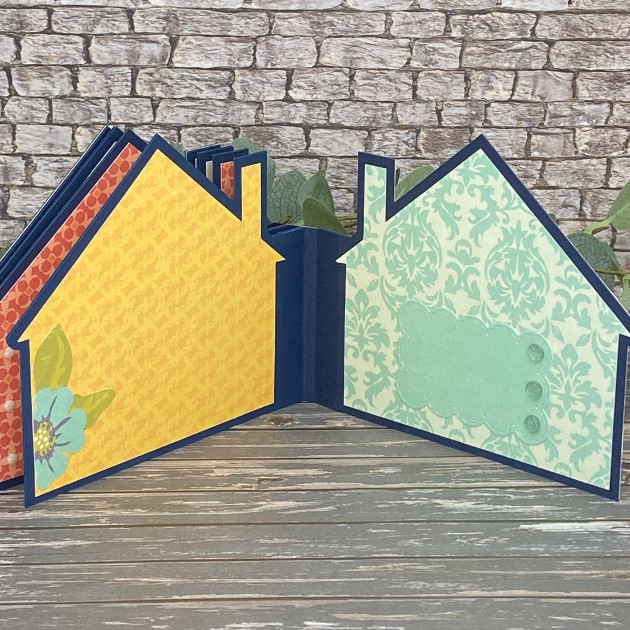
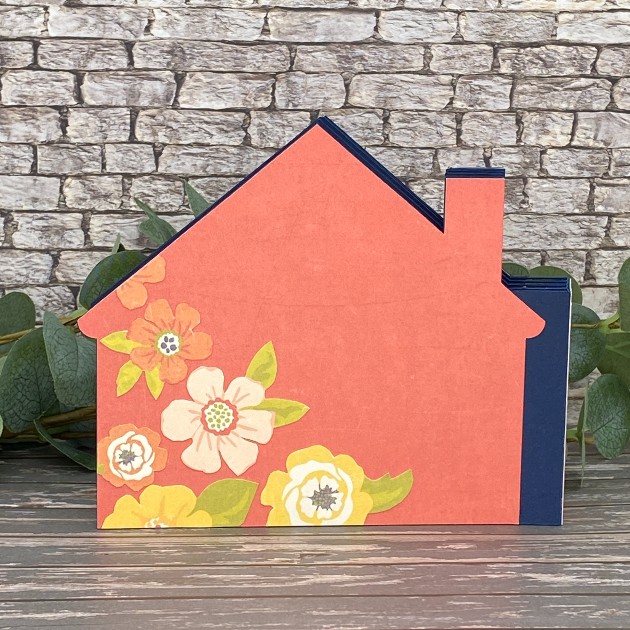
Hey everybody, happy Monday! I hope your week is off to a nice start! Leslie here, sharing my debut project as a new creative team member, and I couldn’t be more thrilled! I’ve been a huge fan of Lori Whitlock for many years and this opportunity is a dream come true for this old gal! I’m sharing THE cutest new home mini album that I created using Hidden Binding Mini Album House SVG cut file (Silhouette) (from the Hidden Binding Mini Album Bundle 2) and the Library Pocket SVG cut file. Also used papers from the Pattern Fill Set Fresh Air. I’m a mini album fanatic and a huge fan of Lori’s hidden binding mini albums, so you’ll be seeing more of them in future posts. Let me show you this one in more detail!

This album features a variety of designer papers from the Fresh Air Pattern Fill Set and a front sentiment created with the draw function on my Cricut. I’ve also included elements such as die cuts, library pockets, and fussy cut florals on the inside pages and the back.

Thanks so much for stopping by today! I hope you’ve enjoyed seeing this project and you’re inspired to make a hidden binding mini album. They are so much fun!

Scrappy hugs,
Leslie