Candy Holder Christmas Ornament

Hi there friends! Today I am sharing an assembly tutorial for the new Candy Holder Christmas Ornament Santa (SVG, Silhouette). This ornament comes in several different styles as well. You can find the bundle here. I used the Lindt Lindor chocolate and found that a heavier (85lb) cardstock worked better than a lighter (60lb) one. But these are definitely a great scrap buster project. These cuties would look great tied to a gift as well as hanging on a tree.

After I cut everything out I decided to discard the round cheeks for some pink chalk that I applied with a paint brush. I then assembled the faces of my characters. The front of the Santa also has a belt, a white ruffle for the hat, an additional cover for the top of the hanger and a white ruffle for the bottom of his jacket.
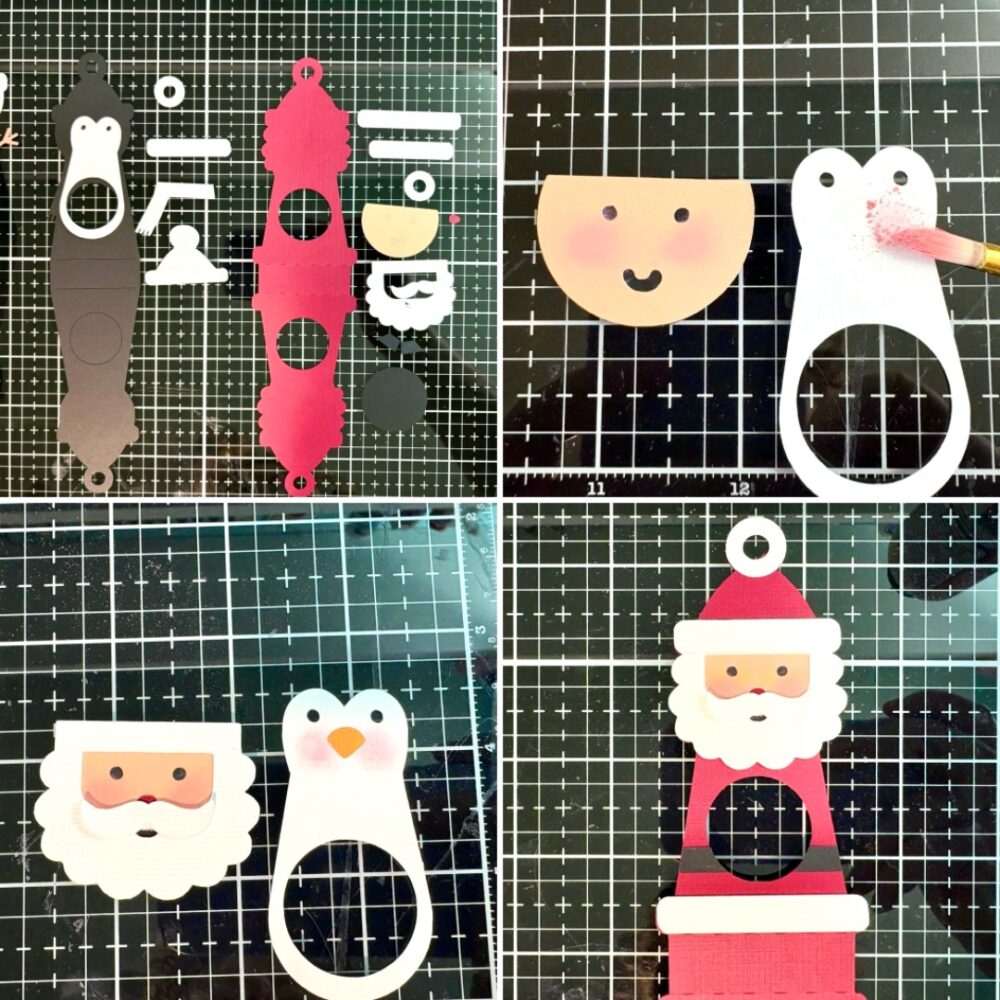
With the front of the characters done I folded the score line into mountain folds. Before tucking the candy into the belly of the ornament, I used some glue dots to secure the wrapper onto the back of the candy. I then added glue to just the top of the inside of the ornament. Creating a little A-Frame shape with the ornament. The chocolate then slides right into the belly of the ornament.
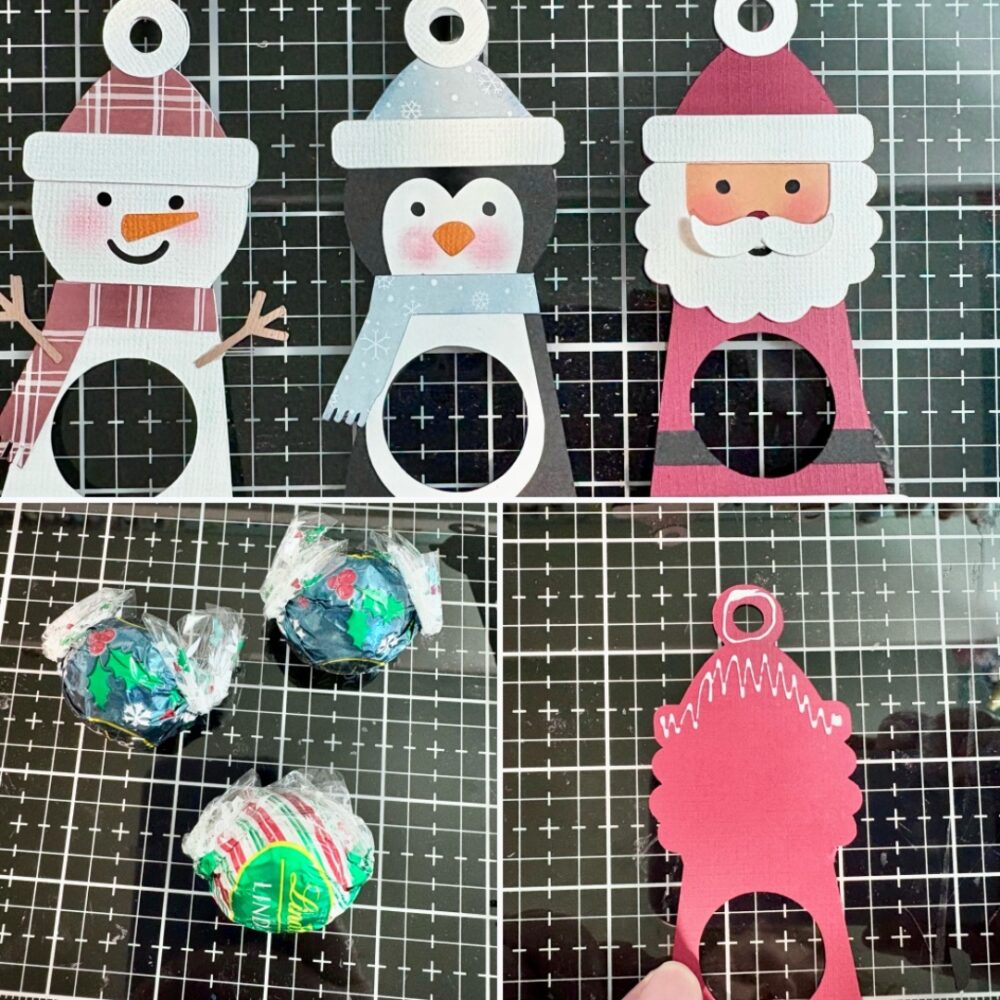
I added a sticker and tied some bakers twine to the top.

These are a cute fun project. Thanks for stopping by today!
Brandie

Christmas House Card Inspiration

Lori Whitlock December Inspiration
Today on the Lori Whitlock blog I am sharing this fun Christmas House Creation. I have always loved this file!
 
 I added a little Santa and Sleigh ‘up on the rooftop’ for a bit of fun. I also cut extra elements from the front pieces to add a bit of interest on the inside of the card.  There was one reindeer that did not fit on the rooftop so he got to come inside and eat all the carrots waiting for the other reindeer! Hope he shared LOL!
 
 
Christmas House Card
 
Christmas Santa Reindeer Sleigh
 Hope you enjoyed this fun little holiday house! 
 
💕Sue Kment

Tuck Lid Gift Box Santa Claus and Mrs Claus Tutorial

Hello crafty friends!
 
 Today I am making Lori’s Tuck Lid Gift Box.  You can find the bundle (or singles) at Lori’s store HERE. It also includes a cute reindeer, a snowman, a penguin and a fun little gnome. 
 
You can find them at the Silhouette store HERE as well. 
Here are the pieces of Mrs. Claus. For the Mrs. you place the face on top of the white piece, for Santa the face is placed behind the white beard/hat piece. 
Here are the finished front panels of the Mr. & Mrs.
Time to put together the box now. After folding all the creases in the box, add a bit glue to the side tab and then fold the box in half. It lines up perfectly!
Fold over the bottom tabs and glue to finish the box. Leave to top panel free so you can open and close the gift box.
Glue the front panels on to the box.
 
If you are looking for a fast project for some holiday gifties, I would suggest trying these out!
 
💕Sue Kment

Canning Jar Label Tutorial

Hello friends!

I plant a large garden every year and then every fall I do a lot of canning. As you remember I did a cute tutorial awhile back for a canning jar box  and so I thought I would elaborate on the way I use my Cricut with my canning.  For everything I can, I made labels for the lids so I thought I would share how I do that.

First, I went and downloaded the Circle 1 Dingbats Font (Silhouette) [you could also use Circle 2 Dingats Font (Silhouette)] and install it on my computer.

I then open a new project on my Cricut and add a circle shape. 2.4 inches for wide mouth and 2 inches for regular mouth. I also like to turn the color to a light color so I can see my dingbat over top.

Then I add text and change my font to LW Circle 1 Dingbats. I selected the letter E for my dingbat.


I then shrink my dingbat down to fit within my circle. This ended up being 1.845 x 1.868 on a regular mouth sized label.

Then I change my Operation from basic cut to pen. I use the .4 mm fine point pen.

I then go in and add text as to what’s in my jar. The top font is LW Thankful and the bottom is LW Longhand.

Make sure to change your operation again to pen.

I will add the year as well. Once I have everything on my label and laid out how I want it, and everything except the circle (shown in pink) is changed to pen, I select the entire label, circle, words, dingbat, and on the bottom right, I click “attach”.


This keeps everything in place on the label when cutting and drawing the label.

At this point, you can select the label you have created and copy and paste it to make more of that same label. You can also copy and paste it and increase or decrease the size the make both regular mouth and wide mouth labels.

If you would rather have a cute label for the jar instead of the lid, the Label Shape Bundles 1-5 would make great jar labels (instead of using the circle). I also used the Mason Jar Dingbats on the label from the labels shape bundle below.


This is what it looks like all drawn and cut and on my jars.


Thanks for stopping by and happy crafting!

A2 Santa Claus Card

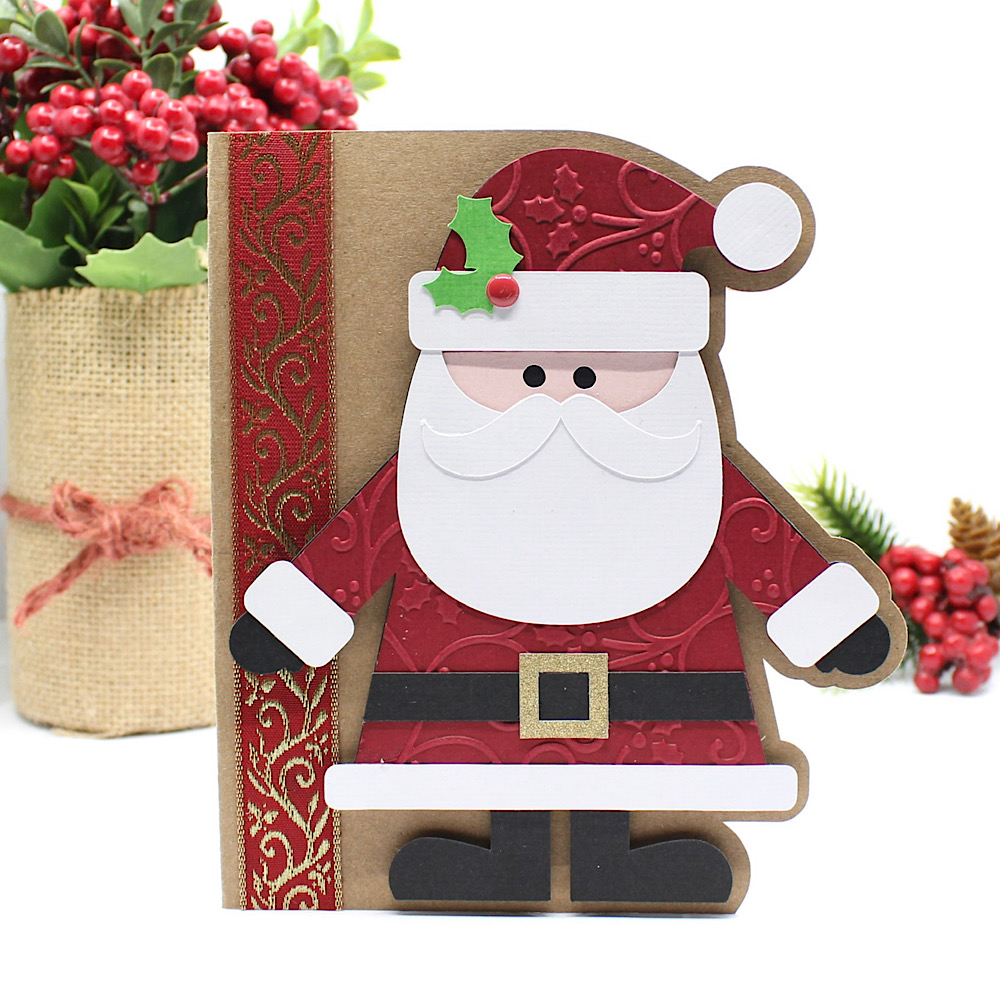
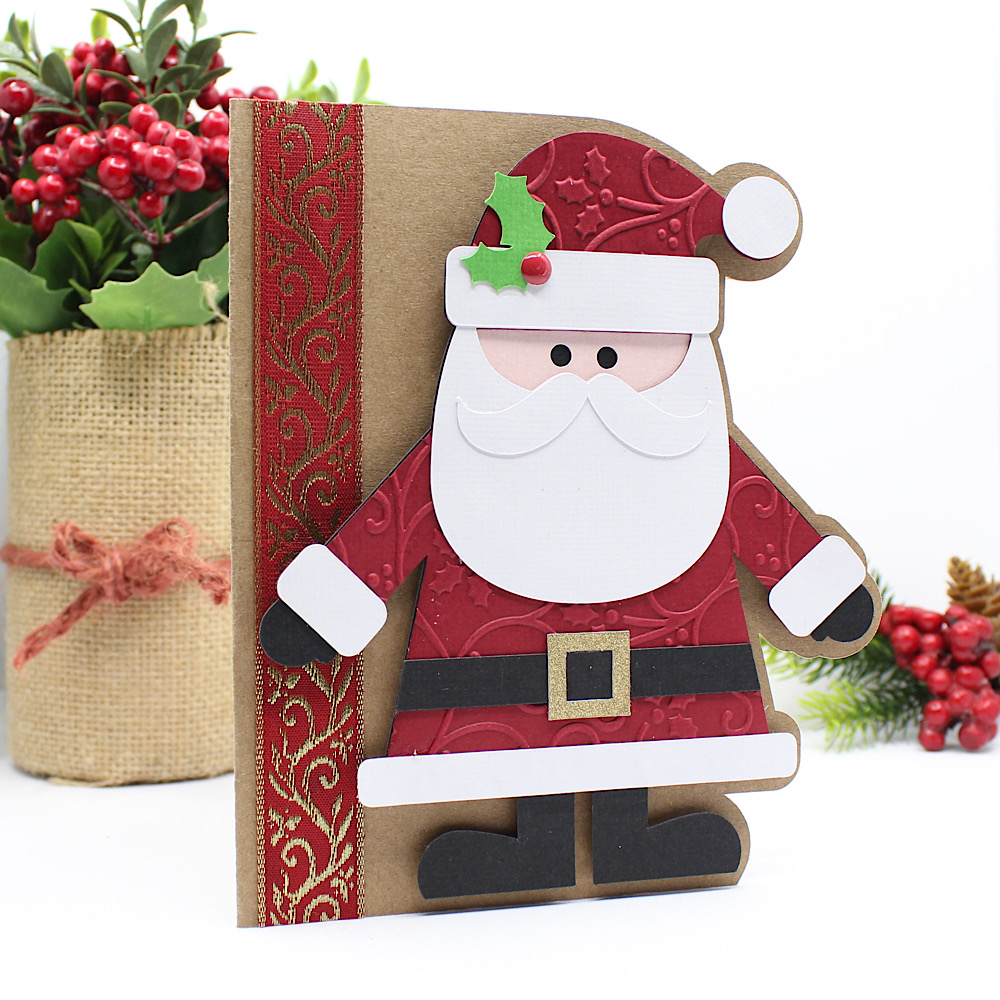
Hello crafty friends, Noelene here today! I want to share with you a cute Christmas card from the Lori Whitlock file called A2 Santa Claus Card ( SVG, Silhouette). This is such a cute fun card to make.
Once I cut all my pieces I embellished the red layer (including his hat and suit) with a Christmas holly swirl embossing folder. This was a simple step, but effective I think. Then I glued my pieces in place. I cut a strip of gold & red Christmas ribbon & glued it down onto the base of my card. Lastly, I glued everything into place, and used foam squares to pop Santa up for some fun dimension.

For more inspiration, check out my Instagram!

Thanks for stopping by!
Hugs,
Noelene 🙂