Sun Kissed Layout with Corri

Hi everyone!  Corri here today sharing a layout I made with a title from Lori’s new Island Paradise Set.

I used paper from the Echo Park – I Love Sunshine Collection. The colors were a great match for this photo of my daughter at the beach.

This layered title is so fun and I love the way it looks with the mix of color and patterns.  To create the banner shapes behind my photo I used Lori’s nested labels.

Head on over to the shop to check out all the fun new files Lori’s is adding this week!


Cutting Acetate with the Silhouette Tutorial by Tya

Hi friends – today I am here to show you a fun technique using acetate! I am a sucker for cute packaging so when I was pondering about what to do my tutorial on for this month I knew I wanted to share this one with you. I decided to do a couple of colorful St. Patrick’s Day Favors to show off this technique. It just wouldn’t be the same if you couldn’t see the Skittles and Gold Coins that these boxes hold, so when you really want to show off what is inside your packaging or if your treats fit a holiday or a theme like my treats do, acetate is the way to go!  It may seem basic and easy, but it is so fun to use something other than cardstock and pattern paper when using our digital cutting machines.


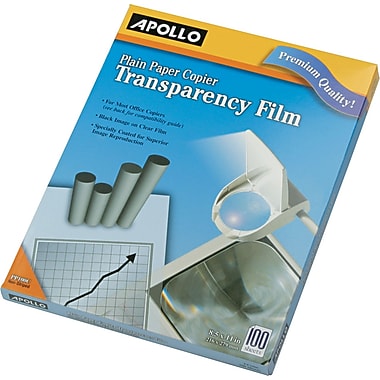
I use this brand of acetate (also know as transparency film) for my projects. It cuts beautifully in my Silhouette machine.  Apollo Transparency Film

Apollo® Plain Paper Copier Transparency Film, Clear, 8 1/2in.(W) x 11in.(H), 100/Box
Here are the steps to my project –
1- Open up Silhouette program.
2- Find the 2 box cut files and place them in the workspace.
When deciding what boxes to use from Lori’s library – I chose to use 2 of my favorite boxes to use with acetate. I love these boxes because they require no gluing – which can be tricky with acetate because a lot of the adhesives show through so these boxes were perfect. I used the Santa Petal box (minus the “santa” parts) and the No Glue Gable Box.I used some of Lori’s darling Hang Tags well.
Links below

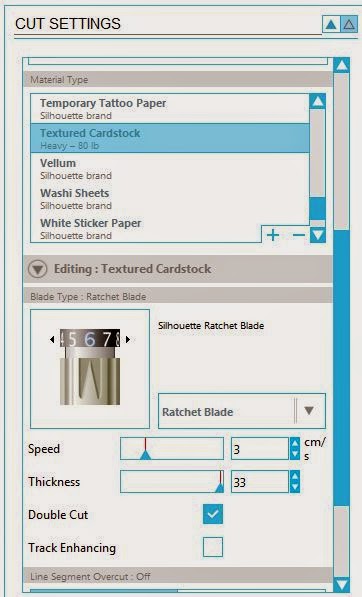
3- Since the acetate is fairly thick, I used the textured cardstock settings (Blade Depth 6, Cutting speed 3, Thickness 33. I also checked the Double Cut box to make sure that the cuts are nice and deep and this also helps when you go to fold up the boxes.

So my challenge to you is to go pick up some of this fun medium from your local office supply store and try your hand at this fun technique. Thank you for stopping by!


February Blog Hop

2015-02-LW-Blog-Hop-Header-Feb-630px

Welcome to our February 2015 Creative Team Blog Hop! Can you believe that Valentine’s Day is coming up this weekend? Our team has been working hard to share some beautiful projects with you! But first…

2015-02-LW-Blog-Hop-Sale-Feb-630px

There is a sale going on at Lori’s SVG SHOP. ALL files (and commercial licenses) from Lori Whitlock and Kolette Hall are on SALE 30% OFF. Use code FEBRUARY (case sensitive) at checkout in the SVG SHOP.

AND, TODAY ONLY, you can save 30% OFF all of Lori Whitlock’s digital scrapbooking files over at Snap Click Supply. Shop digital scrapbook files HERE. Be sure to use code: LWFEB15HOP at checkout.

Everybody loves a FREEBIE, right? TODAY ONLY, this “Life Cards Hearts” file is yours for FREE. The SVG and STUDIO cutting files are included in the download. (Expired)

New this week… Check out these adorable new files in the SVG Shop, and they are on SALE 30% OFF through Feb. 15 due to the Blog Hop!!! Be sure to use coupon code FEBRUARY at checkout.

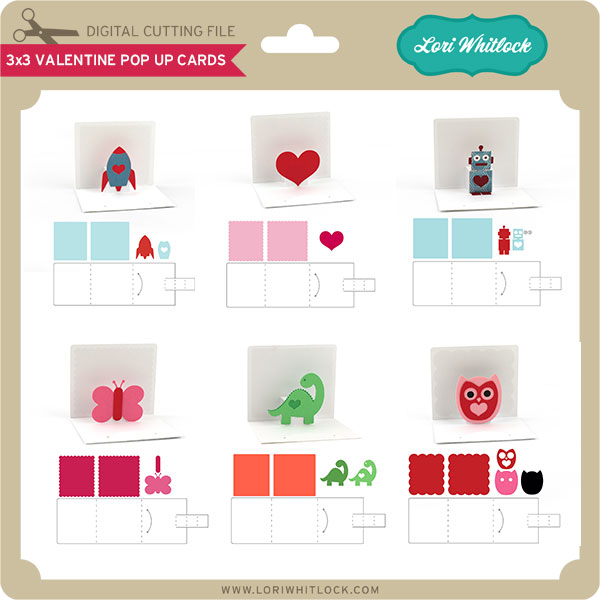
I designed these little 3×3 Valentine Pop Up Cards for kids to make. They are so easy to assemble and absolutely adorable when done. I think the dinosaur is my favorite! Above is a simple instruction sheet so you can see how to assemble this card.

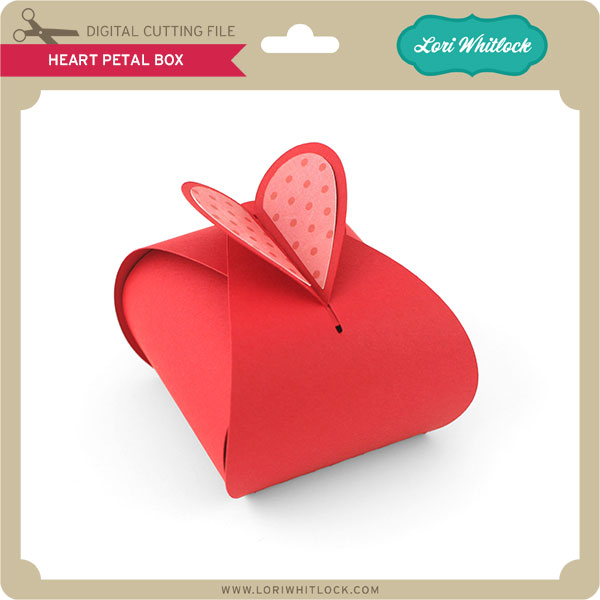
This cute Heart Petal Box features a heart closure and is just the right size to fill with treats for Valentine’s day. It’s created from a single piece which makes it super easy to put together.

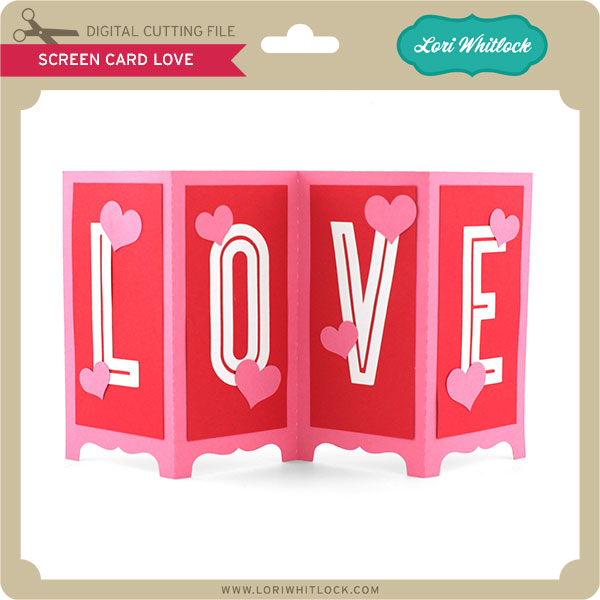
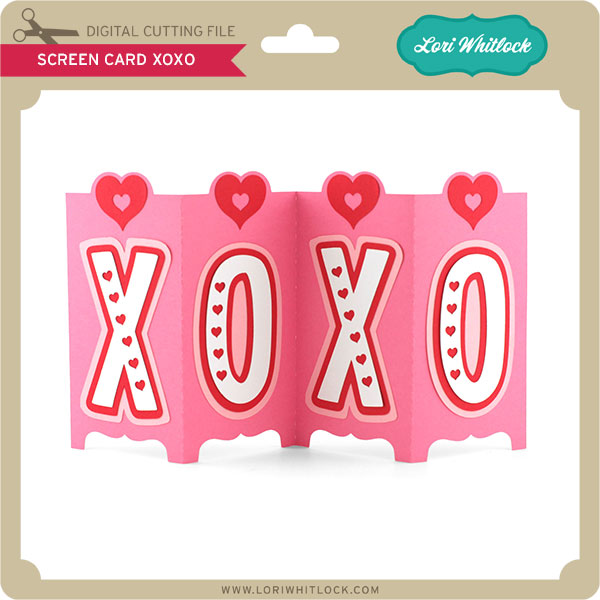
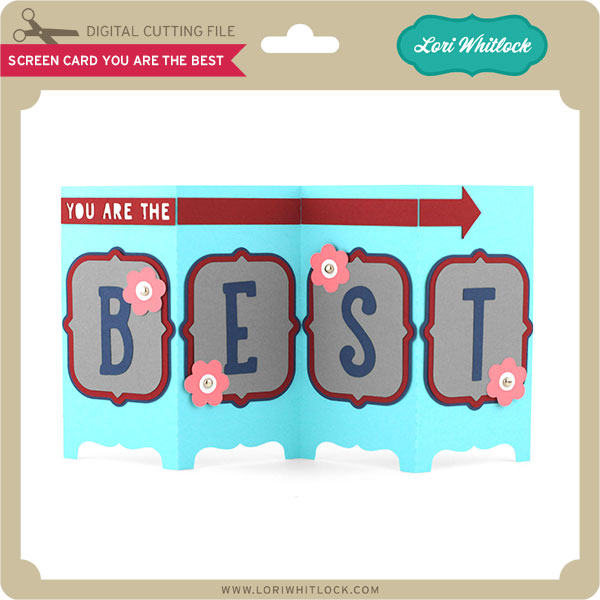
And, these two cards: Screen Card Love and Screen Card XOXO are just simply sweet. They make great table decorations, too!

Just so you know, we are constantly trying to make changes that make your life easier. Our SVG files are now Cricut Explore friendly. Our newest files are color coded and the score marks should appear on one layer. We now provide cut size information and a line art PDF with most of our 3D projects. Check the description on each shape before making your purchase. If you desire the cut sizes, PDF or Cricut friendly files on an older shape that does not include the files needed, please let us know by emailing us HERE. We’re happy to help you get what you need.

Next, would you like to see what our amazing team has created? Click the links below for some wonderful projects. If you ever get lost come back here to get on track

Lori Whitlock

Corri Garza 

Mendi Yoshikawa 

Traci Penrod

Kathy Skou

Cathy Harper

Tya Smith

Chrissy Guido

Ashley Cook

Rachael Sheedy

2015-02-LW-Blog-Hop-Gift-Feb-630px

And finally, would you like a chance to WIN a $20 gift card to the SVG Shop? Enter through the Rafflecopter form below. A winner will be announced this Friday, yep that’s right just two days. Be sure to LEAVE A BLOG COMMENT AT EACH STOP for 4 entry points! Good luck and thanks for dropping by!

a Rafflecopter giveaway

Silhouette Portrait Giveaway + Sale

Are you ready for another GIVEAWAY, yes you read that right another Silhouette Portrait is up for grabs!

a Rafflecopter giveaway
The contest will run from May 23-27. The winner will be announced Tuesday, May 28. Good Luck to you all!

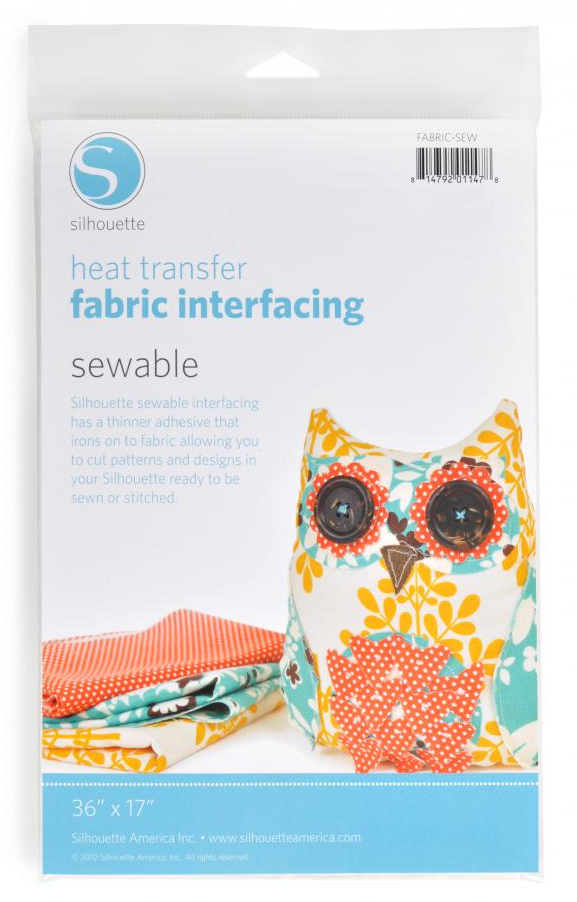
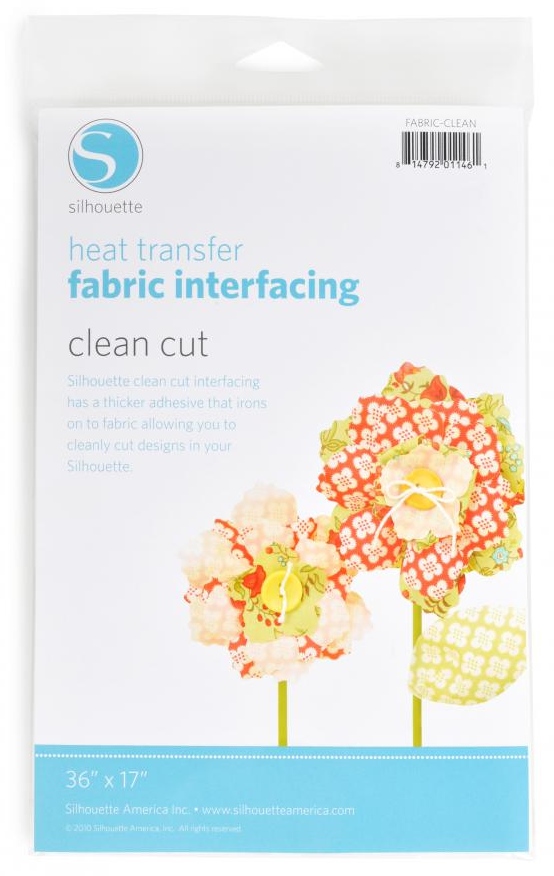
Did you know your Silhouette can cut fabric? Well, it can!! But, before you try sticking your fabric directly to your cutting mat, you need to back it with some interfacing. This month, Silhouette is offering an awesome deal on their fabric interfacing!

Silhouette offers two types of heat transfer fabric interfacing:
Heat Transfer Fabric Interfacing: SEWABLE. Silhouette sewable interfacing has a thinner adhesive that irons on to the fabric allowing you to cut patterns and designs with your Silhouette and then hand sew or machine sew the fabric.

Heat Transfer Fabric Interfacing: CLEAN CUT. Silhouette clean cut interfacing has a thicker adhesive that irons on to the fabric allowing you to cleanly cut designs with your Silhouette. Use this one when you’re not planning to sew the cut out shapes.

So, if you’ve been wanting to cut fabric with your Silhouette, these are the products you need. And, this is the week to get them on SALE! From May 23-31 you can grab any of these fabulous Silhouette Fabric Interfacing bundles for a great price:

1. $29.99 = $25 download card + a fabric blade + heat transfer fabric interfacing sewable + heat transfer fabric interfacing clean cut
2. $129 – includes everything in the first bundle + a Silhouette Portrait
3. $269 – includes everything in the first bundle + a Silhouette Cameo + a 12×24 cutting mat

If you have been waiting for the right deal, now is your chance.

Make sure to use this link www.silhouetteamerica.com/fabric and use the coupon code LORI to buy these bundles at the sale price.