A New Friday $5 Bundle!!!

Hi Everyone! Today we have a new Friday $5 Bundle! It will ONLY be available until Midnight Sunday and when it’s gone it’s gone. These SVG files can be used with Cricut Explore, Silhouette Studio (with the Designer Edition upgrade), Scan N Cut, and any other cutter that will work with SVG files. In order for Friday $5 Bundle program to be successful I need your help spreading the word so please tell your friends and announce it on social media. If we have enough of interest, we’ll keep the program going.

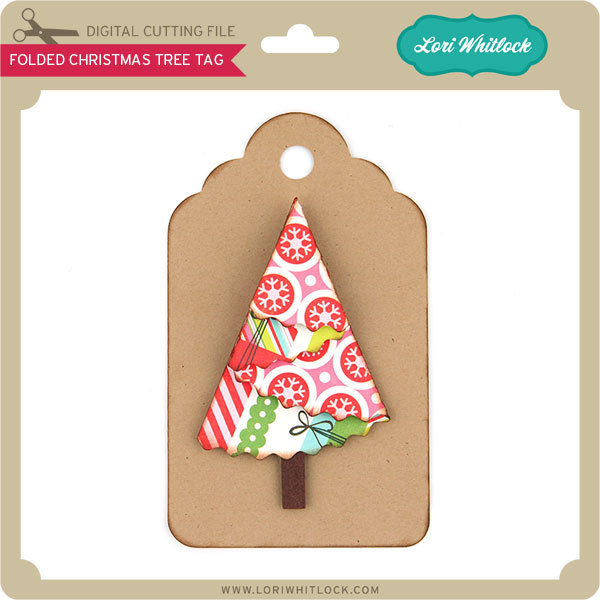
Now through Sunday, you can pick up this Holiday Card bundle including six beautiful SVG files for just $5!


The cost of this bundle is $5, for $11.94 worth of SVG files, over a 58% savings! This bundle is perfect for anyone wanting to start making their holiday cards! But don’t wait, this bundle will only be around until Sunday at midnight!

Have a great day!


Digital Inspiration with Ashley

We finally got our first snow yesterday.  Our family does a lot of skiing, so the amount of snow is important to us.   So we are glad to finally see it fly!  I am closing in on the end of my 2017 Calendar.  I needed to finish the summer months, so here is an ode to summer as winter closes in:


I used Happy Summer and Splendid Font.  Enjoy a fabulous weekend.


A2 Snow Globe Shaker Card Tutorial with Kathy

Hi Everyone!  It’s Kathy today with a tutorial showing how to assemble the new A2 Snow Globe Shaker Cards. (in Silhouette here)  I made the adorable Snow Globe Shaker Snowman Card  take a peek…

A lot of people get nervous when they see a print and cut piece on the card, but it really is easy.  I’ll show you how I did it using my Silhouette, but you can also see a print and cut tutorial for Cricut here.

First you want to go into Design Page Settings and set your paper size to 8.5″x 11″.  This tells Silhouette you’ll be printing and cutting a regular letter sized paper.  Add the Snow Globe Base piece with the sentiment to your mat.

Next, click on the Registration Marks button and select type 1 registration marks for Cameo or Portrait.  You’ll see the black lines and grids show up on your mat.  Make sure your design is inside the darker marks on your mat.

Once things are set up, click on the printer icon and send the design to your printer.

This is what the page will look like with the registration marks.  Place the paper on your cutting mat.

Once the design is on your cutting mat, load it into your Silhouette, and go back to the software and select send to Silhouette.  Make sure the cut settings are set for the type of paper you are cutting.

Your Silhouette will read the registration marks then cut the design around your printed sentiment.

Now to assemble your card!  Start by cutting all of your pieces.  The design calls for cutting 3 of the snow globe outlines from chipboard.  I used Silhouette Chipboard for this, but if you did not have chipboard, you could cut six pieces from a thicker cardstock.

You want to start by assembling your snow globe.

First glue the layers of chipboard together.  Set those aside to dry.  Next, add the blue background piece (with the holes) to the Snow Globe Base.  Add the Snow “mound” piece, making sure the bottom is aligned with the bottom of the blue background.

Add the chipboard layers over the whole base.  Next, add the print and cut Snow globe base piece.  While this is drying, assemble your snowman.  Just a hint, the black piece of the snowman is sandwiched between the white body and the brown arms piece.  Add your snowman to your shaker card as shown.  Let the pieces dry completely.  You don’t want your confetti pieces sticking to any leftover wet glue.

Once your base is dry, add in the confetti snowflakes.  I also added in a few white and silver sequins, but be careful not to add too much, you want things to be able to “shake!”  Once your confetti is added, glue the piece of acetate over the globe. ( I used overhead transparencies purchased at my local office supply store)  Don’t overdo with the glue, it will squeeze out and stick to your confetti pieces.  Add the red ring over the transparency piece and your globe is done!  Add the background piece to your card, and then add the snow globe to the background.

It really is pretty easy to put together,  and the results are so cute!  That’s it for me today, thanks for stopping by to peek!


One Buck Wednesday at Snap Click Supply Co.

Today at Snap Click Supply I have two items featured for $1 on Wednesday!. That means you can pick up 2 of my digital scrapbooking products at a steal. TODAY ONLY!

Christmas Day Paper

Christmas Day Elements

Be sure to go grab these great deals while you can. These offers will end at midnight!

There are specials in my SVG Shop as well! Don’t forget about the November Kit of the Month! If you spend $20 in the SVG Shop (in one transaction) you can get the Kit of the Month for free! Simply add the November Kit of the Month to your shopping cart along with ANY $20.00+ purchase from the SVG Shop and this file is yours FREE. Be sure to use Coupon Code: NOVKOTM (case sensitive) at checkout. This offer is good through November 30, 2016!

(Your cart must reach at least $27.95 before the coupon will be applied and then $7.95 will be subtracted from your total at checkout. The files will be available for immediate download after you pay for your order by visiting MY ACCOUNT>COMPLETED ORDERS>ORDER DETAILS inside of your account. Only one discount code per order allowed.)


We also have this week’s free file! Simply add this A2 Box Card Thanksgiving Turkey File to your shopping cart along with ANY $1.99+ purchase from the SVG Shop and this file is yours FREE. Be sure to use Coupon Code: GOBBLE  (case sensitive) at checkout. This offer is good through next Sunday.

(Your cart must reach at least $3.98 before the coupon will be applied and then $1.99 will be subtracted from your total at checkout. The files will be available for immediate download after you pay for your order by visiting MY ACCOUNT>COMPLETED ORDERS>ORDER DETAILS inside of your account. Only one discount code per order allowed.)

Have a great day!


Tuesday Freebie and New in Shop

ALL WEEK, this SVG file is FREE with any $1.99 purchase!

We have a FREE file with purchase all this week! Simply add this A2 Box Card Thanksgiving Turkey to your shopping cart along with ANY $1.99+ purchase from the SVG Shop and this file is yours FREE. Be sure to use Coupon Code: GOBBLE  (case sensitive) at checkout. This offer is good through next Sunday.

(Your cart must reach at least $3.98 before the coupon will be applied and then $1.99 will be subtracted from your total at checkout. The files will be available for immediate download after you pay for your order by visiting MY ACCOUNT>COMPLETED ORDERS>ORDER DETAILS inside of your account. Only one discount code per order allowed.)

In addition, don’t forget about this special ! You can get this Free Kit of the Month with any $20 purchase (Purchase must be in one transaction.) Simply add the November of the Month to your shopping cart along with ANY $20.00+ purchase from the SVG Shop and this file is yours FREE. Be sure to use Coupon Code: NOVKOTM (case sensitive) at checkout. This offer is good through November 30th!

(Your cart must reach at least $27.95 before the coupon will be applied and then $7.95 will be subtracted from your total at checkout. The files will be available for immediate download after you pay for your order by visiting MY ACCOUNT>COMPLETED ORDERS>ORDER DETAILS inside of your account. Only one discount code per order allowed.)


Check out our awesome SVG files releasing this week! And, just like always, the NEW files are ON SALE 25% OFF through the weekend in the SVG Shop! These downloads include SVG files for sure and PNG or PDF files when appropriate. No coupon code necessary, the files are all discounted in the shop! Be sure to go get them while they are on SALE this week.


 Thanks for visiting the blog today! Please let us know if you need any help with your files. We want to make sure everyone is happy with their purchase. Have a great week!