(This is a re-post as the links sent out earlier were not working properly. I sincerely apologize for the inconvenience – it’s just one of those technical details that didn’t work out right. The links in this new post/email are correct. I hope you have a great weekend!!)
Hi Everyone! This month Silhouette has some special offers, exclusively for Lori Whitlock followers!! These super fun deals are a steal and will only be available from September 1st through September 15th. The only way to access the sale is through this exclusive link, and make sure to use code LORI at checkout to get the deals!
Buy One Get One Free Heat Transfer and Vinyl
First, Silhouette is offering Buy One Get One Free on Heat Transfer and Vinyl. For 15 days, you can get your favorite crafting products for a steal of a deal! This is one of Silhouette’s biggest discounts before Black Friday, so it’s an awesome time to get all of your favorite colors! Also the new Oracal Vinyl is part of this promotion, which makes this a wonderful time to give it a try!
Mystery Boxes
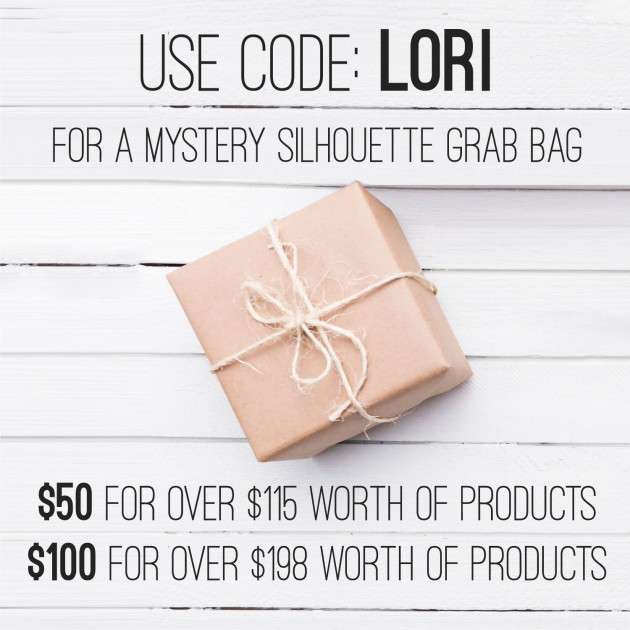
Silhouette is offering two Mystery Boxes that are only available September 1st – September 15th. The smaller box is $49.99 and is packed with supplies valued over $100. The larger box is $99.99 and contains supplies valued at over $200! Silhouette sent me one of the $49.99 Mystery boxes to play with and I wanted to share some items that I made with it. There are so many fun products in this September Mystery Box! If you’re like me I like spoilers when it comes to Mystery Boxes because deep down inside I really like to know what I’m buying. The $49.99 September 2018 Mystery box (valued at over $100) includes:
- Fabric Ink Starter Kit
- Chalkboard Starter Kit
- Printable Adhesive Kraft
- Leatherette Sheets
- Silver Metallic Tattoo Paper
- Sticker Sampler Pack
- Metallic Sketch Pens
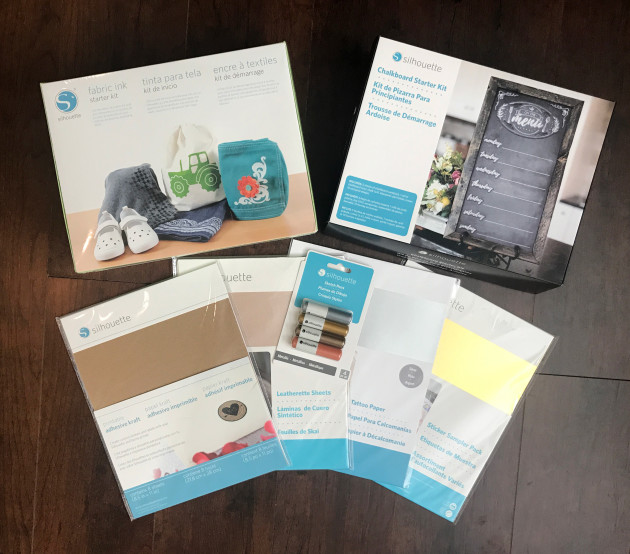
Silhouette also has a larger box that is $99.99 (valued at over $200) So sorry, but I don’t know what is included in the larger box, (Silhouette wouldn’t let me in on the secret!) but the value is double what you’re getting in the smaller box shown here.
As I was contemplating a project using these items I had lots of ideas come to me, but the one I decided to go with was the Chalkboard Starter Kit. Inside the Silhouette Chalkboard Starter Kit you will find a roll of chalkboard vinyl, a pack of Chalkboard Adhesive Cardstock, 4 pieces of Silhouette compatible chalk, a pen holder, sharpener, and an eraser. You also get a download card for 10 free shapes with the kit as well.
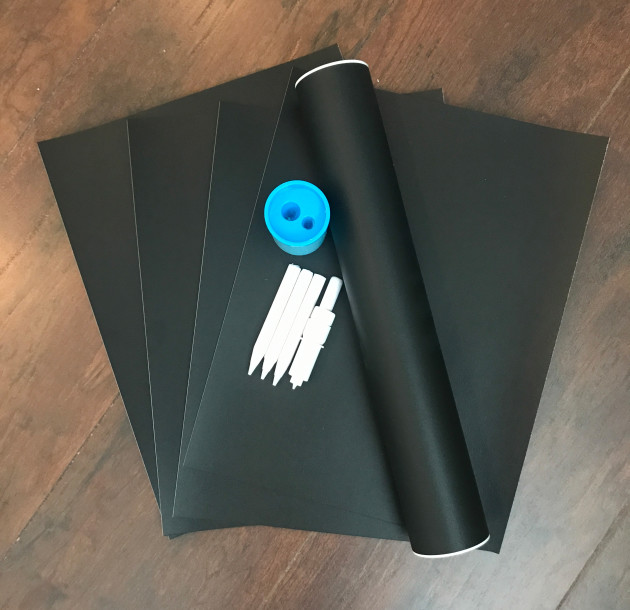
Being a paper crafter I just had to play with the chalkboard cardstock and chalk, and of course this spurred some new design ideas that you will find in the Silhouette Store this week. I thought the chalkboard cardstock would make great labels and name cards. I used some of my sketch fonts: LW Jordan Sketch and LW Favorite Sketch to add the names to the cards. I set all of that up in Silhouette Studio and then used the pen holder and the chalk and had my Silhouette Cameo sketch them with 4 passes and they came out perfectly! Once you use these place cards at your event, you can erase them and re-use them as pantry labels or save them for another event.
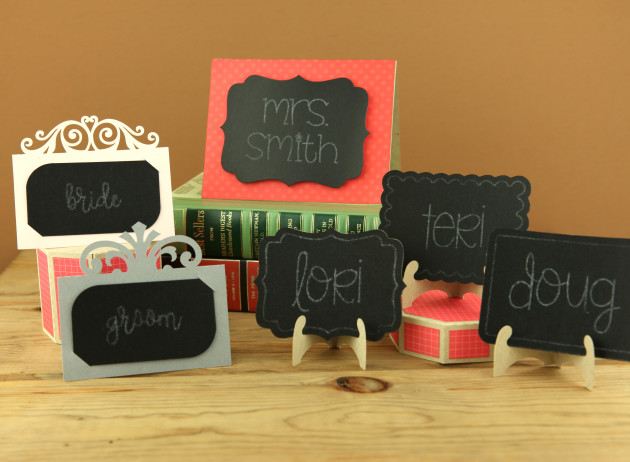
These are my designs that were inspired by the Chalboard Starter Kit. Starting at the top:
Place Card Ornate 2, Easel Shelf Card Bracket, Easel Scalloped. Front Row:
Place Card Ornate, Easel Bracket, Easel Rounded Corners.
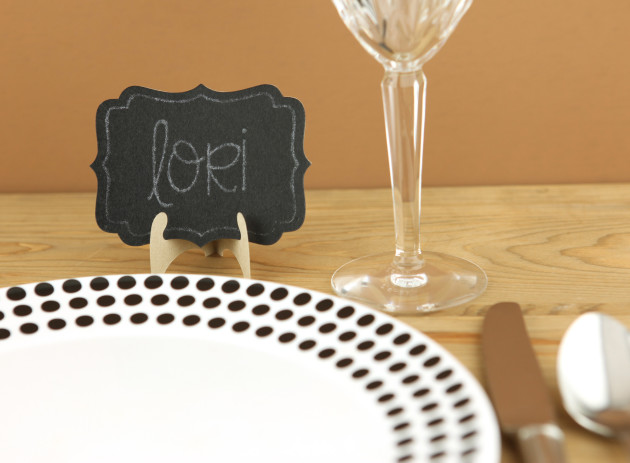
The Easel Bracket along with my LW Jordan Sketch Font make perfect place cards for
the holidays!
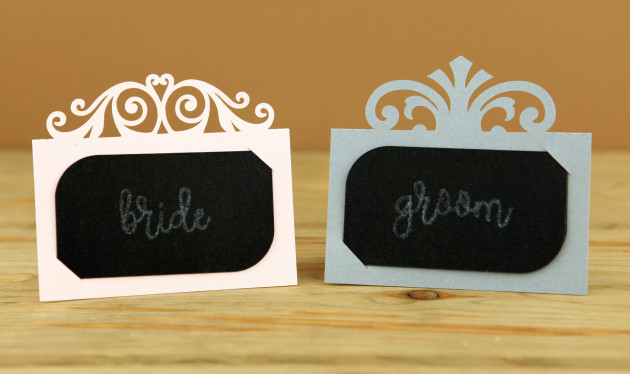
For something a little more fancy, you can use my Ornate Place Cards.
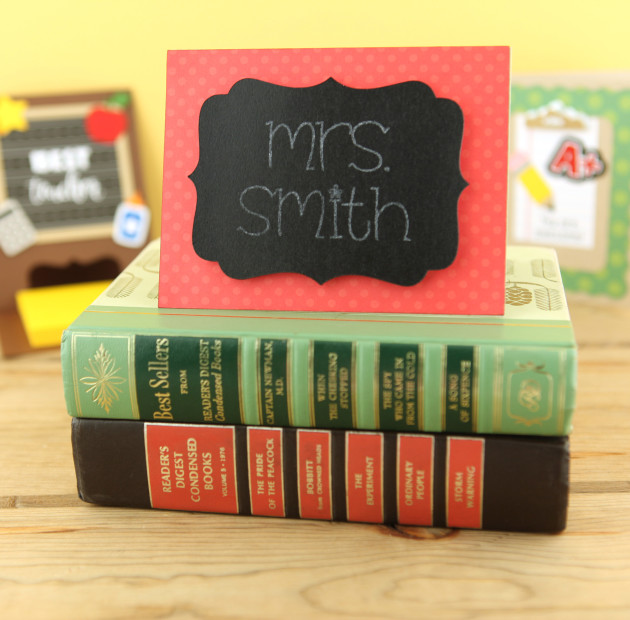
The Easel Shelf Card Bracket is a bit larger sized if needed.
Be sure to head over to Silhouette to get your BOGO Vinyl and Mystery Boxes soon! This sale can be accessed HERE, and be sure to use code LORI at checkout to get the deals! Don’t wait too long, sale ends September 15th!
Have a great day!