Custom Tumblers and Tag

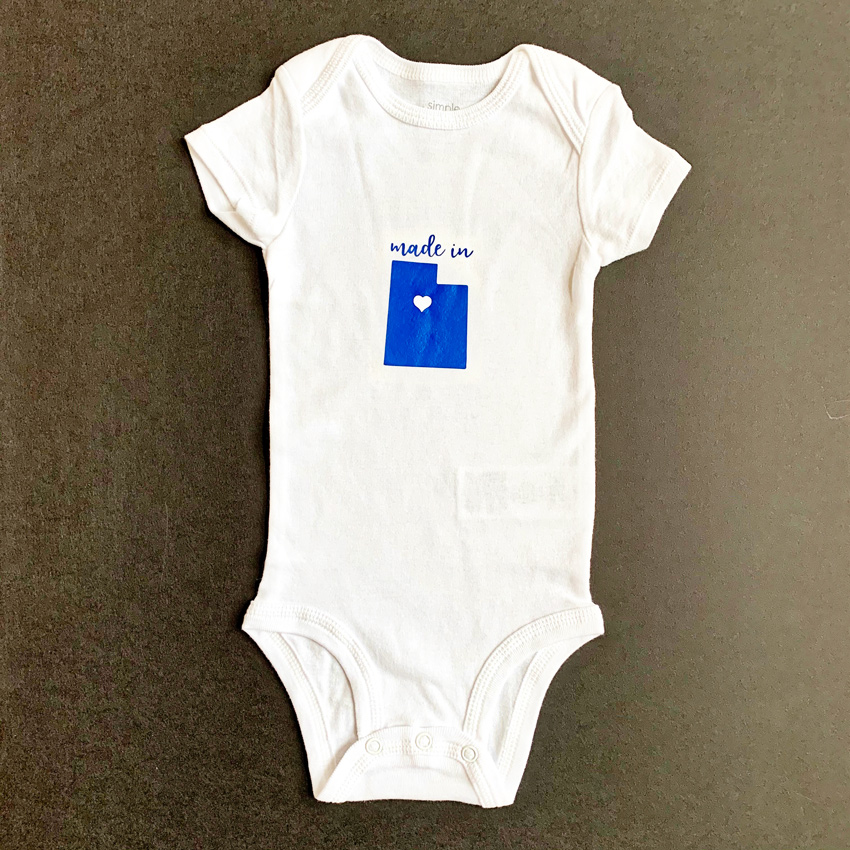
For the last couple of years, I have helped make or prepare birthday gifts for the ladies at my church.  Last year I featured a tag from Lori Whitlock. Two years ago, I made a postcard for the gifts. I am so excited about this year’s gift.  We are giving the cutest tumblers personalized with an initial.  I am using a Circle Flourish Monogram for the tumblers, and I am using a sticker from the Birthday Stickers (svg, silhouette) for the the little card tag.

To alter this sticker, I’m going to give you a few tips.  In Cricut Design Space you will first upload and open the Sticker File.  Upload as an image.

Ungroup the stickers. I deleted all the stickers I am not using from the canvas.

Now ungroup again. Select each layer and adjust color as you would like.  I wanted to also have the Happy Birthday to you be different colors.


Now select Happy Birthday and duplicate twice. Select one of the duplicated Happy Birthday, and Contour.

On this one, I am hiding all the words except for Birthday.

Select the other Happy Birthday.  On this one I hid everything except for the flourish at the bottom.

Recolor these Happy Birthday layers by choosing a color that is next to the Line type box.  Now line up all those Happy Birthday words.

Select all your layers, and click Flatten. This will make it the Print and Cut file.  Now you can print and cut on paper or sticker paper.

In Silhouette Studio Software, you will ungroup the stickers, ungroup the Happy Birthday Sticker, then Release Compound Path on the Happy Birthday Words.  Re color as needed, then select and Make Compound Path.

In the Send screen, make sure to select all the sticker parts, and Choose Cut Edge.  Now it’s ready for Print and Cut.

I hope everyone likes the gift this year.  I think they are so fun.

Gift Card Holder Tutorial

Got Gift Cards to give?  Why not personalize the gift with a fun holder?!  Lori’s Gift Card Holder (SVG, Silhouette) is an easy way to package up a gift card, and it can be decorated to suit the occasion and the recipient!  I also like that it’s a “box” and you could wrap it if you wanted.  Take a peek…

How fun is this?   You can decorate the front and then add a sentiment on the inside.  This is super easy to assemble… I’ve outlined the steps for you below…

  1.   These are the pieces that come with the file.
  2.  Start by folding the score lines on the main piece.  All lines are folded in the same direction.
  3.   The “inside” score lines are folded in and under as shown.
  4. On the solid side of the box, fold up the sides and glue in place.  Tabs go on the inside.
  5. Repeat for the tabs and sides on the other end.
  6. Add adhesive to the inside tabs.
  7. Fold the box over so that it closes.  Glue sides down.
  8. Tuck the inside tabs “in” and press to adhere.
  9. Fold the cover along the score line and add adhesive to the inside of the tab.
  10. Glue the tab to the outside edge of the box so that when folded over it covers the gift card insert area.
  11. Add the panels to the inside cover and on the front of the cover. (for mine, I flipped one of the pieces to be blue)

Now all that is left is to decorate!  I added some embellishments from Lori’s My Favorite Winter Collection for Echo Park Paper.  That’s it for me today, thanks for stopping by to peek!

BLOG * INSTAGRAM


Gatefold Wreath Card Tutorial

Hello Everyone:

I hope that everyone is enjoying the most magical time of the year.  I have a tutorial for all of you today on how to put together Lori’s Gatefold Wreath Card.  I love Lori’s Gatefold cards and even used one of hers to make all the wedding invitations for my son and daughter-in-law.  They are so elegant and so easy to put together.  You can find this Gatefold Wreath Card file here in Lori’s store and here in the Silhouette store.  I used one of Lori’s new Echo Park Paper collections called My Favorite Christmas.

Here is a photo of the cut file pieces.  You want to start by adding the square insert inside the folded card base.

Here are the ribbon pieces folded along their score lines. Glue together the overlapping ends of the bow. Next glue the flat ribbon segment to back of the formed bow and lastly wrap the center around both piece using a tiny bit of glue on both sides.

I slipped the band on the folded card and added some embellishments which are a wonderful part of this collection.

Here is the last photo which is a close up of the embellishments.

That’s it for me today.  Have a great day and be sure to check out Lori’s gatefold card cut files.

Hugs,

Anita

Gnome Box Tutorial

There is a new Gnome Box Collection in the Lori Whitlock SVG store.  They are all so cute.  Here’s some quick tips about putting these together.


The gnome I pieced together can be found here in the Lori Whitlock SVG Shop, and at the Silhouette Design store here.

I used paper from Lori’s Little Lumberjack collection by Echo Park.

If you have a Cricut and a scoring tool or wheel, you will want to upload the Solid SVG file.  If you are using Silhouette or don’t have a scoring tool, you will want to use the Dashed Lines SVG file.

Here are all the gnome pieces.  There are gnomes on both sides of the box.

This is the box piece.  Notice that the gnomes will cover the sides of this box.  And you will see the pattern of this paper on the short side when completed.

Assemble all the gnome pieces on the flat box.

Then glue the box flaps together to complete the box.


This cute box could be used in a number of ways–class party craft, table name cards, or treat boxes.  Have fun creating!

Winter Mini File Folder Album

fI’m sharing a little mini file folder album with you today created with Echo Park’s My Favorite Winter collection.  I taught a class just before Halloween that was created by Jana Eubank , it used full sized file folders that you scored and folded to created a mini album.  I loved it so much that I decided to create another with a bit simpler version using Lori’s files.  I used the 4×6 File Folder Set (SVG, Silhouette) this tag from Pebbles in My Pocket.

I cut 4 plus one file folders in different colors.  You will use 4 complete file folders and the top of one more. Cut your last file folder so that you just have the tabbed top.  This is your cover.  I used the file folder with the top tab for this one. Then you can see that I used scor-tape to layer my folders together, creating side and top pockets between the folders.  I used 1/4 inch scor-tape to do this.  Layer all the folders on top of each other creating a mini book with top and side pockets.

Next I cut a couple 4×4 pieces from the My Favorite Winter Elements sheet and then cut 5 scallop tags.  Two of these tags will become pages and the other 3 will be tags for the pullouts along with the 2 four x four elements.

Score two of these tags at an inch to create those fold out pages.  You’ll see where they go in the pictures below.  Once you have the book all put together the fun part begins.  Embellish, embellish, embellish with all the fabulous goodies from the adorable collection.  I used the chipboard, stickers, enamel dots, tags and frames and a bunch of ribbons.  It’s a fun, fast little project with all kinds of room for photos of winter fun!

Thanks for joining us today! ~Cathy