Mini Vertical Mailbox Tutorial with Brandie

Hi there! Today I am sharing another cute Valentine’s Day project. This little mailbox is a perfect size for a tiered tray or a small space that needs a little holiday decor. It can also be filled with treats to give to a special someone.

The file is the Mini Vertical Mailbox (SVGSilhouette). I cut everything out of 80lb cardstock. All of the score lines are mountain folds except for the front door.

I started with the bottom and glued the tabs to the longest piece while lining the bottom edge up with the score line on the tab. I then glued the sides of the mailbox to the bottom, again using the score lines and edge of the tab to line everything up.
This part can be a little tricky but go slow and really secure the sides before moving to the arches of the mailbox. I applied the glue to the front straight sides first and made sure they were secure.
As I moved along to the arches, I applied glue to a few of the small tabs at a time and made sure they were dry before moving around the arch. I glued each side separately. Then when the arches were dry, I applied glue to the three remaining tabs, lined them up then flipped the mailbox onto its back, and pressed the tabs down from the inside through the front door.
I then glued the pattern papers on the sides and front door and assembled the little envelope. I then glued the red trim strips of paper to the edges of the mailbox.  I glued the largest heart to the front door and added a floral sticker. I also glued the little envelope to the front of the mailbox.
Now, this little mailbox is ready to be displayed with my other holiday decor. Thanks for stopping by today friends!
Brandie

Valentine Sticker Tutorial for Cricut Design Space

Today I’m sharing a tutorial for stickers in Cricut Design Space.  Lori has many sticker files in her shop.  I’m showcasing the Valentine Cute Stickers (SVGSilhouette).

Valentine Cute Stickers

To begin, download and upzip your sticker file to your computer.

Open Design Space.

Click on upload on the Canvas screen.

Upload the file under the Image tab.

Then open the file onto your canvas.

The file comes in at this size.  Notice the 7.07″ x 9.94″ size.


Make sure your file is selected and select Flatten.


At this point, you will notice a warning exclamation mark.


This is because of the size of the project.

Select the stickers and resize them until it is smaller than 6.75″ x 9.25″.

This is what the stickers look like on the make screen.  Select Continue.

I like to select printer settings on the Use System Dialogue screen.  Select that option. Select print settings and paper settings for your printer.  And print.

Now it’s time to cut.  I’m using the Cricut Explore 2.  If you have Cricut Sticker paper, making sure to select Custom on the dial and select Sticker Paper for the material.

I have some Avery Project Sticker paper.  It isn’t as thick as the Cricut Sticker paper.  My first sheet of stickers cut all the way through the paper with the Sticker Paper material selection.  So I selected Iron on to get the kiss cut for my second sheet.

This is the kiss cut.

These are my first stickers.

If you want smaller stickers, resize your project to the desired size.

Here I duplicated the sticker sheet and resized it smaller.  Select both sheets and select attach.  This will cut the stickers on one page rather than separating the 2 smaller sheets on 2 pages.

Now you are ready to cut all sorts of stickers.  Pick some up during the sale this week.

Ashley


Grid Pop Up Card Tutorial

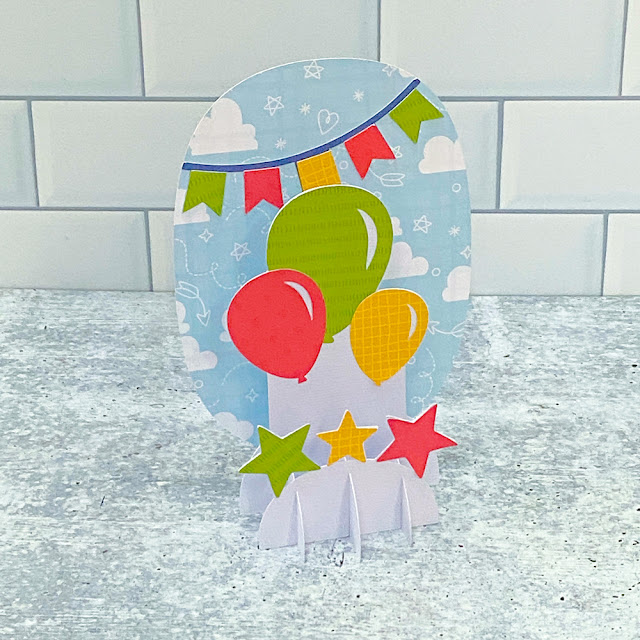
Hi Everyone!  I’m back with another fun 5×7 Grid Pop Up Card today!  In addition to the seasonal versions of this card type, Lori has a fun 5×7 Grid Pop Up Birthday Bundle.  I have a few January birthdays coming up so I decided to make the 5×7 Grid Pop Up Card Birthday Balloons version (SVGSilhouette).  I pieced it together with papers from Lori’s Pets Collection for Echo Park Paper.  Take a peek…

I put together a quick tutorial showing just how easy these cards are to assemble.
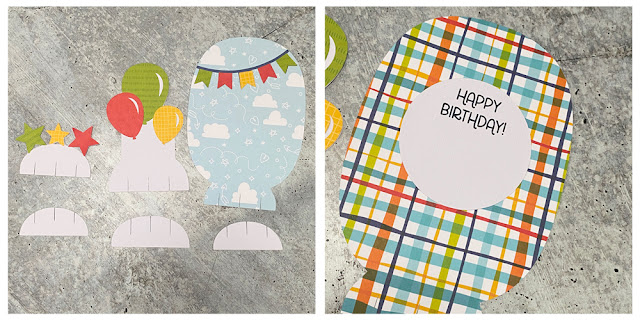
Start by cutting the pieces of your card.  You will have three plain bases (bottom) and three decorated inserts.  Next, add the different elements to the inserts.  I cut and added the stars, balloons, and banner to the front-facing pieces (the clouds are part of my patterned paper).  I also print and cut the sentiment piece using the print and cut feature of my Silhouette.  This piece goes on the back of the largest insert.


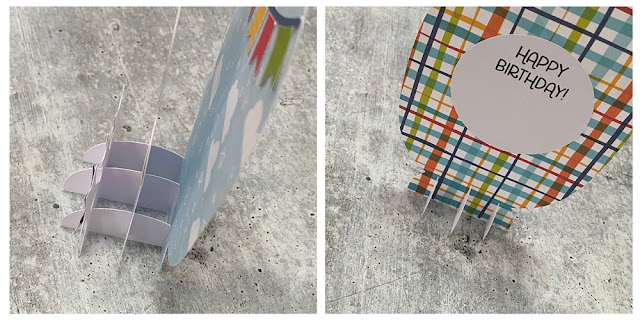
Next, you want to start assembling your “grid”.  Start with the three plain bases.  The two smaller bases go on the outer sides with the larger one in the middle.  Slide the front star insert into the front-most slits in each of the base pieces as shown.  The bottoms should be flush.  You may need to wiggle them a little to get them there.
Next, add the second insert with the balloons.  You want to slide it into the second set of slits in the base pieces.


Lastly, repeat the process with the largest background insert.  Slide it into the last row of slits until the bottoms are all flush.
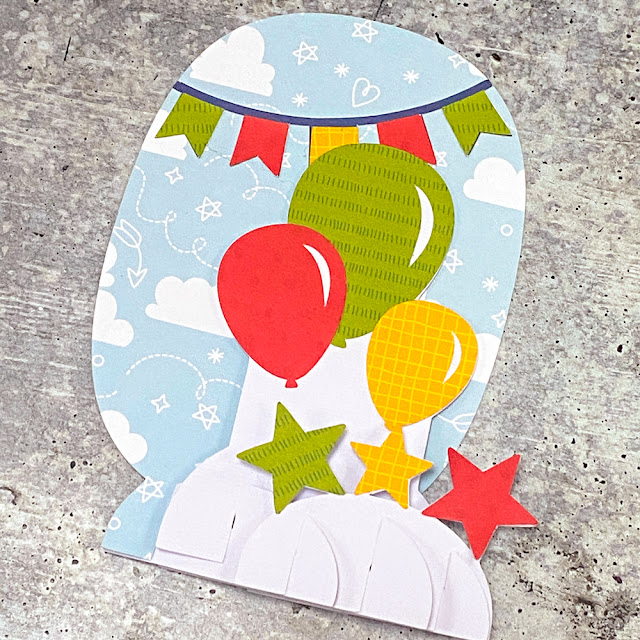
Once assembled this card folds flat to fit into a standard A7 (5.25″ x 7.25″) envelope.


That’s it for me today, thanks for stopping by to peek!
Kathy

3D Christmas Tree Favor Box Tutorial

Hi there paper crafting friends!  It’s Michelle Starcher, aka the Bookish Designer, hopping onto the Lori Whitlock blog to walk you through the steps to create Lori’s 3D Christmas Tree Favor Box (SVG, Silhouette). This adorable little Christmas tree is perfect for gifting and sure to make your recipient smile.

I used my SIlhouette Cameo 4 to cut the pieces for the 3D Christmas Tree Favor Box. I was able to use paper scraps for the majority of the project. In fact, I only used one piece of “new” paper for the entire project. I used a full-size 12×12 piece of cardstock to cut the pieces to make the tree boxes. Although the file showed the pieces in two different colors of green, I made them the same color. 


Once all of the pieces were cut, I inked the edges of the patterned paper I used for the tree using Distress Ink.  Next, I used my tape gun to adhere the patterned pieces to the top of the outside tree box as shown below.  (The outside tree box is the bigger of the two green pieces and has two triangles.) Once I had the patterned paper attached, I folded both tree box pieces along the score lines and added adhesive tape to the tabs. Next, I built the two tree boxes by folding along the score lines and attaching the tabs to close the boxes on three sides.


Next, I used double-sided adhesive tape to stack the three red circles to create the tree skirt base for the 3D Christmas Tree Favor Box. Then, I built the brown tree trunks using the same method as the tree boxes. Once I folded along the score lines and added adhesive, I put the two tree trunks together. The larger of the two serves as the base, so once I finished putting it together, I adhered it to the center of the red circles.
Before adding my decorations to the front of the tree, I used adhesive tape to attach the second, smaller brown box to the base of the inside tree box. Finally, I used the stars from the cut file along with enamel dots to decorate the front of the tree. If you don’t want to use enamel dots, you can always use the circles that come in the cut file instead.
 

Until next time,

Michelle, aka the Bookish Designer

Reminder: The 30% OFF sale is still going on this week in the SVG Shop. Code: DEC2022.


3D Hot Cocoa Mug Santa Tutorial

Hi friends! Today I am sharing a tutorial for the 3D Hot Cocoa Mug Santa (SVG, Silhouette). This little 3D project is a cute treat box that would also make a cute decor piece. I used papers from The Magic of Christmas collection as well as some black, white, and brown cardstock. I also used liquid glue to assemble it.

For the saucer fold all of the score lines in a valley fold. Add glue to the one tab, creating a complete circle with a hexagon shape in the middle.
Add glue to the tabs in the middle of the circle and place the hexagon on top.
On to the mug. With the outside of the cup facing up fold all of the score lines in mountain folds.
All of the panels are the same so it doesn’t matter which one you start with. Add glue to the tabs and using the score lines and the edge of the next panel, line the two panels up together and pinch each tab for a few seconds to secure the glue. Continue around the cup with the same method on all six sides.

Now with the sides all glued together, assemble the Santa on one side of the mug. There are also two shoulders and two beard/hair pieces that attach to the right and the left sides of the Santa. The face is in two layers. The black layer is glued down first then the flesh-colored paper next.

The mustache, pompom, and holly are the finishing touches to Santa.
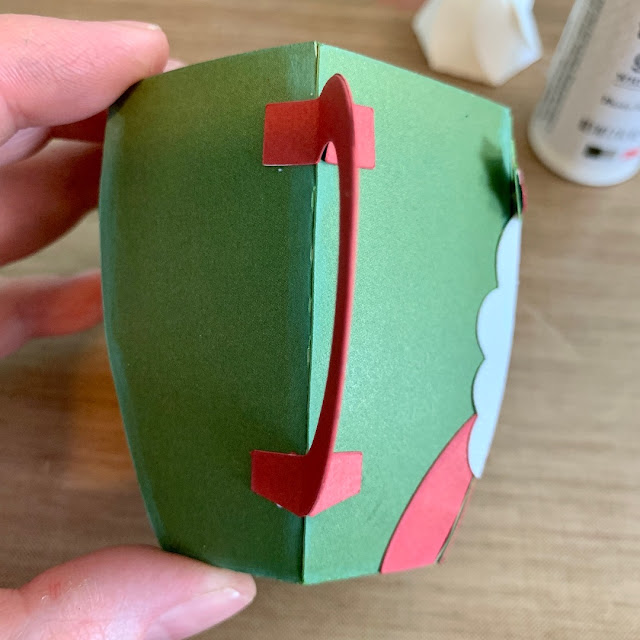
The handle of the mug is two pieces that are glued together. Be sure not to glue the tabs together.
Fold the tabs out and add glue. Attach the handle to the mug with a corner of the cup in the middle of the tabs.
The lid is also in two parts. For the cocoa/brown part, all of the score lines are folded in mountain folds. And the whipped cream is valley folds.
I decided to glue the whipped cream panels together. But I don’t think it is necessary. Either way, glue the whipped cream to the center of the cocoa and the lid is complete. The lid just slides into the mug with the tabs on the inside of the mug.
Now the mug is ready to fill with a yummy treat! Thanks for stopping by!
Brandie