Holiday Gift Tags with Michelle

Gift giving is my favorite holiday activity. I really enjoy shopping and wrapping and making each gift uniquely special. This is Michelle, and I would like to share some holiday gift tags that I made using using files from the Lori Whitlock SVG Shop.

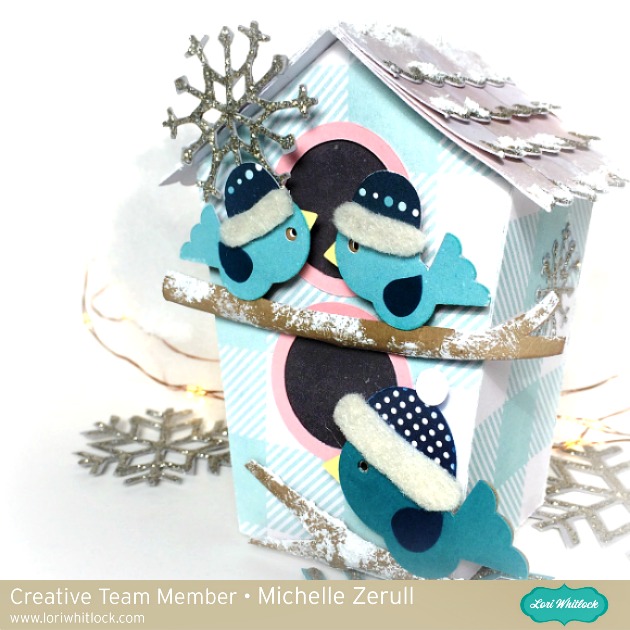
I crafted a set a four different holiday tags and packaged them in their own special box, which I also made with my Silhouette Cameo. The tag set includes an adorable Santa, a Snowman, a Penguin and a Polar Bear that can be purchased individually from the Silhouette Design Store, or you can purchase them all together in a Christmas Tag Bundle at the Lori Whitlock SVG Shop.

These are easy to assemble and are so much fun to put together! A touch of felt and glitter really makes the designs “pop.”

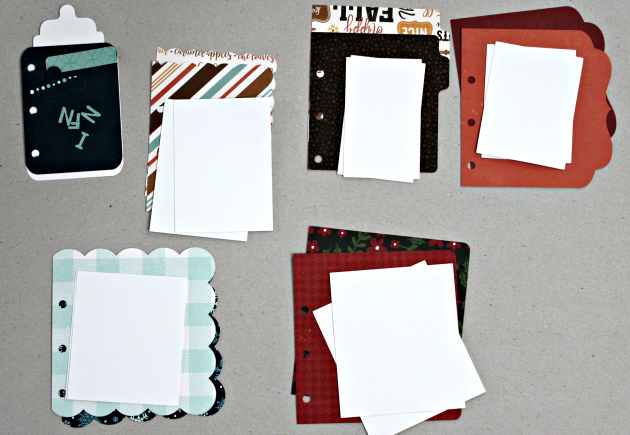
Using papers from the Echo Park “A Perfect Winter” Collection, I made a sweet little box to house the tags. These are perfect for gift giving, but I’ve decided to keep these cuties for myself! When the tags have been used, I will use the box to hold to store ornaments until next year. The box is actually a Candy Box with removable insert compartments that have a sweet scalloped edge. The Candy Box and can be found in the Silhouette Design Store along with the Compartment Inserts, or, you can purchase the Candy Box at the Lori Whitlock SVG Shop. I enlarged the Box a little bit to house the tags. To do this, simply group all of the pieces together before enlarging. The lid has a clear acetate insert so I can see how many tags I have left.

I hope that you’ve enjoyed my Holiday Tag Set.

Happy Crafting!

~Michelle

“Faux Stamping” with Dingbats Technique by Michelle

Cozy up with the Winter Dingbat Font and make these sweet little stocking-stuffer notebooks!  This is Michelle Zerull and I’d like to share a pocket sized project that can made in practically no time at all.  Perfect for stockings, classroom gifts and coworkers. Make one for yourself too!

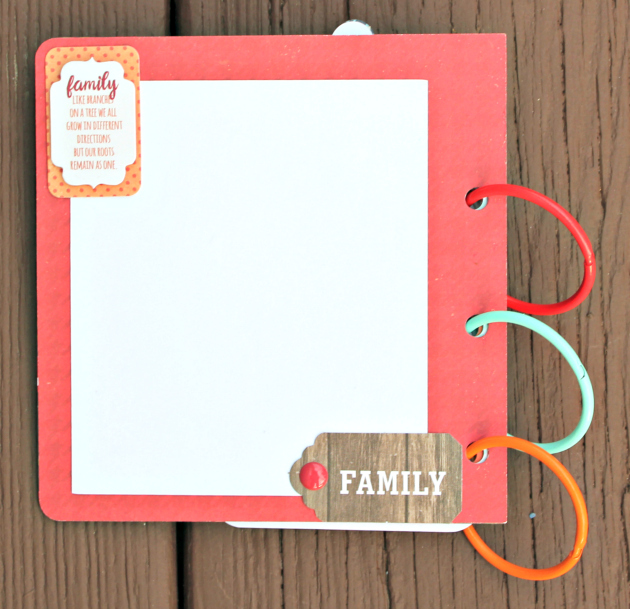
For these mini notebooks, I used “A Perfect Winter” papers by Echo Park.  The colors and patterns are great for the holidays and beyond. For the “Faux Stamped” covers, I downloaded the Winter Dingbat Font which can be found in the Silhouette Design Store and also at Lori Whitlock’s SVG Shop.  The books themselves were made from the 2×2 Accordion Mini Album SVG files that can be found here in the Silhouette Design Store and also here at Lori Whitlock’s SVG Shop.  Lori has an excellent Tutorial Video where she shows how to assemble the books. Be sure to watch the seven minute video for Lori’s tips and tricks! I’ll show you here, how to use the adorable Winter Dingbat Font to make the book covers.

I’ve been a rubber stamper for over 20 years.  I love the look, but I hate stamping on my favorite patterned papers.  I’m always afraid that I’m going to get a bad impression and ruin them.  Sadly, it happens.  By using the Winter Dingbat Font, I know that I’m going to get a consistently perfect image every time without actually stamping.  The Winter Dingbat Font contain 26 images and phrases that can be cut, colored and printed in any size your heart desires!  Yes, that’s right…26 images…in ANY size!  This “Faux Stamping” technique is so easy to do with the print and cut feature on my Silhouette Cameo.  It’s my latest obsession!

After downloading your font and SVG design, open up your design area and type in the alphabet using your dingbat font.  Look at all of those images! The hard part is choosing which ones to use!  For this project, I’m going to use three of the phrases. I clicked on the designs, clicked on the fill tool and chose the color black.  I ungrouped all 26 images and deleted the images that I was not going to use.

Next, I opened the 2×2 Accordion Mini Album files. I’m going to cut them all eventually, but right now, I’m working with the covers. I ungrouped the pieces and set them off to the side for later.

I copied the teal front cover piece and made three covers. (I made a lot of little books!)  Move your phrases to the front of the covers and remove the cut lines by selecting “no cut.” Important! Remember to remove the teal color from your pieces and change it to transparent. At this time, I also changed my page setup.  I don’t have a 12×12 printer, so I am going to cut my 12×12 patterned paper down to 8.5×11 so it will feed through my printer.  In order for the Silhouette to read the registration marks, you will need to choose a light colored patterned paper.

Add your registration marks to your letter sized page setup.  Place your light colored 8.5×11 patterned paper in your printer and hit “print.” Voila! Perfectly printed on patterned paper!  Now you can put this sheet through the Silhouette Cameo for perfectly cut book covers that already have the phrases printed, or “Faux Stamped”on them.

Cut and assemble the other pieces like Lori shows in the tutorial video. Instead of using designer paper for the pages, I chose to use plain white pages so I could make them into mini notebooks.

I hope that you enjoyed my “Faux Stamping” with Dingbats technique. The dingbat fonts are so fun to play with!

Digital Inspiration with Tya

Hello there everyone! I have to admit – I just love this time of year! I look forward so much to gatherings with family over good food and good times. I went through some older pictures and wanted to record this fun Thanksgiving dinner we had. Whenever  I have an event I want to scrapbook that has a lot of photos, I like to use a pocket style template.  I used the lovely The Story of Fall collection designed by Lori for Echo Park. It was so fun to make! Here is the layout:

I used the following products :

The Story of Fall Mega Collection

LW Life Templates Set 14

LW Perfect Type font

Thanks so much for stopping by today! Happy Crafting!

Bobbin Shadow Box Card Scene with Brandie

Hi Everyone! Brandie here with one of Loris shadow box card scenes.

I love that this card goes with the new I’d Rather Be Crafting paper collection by Echo Park. This card will be perfect for all your crafty friends.

The print and cut feature makes assembly so quick and easy. The hardest part is picking out your paper! You can find the file here in Lori’s shop and here in the Silhouette Store.

Thanks for stopping by!

One Buck Wednesday at Snap Click Supply and Digital Inspiration with Ashley

Today at Snap Click Supply I have two items featured for $1 on Wednesday!. That means you can pick up 2 of my digital scrapbooking products at a steal. TODAY ONLY!

Vintage Brushes

Life Cards Fall


Be sure to go grab these great deals while you can. These offers will end at midnight!  And check out Ashley’s project using elements from the Vintage Brushes!!

Welcome to Wednesday–First Day of November!  It’s time to turn to Holiday activities full swing.  Are you an early gift shopper or last minute?  I always want to be done early, but seem to still be shopping in the crowds the few days before Christmas.  Maybe this is the year I’ll be done early.  I usually put together a calendar as a gift.  So here is a calendar topper page. Only 11 more to go.

I used a paper from Story of Fall by Lori, a Vintage Brush featured in the One Buck Wednesday Sale, and a Jodie Lee Brush as well.