Tuesday Freebie + New in Shop

TODAY & TOMORROW, this SVG file is FREE with a $2 Purchase!

First off, I want to announce the winner of the Blog Hop giveaway! Mary H. you just won $20 to my online shop and the current issue of Scrapbook & Cards Today! I have emailed you with instructions on how to claim your prize. Thanks to everyone who participated!! Watch for another giveaway at our next blog hop… the second Tuesday of every month.

Cricut Explore users… I made a video showing you just how to get started using the SVG files in my shop! If you need any of my older files updated (you’ll know what this means once you watch the video) please email me at info@loriwhitlock.com. And, once I update a file, I am replacing it in the shop so future customers are receiving the most current file. Let me know if THIS video is helpful.

We have an adorable FREE file with purchase today! Simply add this file: A2 Card Organizer 2 to your shopping cart along with any $2 purchase from www.loriwhitlock.com/shop and this file is yours FREE. Your cart must reach at least $3.98 before the coupon will be applied and then $2.99 will be subtracted from your total at checkout. The files will be available for immediate download after you pay for your order by visiting the “downloads” section inside of your account.  Be sure to use Coupon Code: ORGANIZE (case sensitive) at checkout. Hurry! This offer is good until Wednesday (tomorrow) at midnight!

LW-A2-Card-Organizer-2

Finally… Kolette and I have another HUGE NEW release this week in the  SVG Shop, and they are ALL on SALE 25% OFF through the weekend!!! These downloads include SVG files. 3D files include cut size information and a PDF for hand cutting (if it seems doable as a hand cutting project). Read description before making your purchase.

New at Snap Click Supply Easter Friends

The entire SVG shop is 30% OFF right now! Time to stock up on Lori Whitlock and Kolette Hall SVG files! Simply enter coupon code MARCH at checkout. Sale ends Sunday night! www.loriwhitlock.com/shop.

Cricut Explore users, I just made a video that explains how to use my SVG files with Cricut Design Studio. Please contact me at info@loriwhitlock.com for updated SVGs if the files you download from my shop don’t look like the ones in this video. Oh, and if you watch the video you just might learn about a free file so you can follow along with the tutorial. Just saying…

Today I have a brand NEW digital product to share with you called “Easter Friends Elements.” These elements are so cute and just in time for the Easter holiday coming up in just a few weeks. Use them for home decor items, scrapbook layouts, invitations, cards & more.  You can pick it up now at Snap Click Supply Co. for 25% OFF all weekend! And, be sure to grab the simply adorable FREE printable available HERE made from this collection.

Easter Friends Elements


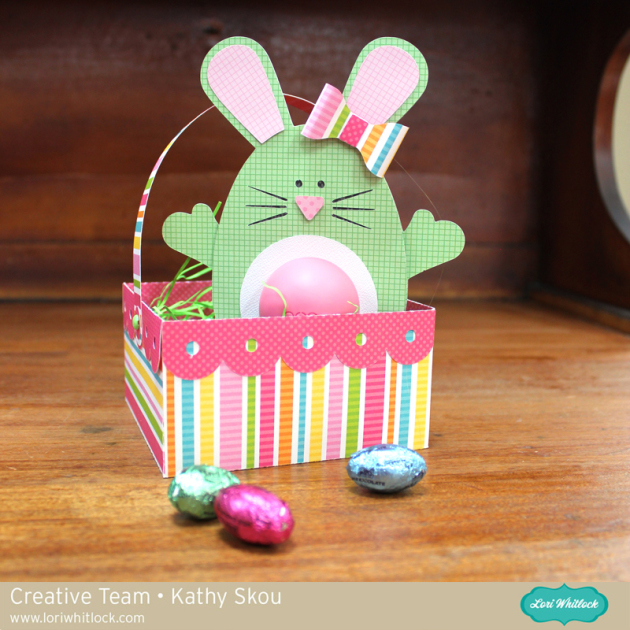
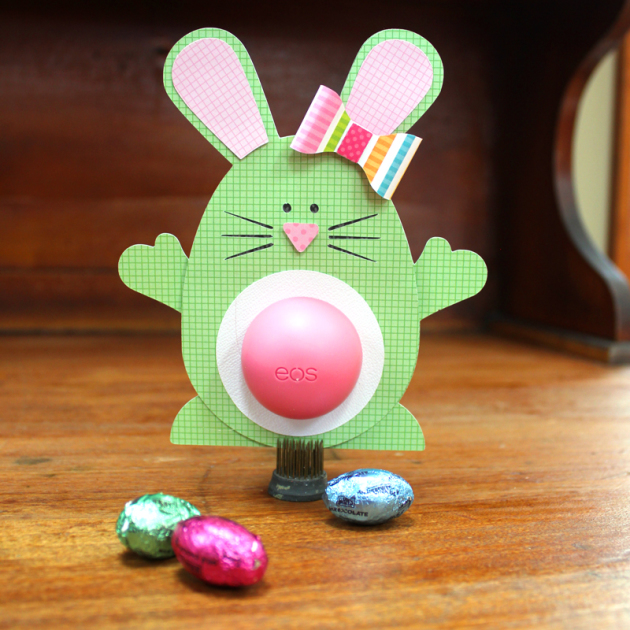
Below are some sweet projects by our talented Creative Team!! AND, if you’ll visit the FREEBIES section, we are offering the cute Hoppy Easter card as a FREE printable file. Enjoy!

Have fun with these cute files!! Have a great weekend!!

Wrapping Text Around a Circle with Traci

Hi everyone, it’s Traci and I’m back today with a tutorial for wrapping words in a circle.  I fell in love with Lori’s adorable new birdhouse.  I plan to make several to hang from a tree decoration, but you could also fill this little box with candy for a sweet little gift.

For the tutorial, I want to show you how I wrapped a phrase around the window of my birdhouse.

Step 1:  Move everything except the house portion off of your mat in the software.

Step 2:  Click on the Text Style Window and find a font you would like to use.  I used Lori’s Cutie Pie font.  Type and size your phrase somewhere on your mat.   Phrase ideas:  “Home Tweet Home”, “From Our House to Yours” , “A Gift For You”, a name or address …. endless cute possibilities!

Step 3:  If you double click on your phrase, you’ll notice a green box around your phrase and a little circle with an x in it.  Click on this little circle and drag it over to the window of your birdhouse.  When you hover the word over a line, the letters snap to the shape of the line.   You may have to play with the size of your font and the character spacing to get the letters to line up around your shape.

Step 4:    To move your word up around the outside of the circle, you will use the grey sliding bar that appears through your letters. If you place your curser along that bar and slide upwards, your letters will move up and out.

Step 5:  Now, you will want to print just the round phrase on the paper that you want for your birdhouse.  Highlight the entire birdhouse and go to the Fill Color window.  Remove the yellow color (but leave the birdhouse lines) so that the yellow doesn’t print on your paper.  Be sure to also make your paper size 8.5×11, and show your registration marks.

Step 6:  If you highlight your phrase, and click on the “Line Style” window, you’ll notice that the lines of your letters are probably set to 0.0 points … be sure to increase the line thickness to 1.5 so that you see the letters when they print.

Step 7:  Now send your paper through your printer.  Cut the birdhouse out with your silhouette machine and assemble all of the cute pieces into an adorable decoration or gift.

Thanks for stopping by Lori’s blog!  I hope you’ll come visit me over at Artsy Albums and say hi!

Traci

March Blog Hop

Welcome to our March 2015 Creative Team Blog Hop! Our team has been working hard to share some beautiful projects with you!

First off, we have our monthly sale going on at Lori’s SVG SHOP. ALL files (and commercial licenses) from Lori Whitlock and Kolette Hall are on SALE 30% OFF. Use code MARCH (case sensitive) at checkout in the SVG SHOP.


AND, TODAY ONLY, you can save 30% OFF all of Lori Whitlock’s digital scrapbooking files over at Snap Click Supply. Shop digital scrapbook files HERE. Be sure to use code: LWMar15HOP at checkout.

So, yesterday, the talented, Paige Evans had a lovely layout featured over on the Scrapbook & Cards Today blog. She used one of my cutting files for her project. Below is the layout and I’m offering the cutting file FREE TODAY ONLY.

The SVG and STUDIO cutting files are included in the FREE download. Simply CLICK HERE. No purchase necessary. 

New this week… Check out these adorable new files in the SVG Shop, and they are on SALE 30% OFF through March 15 due to the Blog Hop!!! Be sure to use coupon code MARCH at checkout.

Just so you know, we are constantly trying to make changes that make your life easier. Our SVG files are now Cricut Explore friendly. Our newest files are colored and the score marks should appear on one layer. We now provide cut size information and a line art PDF with most of our 3D projects. Check the description on each shape before making your purchase. I am working a video that shows exactly how to use our SVG files with Cricut Explore, watch for it in the next week or so. If you desire the cut sizes, PDF or Cricut friendly files on an older shape that does not include the files you need, please don’t hesitate to let us know by emailing us HERE. We’re happy to help you get what you need.

Next, would you like to see what our amazing team has created? Click the links below for some wonderful projects. If you ever get lost come back here to get on track

Lori Whitlock

Corri Garza 

Mendi Yoshikawa 

Traci Penrod 

Kathy Skou

Cathy Harper

Tya Smith

Chrissy Guido

Ashley Cook

Rachael Sheedy

The winner of the $20 Gift Card from February’s blog hop is Hellen Gullett. Hellen, please email me HERE with your contact info and I’ll send you your $20 coupon code. Congrats!!

Would you like a chance to WIN a $20 gift card to the SVG Shop + the most current issue of Scrapbook & Cards Today? Be sure to LEAVE A BLOG COMMENT AT EACH STOP for 4 entry points! Good luck and thanks for dropping by!

a Rafflecopter giveaway