It’s almost Black Friday, and I have a present for you!!! Starting on Thursday morning at 12:01 AM MST, head over to the Silhouette America Black Friday Sale, and enter code LORIand you can take advantage of these great deals!!
Free Shipping on order over $50.00
40% off almost everything in the Silhouette America store
20% off Silhouette Design Store Subscriptions
Machine bundles as low as $99.00 including:
*Silhouette Mint $99.00
*Portrait & Mint $189.99
*CAMEO $199.99
*CAMEO & Portrait $289.99
and… Lots more bundles featured on the site!
Make sure to enter the promo code LORI to receive your discount! This is the perfect time to pick up some special gifts for your crafty friends and family… or maybe a little something to put under the tree for yourself! Whichever it is, don’t miss out! I hope you all have a wonderful Thanksgiving!
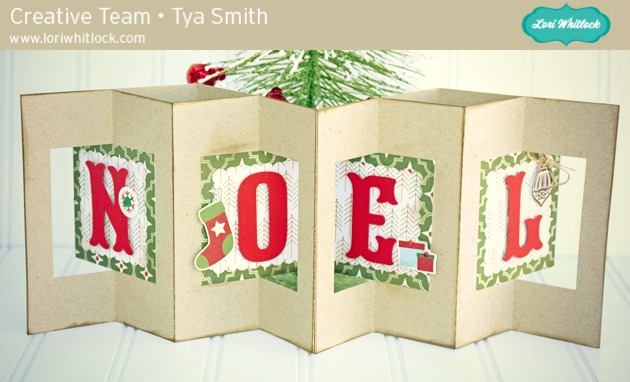
Hi Lori Whitlock fans! Thanks for stopping by the blog today! It’s Tya here and I am sharing one of Lori’s new holiday cards up on the blog today for you to see. This double lever card technique is one of my favorites and I love that Lori added a couple of new ones to her library. Here is the one that I decided to use:
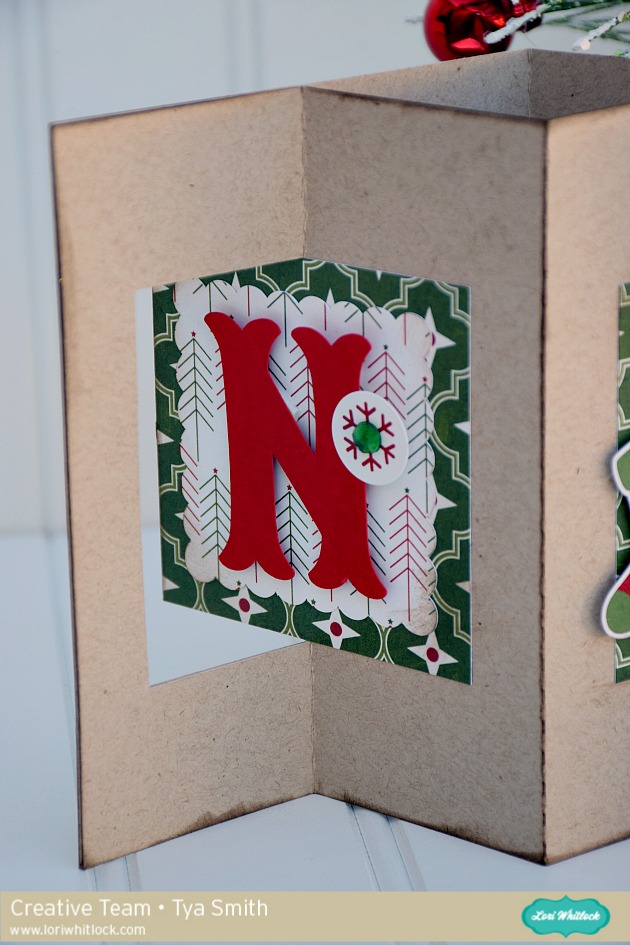
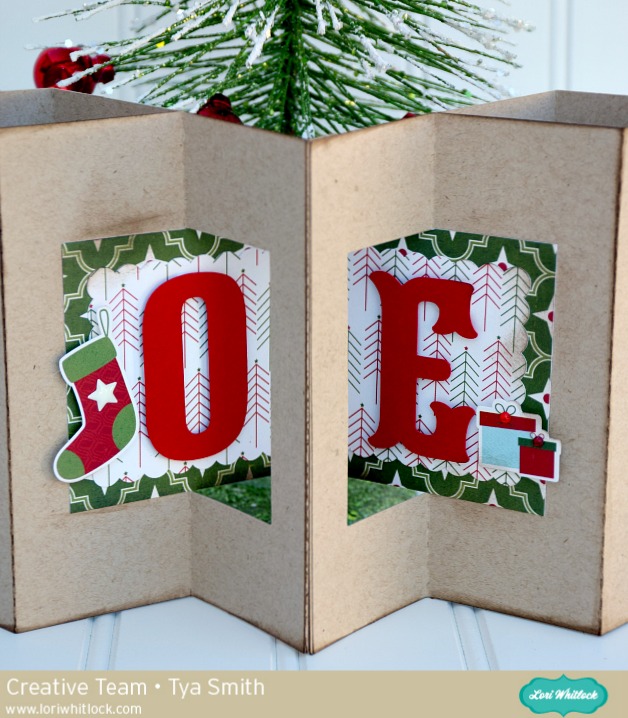
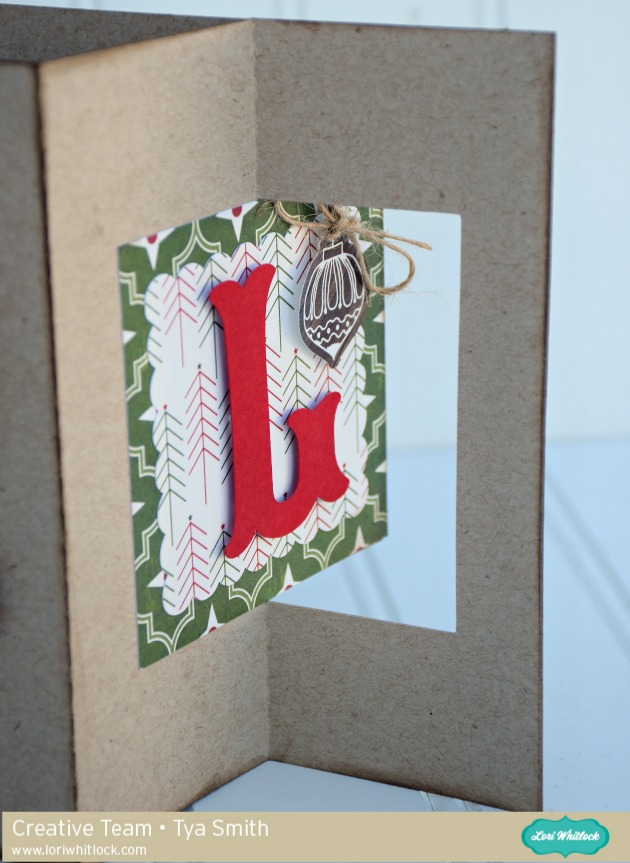
You can find it here on the Silhouette Design Store: A2 Double Lever Card Noel This card would be really a fun one to give to loved ones or even us it as table decor for your holiday parties. Here are a few close ups- I used Lori’s The Story of Christmas Line for Echo Park for the papers and stickers. I add a few embellishments like jewels, a star enamel shape and some twine to dress up the card.
Thanks for joining me! Make sure you stop by Lori Whitlock online store and the Silhouette online shop to see all of Lori’s fun new holiday card shapes! They are sure to bring a little holly jolly into your holiday card making! Happy Crafting!
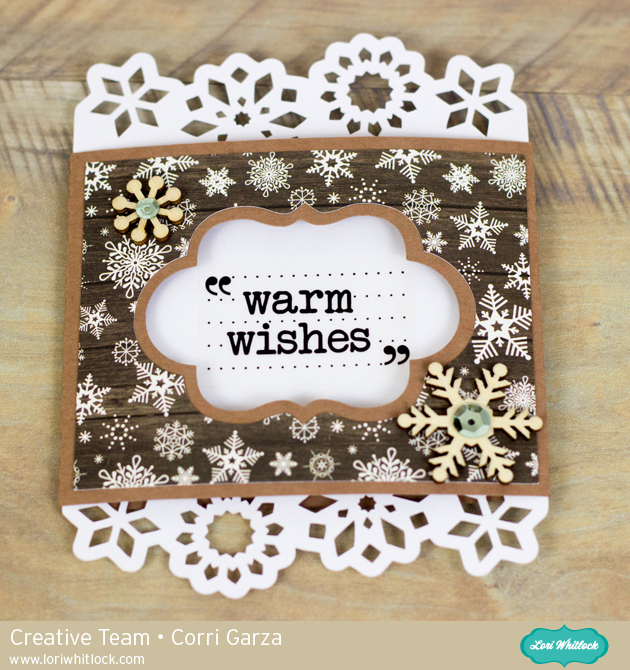
Hi everyone! Corri here today sharing one of Lori’s new Ornate Pull Out Cards. These cards are all beautiful with their die cut borders but are very easy to put together.
I used paper from the Story of Christmas Collection from Echo Park. I used a clear sticker for my sentiment and added a couple of wood veneer snowflakes to finish it off. Check out all the new pull out cards in the shop!
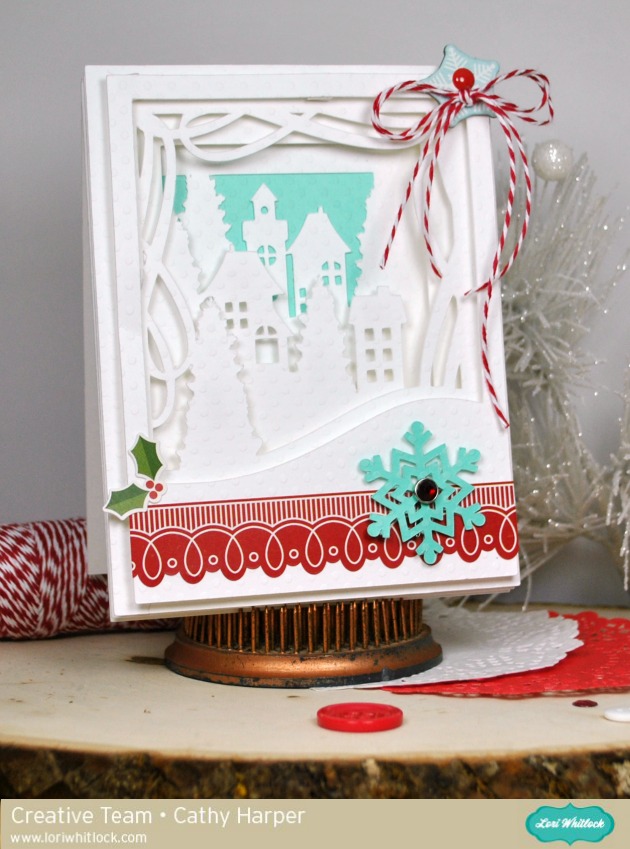
Hi everybody! Cathy here with you today and I have one of Lori’s new pop dot cards to share with you. They are so much fun and have amazing dimension. Lori has created so many fun little details to all of these cards.
I used the A2 Winter City Pop Dot Card. Simply a gorgeous winter scene! All you have to do is cut each layer and pop dot each layer. Easy peasy! Theses incredible little works of art go together in no time at all. This card will be a delight for the recipient and treasured this holiday season.
I added a few more embellishments to my card with Lori’s Echo Park The Story of Christmas collection. The border sticker, brad and chipboard snowflake are all part of The Story of Christmas collection.
There are so many of these pop dot cards to choose from or buy them all! It’s so hard to pick a favorite. You can check them all out here!
Welcome to our November 2015 Creative Team Blog Hop! Our creative team has been working hard making some great projects that will inspire you to get crafting this holiday season! This weekend I traveled to Peachtree, Georgia to teach at the All Things Silhouette Conference that Terri Johnson organized. She’s a lovely lady and I really enjoyed working with her and all the other teachers at the event. I even got to meet and make friends with Melissa from Silhouette School!! And, the best part was meeting so many of you, my “virtual friends” in person! I’ll be teaching at another event like this April 2-3, 2016. Make sure you go sign up before it fills up. This conference was completely booked out in a couple of days when it opened. Just so you know : )
One of the best things about blog hop week is the 30% OFF SALE going on at Lori’s SVG SHOP. ALL files (and commercial licenses) from Lori Whitlock, Kolette Hall, and Dresden Carrie are on SALE. Use code NOVEMBER (case sensitive) at checkout in the SVG SHOP. I apologize for the slowness of the shop right now. I am in the process of moving my shop to a new platform and it’s going to take some time. Please bear with me while we are partially under construction. I don’t want to totally close it down right now because I know it’s holiday season and people want to get crafting.
AND, TODAY ONLY, you can save 30% OFF all of Lori Whitlock’s digital scrapbooking files over at Snap Click Supply. Shop digital scrapbook files HERE. Be sure to use code: NOVEMBER at checkout. A lot of people use the digital scrapbooking files with their Silhouette to make print and cut embellishments. So, you really get a great value out of these files. Be sure to go check them out.
I have a new tutorial for you this week on the YouTube Channel. It’s for the new 3d Frame Cards that you can find at the Silhouette Design Store and in the SVG Shop.
These have been really fun cards to create and I think you’ll enjoy them too. Here are some of the new designs…
Watch for a few more holiday phrases and files to be added TODAY!
Would you like to receive the file below completely FREE? It’s my holiday gift to you if you are on my mailing list. So, please enter your email in the right hand column that says, “Get Updates by Email.” That’s all you have to do. I’ll send out an email to ALL the subscribers with this Christmas Card file FREE on Thursday THIS WEEK. So, watch for it.
Also, keep an eye out for some great giveaways this month here on the blog. You’ll be glad you’re on the email list so you hear about it!
And, last but not least… would you like to see what our amazing team has created? Click the links below for some wonderful inspiration. If you get lost come back here to get on track.