Hexagon Easter Bunny Box tutorial by Aimee

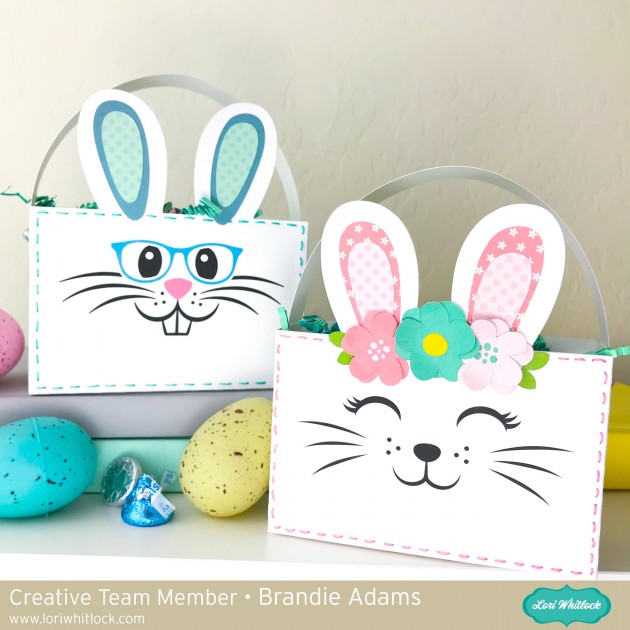
Hi friends! Aimee here with you today to share a tutorial on how I made these adorable Hexagon Easter Bunny Boxes! This is one of the new cut files for Easter.  You can find it on the Lori Whitlock site here or on the Silhouette Design Store here.

When you open this file up in the Silhouette program it is already color coded and shows you where most of the pieces go to get you started.

I separated all of my pieces and added 3 more sets of the inner ear piece cut so that I could fold them in half long ways (which I will show in a few minutes) and adhere them together to create a look of extra “fluff”.

So here is what it looks like after I cut out all of my pieces. I went ahead inked up the edges and let that dry before going to my next step.

I started assembling my box by adding glue to side piece first and then the bottom flaps. Do not put glue on the top tabs because your box opens and closes from the top flap.

Next comes the face. Start with the black piece for the eyes and adhere it to the underside of the flap with the eye holes lined up with the eye holes that are cut into the box.


Next I worked on the ears where I folded each inner ear piece in half long ways (4 pieces for each ear). Then glued them together and then to the outside ear piece.

Time to add the ears to the box…slip the bottom of each ear piece into the slots provided and glue to the underside of the top flap of the box. Then glue the white hexagon piece to the underside. This gives the ears more stability and the whites of the eyes.

Your box should look like this now. The rest is simply adhering all of the mouth pieces together and then adhering to the box.

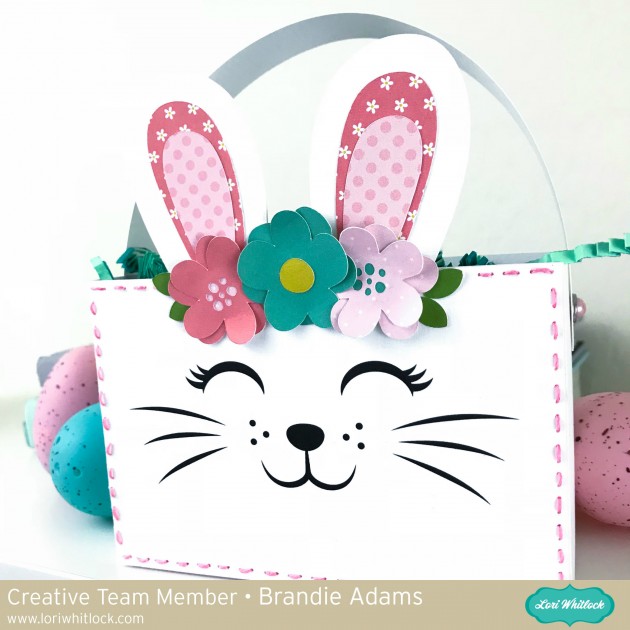
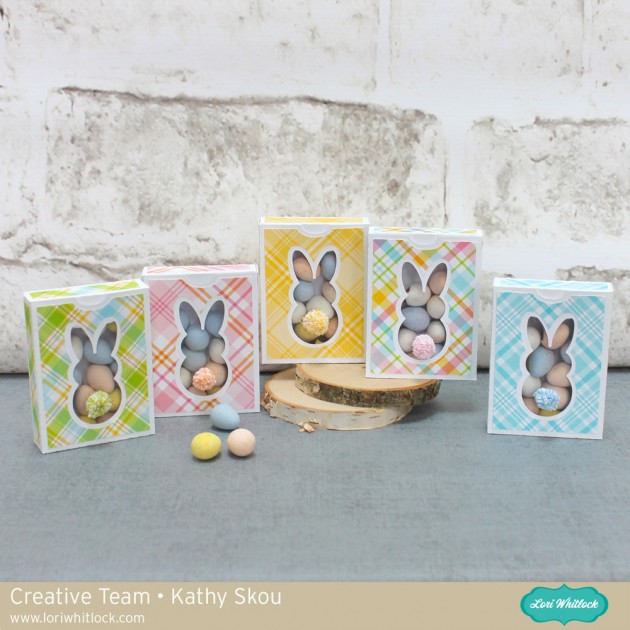
Here is Mrs. Bunny…

and her sweet little cotton tail!

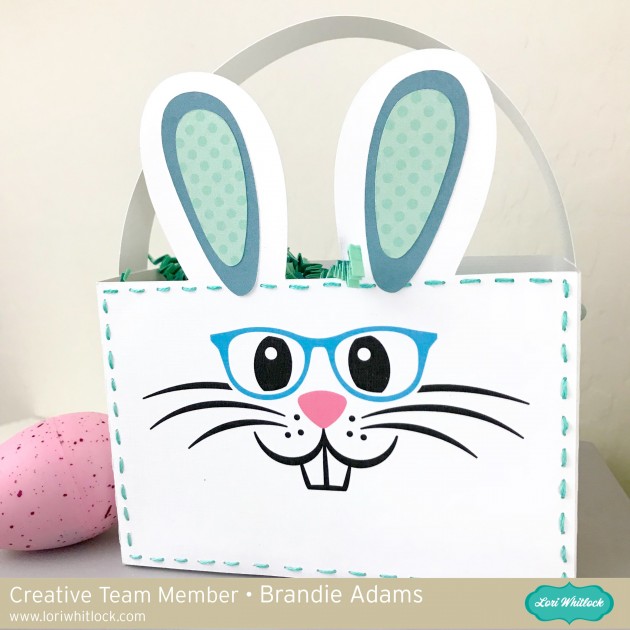
and here is Mr. Bunny.

And here is the sweet little couple together. 

Thanks for stopping by today to take a look and I hope that everyone has a blessed Easter holiday!

Aimee

March Creative Team Blog Hop and 30% off All Files!

Welcome to our March 2018 Creative Team Blog Hop! The creative team has been working hard on some new projects to share with you that will get you in the crafting mood. We also have some FUN new SVG files for you and a GIVEAWAY! Be sure to check them out below. There is also a free file for you!

This week we have a 30% OFF SALE going on at Lori’s SVG SHOP. ALL files (and commercial licenses) from Lori Whitlock, Kolette Hall, Doodlebug Design, Dresden Carri, Paige Evans, Rivka’s Renditions and SAS Creative are on SALE now through Saturday, March 17th!. Be sure to use coupon code: MAR2018 (case sensitive) at checkout in the SVG SHOP. (Only one coupon code per order allowed)

To thank you for joining us in the hop today and sharing the hop with your friends, we have a gift for you! TODAY ONLY, You can download this Spring Title  file absolutely FREE! Be sure to go grab it while you can.


We have some super fun new files this week! Be sure to grab them while all files are 30% off this week when you use code MAR2018 in my SVG Shop!  And, as always, the new files are available in the Silhouette Design Store as well.  This week we have new files from Paige Evans, fonts from Rivka’s Renditions and I have a couple of fabulous bundles including a Unicorn Party Bundle!


a Rafflecopter giveaway
    And, last but not least… would you like to see what our amazing team has created? Click the links below for some wonderful inspiration. If you get lost come back here to get on track Lori Whitlock, Tracy PenrodKathy Skou,  Brandie AdamsBrigit Mann,  Michelle ZerullAimee Kidd, and Ashley Cook!! Thanks again for dropping by! Have a GREAT day!

Quilting Weekend Goodie Set

Happy March everyone.  I am so excited to share my project for today.  I love to sew and quilt and am going away for a long weekend with  good friends to quilt.  I made this adorable box of Lori’s using paper and stickers from her Echo Park line called I’d Rather Be Crafting.   The cut file I used for the box is called Basket with Flower and can be found here in Lori’s shop and here in the Silhouette store.  I also used the bow from the Matchbox Drawer Card Bow which is here in Lori’s store and here in the Silhouette store.  To make my curls, I cut 1/4″ pieces of cardstock and wound it around a pen.


I also made pie tin pin cushions to give to my friends along with their spring Chex Mix.

Thanks for looking and enjoy the rest of your day.

Hugs,

Anita

Rainbow Palette Carrot Boxes


Hello, Crafty Friends!! Winter is almost behind us and with all the rain we’ve been getting here lately the flowers will soon bloom! If Spring will be here soon, then so will Easter!! Time for pretty colors and lots of sunshine and BUNNIES!! I consider all my kiddos my little bunnies… they’re quick, bounce around a lot, and so stinking CUTE!!  So, I made these adorable carrot Easter baskets using Lori Whitlock’s Easter Basket with Carrots File for each of them… because what little bunny doesn’t like carrots, right??!!

Image 1

You can find this Easter Basket with Carrots box file in Lori’s SVG Shop, HERE.

OR in the Silhouette Design Store, HERE.

I used my Sizzix eclips to cut out my project. And when you first load it into the ecal software it downloads onto your window, the shapes are displayed stacked on each other. I usually separate my pieces by color.

Then, if I’m making multiples, I add and cluster my multiple shapes together so that I can cut more at one time.  Depending on how large the shape is I may also separate them further into multiple pages.

Then, I cut. The box piece was too big to cut multiples so I just cut one box at a time, multiple times.

I love rainbows. It makes a wonderful Spring palette. It’s bright and cheerful! And since I’m using a multi-color color scheme I chose to tie them all together with my patterned paper. I used a rainbow gingham pattern that contained all the colors I used for my boxes. This way I don’t have to worry about finding matching paper for each color and still have them coordinate with each other.

I cut out all my pieces except the WHITE pieces (the scalloped circles and tags) and I’ll show you why…

I cut my white pieces from the same piece of cardstock. Except, my tags are printed with HAPPY EASTER on them first.

For the tags, I decided to use my machine’s PRINT-2-CUT option. First, I printed my tags.

Go to FILE, then click PRINT from the menu. Don’t forget to print with the registration marks!! That is very important!

Once it was printed, I lined up my print out sheet to the very left of my cutting mat.  Line it up with the corner.

Then, go to the CUTTER tab, click on PRINT-2-CUT. You’ll be taken to the PRINT-2-CUT menu screen. Click NEXT.

Before you proceed, THIS PART IS SUPER IMPORTANT, make sure you HIDE all the text in the tags.

If you do not do this it will CUT each of those letters… and we don’t want that!! So make sure all your tags are blank!

You’ll notice that there are registration marks on your print out.

When you choose NEXT on your PRINT-2-CUT window, it will ask you to align the laser dot with the registration mark. Get it the closest to the center of the registration mark as possible for BOTH registration marks. Then, CUT!!

For the main boxes, I folded at the crease lines, all go the same direction, toward the center of the box.

I added a little line of glue to the tabs and adhered them to the side walls and set aside to dry.

I shaded my carrots using my ColorBox PetalPoint ink pads in Pinwheel and sponge daubers to shade the edges of my carrots. Then, added details using the fine tip ends of similar colored markers. This part is totally optional and for a much quicker project, you can totally SKIP it!!

I ran my carrots, carrot stems, and background pieces through my Xyron 3″ Sticker Maker for quick and easy adhesion.

Then attached them to my cut out scalloped circles and sent them back through my Sticker Maker.

Attached the backgrounds onto the boxes, then attached the scalloped circles with carrots to the centers.

Then topped off each box with iridescent ribbon that I tied to create multi-looped bows and attached my tags.

And here are my finished boxes…

These just make me so giddy!! With the bright rainbow color palette, I can’t help but be HAPPY!

I know my little bunnies (my 4 kids) will absolutely love these! They’d love the box just by itself but I’m a super awesome mom so I’ll stuff it full of goodies!! LOL

Hope you loved this tutorial!

REMEMBER… Easter is April 1st!! Very fast approaching… so get going and get creating!!

HAPPY SPRING, HAPPY EASTER, & HAPPY CRAFTING EVERYONE!!

~ Mitsyana Wright

3D Paper Succulent Plants with Michelle

Hello Lori Whitlock Fans! Michelle here today to share some brand new 3D paper succulent designs that Lori has created.  You are going to love how fun and easy these are to make!

Each miniature paper plant stands about 2 1/2 inches tall. Such tiny little treasures! These designs can be scaled up and made larger if you would like to create something bigger. I had so much fun putting these together and I know that I will be making more! There are five new succulent designs available. You can purchase The Succulent Bundle 2 at the Lori Whitlock SVG Shop, or you can purchase them individually. They are also available at the Silhouette Design Store.

paper plant

Each succulent comes complete with its own little planter. Feel free to mix and match them all to create your own garden! This plant, Succulent #8, can be purchased alone at the Lori Whitlock SVG Shop, or at the Silhouette Design Store. I loved using pastel chalks to give it color variations.

paper plant

My second paper succulent was made with Succulent 11 files from the Lori Whitlock Store. You could also purchase these paper succulent files from the Silhouette Design Store. It originally came with a square planter, but like I mentioned before, they can easily be mixed and matched.

Succulent #10 can also be found by itself at the Lori Whitlock SVG Shop, or can be found at the Silhouette Design Store.  I gave all of my plants unique shapes by using a kitchen kabob skewer.

paper plants


I’ve really enjoyed creating my Miniature Succulent Garden and I hope that I’ve inspired you to create your own garden too!

Have a creative day!

Michelle