New at Jessica Sprague

We have new products at JessicaSprague this week. These beauties are 25% off this weekend only, so grab them while they are on sale. Watch for more coming from this series. These coordinate beautifully with the Bracket Label Shapes, Tag Shapes, Kraft Borders, Kraft Frames already in the shop.

MOD PAPERS TURQUOISE


MOD PAPERS PEACOCK

MOD PAPERS LIME


MOD PAPERS LEMON


MOD PAPERS CHERRY


Are you here for your daily freebie? Grab it here. Join us again on Monday for our next freebie. Have a great weekend.

Daily Freebie + Getting Creative with Name Tags by Traci

First off, if you are here for the freebie grab it here.
Hi everyone!  It’s Traci here with a fun tutorial to share with you.  A few weeks ago, a friend asked me to make some name tags and a guest book for a baby shower she is having for a friend.  The colors for the shower are grey and yellow, and they are using daisies and the chevron pattern for decorations.  Today I’d like to show you how I made her name tags so that next time you are having a party, you can ‘wow’ the guests with your creativity!
I apologize for the photo — it started raining before I could get any decent shots.  I used Silhouette’s white, printable sticker paper for these so that the guests can write their name on the tag and then peel them right off the sheet.
To start, open your Silhouette software, set your mat to 8 1/2 x 11, and click on ‘show registration marks’.  You want to do this because your name tags will be a print and cut, and your paper will probably need to be 8 1/2 x 11 to go through your printer.  Next, find the label shape you want to use and size it appropriately.  Mine are approximately 2×3″.
Since I’m using Lori’s cute bracket labels that have a shadow behind them, I was able to color fill the back shape with grey, and the inside shape with white.  To do this, highlight the individual shape and click on the fill color bucket (1st icon on the top right toolbar).  Do the same to color fill each shape.
 
Now the fun part.  Add some cute details to your name tag that go with the theme of the party or meeting.  Since the baby shower theme was daisies, I chose Lori’s adorable daisy file.
 
I resized and ungrouped the daisy so that I could change the color.  I wanted the daisy to be white, but show up well on the white background so I changed the ‘Line Color’ (6th icon on the top right toolbar) to grey.
 
Now here’s a tip — if I changed the line color and then printed it, the line would not show up well.  Before printing,  I had to change the thickness of the line (7th icon on the top right toolbar).  I changed my grey line around the petals to .75.
I then color filled the center of my flower with yellow, grouped the whole flower (by right-clicking and choosing ‘group’) and moved it into position on my name tag.
The other theme of the baby shower is the popular chevron pattern.  I found one of Lori’s zig zag borders, resized it, and duplicated it a few times to create an extra little accent.
Once my name tag looked the way I wanted, I highlighted the inside shapes and went to the “cut window” and clicked ‘no cut’.  I only wanted to see the red cut line around the outside of the grey label.
I then went to the duplicate icon (the one that looks like a little flower) and duplicated right and below until I had a whole page of cute tags.  Another tip — after printing your name tags, be sure to set the cut settings on your machine appropriately.  Since I was using printable sticker paper, and wanted the page to peel off the mat without leaving the tags behind so I set my blade to a 2.  The tags were cut, but the backing of the sticker paper wasn’t.
Thanks for letting me share these tips with you today!  Have fun creating cute name tags for your next party or event!


Daily Freebie + $1 Wednesday at Jessica Sprague

One Dollar Wednesday at JessicaSprague.com!

Jessica Sprague is home to ALL of Lori’s digital Scrapbooking kits, both Echo Park and exclusive designs by Lori Whitlock. SVG’s by Lori are NOT sold at Jessica Sprague but at her SVG shop. The files offered at Jessica Sprague are .JPG, .ABR and .PNG NOT .SVG

It’s Wednesday again and that means TODAY ONLY you can snag two of her adorable digital kits for an amazing deal… TODAY for JUST $1 you can grab this awesome set: GREEN BASICS PAPER

This kit is regularly priced at $3.99 and TODAY ONLY it’s just $1!

GREEN BASICS PAPER

And, you can get the following awesome product for HALF OFF, LIFE CARDS MARCH making it $1.50

LIFE CARDS MARCH

Thanks for sticking around with me through all that. Are you looking for today’s freebie? You can grab it right here.


While you are at jessicasprague.com getting your kits, be sure to check out the samples made with each of these kits at the bottom of each listing.


New in SVG Shop + Daily Freebie + Silhouette Promo

TODAY ONLY, this PHOTO PROMPT TAGS TIME OF DAY PNG file is FREE.

Remember this freebie is ONLY good until midnight tonight, then it will change to something else. Be sure to come back each day to grab our Photo Prompt Tag freebie.  This file IS NOT an SVG file, but a PNG that is designed to be placed on top of a photo before the photo is printed. You can download the freebie here.


We have many requests for the PDF file for hand cutting, class room projects etc, now many of new shapes will also include a line art PDF as well. Check the description on each shape before making your purchase, if you desire the PDF on an older shape that does not include a PDF let us know. Remember ALL new shapes from Lori and Kolette are normally on sale for 25% off until Sunday of next week, but this week we have a sale for 30% off all shapes. Use coupon code LUCKY at checkout to get the discount.

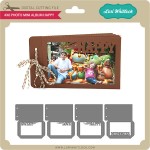
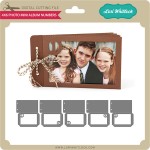
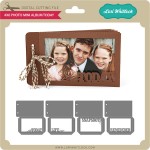
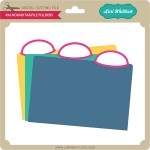
New this week… Check out these adorable new files!!

Last but not least, check out what is going on at Silhouette for the next week.

March 11th through March 19th both Silhouette Studio® Designer Edition and Silhouette Connect™ are 35% OFF!! In case you don’t know, Designer Edition is the MOST POWERFUL design system out there to help you achieve all your crafty needs.  Some key features:

o    Ability to open, manipulate, and cut .svg files
o    Rhinestone tools to convert designs into rhinestone templates and create your own rhinestone designs
o    Sketch tools to convert designs into several styles of sketchable art
o    Creative knife tools to allow you to clip designs using different patterns
o    Enhanced eraser set to modify designs with more precision
o    Built-in ruler and guide lines for precise alignment and drawing
 Silhouette Connect™ is a plug-in that allows you to cut directly from Adobe Illustrator or CorelDraw!
You can purchase these items at www.silhouetteamerica.com. Simply use promo code: LORI at checkout to get the 35% discount.


March Blog Hop + Freebie + Sale

Welcome to our March Creative Team Blog Hop

There is so much creativity to share with you today! Before we get to that, I would like to let you know about a few things. First of all is the SALE! ALL shapes in Lori’s SVG Shop are 30% off all week! Be sure to use coupon code LUCKY at checkout. Here’s a link to the SHOP.

Secondly, we have a FREEBIE PNG file to share at each stop today AND every single day through the next 6 weeks, until April’s Blog Hop on the 14!! These handy little labels can help you in documenting your life. Use them as prompts for your photography and journaling. You can pick up today’s freebie HERE.

All of our freebies this month are PNG files and are designed to be opened in Photoshop or another photo editing software. You can then place the PNG file on a photo, tag, frame, etc. They work beautifully with documenting and journaling projects. These would be beautiful in pocket scrapbooking, art journals, and home decor.

Be sure to visit the blog each day to pick up your daily freebie. Today you can pick up a freebie at each of the Creative Team Member blogs in the Blog Hop. Be sure to check them all out:
Lori Whitlock (you are here)
Brigit Mann 
Corri Garza 
Mendi Yoshikawa 
Natalie Graham 
Traci Penrod 
Chrissy Guido
Ashley Cook
Lorrie Nunemaker 
Smitha Katti
Stephanie Chavers
Lisa Bell 

Thanks for stopping by! Enjoy the hop!