Mason Jar Pop Up Box Card

Happy Spring almost Summer Everyone!  I have a quick little card tutorial to share with you today using Lori’s new Echo Park Collection Firefly.  I simply adore everything about this collection, the patterns, the amazing details, the colors….it is all swoon worthy, you have to get it.  It is just so perfect for summer.  The card is one of her pop up box cards, that fold flat for mailing and then pop up and give a fabulous 3 d effect for your recipient.  You can find this card here in Lori’s Shop or here in The Silhouette Online Design Store.  I just love mason jars and this is just so cute.

First, cut and organize all your pieces.
I always ink all my edges, except the white.
Put your card base together, here I used papers from the 6×6 Firefly paper pad and card stock.  Your score lines will be a peak and a valley.
As you can see here, it fold to a 5×5 card base.
Next, make this piece.  Here I added some beautiful washi tape from the Firefly collection.  Love it!  Again you will have a peak and a valley for score lines.
You are only going to add adhesive on the two ends, and you can see where I wrote here and here.  Make sure no adhesive goes in the middle, otherwise your card won’t pop up.  My adhesive fits the first little panel and then from the second score line to the right.
Once you add this piece, you can see how the little pop up box is formed to add your remaining dimensional pieces.
Now just finish up the layers for these two pieces and add adhesive to the sides.  Add them in order, as Lori numbers them for you…1 & 2.
Press them firmly to the sides to create the pop up effect!
And there you have it!  The cutest little card popping with joy!  I love using all the fun embellishments form her collections to really create my own take on each of her cards.


Thank you for joining us today!
Cathy


80th Birthday Card

Last weekend we got to celebrate the 80th birthday of my fiance’s uncle, Dennis. Perfect oppertunity to make this fun card.

I used the pop up birthday card (SVGSilhouette). I changed the Happy to a writing image rather than a cut. You know me and those little tiny letters. I used papers from the Echo Park Dino-Mite Collection. 


Such a fun bright card. The SVG from Lori’s shop comes with birthdays 30, 40, 50, 60, 70 and 80 so it’s a versatile SVG that you can use over and over.

Thanks for stopping by and Happy Crafting!!

Chelsea

Valentine Gift Set SVG Files

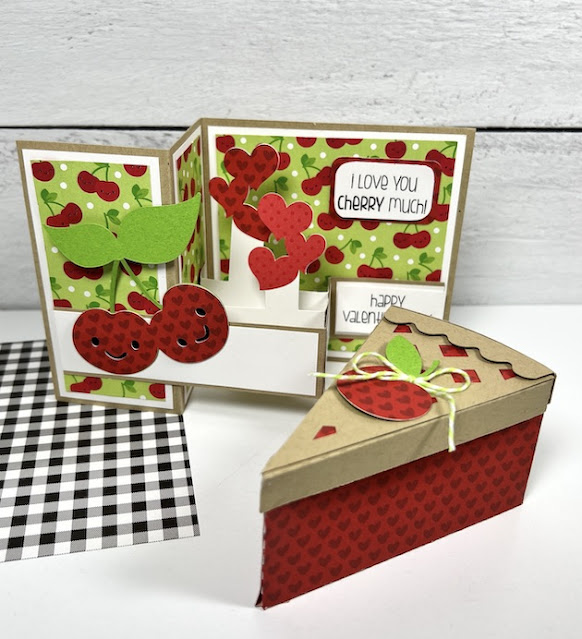
Hello crafters! Valentine’s Day is right around the corner and this past Tuesday was National Pie Day, so … I found a little inspiration for today’s project by combining the two! I created a cute cherry-themed card and a pie-shaped gift box using a couple of Lori’s fun cutting files.Valentine's Day Cherry Card & Gift Box Tutorial

These would make the “sweetest” gift. You could fill the box with candy, a gift certificate, jewelry, a small toy, money, love notes, or clues to a treasure hunt.

First, here’s how I made the pie slice box …

Valentine's Day Cherry Pie Gift Box Tutorial

used the cutting file called 3D Cherry Pie Slice (SVGSilhouette). I cut out all of my pieces and then folded them along the score lines. The small notches on the pieces allow the shapes to bend easily to create the pie’s shape. I chose a red paper with hearts (Bella Blvd’s Bestie Hearts & Ombre in McIntosh).

Valentine's Day Cherry Pie Gift Box Tutorial

I used a liquid glue to adhere the red “cherry” portion of the pie-shaped box together. Then, I added a base inside made out of Bazzill Kraft card stock.

Valentine's Day Cherry Pie Gift Box Tutorial

For the lid, I repeated the process that I did for the base. Then, I layered the red “cherry” filling piece, the kraft lattice piece, and finally … the scalloped crust piece. I used a piece of foam tape under that for some dimension. I added the cute cherry and some lime twine and the box was complete!

Next up, is the cherry card …

Valentine's Day Cherry Themed Card and Pie Gift Box Tutorial

For this one, I used the cutting file called Pop Up Box Card Valentine Cherry (SVGSilhouette). I cut out my pieces and layered all of the pattern pieces before assembling the card. I used Bazzill Kraft card stock, white card stock, and a cherry-patterned paper from Doodlebug’s Bar-B-Cute Collection.

Valentine's Day Cherry Card Tutorial

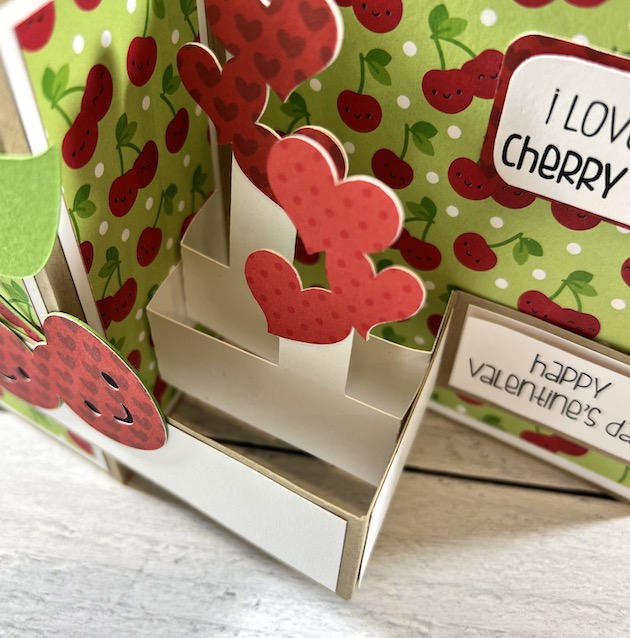
As you can see above … the band of the card attaches to the left and right sides only, leaving the center of the band free of adhesive. This allows the card to fold and pop open easily.

Valentine's Day Cherry Card Tutorial

Next, I glued the two remaining pop-up elements inside the band as shown above. I used a cute red polka dot paper from Doodlebug’s petite print dot & stripe for the hearts.

Valentine's Day Cherry Card & Cherry Pie Gift Box Tutorial

And … they’re done! My cute cherry-themed Valentine’s Day card and Cherry Pie Slice Gift Box are ready for gifting. Well, that was easy! I just love Lori’s cutting files.


Thanks for stopping by. I hope these inspire your next Valentine’s Day craft project. Have a great day!

Blog * Shop * Facebook * Instagram * Pinterest

Pop Up Box Card School Bus Tutorial

Hi everyone!  I have a fun card to share with you today, just a few simple steps and you will have a card that pops up and delights your recipient.  There are lots and lots of these pop-up box cards to choose from in Lori’s Shop and in the Silhouette Online Design Store.  You can find the card here in Lori’s Shop or here in Silhouette Design Store. You can find the video assembly tutorial HERE.
The first thing that I like to do with Lori’s files is separate everything by color.  She colors all of her files and it just makes it just so dang simple.  So, I just take a few seconds to ungroup the file and sort my pieces by color for ease of cutting and then it is easier to assemble everything.  Once you’ve got it all cut out, we are ready to assemble.
First, start with your red card base and do one peak and one valley fold.
It will look like this.
Next, add your blue panels.
Now it’s time to add the gray road, this is the piece that makes your card pop up.  You are going to fold on the two score lines.
You can take a few minutes here to create your embellishments of the bus, apple, and pencil. I just used a glue pen to assemble these smaller detail pieces.
Glue your bus onto the gray road piece.
Now, we are ready to add our road to our card base.  Remember, we want this to pop up….so we are only going to put adhesive on the left side and right sides…just like in the picture below.  Just those two spots of adhesive.
Now you have your road added, you can see that the pop-up and where we are going to add are to other elements of the pencil and apple.  Just fold the tabs on each and add adhesive.  Here’s a link to Lori’s video on these pop-up cards on YouTube.  Pop Card You Tube


With the adhesive on each tab, you can add both the little pop-ups in just seconds.
And bam, just like that…you have the cutest little bus card.  Now I did leave the back-to-school saying out and added a little sun sticker that I had, just because it’s not back-to-school time.  Thought my granddaughter might enjoy the little sun!
Thanks for checking out this tutorial!
Cathy

12 Days of Christmas- Day 9 & Pop-Up Box Card Wisemen Tutorial

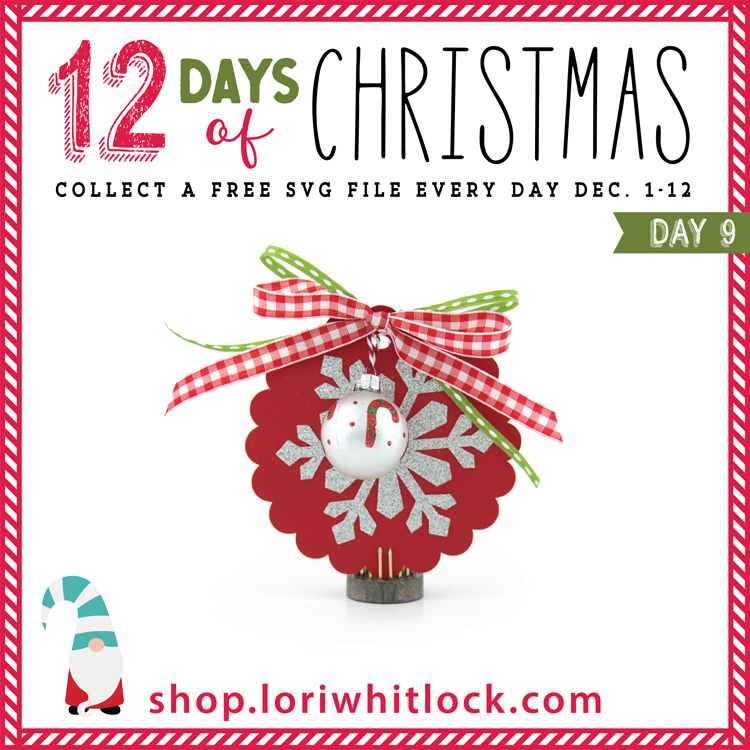
Welcome to Day 9 of our 12 Days of Christmas! Each day from December 1-12, there will be a free SVG file of the day, along with a special promotion!  For Day 9 we have this Christmas Tag Snowflake will be free today only, so don’t miss out!

In addition, today only, you can get 40% off all items under the Tags Category in my SVG shop!  Just use code TAGS40 at checkout!

And check out this amazing card and tutorial from Marcia!

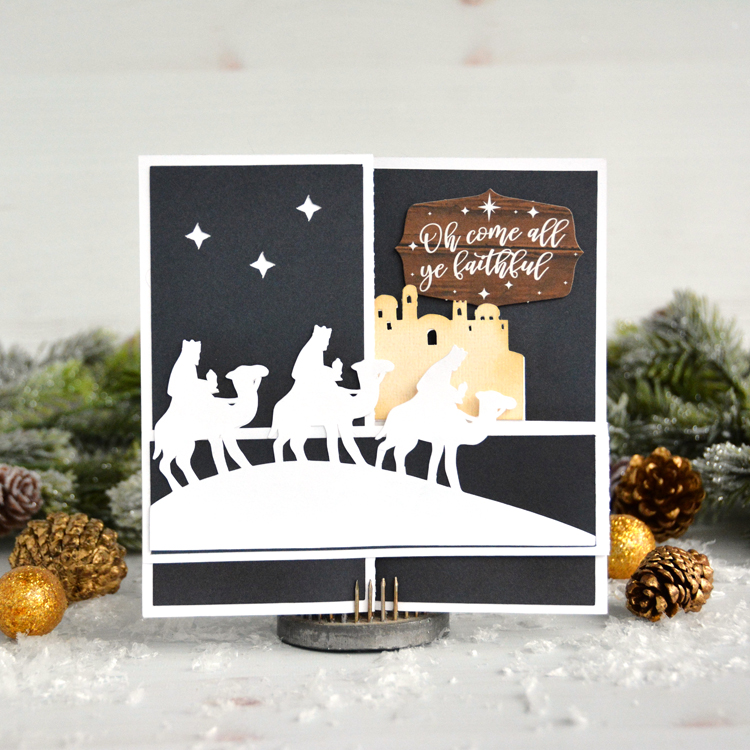
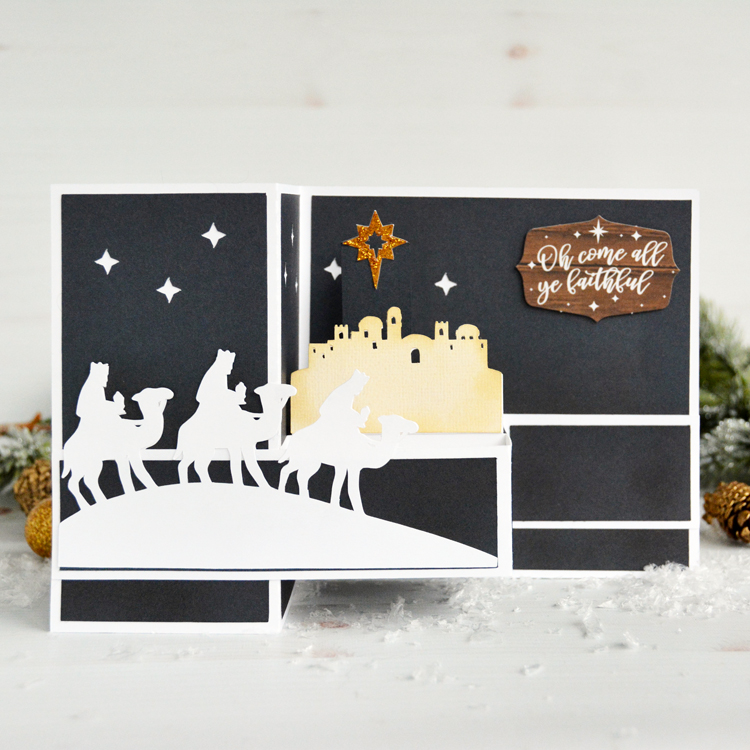
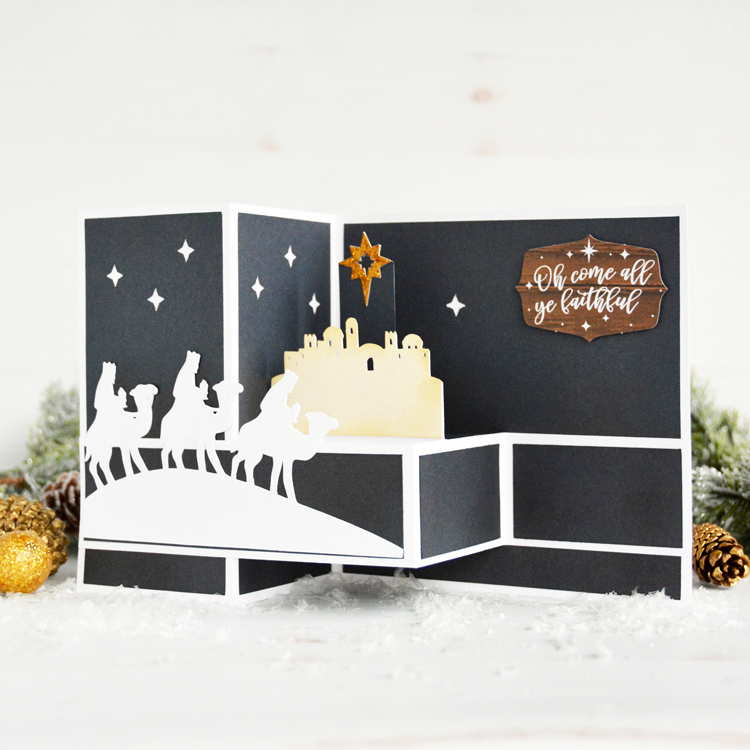
Hello everyone! Marcia here today. I’ve been busy making more Christmas cards to send out to family and friends. Lori designed a new The First Noel Christmas collection and I thought it would be a great idea to use the sentiment phrase ephemera pieces instead of using the print and cut feature in Silhouette. This would also speed up my cardmaking, a huge plus right now! I used the Pop Up Three Wisemen Box Card (SVG, Silhouette) cut file along with the coordinating solid pattern paper from the collection. When the card is closed for mailing it is completely flat.

When open, it can stand up by itself. The middle pops out to form a box with a dimensional city scene and star of Bethlehem.

Let me show you how I created mine.

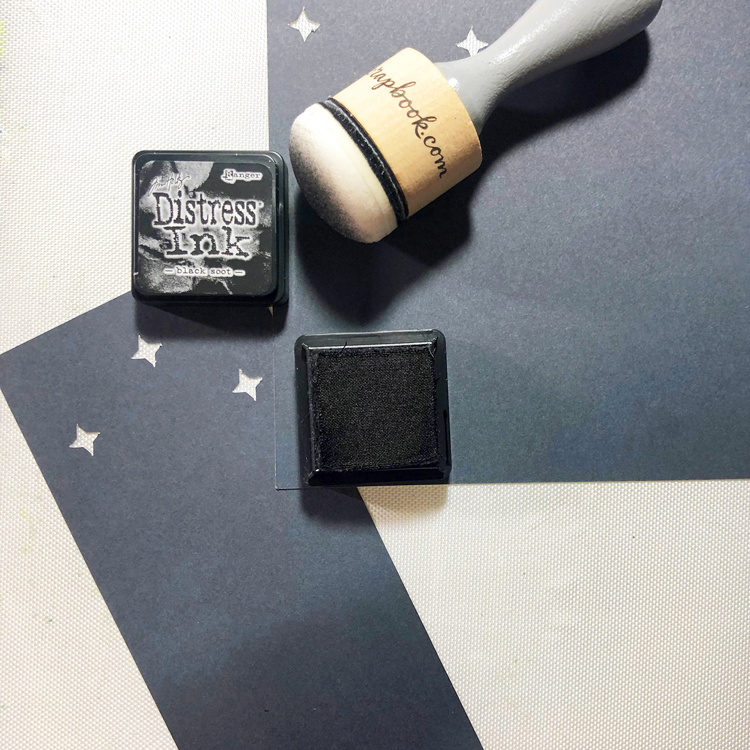
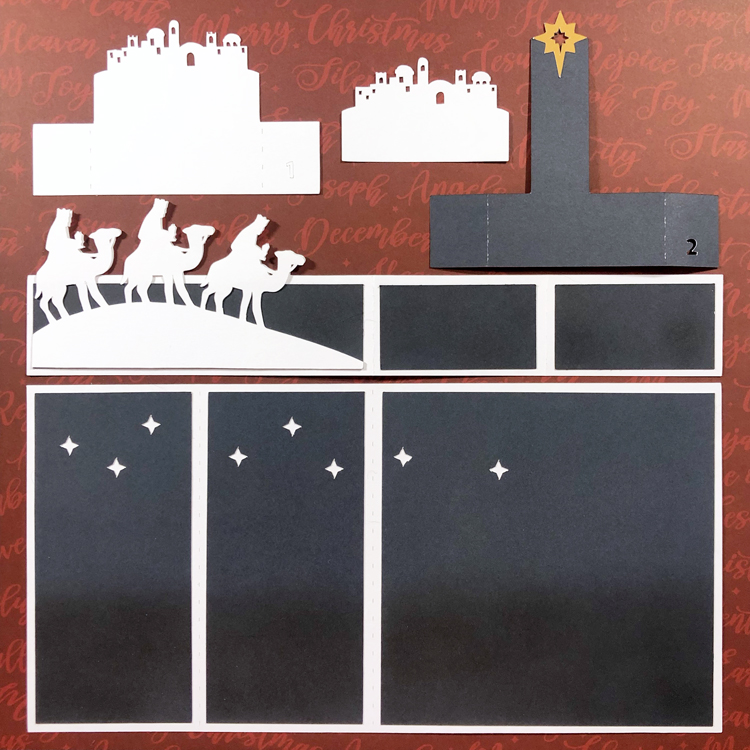
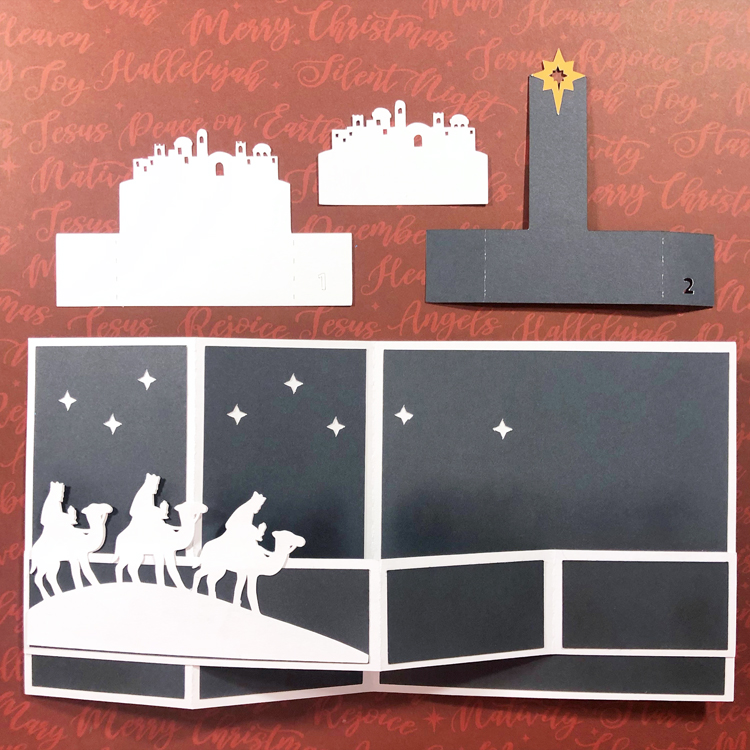
  1. Cut out all the pieces from desired cardstock and pattern papers. I used some Black Soot ink to darken the bottom and middle panel of the blue pattern paper pieces using an ink blending tool.

2.  Assemble the panels and box card inserts. The city scene can be left as is, or add another layer of color on top.

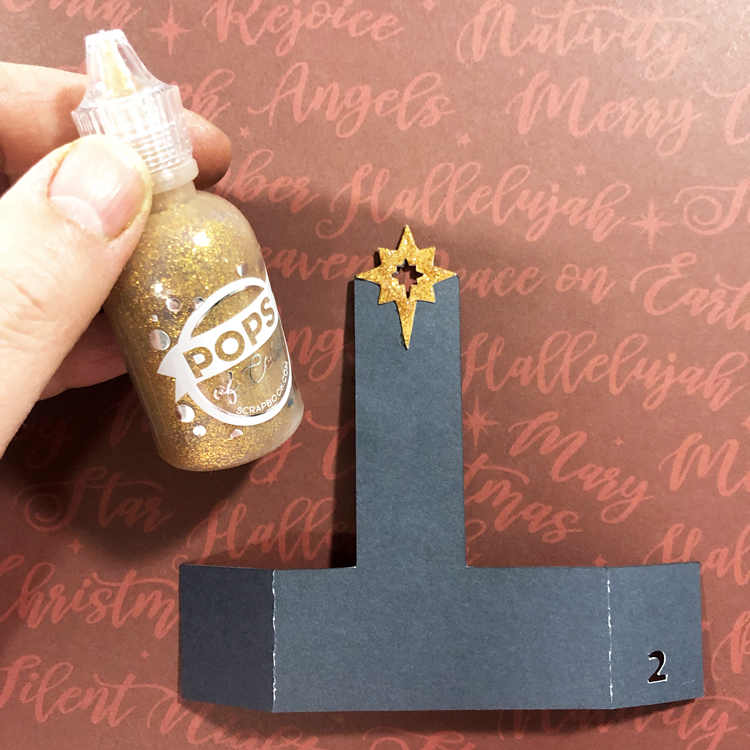
3. I wanted my Star of Bethlehem to really sparkle so I added some gold glitter gel. This needs to dry before you attempt to assemble the card.

4. Glue the panel with the wisemen to the card front about .5″ from the bottom of the card lining up the edges on the left side. The opposite end of the panel is then adhered to the far right .5″ from the bottom lining up the edges on the right side. The middle panel should fold the opposite of the card base to form a box.

5. Insert the city scene inside the box lining up the tabs to the top of the panel and adhere. Then glue the Star of Bethlehem insert behind.

Lori has lots of Christmas card ideas in her shop. Go check them all out and have some fun making your own Christmas cards!

Thanks so much for stopping by.
~Marcia