Easter Treat Favor Box by Aimee

Hello friends! Aimee here with you today with a tutorial on using Lori’s new sketch images to create this sweet little Easter gift bag. I choose a couple of adorable images from the Sketch Easter Bundle that you can find in Lori’s Shop here or in the Silhouette Design Store (rabbitflower). I also used this new Favor Box that can be found in Lori’s store here or in the Silhouette Design Store here.

Open the images and add an offset image around each image. I resized the offset to 0.050. After you have the offset image, highlight both images and group them together so they are easily moved around. The black lines are the sketch lines and the red lines are the cut lines.

Once I had both images with an offset cut grouped, I measured them against the box svg to make sure  they were appropriately sized.

For those of you who are new to using Silhouette sketch pens, here is a Silhouette tutorial for using them. A big HINT when using the sketch pens and then cutting them out is NOT removing your cutting mat after the image is drawn. Leave the mat in place and then switch over to the blade and let your machine cut the image out from your paper.

Here are my images after the sketching and cutting are complete. Now comes the fun part of decorating them. I used Lori’s new collections Easter Wishes and Spring Fling  on this project because the colors and patterns are so fun and vibrant

I fussy cut one of the eggs out of pattern paper and added it to the rabbit so that it looks like he’s holding it. I also added some pink to the back of his ears. For the flower, I trimmed the flower and adhered it to the top of the green flower sketch cut and added a matching button and baker’s twine.

For the finishing touches I added a pink striped bow and the Happy Easter sentiment from the Light Up Card Easter Bunny that can be found in Lori’s store here or in the Silhouette Design Store here.

Thanks for stopping by today! I hope you give the new sketch images a try and create your own little box for Easter or Wedding!

Aimee

Mini Wreath Place Setting Tutorial with Michelle

With family so far away, our Easter Dinner is a quiet gathering where we use our everyday plates. This year, I (Michelle) decided to make dinner fun with some Mini Paper Wreaths.

Lori Whitlock Easter Rabbit Place Setting Svg

Making the mini wreaths was fairly easy with my Silhouette Cameo, but I have a couple hints and tricks to make it really easy! I started with Lori’s Circle Monogram Frame (Silhouette Design Store or Lori Whitlock SVG Shop) to make the wreath. This is possibly my favorite SVG file. The wreath is actually 6 seperate pieces. Since I am making a small wreath, I’m going to release the compound path and make all of the leaves filled in, which is easier for me to cut.

Release Compound Path

I’m also going to cut a 5-inch circle to fit my plate. (Hint: When making a circle hold down the shift key and your circle will be perfect each time.) I recommend cutting three or four monogram wreaths to make your mini wreath nice and full.

Next, I cut some BRAND NEW Bunnies. This Easter Bunny Silhouette is absolutely darling! I love his little tail cut-out. He’s new in the shops and you can find him in the Lori Whitlock SVG Shop and the Silhouette Design Store. I cut two 4-inches bunnies and glued them back to back, but one would’ve been enough. I wanted to add a cute sentiment, and I found exactly what I was looking for in the Bunny Dingbats Font. You can find this in the Silhouette Design Store and the Lori Whitlock SVG Shop. You will find additional bunny silhouettes in the font. They would be cute too. With the bunnies so small, I had trouble getting the sentiment cut cleanly with paper, so I used vinyl instead. It came out perfect the first time!

Lori Whitlock custom vinyl SVG sticker on paper

Yes! Paper crafters can use vinyl too! I love how it came out.

I topped off my wreath with a cute paper bow found in the Silhouette Design Store or at the Lori Whitlock SVG Shop and my project was finished. This would be a great project to try new techniques such as releasing the compound path and using vinyl. if you would like even more information, I would encourage you to check out Lori’s class on Craftsy. With the class, Lori explains numerous techniques for getting the most out of your Silhouette Cameo.

I hope that you’ve enjoyed my Mini Wreath Tutorial. Happy Easter!

Michelle

One Buck Wednesday at Snap Click Supply and Digital Inspiration with Ashley

Today at Snap Click Supply I have two items featured for $1 on Wednesday!. That means you can pick up 2 of my digital scrapbooking products at a steal. TODAY ONLY!

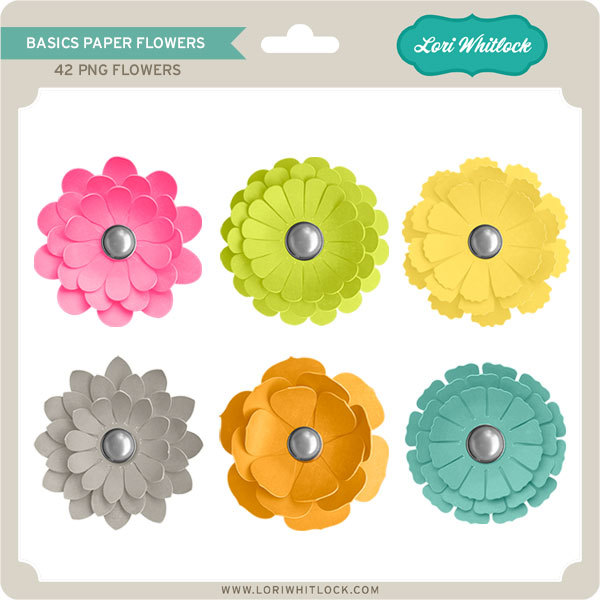
Basics Paper Flowers


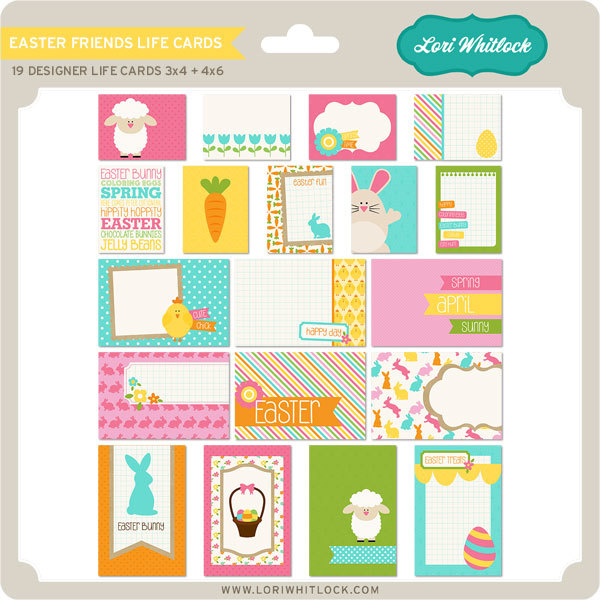
Easter Friends Life Cards


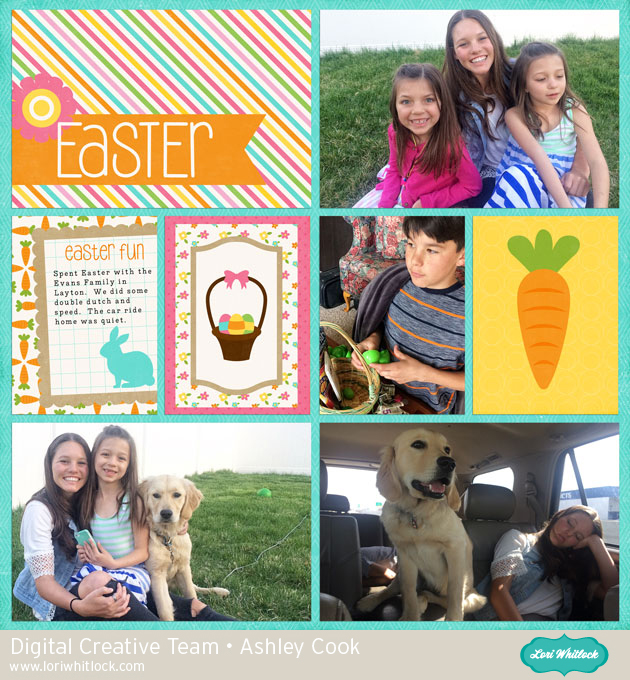
Be sure to go grab these great deals while you can. These offers will end at midnight!  Ashley used this week’s files to make this fun Easter layout!

Welcome to Wednesday.  With Easter just around the corner, it’s time to craft up all that Easter goodness.  And when the day is over document all the fun! Lori’s Easter Friends Life Cards are the perfect companion for your Easter pictures.

Find these cards for $1 today!

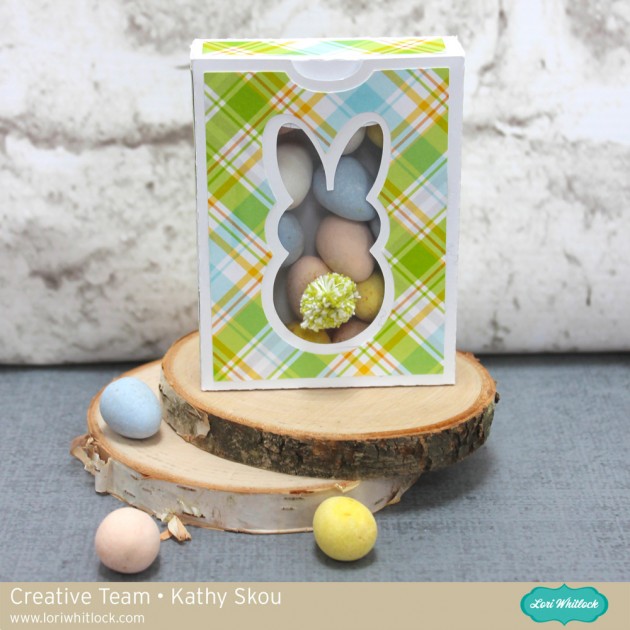
Bunny Window Treat Boxes with Kathy

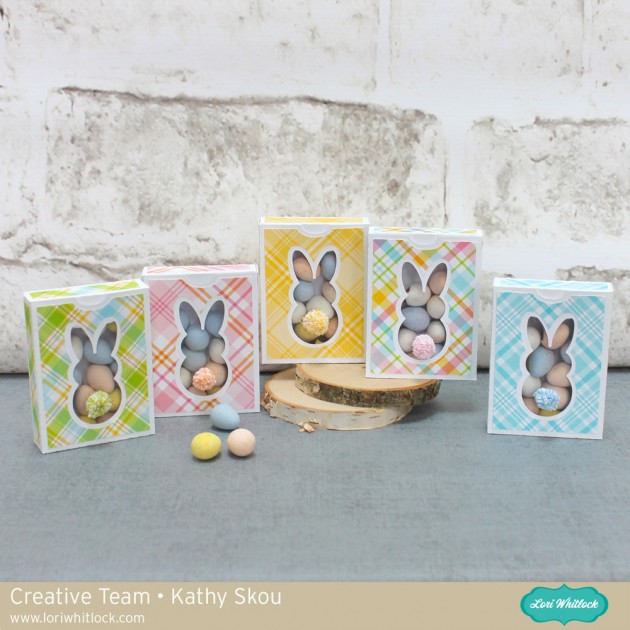
Hi Everyone!  I can’t believe Easter is in 2 weeks!  Since it’s so early this year,  I had to get my act together much more quickly to make these fun little treat boxes for my college sophomore and her dorm-mates!

I used Lori’s Easter Window Box Bunny (SVG File, Silhouette File) and added a fun little pop-pom tail to the window!  (The pom-poms were made with baker’s  twine and a pom-pom maker).

I filled them with some chocolate eggs and sent them off to the girls!  Head over to Lori’s shop for a great variety of Easter files!  That’s it for me today, thanks for stopping by to peek!

*** Blog * Instagram ***

Rainbow Palette Carrot Boxes


Hello, Crafty Friends!! Winter is almost behind us and with all the rain we’ve been getting here lately the flowers will soon bloom! If Spring will be here soon, then so will Easter!! Time for pretty colors and lots of sunshine and BUNNIES!! I consider all my kiddos my little bunnies… they’re quick, bounce around a lot, and so stinking CUTE!!  So, I made these adorable carrot Easter baskets using Lori Whitlock’s Easter Basket with Carrots File for each of them… because what little bunny doesn’t like carrots, right??!!

Image 1

You can find this Easter Basket with Carrots box file in Lori’s SVG Shop, HERE.

OR in the Silhouette Design Store, HERE.

I used my Sizzix eclips to cut out my project. And when you first load it into the ecal software it downloads onto your window, the shapes are displayed stacked on each other. I usually separate my pieces by color.

Then, if I’m making multiples, I add and cluster my multiple shapes together so that I can cut more at one time.  Depending on how large the shape is I may also separate them further into multiple pages.

Then, I cut. The box piece was too big to cut multiples so I just cut one box at a time, multiple times.

I love rainbows. It makes a wonderful Spring palette. It’s bright and cheerful! And since I’m using a multi-color color scheme I chose to tie them all together with my patterned paper. I used a rainbow gingham pattern that contained all the colors I used for my boxes. This way I don’t have to worry about finding matching paper for each color and still have them coordinate with each other.

I cut out all my pieces except the WHITE pieces (the scalloped circles and tags) and I’ll show you why…

I cut my white pieces from the same piece of cardstock. Except, my tags are printed with HAPPY EASTER on them first.

For the tags, I decided to use my machine’s PRINT-2-CUT option. First, I printed my tags.

Go to FILE, then click PRINT from the menu. Don’t forget to print with the registration marks!! That is very important!

Once it was printed, I lined up my print out sheet to the very left of my cutting mat.  Line it up with the corner.

Then, go to the CUTTER tab, click on PRINT-2-CUT. You’ll be taken to the PRINT-2-CUT menu screen. Click NEXT.

Before you proceed, THIS PART IS SUPER IMPORTANT, make sure you HIDE all the text in the tags.

If you do not do this it will CUT each of those letters… and we don’t want that!! So make sure all your tags are blank!

You’ll notice that there are registration marks on your print out.

When you choose NEXT on your PRINT-2-CUT window, it will ask you to align the laser dot with the registration mark. Get it the closest to the center of the registration mark as possible for BOTH registration marks. Then, CUT!!

For the main boxes, I folded at the crease lines, all go the same direction, toward the center of the box.

I added a little line of glue to the tabs and adhered them to the side walls and set aside to dry.

I shaded my carrots using my ColorBox PetalPoint ink pads in Pinwheel and sponge daubers to shade the edges of my carrots. Then, added details using the fine tip ends of similar colored markers. This part is totally optional and for a much quicker project, you can totally SKIP it!!

I ran my carrots, carrot stems, and background pieces through my Xyron 3″ Sticker Maker for quick and easy adhesion.

Then attached them to my cut out scalloped circles and sent them back through my Sticker Maker.

Attached the backgrounds onto the boxes, then attached the scalloped circles with carrots to the centers.

Then topped off each box with iridescent ribbon that I tied to create multi-looped bows and attached my tags.

And here are my finished boxes…

These just make me so giddy!! With the bright rainbow color palette, I can’t help but be HAPPY!

I know my little bunnies (my 4 kids) will absolutely love these! They’d love the box just by itself but I’m a super awesome mom so I’ll stuff it full of goodies!! LOL

Hope you loved this tutorial!

REMEMBER… Easter is April 1st!! Very fast approaching… so get going and get creating!!

HAPPY SPRING, HAPPY EASTER, & HAPPY CRAFTING EVERYONE!!

~ Mitsyana Wright