12×12 Easter Bunny Page

Hello friends! Traci here and today, I have a cute 12×12 Easter scrapbook page to share with you. I made it using two of Lori’s pretty cutting files and lots of colorful papers. Since Easter is this Sunday, I thought a fun layout would be perfect for a few holiday photos of coloring eggs. Take a look …


12x12 Easter Bunny Scrapbook Page with pretty flowers, carrots, and colorful eggs

This sweet bunny rabbit is the star of this page! I just 🩷 her little flower crown. So, let’s start with her …

12x12 Easter Bunny Scrapbook Page with pretty flowers, carrots, and colorful eggs


I used Lori’s adorable 5×7 Easter Bunny Card 4 file (SVG, Silhouette) and a colorful mix of solid card stock. I assembled the pieces, then added
some enamel dots to the flowers for sparkle. 

12x12 Easter Bunny Scrapbook Page with pretty flowers, carrots, and colorful enamel dots


She’s so cute … she deserved a close-up! 


12x12 Easter Bunny Scrapbook Page with a scalloped border, pretty flowers, and enamel dots

Next, I chose another one of Lori’s cutting files called 4 Spring Borders (SVG, Silhouette) to make this pretty scalloped piece. Now … time to build the page!


12x12 Easter Bunny Scrapbook Page with pretty flowers, a scalloped journaling spot, and colorful stripes

To begin, I chose a rainbow stripe pattern paper from the Doodlebug Design Bunny Hop
Collection as the base. Then, I added bubblegum card stock at the top and the scalloped border in the middle.

In the top corner, I adhered the “coloring”, “eggs”, and flower die cuts from the Bunny Hop Collection along with some pretty enamel sprinkles. And for the journaling spot, I used 3 punches to make this … a 3″ scallop circle, a 2.5″ circle, and a 2.25″ circle then layered them all.


12x12 Easter Bunny Scrapbook Page with pretty flowers, colorful eggs, and a scalloped border

Next, were the photo mats. I cut 2 out of limeade paper and added more die cuts, dots, and the “Happy” tab.

12x12 Easter Bunny Scrapbook Page with pretty flowers, carrots, and colorful eggs

As a finishing touch, I gave the bunny 3 colorful egg die cuts to hold on to, and … she’s ready for Easter! Yep … she and her carrots are pretty cute. 🥕🐰🥕

I hope this layout gives you a little holiday inspiration. I had so much fun using the 5×7 Easter Bunny Card 4 and the 4 Spring Borders cutting files. Highly recommend! Thanks for stopping by and have a great day.


Blog * Shop * Facebook * Instagram * Pinterest

Easter Projects Tutorial

Hello there! 
 
My tutorial is very easy today but I wanted to show you the cute little candy baskets, bags and boxes I have been making for Easter. You still have plenty of time to make some of these fast and easy projects!
 
Basic directions on these projects is to cut your pieces and fold on the scored lines. Glue any little pieces to form faces etc and glue the project up joining at the flaps. These cut files are simple so you can make all of these, or pick one and make multiples. They are perfect to hold a bit of candy. The chick bag and the white Easter bunny basket with it’s fun little hair bow are also a good size to hold a gift card.


*****
 Treat Bag Easter Chick (SVGSilhouette)
The chick on this bag is adorable. Lori also made a bunny bag too . With so few pieces this is a  quick one to finish. Glue the black piece behind the chick head and add the rosy cheeks and the beak. I added some shading with distress inks before I put the pieces on. This bag would easily hold a nice size candy bar and is the largest of all the projects. Stands 5.5 inches tall.
*****
Easter Basket with Carrots (SVGSilhouette)
 
Fold this one up, add glue to all side tabs and fold up to form the box. Burnish the glued tabs a bit so that they all stick well. Add your little carrot design on the front and tie up the top.
*****
Easter Bunny Petal Basket (SVG)
 
I made this guy with kraft paper. I creased all the score lines and glued the black piece on the inside where the face cut out is. I added the nose with dimensionals before closing the box by bringing up the two top loops and then slip the sides with the slits over the top. I  glued on the ears about a quarter of an inch from each edge. 
 

*****

3D Easter Carrot Box (SVGSilhouette)
 
Glue on the “greenery”(love the fun scallops) and then fold the carrot in half along the center score line and glue together with the side tab. All that’s left is to tie the top with some twine or ribbon. This project is just over 8 inches long including the carrot top greens.

*****

Easter Bunny Tote (SVGSilhouette)
 
For this file- glue the black piece on the back of the piece with the face so the eyes and whiskers show through. 

Glue the other white piece with the ears  to the back of the face section so it covers the black piece for a finished look. Glue the sections together then fold in half and glue together with the tab. Glue the bottom flaps One thing about Lori’s files- when you fold a file in half (like boxes ,bags, 3D cards) the two sections match perfectly. I love this-no struggle to force a file to fit together. Glue the bottom flaps.

 I added the handle on with two brads but you could easily just glue them on.
I hope you enjoyed these little projects-it’s just so hard to pick from all Lori’s fun Easter creations!

Easter Banner Tutorial

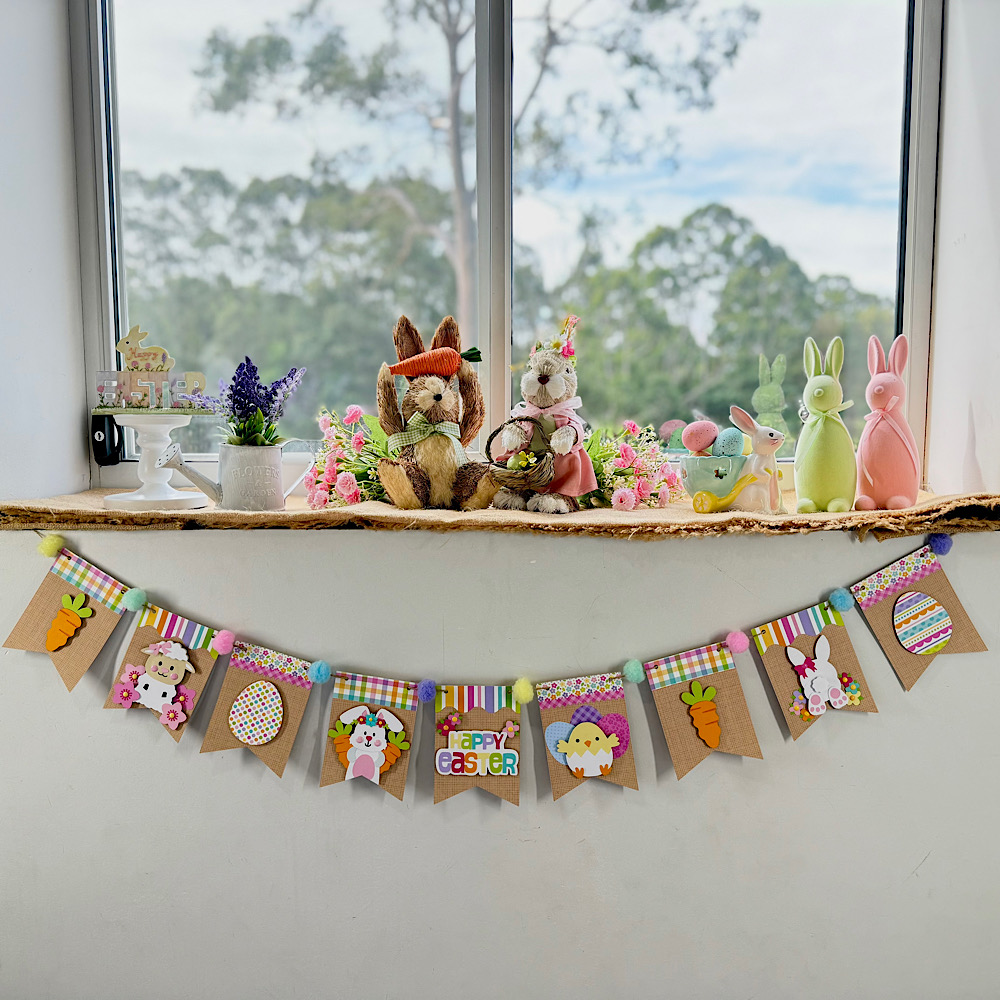
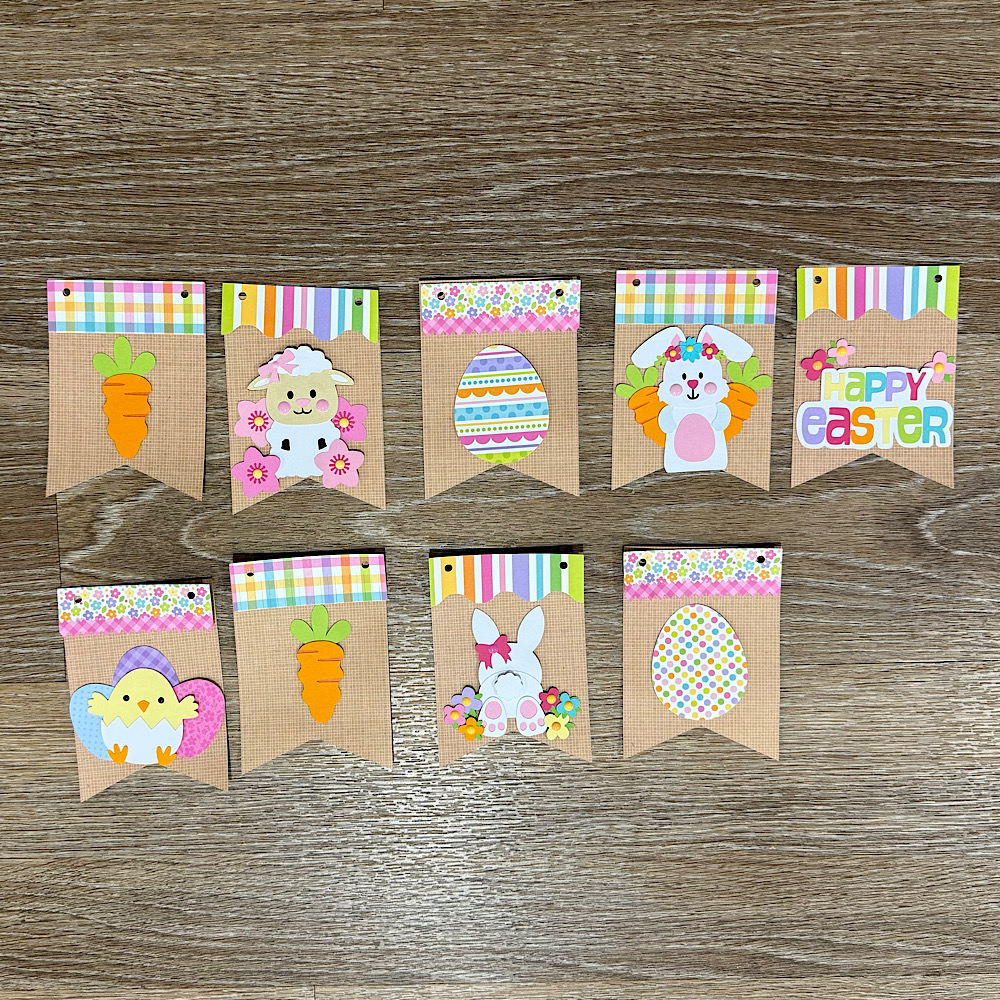
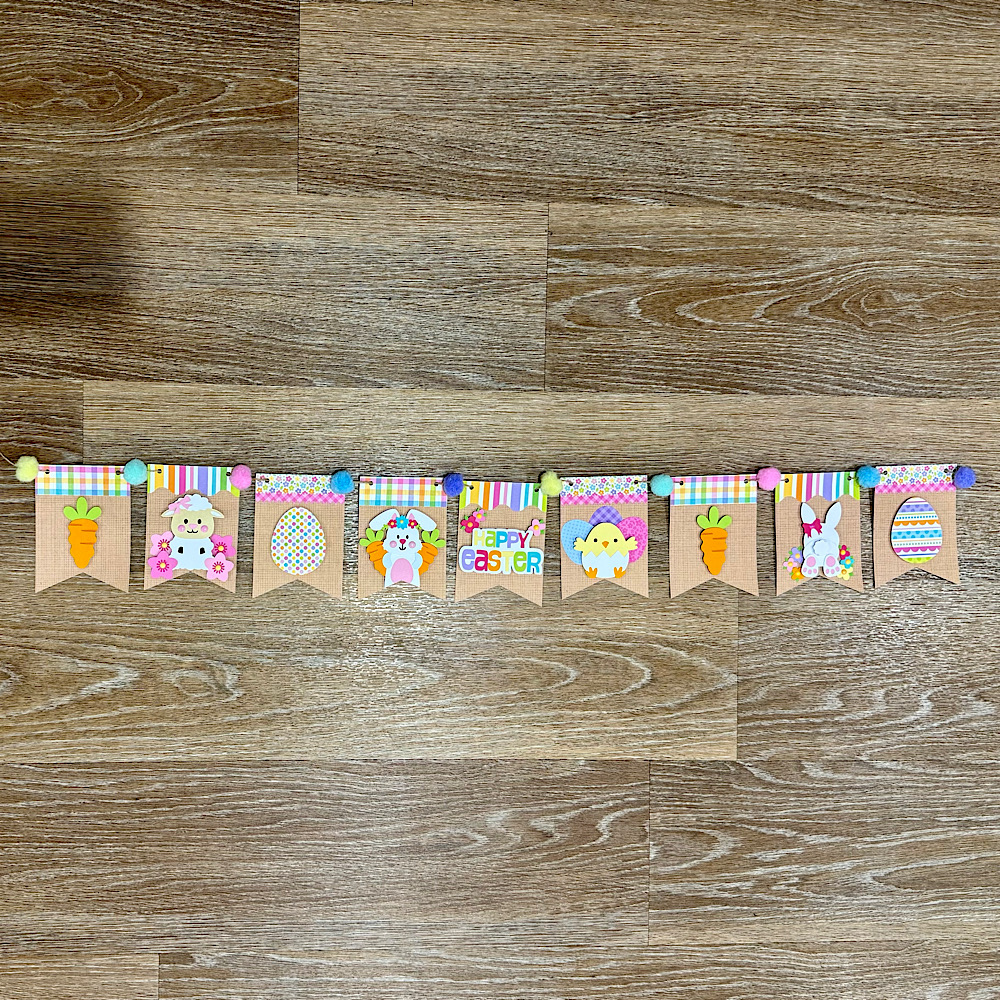
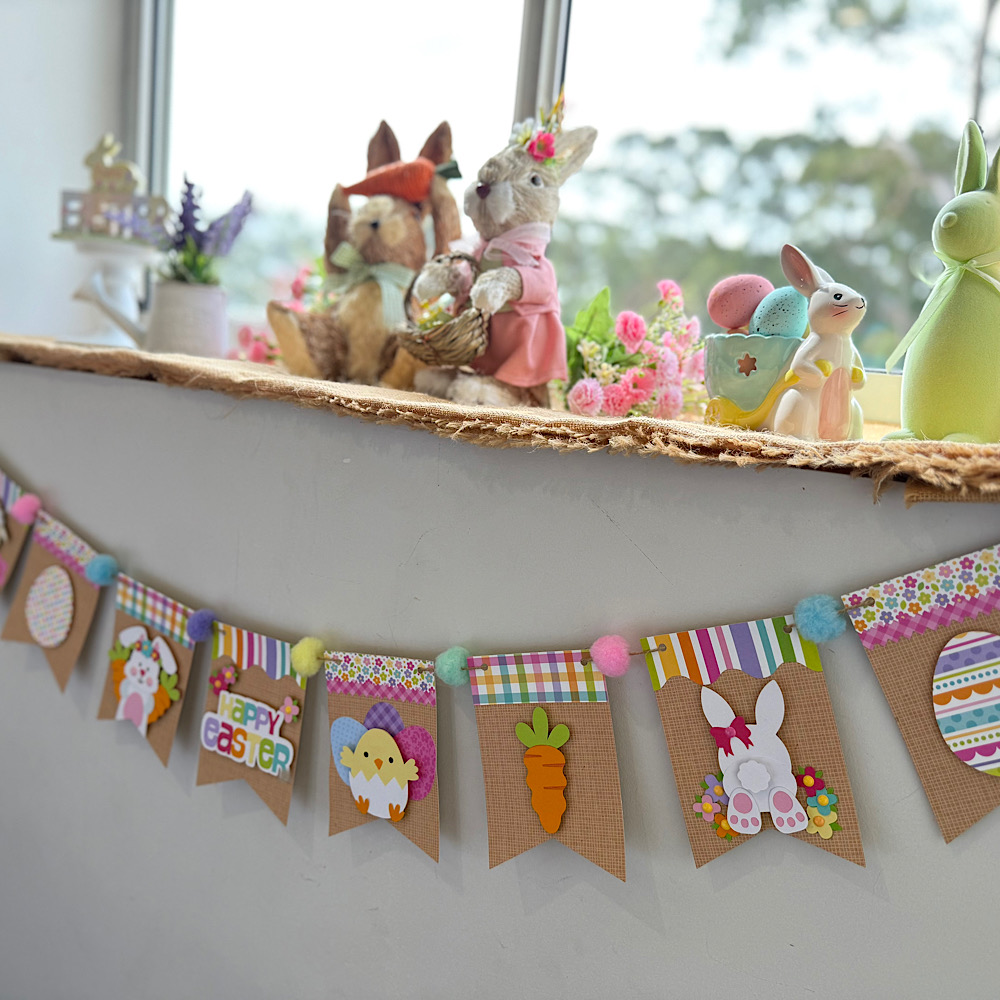
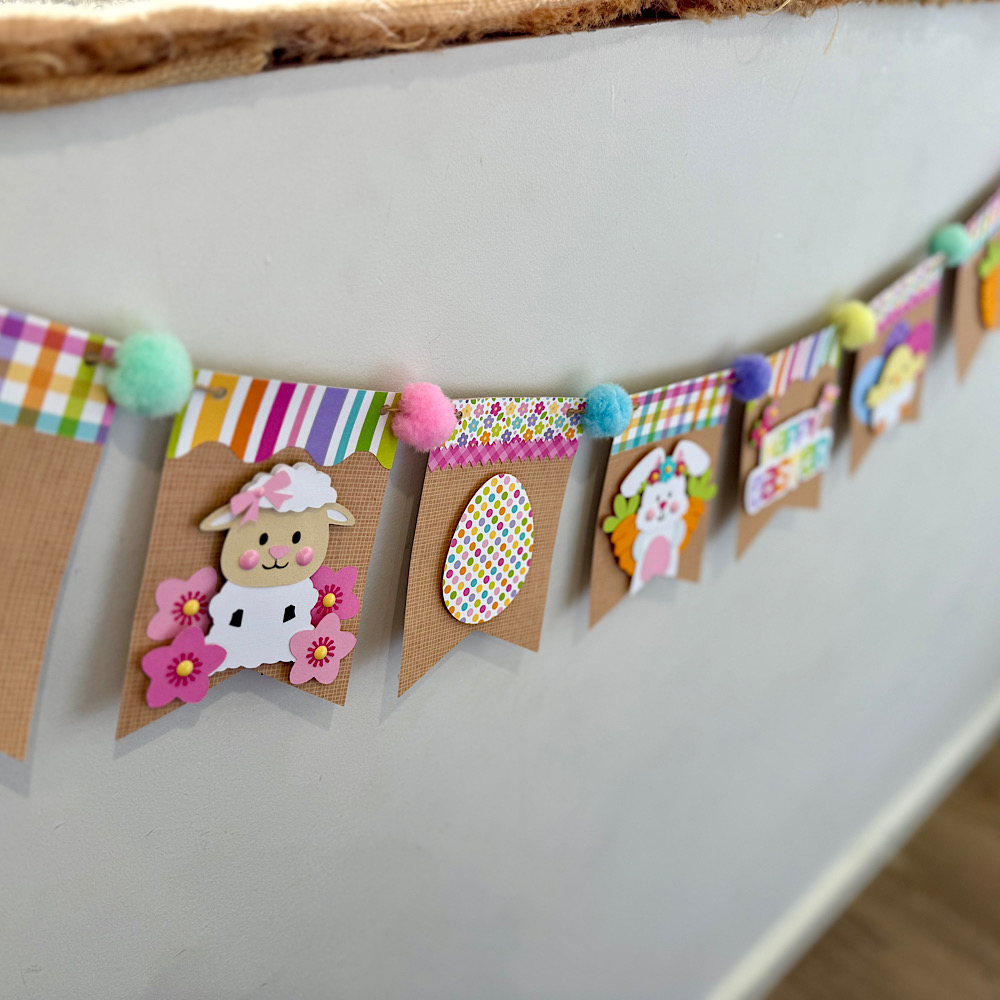
Hello crafty friends. Today I want to share with you how I made this cute Easter banner using 6 Lori Whitlocks Files:
Layered Bunting 2 (SilhouetteSVG)
Easter Purse Topper (SilhouetteSVG)
Easter Sheep Car Box Card (SilhouetteSVG)
Easter Bunny Car Box Card (SilhouetteSVG)
5×7 Easter Bunny Card (SilhouetteSVG)
Easter Basket Chick Box Card (SilhouetteSVG)
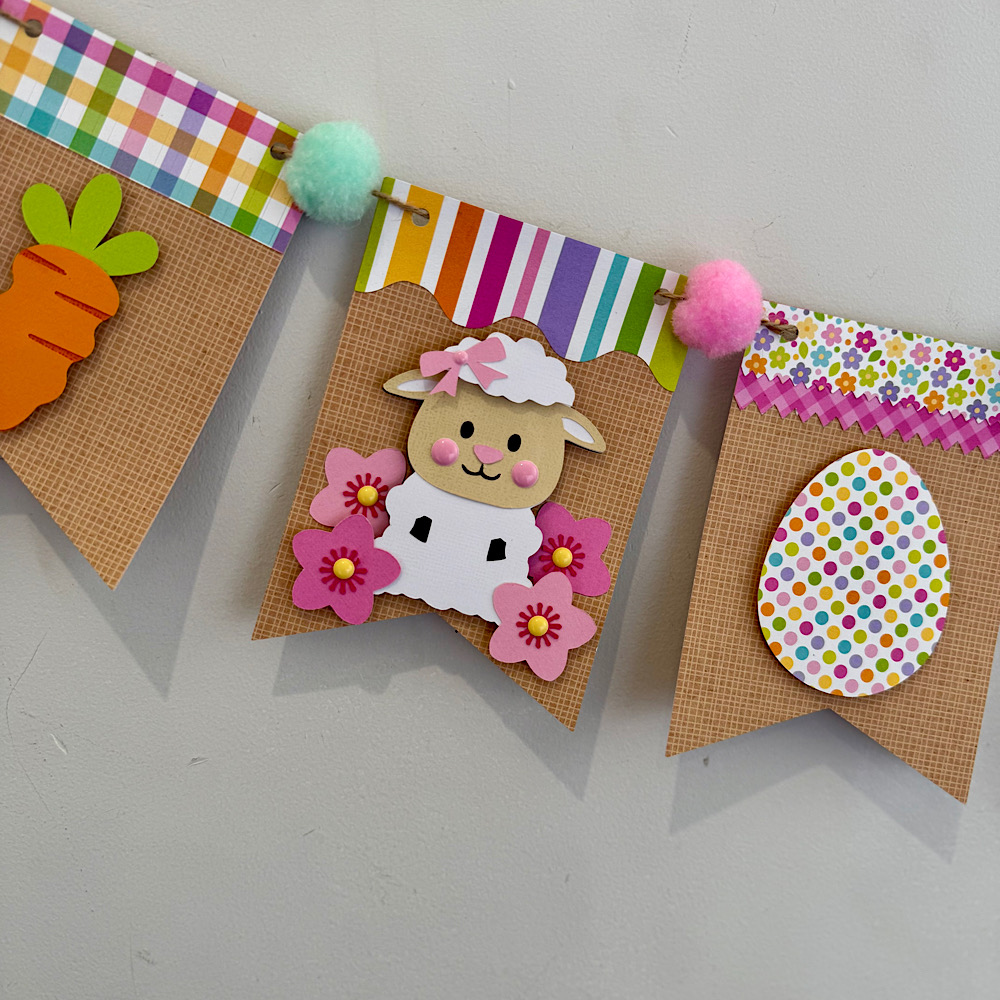
I wanted my banner to have a pastel rustic feel. I chose some Doodlebug kraft gingham cardstock for my bunting base. Then some coordinating coloured papers to match.
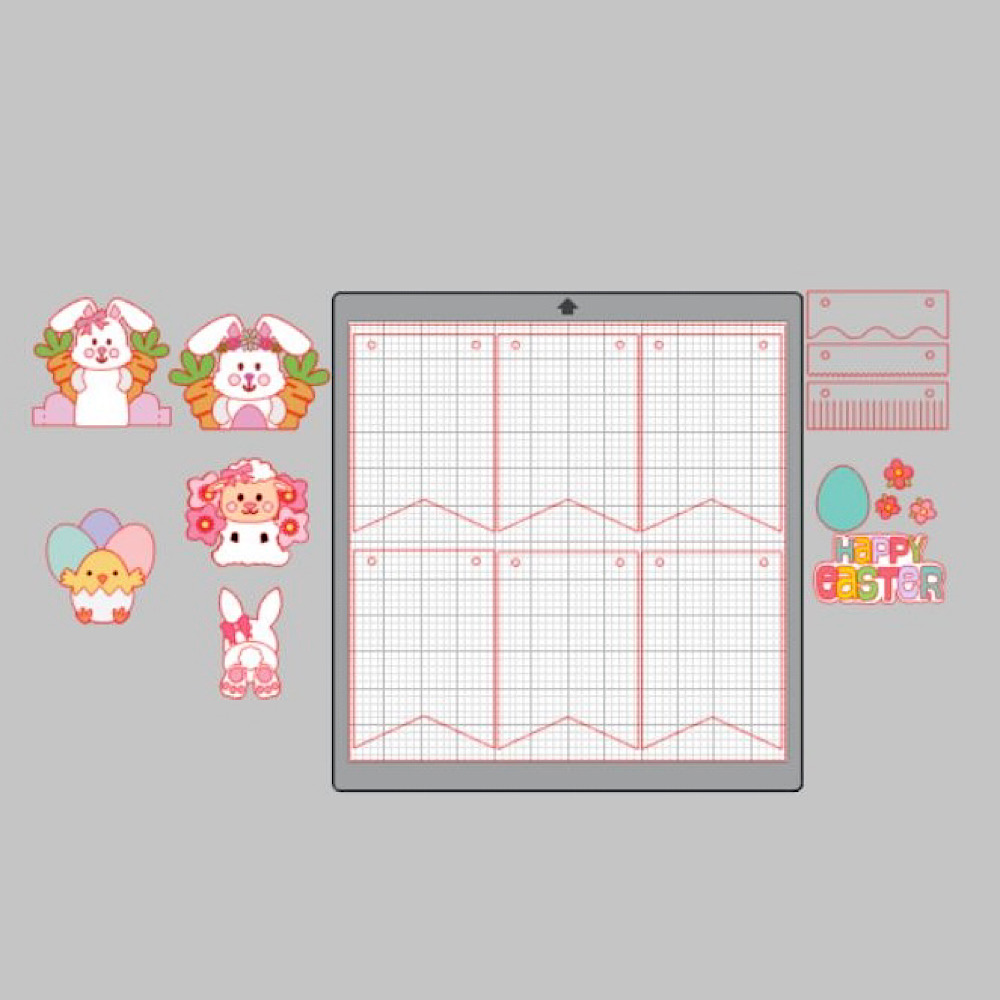
To start my project I opened all the files in Silhouette that I wanted to use.  I deleted the parts I didn’t need then I copied them onto one page with the bunting.  You will see I have used the similar bunnies from the 5×7 Easter Bunny Card & Easter Bunny Car box card. I did this because the carrots in the box card are whole carrots once you ungroup everything. Also she has more of a body. I omitted her bow & used the floral head piece from the 5×7 card. You can just use the Bunny from the Easter Bunny Car box Card if you wish. I also took the extra step of using the egg from the topper to give the bunny a belly like the one in the 5×7 card. To do this I used the same step below by sizing it onto the bunny.
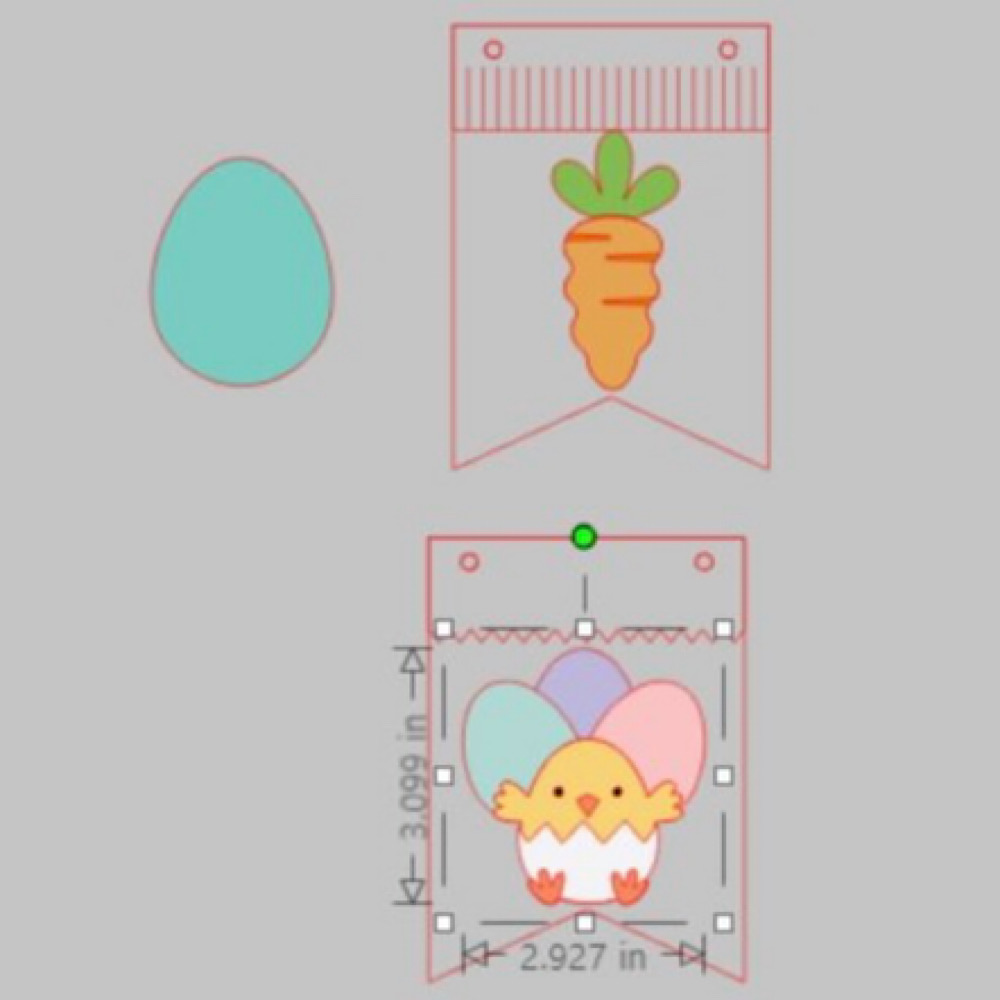
When you open the Bunting file it will have 3 bunting shapes across the page. I right clicked over all 3 & enlarged by dragging the corner just enough so that all 3 bunting pieces fit across my page. I then coppied all 3 & pasted another row. You can make yours bigger or smaller however you please. I did mine this way as it will give me the most bunting pieces, (6 in total per page), without too much scrap. I cut 9 bunting panels in total. Next I sized my images one by one. To do this I copied a bunting panel to the side of my page. I then placed my image piece inside & enlarged or reduced the size making sure it fit inside. Make sure you place the little panel across the top of the bunting as well as I did in my image below.  Do this step for all your pieces.
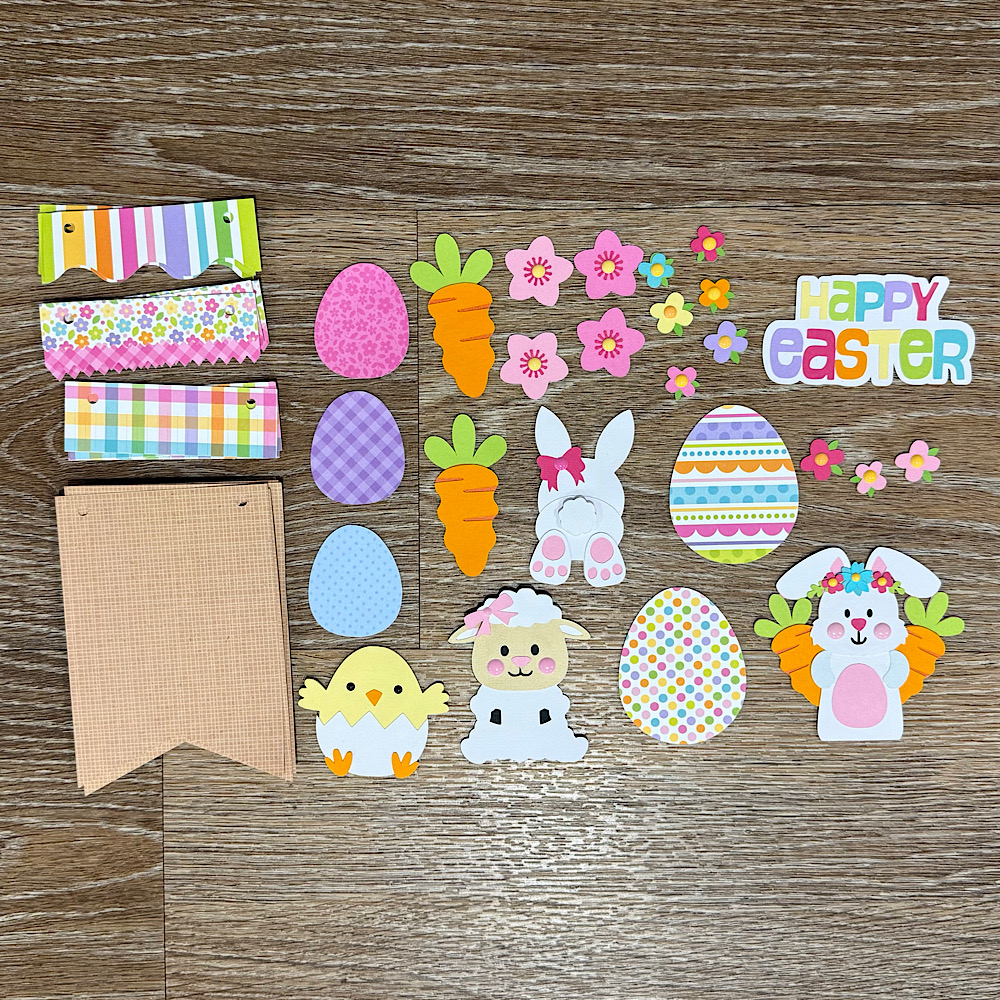
Now once you have all the sizes correctly cut out all your pieces & glue together all your image pieces.
Then just place everything onto the panels to see what order you want everything to sit. Once you are happy with it, it helps to take a photo so that you remember where to glue everything.
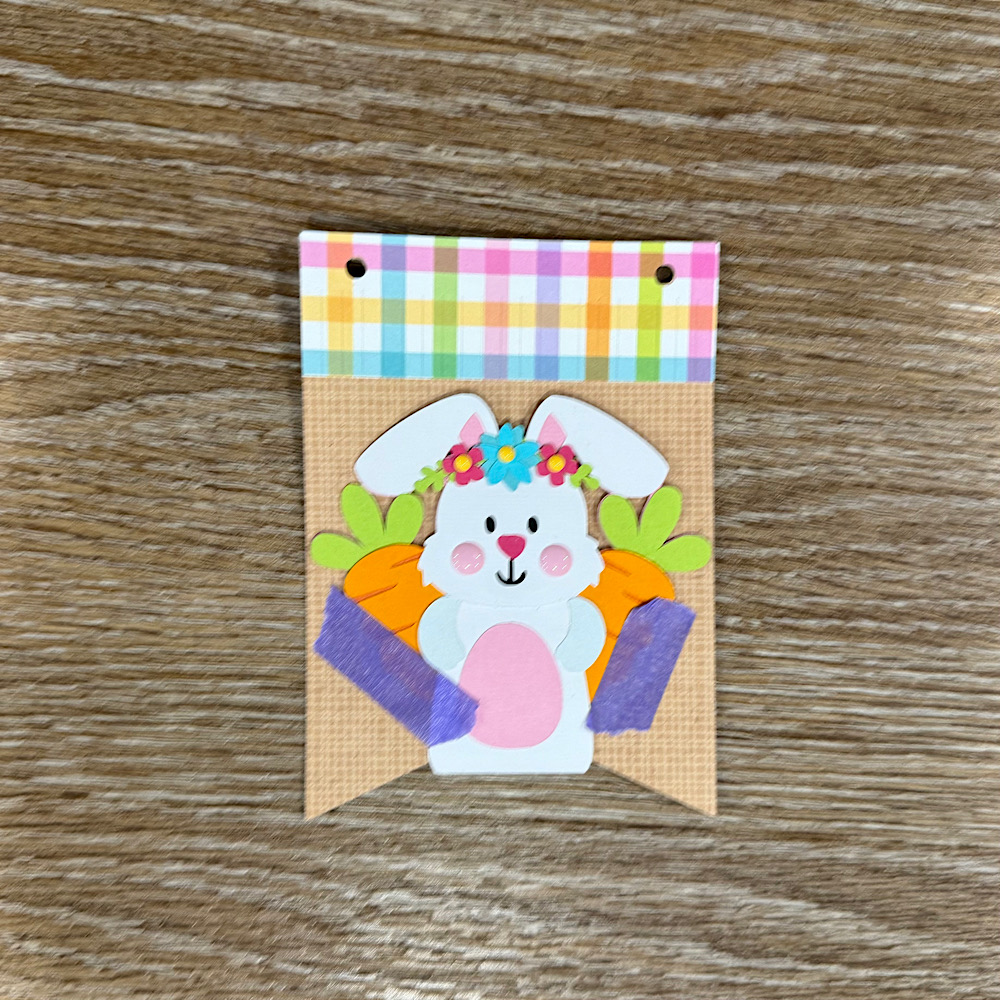
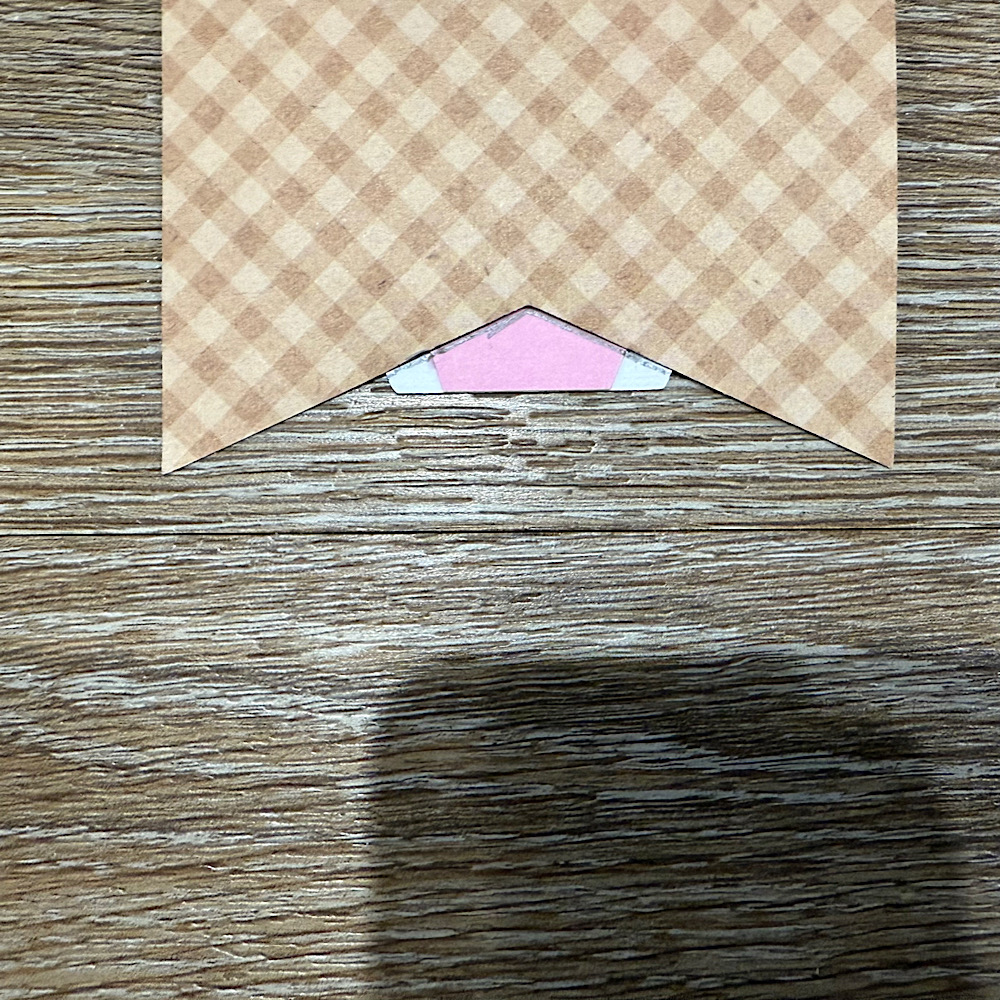
Now glue the panels onto the bunting base. You will notice that the body on the bunny is a little long. Before I stuck down the bunny I placed her onto the bunting with washi tape, then I turned the bunting over & traced the edge with pencil along the back of the bunny. I then cut along the pencil trace & proceeded to stick the bunny onto the front of the bunting.
 
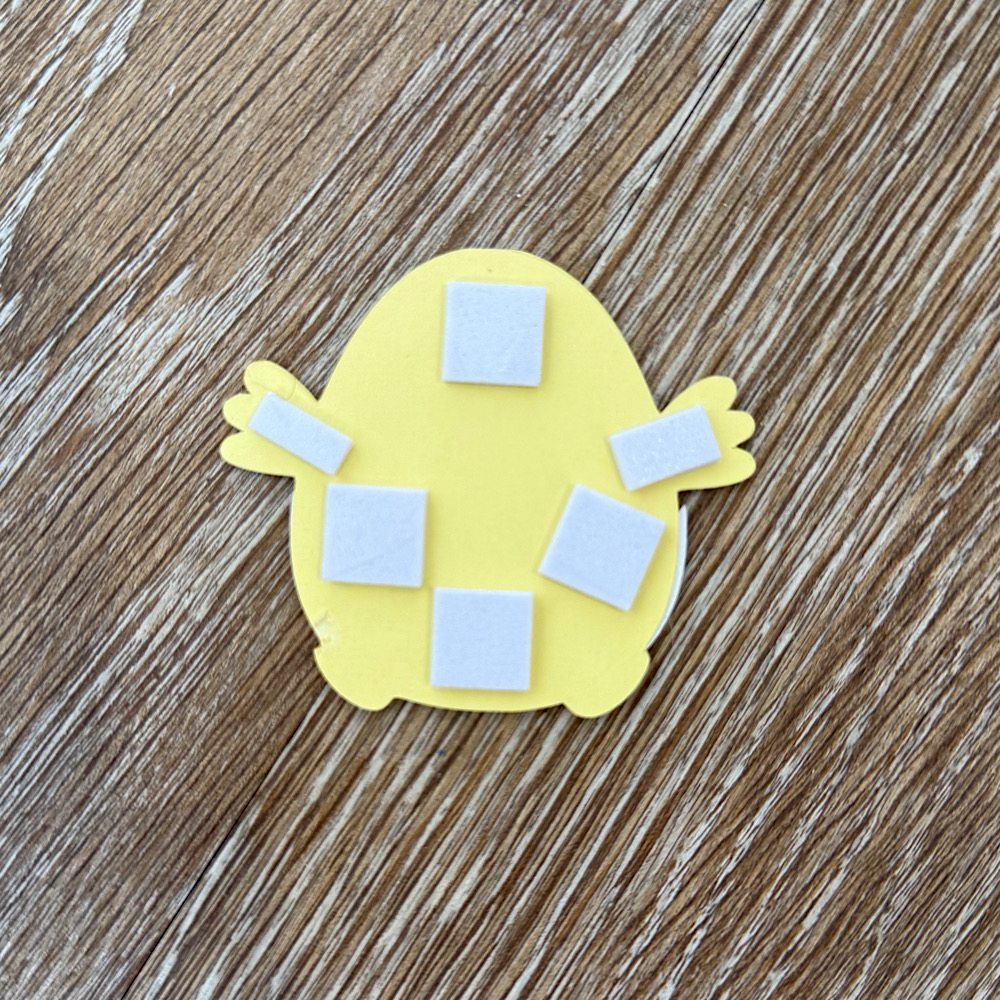
I used foam squares to stick down my image pieces. This gives them a raised look.
Once you have all the bunting pieces ready the last step is to thread some twine & pastel pom poms through to finish the banner.
You can use as little or as many files as you wish. The possibilities are endless. I just love Lori’s files & couldn’t resist the temptation.
I hope I have given you some inspiration today to create an easter bunting banner!
For more inspiration, check out my Instagram!
Thanks for stopping by!
Hugs
Noelene 🙂

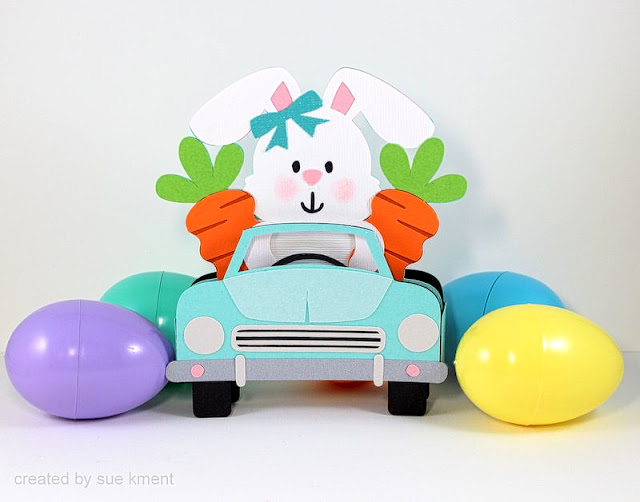
Box Card Easter Bunny Car

Happy Monday! I’m here to share this cute project with you.
 
Such a fun little bunny box card to m
ake…and I love the carrot passengers!
 
Back in the days of stamping expo’s, my thing to collect was carrots-don’t ask me why, who knows??? I still love anything to do with carrots. 
 
This is such a super cute creation, I can’t wait to pop it in the mail!

 
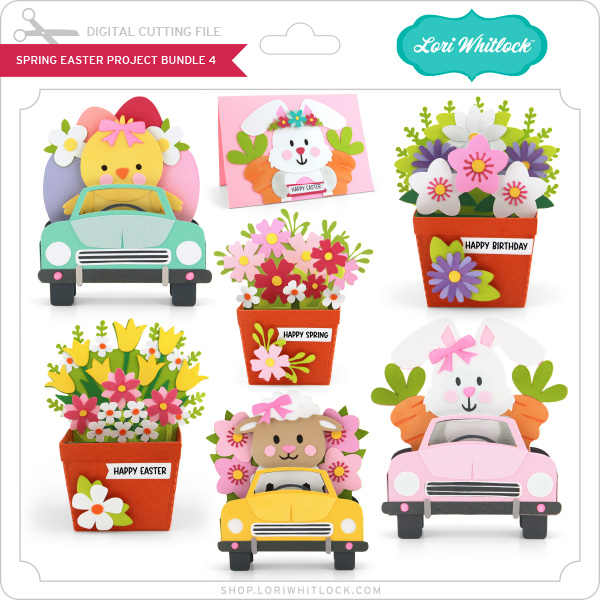
Spring Easter Bundle (all seven files)
***
Easter is right around the corner!  Time to get a head start!
Lori has these new files in her store and they are just adorable!
 
Enjoy!  💕 Sue

Fun with Patterned Paper

Hi everyone!  I have some cards to share with you today.  They all were created using Lori’s Echo Park Our Happy Place.  I used the 6×6 paper pad to create these, enamel dots and stickers from the sticker book. I just want to show what a different look you get to these cards when you use patterned papers instead of plain colored card stock.  It makes even the cutesiest of cards have a whole different look.  Some what of softer and bit more sophisticated  look.  I love how these all turned out, this collection has the softest colors and darling little patterns. I am all set for my Easter cards with these being finished now.  

I will have a list at the bottom, in order, of the files I used for these.  


The two bunny shaped cards can be found in this bundle:
And the last one here:
 
Thanks for joining us today!
~Cathy