
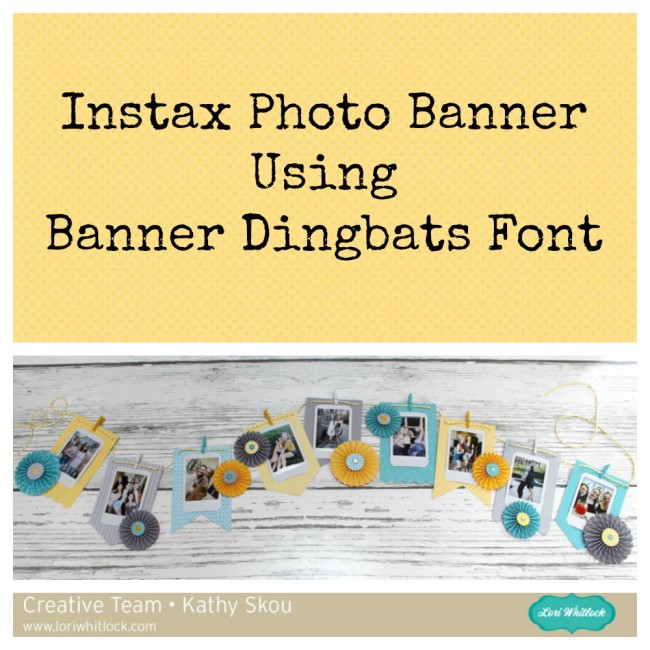
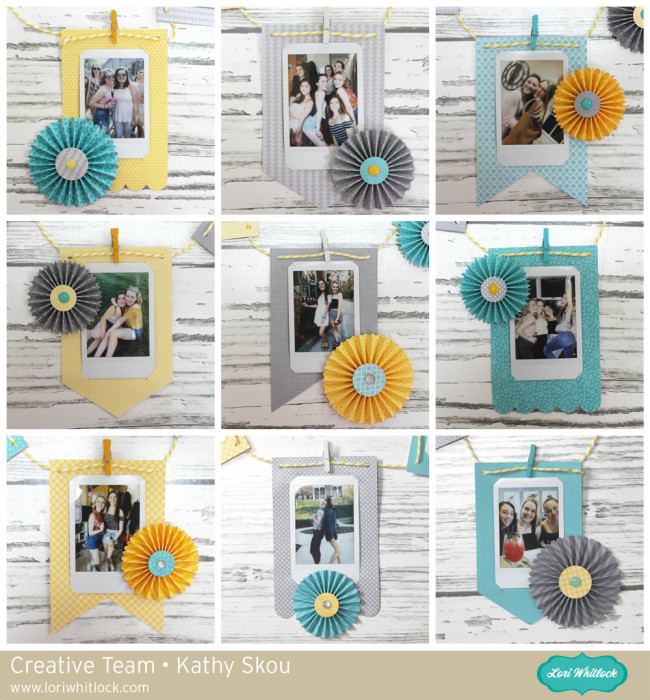
Hi Everyone! Today I have a tutorial showing you how to create a fun banner using the Build a Banner Dingbats Font (Lori Whitlock SVG Shop, Silhouette) My daughter is headed off to study in Scotland for her Junior year and I wanted to make her a little something to decorate her room, that wouldn’t take up too much suitcase space! I thought a banner with some of her favorite photos would be fun. She loves her Instax camera so I made the banner to hold some of these cute instant photos!
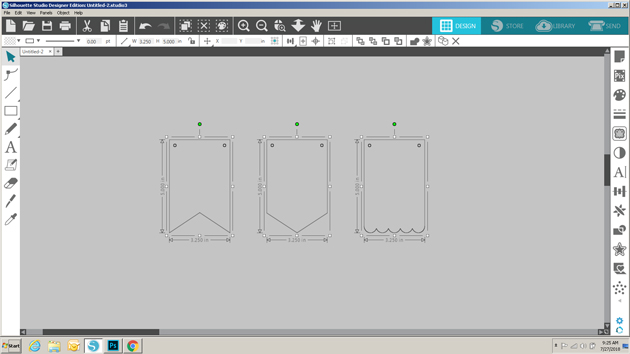
If you’re not familiar with Dingbat Fonts, they are fonts that have pictures and shapes in place of the letters. Lori has a lot of them in her shop, and they really can be used for almost anything including vinyl, HTV and cutting projects like mine. If you look at the picture below, I’ve typed out A through Z using the Build a Banner Dingbats Font and the Text tool.

To create my banner I started by choosing 3 of the banner pieces (A, X and U) I resized each piece to be 5″H x 3.25″W so that each piece would be large enough to hold a picture.
I wanted to make the banner so that my daughter could swap out the pictures if she wanted, so I set out to add small cut lines on the banner pieces to hold just the corners of the picture. To do this I needed first to know the size of the pictures being used. Instax pictures are approximately 3.39″H x 2.13″W so I created a rectangle that size using the shape tool.

I placed the rectangle on one of the banner pieces and centered it using the Transform tool.
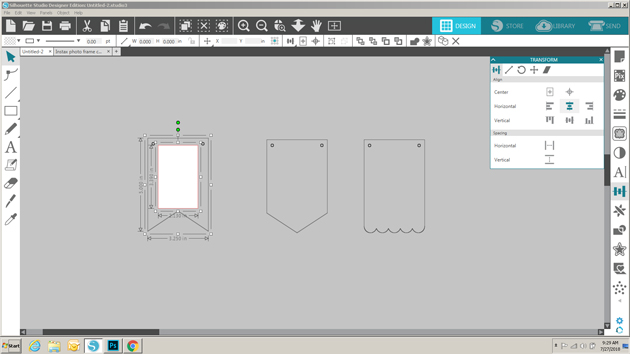
I drew a line 0.5″ long and then moved it to one corner of the picture. Using the green dot, I slanted the line so that it covered one of the corners.

Next, I copied the small line, clicked on the copy, right mouse clicked and selected flip horizontally. This gave me a line to add to the opposite corner. I made sure the two lines were properly aligned by using the transform tool. Once I was happy with the placement, I selected both lines and grouped them.
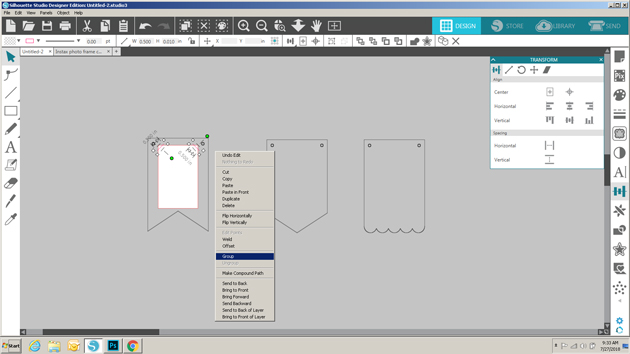
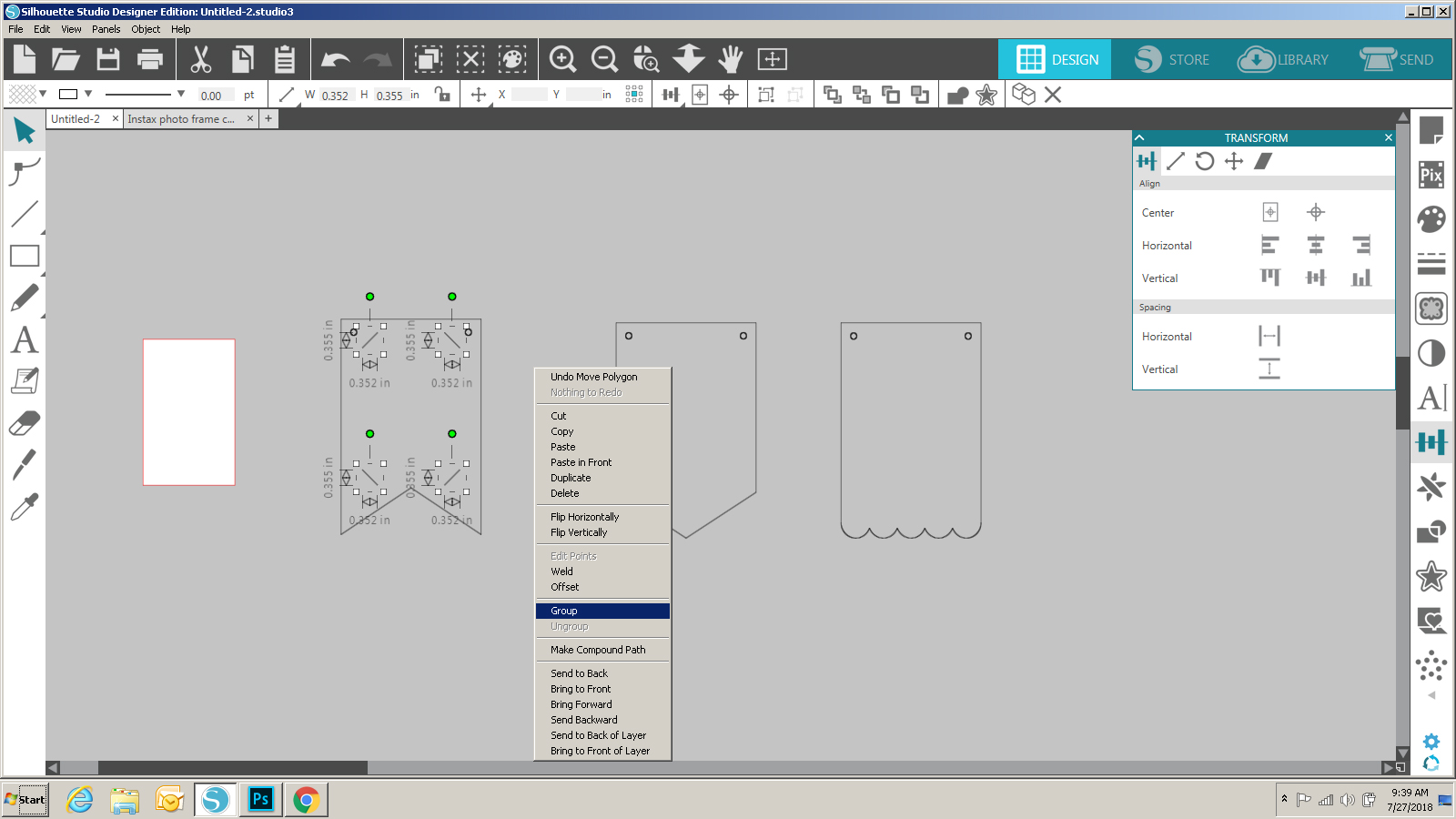
To create the bottom lines, I made a copy of the grouped top lines, right mouse clicked on the copy and selected flip vertically. I positioned those lines along the bottom of the rectangle.

Again I made sure that all the lines were aligned correctly within the banner piece using the transform tool.

Once they were all in place, I removed the rectangle, and grouped the slot lines along with the banner piece to make them one.
I copied the lines before grouping and added them to the other banner pieces, centering them using the transform tool.
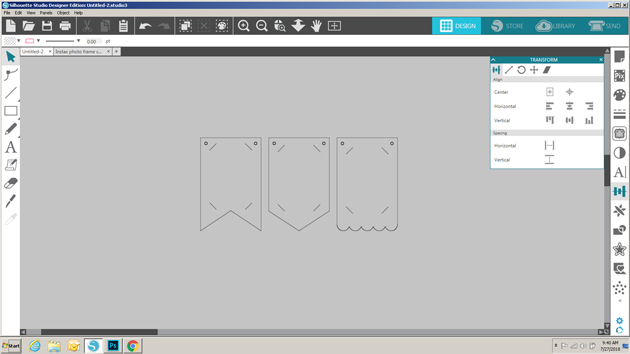
Once they were all ready, I sent them to cut! I added the pictures to the cut pieces, and decorated them using some Rosettes from the Build a Rosette Set 1.5″ (SVG, Silhouette) and Build a Rosette Set 2″(SVG, Silhouette). I strung all of the banner pieces together on a piece of twine, holding them in place with small clothespins. Some quick hints: 1) Hot Glue is your friend when making rosettes, and 2) before threading the pieces on the twine, add a little glue to the ends of the twine and let them dry. This will prevent fraying.
That’s it for me today, thanks for stopping by to peek!

 Feeling Lucky? I had so much fun creating the Love banner last week, I just had to whip up this one for March! I used two files from Lori’s shop, enlarging the group from the original imported size. The Lucky Banner and the St. Pat’s Day Icon’s. The various green cardstock’s are Echo Park Happiness is Homemade and Celebrate Easter.


