Little Black Notebook

I have a stack of black paper that doesn’t cut very well on my Silhouette machine. It tends to tear. So, I was trying to think of a use for it. My girls like to doodle and love crafts. I decided to make them some unique notebooks for Christmas with black paper and give them a white pen with their books.
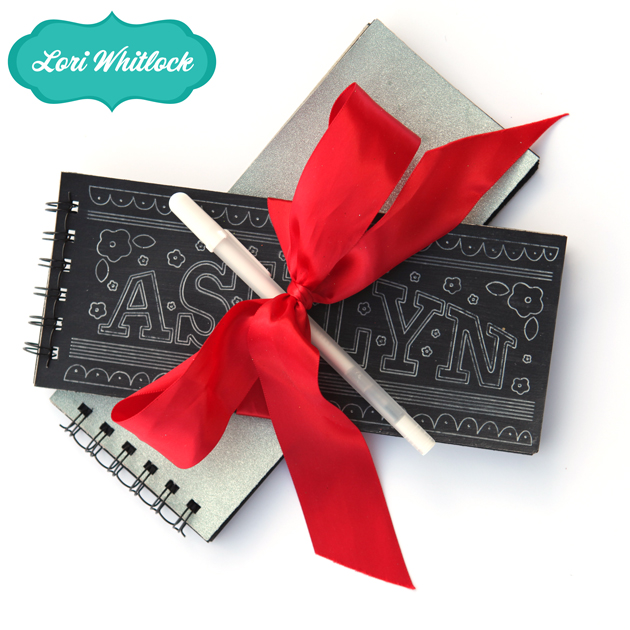
I decided I wanted the covers to have a fun chalkboard graphic. I thought they’d LOVE to have their names on them, so I proceeded to design the cover artwork. (You could use any phrase or graphic from your library.)

Next, I loaded black paper into my Silhouette. I replaced the blade with one of Silhouette’s white sketch pens. Then, I changed the cutting setting to SKETCH PEN.
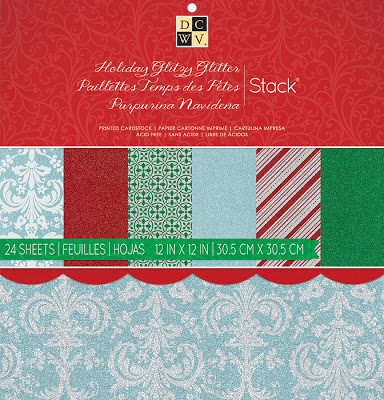
While that was sketching,  and used a paper cutter to trim down the black paper to the desired size. I cut 1 piece of gorgeous Sliver Glitter DCWV paper, from this pad, and 2 pieces of chipboard for the front and back covers.
When the art was done sketching I cut it down with my paper cutter and used Mod Podge to adhere the cover and back cover to the chipboard pieces.
Last,  I used my Zutter to cut and install the wire binding.
And, that’s it. What a simple little project made out of things I already had in my craft room. All I had to purchase was the white pen. I really hope my girls enjoy these little notebooks and that they are not reading this blog post until after Christmas! : )

Tutorial with Lorrie: Tissue Paper Candles + New at Jessica Sprague

Good morning! We hope your holiday season has been wonderful thus far. Lorrie from our digital team has created the most beautiful candles we wanted to share with you before Christmas is over, so before I show you the new product at Jessica Sprague, check out this amazing tutorial.

Happy Holidays everyone!   It’s Lorrie here and I’ve got a quick and easy gift idea for your friends, family and all those special people in your lives.  These tissue paper candles are super easy to make.  All you need is a plain white (or light colored) candle, a piece of wrapping tissue paper, a couple straight pins or tacks and a hot air gun (or blowdryer), and your favorite Lori Whitlock digital elements!


Step one:  Measure your candle and create your design in Photoshop, Silhouette Software or whatever program you choose.  My candle was 6″ tall and 3″ around, so I made my design 6″ tall and about 9-1/2″ wide so that I would have a slight overlap.

Next, cut out a piece of tissue paper slightly smaller than 8-1/2″ x 11 and secure it to a piece of printer paper using scotch tape across the top edge.


Make sure you feed the end with the tape into your printer first and orient the paper so that the image will print on the tissue paper.   Print your image on the tissue paper, then remove the tissue paper and trim your image (it doesn’t have to be perfect).

Wrap the image around the candle and secure with push pins, straight pins or tacks.  Using your heat gun with a constant moving hand start heating the tissue paper.  You will see it will become glossy.  Keep moving, it happens quickly.  The tissue paper will be absorbed by the wax and disappear leaving on the image behind.

Here is my finished candle.   Now just add some festive wrapping paper and you are ready to light up your loved ones holidays with a Christmas Candle.


We also have something new at JessicaSprague this week. This beautiful product is 30% off this week.

DECEMBER DAILY ELEMENTS

both of these two kits come in this kit for $4.99. Currently they are on sale for the Holiday Sale at Jessica Sprague. Here is a close up of the 2 kits.

Last but not least, don’t forgot about this Silhouette Class.

It is now on sale with the Christmas Sale at Jessica Sprague for $26.25 and includes many exclusive files


Silhouette Tutorial with Brigit: Chalkboard Tutorial

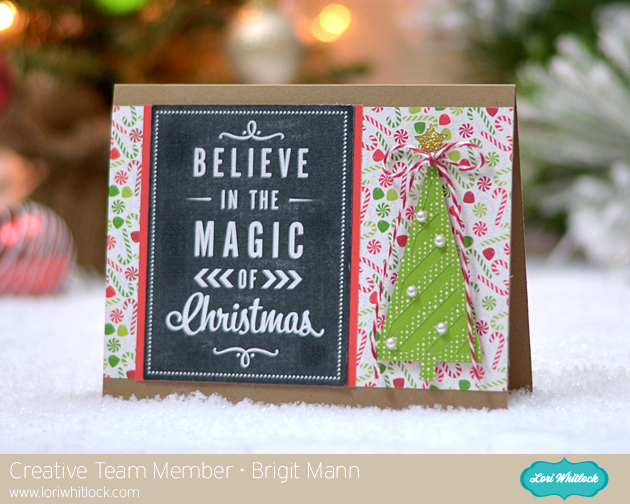
Hi everyone, I made some chalkboard Christmas tags recently and love the technique so much I thought I’d make a chalkboard tutorial using one of Lori’s vinyl phrases and a Christmas card.


I used Lori’s Merry Christmas with Tree card and the Believe in the Magic of Christmas Vinyl.  These phrases for vinyl are just perfect for this chalkboard technique, it’s a quick and simple project.


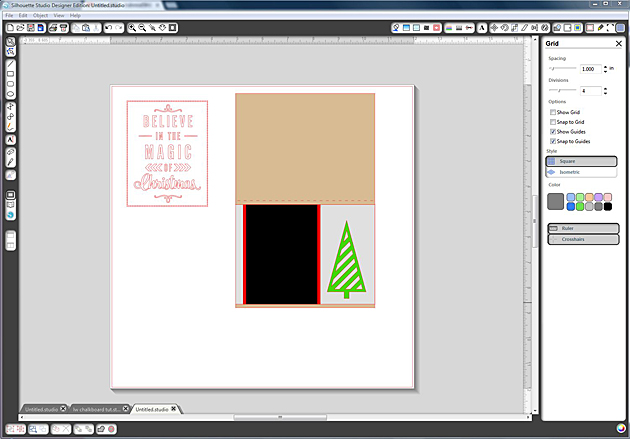
First add your card and phrase to your mat.


I ungrouped the card and assembled how the card would look.

I disregarded the banners and made the tree a little bigger, you could keep the banners but I wanted the chalkboard text to really be the focal point.


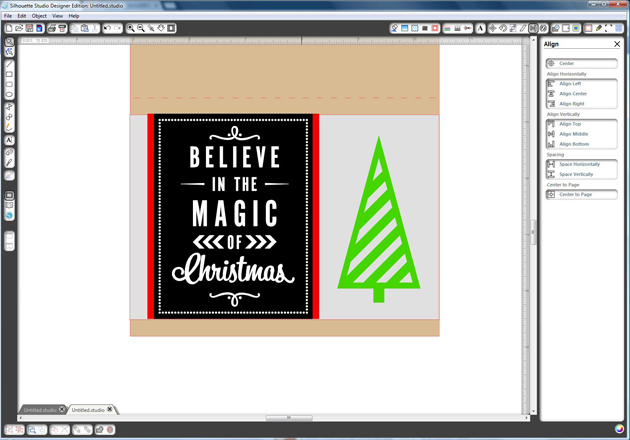
Line up the gray, red and black layers so they are aligned together at the top.

Resize the vinyl text and place it over the black layer.

It’s short so I selected the gray, red and black layers and resized them so the text would have the same black border going around.


You can see in this photo how the vinyl is pretty even against the black layer now.


This next part I had seen someone from Silhouette do in a video.

I really like how it adds a shadow to the text.

Make a copy of the vinyl, select the background one and go to the advanced under the Fill Color Window.

Slide the transparency, I used around  42%.


Center both vinyl pieces and the black layer all together.

Select only the top vinyl layer and move it with your arrow key down three and over to the left three.

Or you can go up and over to the right, whatever your preference is.

There’s your shadow, now group your two vinyl layers and black pieces together.


Move the rest of the card off the mat.

Select the grouped text, go to the Cut Style Window and select Cut Edge.

It should look like the picture above, you only want it to cut around the black.


Now your ready to print n cut.

Under the Registration Mark window check Show Reg Marks.

Under Paper Tools Window select your paper size, I customized mine to save paper.


Take a piece of chalk and go over the whole piece.

Or you can leave more black if you’d like and not as much chalk.

Take a paper towel and removed the excess chalk.

You can keep adding and removing until you get it how you like.

Last I inked the edges with some black ink.


Well I hope you get a chance to use this tutorial to create some chalkboard projects, it really is a lot of fun!


Thanks for stopping by you can visit me at http://www.brigitsscraps.com

Silhouette Class at Jessica Sprague

Did you know Lori has an all new class on using your Silhouette machine? If you have ever wanted to learn more about this amazing machine this is a great class to walk you through all the tools of the basic software while making this adorable project. In this class you will receive many custom shapes only available through this class + a Lori Whitlock font. You provide your own paper and time to cut it and this cute mini album can showcase your favorite photos. This is a self paced class available here at Jessica Sprague. Normal price is $35 but until the end of the month you can pick it up for $26.25.

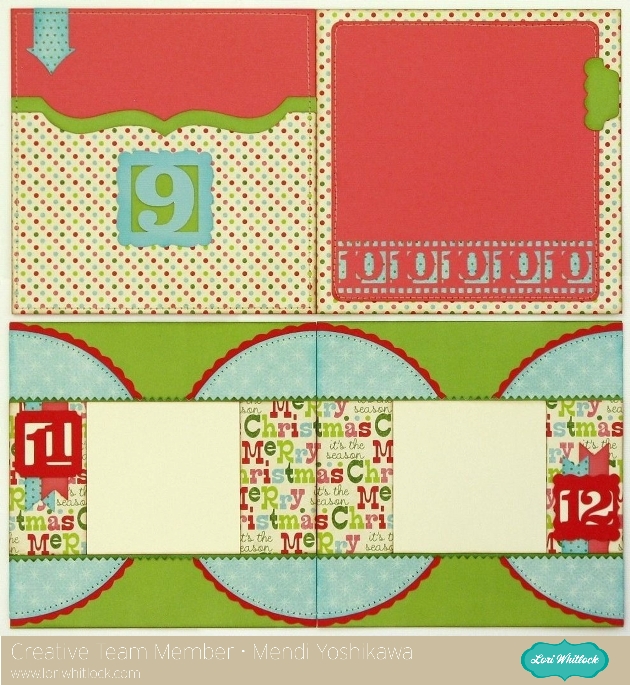
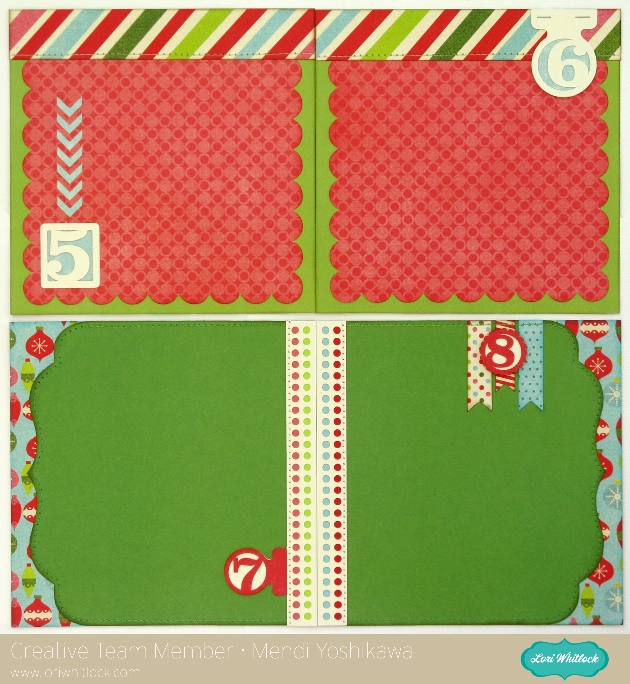
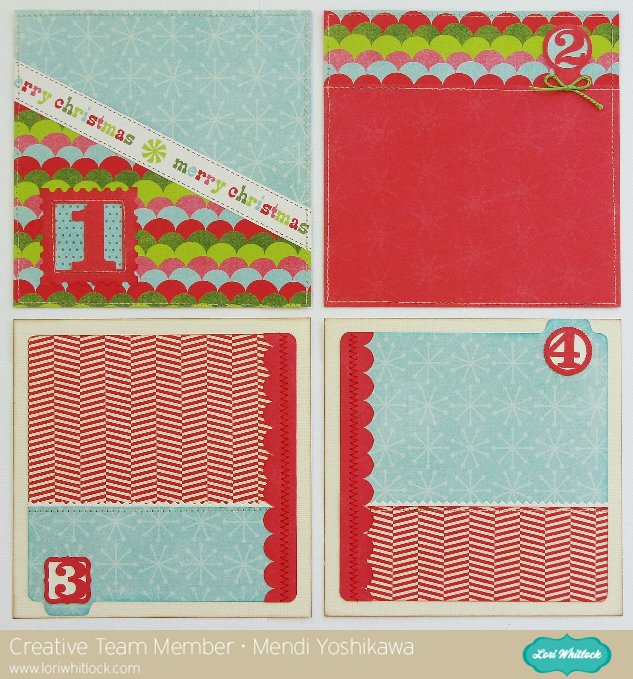
Our talented Creative Team used these files to create books of their own. Mendi adjusted the size of her album and check out a few of her adorable layouts.