From Embellishment to Mini Album with Kathy

Hi Everyone!  It’s Kathy,  with my very first post as a member of Lori’s Team!!  I’m very excited to be here!  Today I wanted to show you how I transformed Lori’s Adorable Shaker Camera embellishment into a fun mini album celebrating my cousin’s sweet new baby boy!

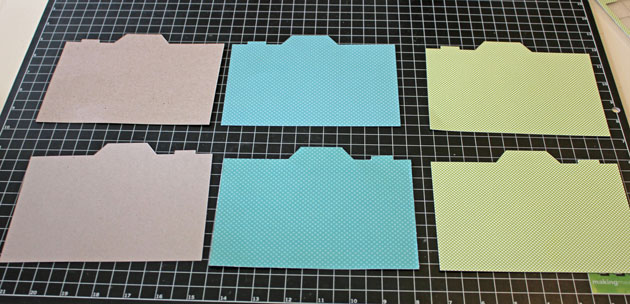
I started by loading the Shaker Camera file into my Silhouette.  Keeping everything grouped together, I resized the camera shape to be about 4.5″ x 6.5″ so that it could accommodate 4″x6″ photo sleeves.  By keeping all the shapes together, everything was uniformly resized.
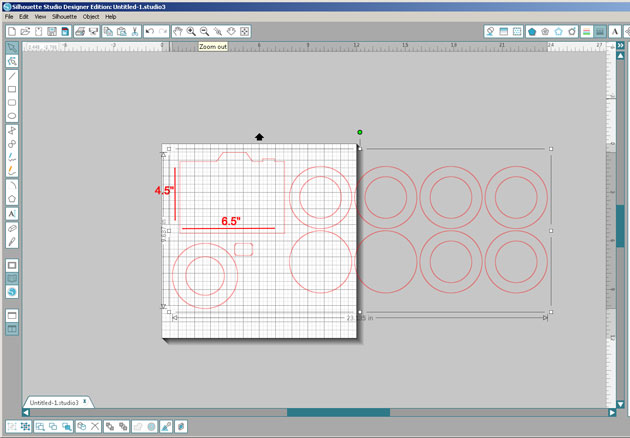
After ungrouping everything, I cut two of the camera shapes and the six “thinner” rings from some Silhouette Chipboard.

I then cut some patterned papers to cover both the outside and the inside covers.  When doing this, make sure to flip the camera shape horizontally for one of the covers.  This will make sure that everything lines up properly.


Now I started assembling all of the pieces to make my album covers.  I started by gluing both the outside & inside covers to the chipboard camera pieces.  I then glued the chipboard rings together in a pile.  This builds the “shaker” part of the card.

To finish the “lens” I first glued the ring stack to the background circle I cut from a coordinating piece of paper.

Next, I filled my shaker with a cute Teddy Bear Sticker and some sequins.

Finally, I finished it off by adding a circle of clear plastic to hold all the shaker elements inside, and then added the “fatter” ring that I cut from another piece of patterned paper.

 I added the completed lens, and the viewfinder piece to the front cover.  I used Lori’s Perfect Type Font to cut out the Baby’s name and added that to the lens.

I didn’t have the 4″x6″ photo sleeve when I started this project, so after the covers were complete, I used one of the sleeves to measure where to punch holes for the binder  rings.  On the inside cover, I again used the Perfect Type Font to print the baby’s birth information on a cute little label!

Lastly, I filled the pages!  I wanted to keep it simple, and leave some room for my cousin to add her own writing, so for each page, I simply added one of Lori’s 7 Shapes Labels where I put the date.  Here are the rest of the pages…
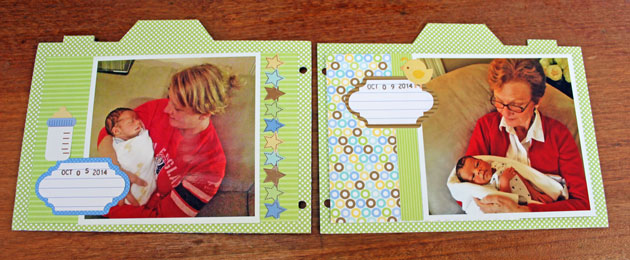
I left her some blank pages and labels to add to the album!

That’s it for me today!  Thanks so much for stopping by!

$1 Wednesday at Snap Click Supply

One Dollar Wednesday at Snap Click Supply Co!

That means you can pick up 2 products at a great deal. Snap Click Supply Co. is home to ALL of Lori’s digital Scrapbooking kits, both Echo Park and exclusive designs by Lori Whitlock. These kits contain printable papers and/or embellishments (.JPG & .PNG formats), plus a few Photoshop brushes (.ABR).

For Lori’s digital cutting machine files, shop at Lori’s SVG Shop (.SVG format – most digital die cutting machines, including the new Cricut Design Space). Silhouette CAMEO & Portrait owners who have NOT upgraded to the Designer Edition software can find Lori’s files at the Silhouette Online Store (.STUDIO format only).

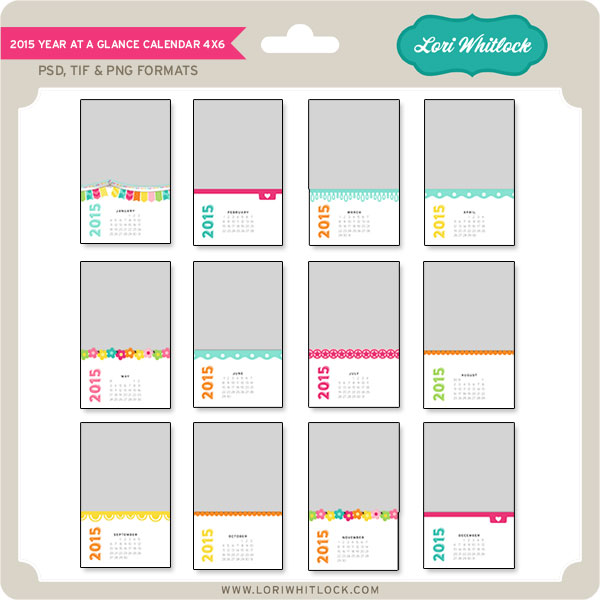
Today only Lori Whitlock’s 2015 Year at a Glance Calendar 4×6 is available for just $1. This kit is regularly priced at $5.99 and TODAY ONLY it’s just $1.

2015 Year at a Glance Calendar 4×6

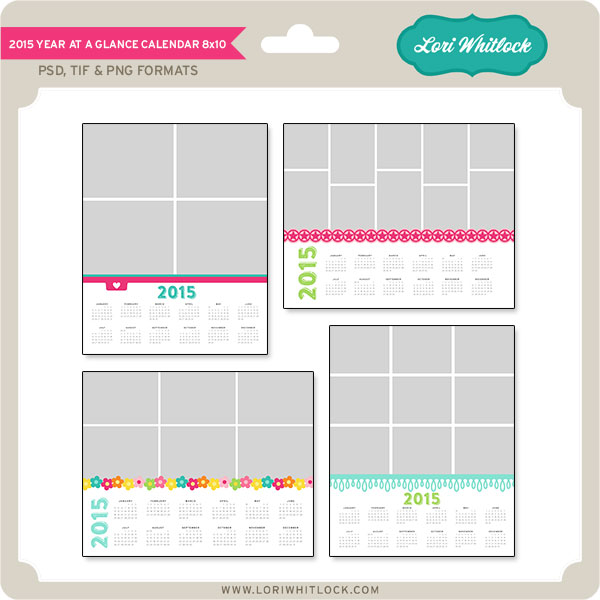
And, you can get the following awesome product for HALF OFF…

2015 Year at a Glance Calendar 8×10

Be sure to go grab these great deals while you can. These offers will end at midnight.

Tuesday Freebie + New in Shop

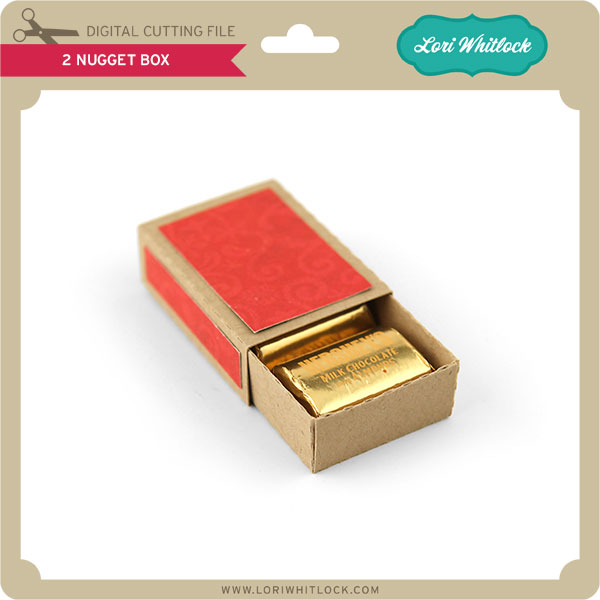
TODAY & TOMORROW, this 2 Nugget Box file is FREE with Purchase.

Happy NEW YEAR!! We have an adorable free file with purchase today! Simply add this file: 2 NUGGET BOX to your shopping cart along with any $3 purchase from www.loriwhitlock.com/shop and this file is yours FREE (cart must reach at least $5.99 before the coupon will be applied).  Be sure to use Coupon Code: NUGGET at checkout. The price of the 2 NUGGET BOX will be deducted from your total. Hurry! This offer is good until Wednesday (tomorrow) at midnight!


We have many requests for the PDF file for hand cutting. Now many of new shapes will include a line art PDF. Also, all or our files now come Cricut friendly. If you need measurements for an older file please don’t hesitate to ask by emailing us HERE.

Finally… Check out these adorable new files in the Lori Whitlock SVG Shop, and they are on SALE 25% OFF through the weekend, too!!! These downloads include SVG files. 3D files include cut size information and a PDF for hand cutting if desired. Read description before making your purchase.

To find these files in the Silhouette Design Store click HERE.

2015 Magnetic Calendar with Traci

Happy New Year Lori fans!!  Welcome to 2015!

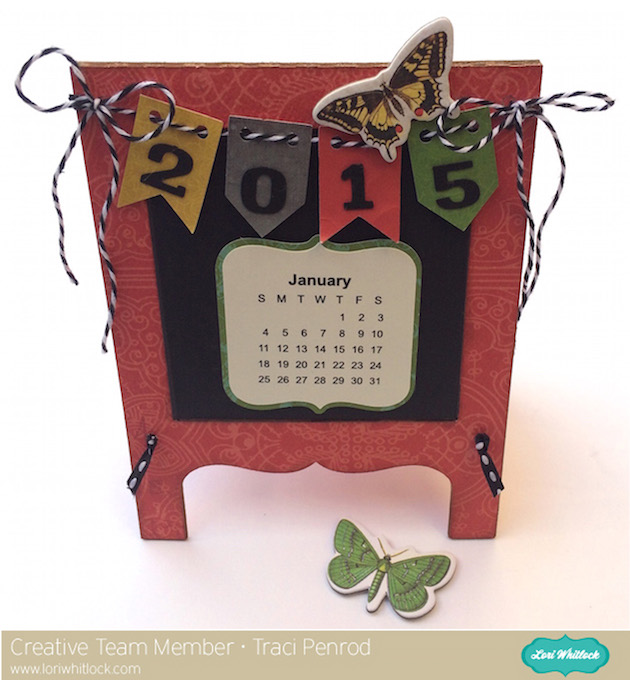
It’s Traci here today to share an easy project tutorial for making a magnetic desktop calendar.

For this project, I used one of Lori’s adorable Chalkboard cards and Silhouette brand chipboard to create the base of the calendar.   I also used her 2015 Print & Cut Calendar file, along with Silhouette’s Adhesive Magnet material, to make the monthly calendars.  Here is how to create this desktop calendar for yourself:

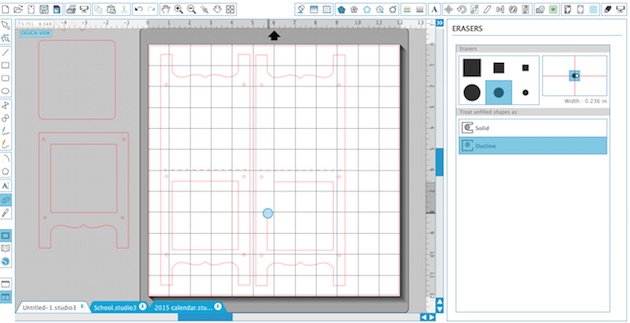
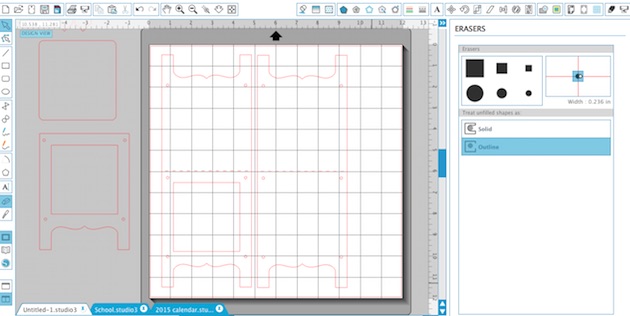
1.  First, open the Chalkboard file and duplicate the large base portion as shown below.  Using the eraser tool, erase the inside window on just one of the bases.

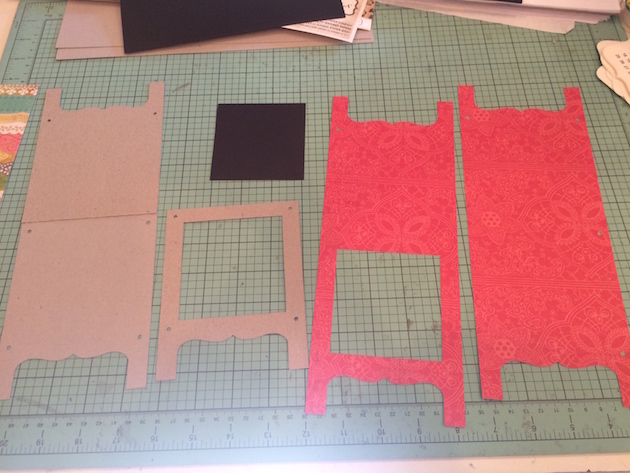
2.  Once you have the two bases (one with a window, one without) cut them out of chipboard (I use Silhouette brand) and out of paper of your choice.  Be sure to adjust the cut settings to accommodate the thicker chipboard material, and then re-adjust the setting for the thinner paper.  The red paper that I used is from Lori’s “Yesterday” collection for Carta Bella.

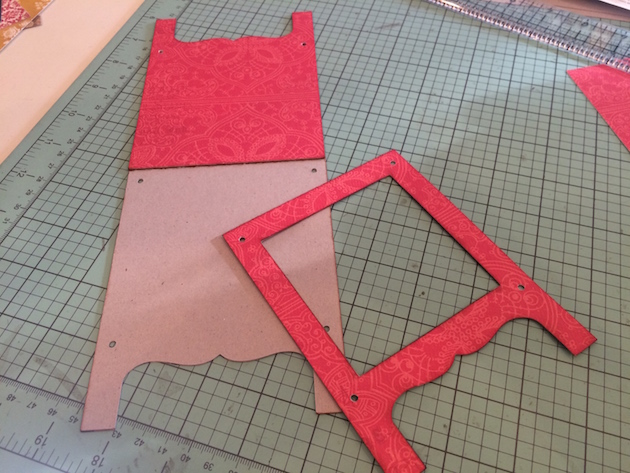
3.  Cut the chipboard that has the window in half along the score line and adhere the back piece to the other chipboard as shown above.

4.  Adhere the other paper piece to the chipboard as shown.  You should have two layers of chipboard and one layer of paper on the front and back of your base once finished.

5.  Using a paper trimmer, cut a piece of magnet material (I used Silhouette brand) 3 1/8″ x 3 1/4″.  The piece of magnet will act as the “chalkboard” inside the window.  Adhere all pieces of the base together.  Tie twine or ribbon through the holes in the legs of the stand to help the calendar stand up.

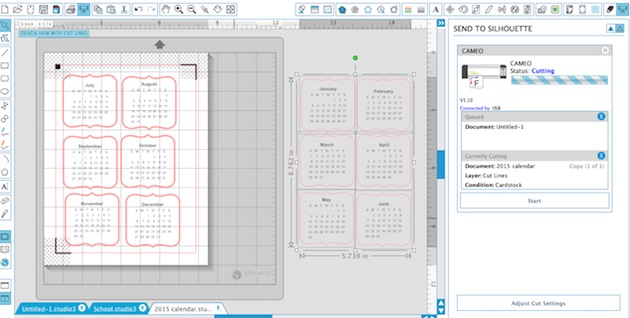
6.  Create the calendars by doing a print & cut with the monthly calendars.

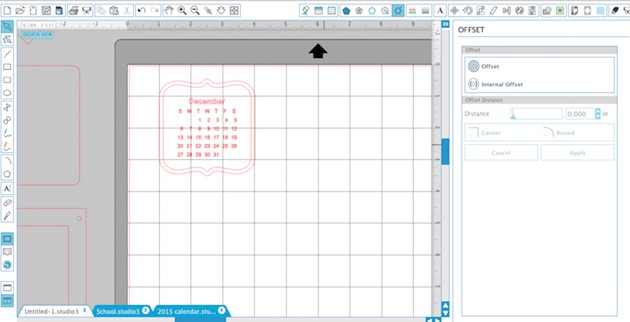
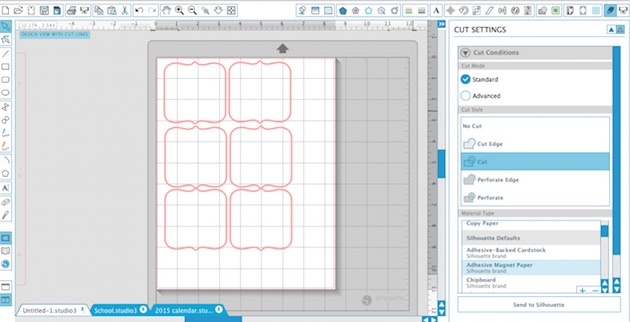
7. After cutting the calendars, I used the “offset” feature to create a mat for each calendar, and also for cutting the magnet material out of the same shape.  The magnet material is self adhesive so I layered the calendar and the mat, and then just adhered the magnet material to the back of each piece.

8.  To finish the project, I added the banner that comes with the chalkboard file and cut out some numbers for 2015.  I tied the banner to the top of my calendar with twine and added a cute chipboard butterfly from Lori’s “Yesterday” collection.   I also added a piece of magnet to the back of some other chipboard pieces so I could add them on my calendar some months.

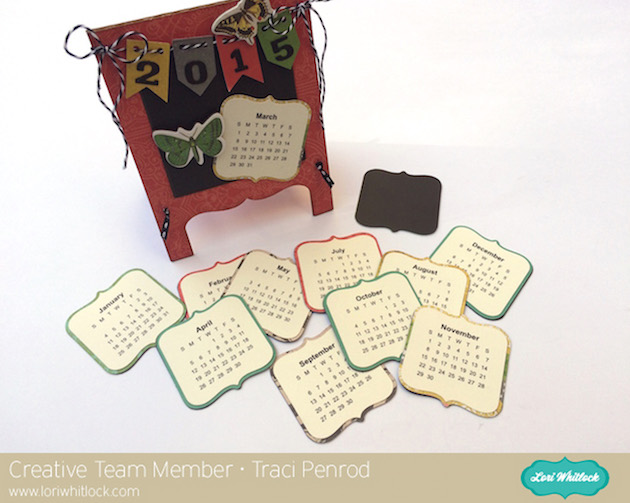
As you can see below, the months can easily be added and changed on the desktop stand each month.

Thanks so much for stopping by Lori’s blog today!  I invite you to also come visit me on my blog at Artsy Albums and say hello!


$1 Wednesday at Snap Click Supply

One Dollar Wednesday at Snap Click Supply Co!

That means you can pick up 2 products at a great deal. Snap Click Supply Co is home to ALL of Lori’s digital Scrapbooking kits, both Echo Park and exclusive designs by Lori Whitlock. These kits contain printable papers and/or embellishments (.JPG & .PNG formats), plus a few Photoshop brushes (.ABR).

For Lori’s digital cutting machine files, shop at Lori’s SVG Shop (.SVG format – most digital die cutting machines, including the new Cricut Design Space). Silhouette CAMEO & Portrait owners who have NOT upgraded to the Designer Edition software can find Lori’s files at the Silhouette Online Store (.STUDIO format only).

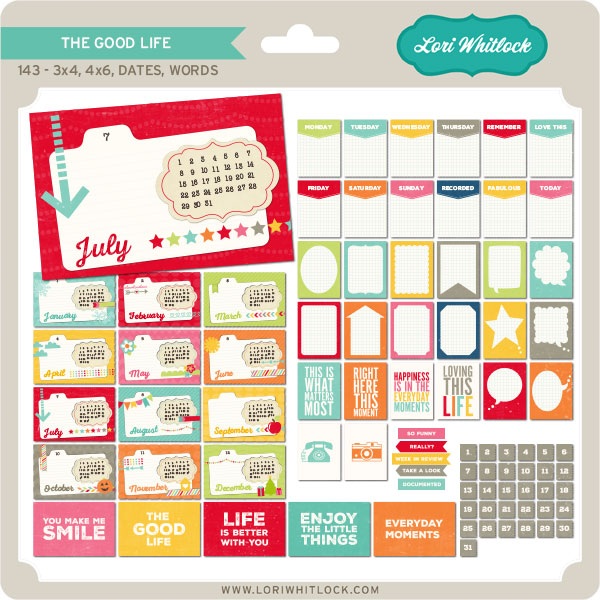
Today only Lori Whitlock’s The Good Life Cards + Words is available for just $1. This kit is regularly priced at $6.99 and TODAY ONLY it’s just $1.

THE GOOD LIFE CARDS + WORDS

And, you can get the following awesome product for HALF OFF…

PLANNER + EXTRAS 2015

Be sure to go grab these great deals while you can. These offers will end at midnight.