XOXO Scalloped Rosette Banner with Kathy

Hi Everyone, it’s Kathy today with a tutorial on how to piece together Lori’s new XOXO Scalloped Rosette Banner.  I loved this banner the moment I saw it and wanted to create it for my front door!

I started by cutting 4 of each of the banner back pieces, and one set of X’s and O’s.

I like to add a little dimension to my projects so I adhered the two background triangles together using some foam tape.

Next, I started making the rosettes.  Rosettes are not hard, they just take a little patience.  I fan-folded the rosette strips using the score lines as my guide.

I then attached the two ends of each strip using some liquid adhesive.  I use a quick drying adhesive when making rosettes, it gives you a little wiggle room if you make a mistake (unlike hot glue) and it holds well without taking forever to dry.

To make the rosette, add some liquid adhesive to one of the small circles.  Place the glued, fan-folded strip over the circle (make sure the scalloped edges are on the bottom) and press the top of the glued, fan folded strip towards the center and down.

You may need to play with it a little to get it to be the shape you want.  This is where the patience comes in… you need to hold it down for a little until the glue is dry enough to hold.

Once it is dry enough, put the larger circle on the front of the rosette, let dry.

All that is left is to assemble each of your banner pieces.  I glued the completed rosettes onto the banner pieces, and then added the XOXO letters to each piece using foam tape for more dimension.

I tied my pieces together using some Chunky twine and it’s all ready to go on my door!

That’s it for me today.  Don’t forget that Lori is  having a sale in her SVG shop this week!  Use code JAN2016 and get 30% off your entire order! It’s perfect timing to stock up on Valentine’s Day goodies!


Have a great day!
 

All Things Silhouette Conference

I’m excited to announce that I will be teaching at the Second Annual All Things Silhouette Conference hosted by terrijohnsoncreates.com .  I was a part of the first conference and it was such a great time!  Join us April 2-3, 2016 at the Wyndham Peachtree Conference Center, in Peachtree City, GA, for another fantastic weekend of learning with classes, demonstrations, hands on events, shopping & fun!

This two-day event will include classes on topics such as:                                              

  • How to Print & Cut Like a Pro
  • Cutting Fabric with Silhouette – both for Machine Embroidery & more!
  • Rhinestone Application
  • Glass Etching
  • Ins and Outs of Silhouette Studio Software – Designing
  • Creating Cards in Silhouette Studio Software
  • Modify Tools in Silhouette Software
  • Working with Text & Fonts in Silhouette Studio
  • Designing Edition & Business Edition Software
  • Cutting Tips and Techniques
  • Tracing Techniques in Silhouette Studio
  • Using the PixScan Mat
  • Heat Transfer Vinyl & Specialty Heat Applied Vinyl
  • And S0000 Much more!

There will also be a Vendor Hall open for shopping!  There will be  vendors from all types of products related to Silhouette – from Vinyl to Blanks to Silhouette Supplies!    Everything you need in one place!

For more information, and to register, head over to Terri’s blog here.

Space is limited to 430 registrants at this event!  Once those tickets are sold — there will be no more!  Don’t delay in registering & miss out!  Hope to see you there!

Lori

January Creative Team Blog Hop

Welcome to our January 2016 Creative Team Blog Hop! Our creative team has been working hard making some great projects that will inspire you to get crafting this Month.  In addition, Kolette and I have some new files for you!   Be sure to check out all the fun new projects below.

One of the best things about blog hop week is the 30% OFF SALE going on at Lori’s SVG SHOP. ALL files (and commercial licenses) from Lori Whitlock, Kolette Hall, and Dresden Carrie are on SALE. Use code JAN2016 (case sensitive) at checkout in the SVG SHOP.

In addition, today only, you can get  30% OFF all of my digital files over at Snap Click Supply!  Use code DIGIJAN16 at checkout to get the discount! 

I also have another gift for you! Today only,  You can get this fun file for free!

Kolette and I have some great new files in the SVG Shop this week . Check them out and remember all files are 30% off this week when you use code JAN2016 in my  SVG Shop! Take a peek…

How would you like to win a $20 Gift card to my SVG Shop? Just comment on this post, and you’ll be entered to win! I will pick a winner later this week!

And, last but not least… would you like to see what our amazing team has created? Click the links below for some wonderful inspiration. If you get lost come back here to get on track.

Lori Whitlock
Corri Garza
Mendi Yoshikawa
Traci Penrod
Kathy Skou 
Tya Smith
Chrissy Guido
Ashley Cook
Rachael Sheedy

Thanks again for dropping by! Have a GREAT day!
Oops!
An email accidentally went out for tomorrow’s blog hop!  Sorry for the confusion but be sure to come back tomorrow to see all of the new goodies and check out the projects from our wonderful design team!  Have a great day!!

Off the Page January Challenge

Hi Everyone, it’s Kathy today, and I have a new feature for you!  This year we will be teaming up with the folks at Paper Issues for their  Off the Page Challenge !   An Off the Page project is simply a paper crafting project that is not a traditional scrapbook page.  Each month I will be using files from Lori’s SVG shop,  for my Off the Page projects, and we would love for you to play along too!  For January’s Challenge I thought it would be fun to start off the year with a calendar/new/time theme.  Did you create a calendar for friends, or relatives?  Did you get a new planner? How about showing off your planner spreads?  How about anything related to new babies?  Birth Announcements, room décor, shower favors… New Starts… weddings, weight loss trackers..did you make any resolutions?  How about a resolution tracker?    Maybe a monthly mini album to hold your favorite Instagram pics?  Anything to do with clocks would be great too!  Of course we want you to use Lori Whitlock files for these projects!
 My project is a cute little desktop calendar.  I started with Lori’s 2016 Print and Cut Calendar, her Accordion Square Mini Album and her easel.  I then set out to decorate each month…
The Accordion Album has six pages per side, so it was perfect for the 12 months of the year… here is the first half…
 
 and the second half of the year!  Here are some close-ups of each month…
  
January used Lori’s Snowman Set, February has the Valentine’s Mason Jars file.
 
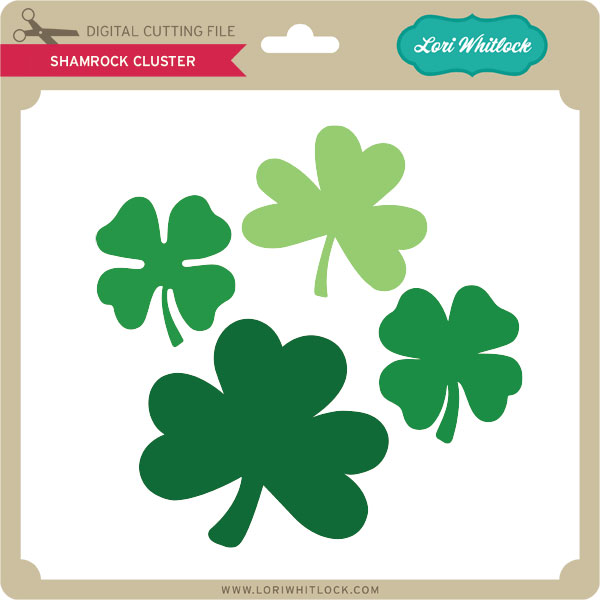
 March has the Shamrock File and April’s bunny is from the Easter Icons Set.
 
May’s flowers are from the 12 Fancy Flowers files and the cute little owl is Lori’s Graduation Owl.
 
July’s fireworks are from the Patriotic Box Card and the sand castle is from the Beach Set.
How cute is that little book worm??  He is from the School Apple file and the little ghost is from the Layered Halloween Embellishments set.
Last, but not least, the little turkey is Lori’s Turkey 2 File and Santa is from the Santa Claus Gift Box file.
This was definitely a lot of work, but I’m so happy it turned out like I pictured in my head!! (that doesn’t always happen….)  To play along, add your project to the comment section of this challenge photo in the Paper Issues Friends & Fans Facebook Group,  January Challenges Album.  You have until February 6th to play along.  You could win one of 2 Gift Certificates to the Paper Issues Store!  That’s it for me today, thanks for stopping by to peek!