One Buck Wednesday at Snap Click Supply Co.

Today at Snap Click Supply I have two items featured for $1 on Wednesday!. That means you can pick up 2 of my digital scrapbooking products at a steal. TODAY ONLY!

Bubble Letter Font


Life Templates SQ Set 9


Be sure to go grab these great deals while you can. These offers will end at midnight!

There are specials in my SVG Shop as well!  Don’t forget about the May Kit of the Month! If you spend $20 in the SVG Shop (in one transaction) you can get the Kit of the Month for free!    Simply add the May Kit of the Month to your shopping cart along with ANY $20.00+ purchase from the SVG Shop and this file is yours FREE. These would be perfect for Mom or a Teacher! Be sure to use Coupon Code: MAYKOTM (case sensitive) at checkout. This offer is good through May 31st!

(Your cart must reach at least $20.00 before the coupon will be applied and then $7.95 will be subtracted from your total at checkout. The files will be available for immediate download after you pay for your order by visiting MY ACCOUNT>COMPLETED ORDERS>ORDER DETAILS inside of your account.  Only one discount code per order allowed.)
 

And last but certainly not least, remember, all files in my SVG Shop are 30% off this week!  It’s the perfect time to grab all those items on your wish list!

Have a great day!
May Creative Team Blog Hop and New in Shop!


Welcome to our May 2016 Creative Team Blog Hop! Our creative team has some awesome new projects to share with you to get you in the crafting mood. In addition, I have some FUN new files for you! Be sure to check them out below.

One thing customers seem to like about blog hop week is our 30% OFF SALE going on at Lori’s SVG SHOP. ALL files (and commercial licenses) from Lori Whitlock, Kolette Hall, and Dresden Carrie are on SALE. Use code MAY2016 (case sensitive) at checkout in the SVG SHOP. (only one discount code per order allowed)


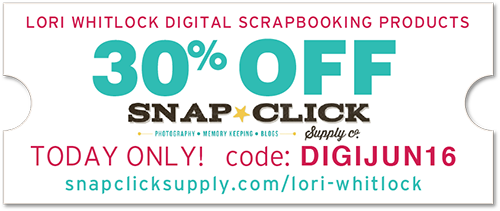
In addition, TODAY ONLY, you can get 30% OFF all of my digital files over at Snap Click Supply! Use code DIGIMAY16 at checkout to get the discount!

I also have a gift for you! TODAY ONLY, You can get this fun set of 3 Flowers for FREE! So, be sure to go grab it while you can from the SVG shop.


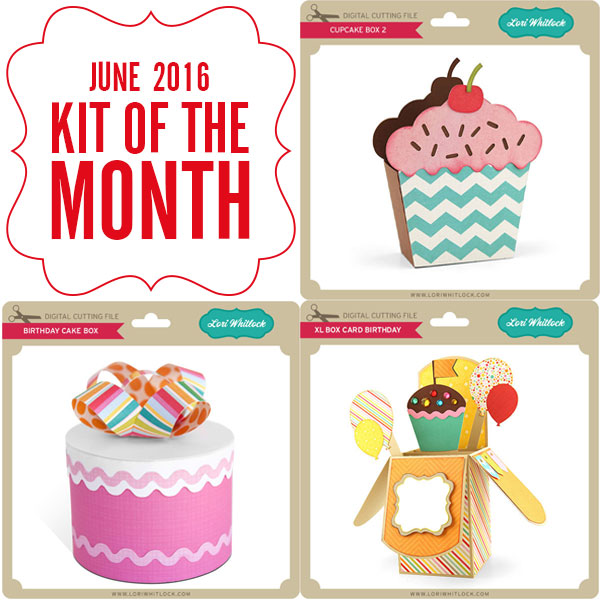
And don’t forget about the May Kit of the Month! If you spend $20 in the SVG Shop (in one transaction) you can get the Kit of the Month for free!    Simply add the May Kit of the Month to your shopping cart along with ANY $20.00+ purchase from the SVG Shop and this file is yours FREE. These would be perfect for Mom or a Teacher! Be sure to use Coupon Code: MAYKOTM (case sensitive) at checkout. This offer is good through May 31st!

(Your cart must reach at least $20.00 before the coupon will be applied and then $7.95 will be subtracted from your total at checkout. The files will be available for immediate download after you pay for your order by visiting MY ACCOUNT>COMPLETED ORDERS>ORDER DETAILS inside of your account.  Only one discount code per order allowed.)


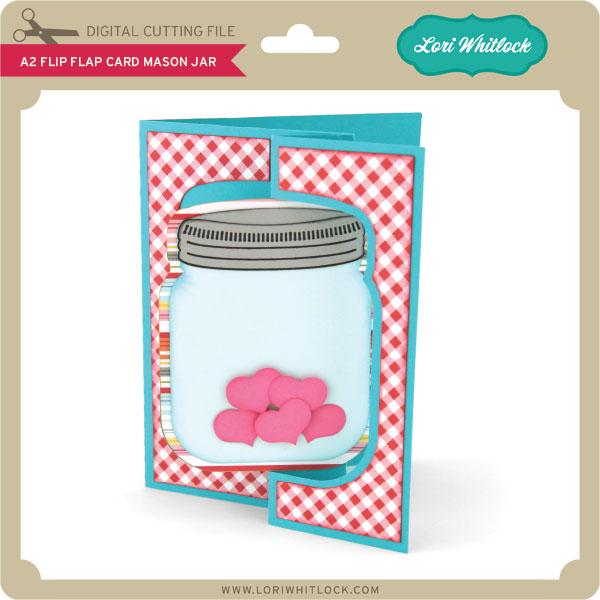
I have some super fun new files in the SVG Shop this week. These adorable mason jar box cards have been a HIT. Be sure to grab yours while all files are 30% off this week when you use code MAY2016 in my SVG Shop! Take a peek…


How would you like to win a $20 Gift card to my SVG Shop?

a Rafflecopter giveaway

And, last but not least… would you like to see what our amazing team has created? Click the links below for some wonderful inspiration. If you get lost come back here to get on track.

Lori Whitlock
Corri Garza
Mendi Yoshikawa
Traci Penrod
Kathy Skou
Tya Smith
Courtney Lee
Ashley Cook
Rachael Sheedy

Thanks again for dropping by! Have a GREAT day!

iNSD Flash Sale in the Lori Whitlock SVG Shop!

To celebrate interNational Scrapbook Day, I’m having a one day flash sale in my SVG Shop!  Spend at least $10 and get a 40% discount on your entire purchase!!

No codes necessary, just add $10 (or more) of product to your cart and the discount will automatically be applied!  This is the perfect time to get all of those goodies on your wish list!  Don’t miss out, sale is TODAY ONLY! shop.loriwhitlock.com

Have fun crafting!

May Off the Page Challenge with Kathy

I can’t believe it’s already May!  It’s time for the May Off the Page Challenge over in the Paper Issues Friends and Fans Facebook Group!  This month’s challenge is all about Flowers! We want to see all of your paper projects featuring flowers.  You can also add in Mother’s Day and Teacher Appreciation gifts projects as well!  Of course we would love you to use Lori Whitlock files!  For my project, I used the fun files from the May Kit of the Month take a peek…

These just make me happy!  The would be so cute for a Mother’s Day gift or for that special teacher or friend. Here are some close-ups!  I used some papers from Echo Park’s Hello Summer collection, they are so bright and cheery!


Be sure to play along with this challenge by posting your project in the May Challenges Album in the Paper Issues Friends and Fans Facebook Group in the comments under this project.  Each project posted will give you an entry to win a $10 Gift Card to the Paper Issues Store!  You have until June 6th  to enter!  I can’t wait to see what you create!

Using Digital Brushes and Stamps with Rachael

Hello, all! Rachael here today, to show you how to use brushes and stamps on your digital layout. I will be demonstrating this technique in Photoshop CC, but the principles are the same in Photoshop Elements. Let’s go ahead and get started, shall we?

For this layout, I used a solid yellow paper as the background. Solid papers are a great starting point for adding brushwork.

The first step is to create a blank layer for your brush strokes:

Next, you’ll want to activate the brush tool. In Photoshop, this tool looks like a paintbrush and can be activated by using the hotkey (B) on your keyboard. Once the tool is activated, you could go ahead and use the default brushes. However, we are going to use some of Lori Whitlock’s very cool brushes in this layout. To load additional brushes, click the drop-down arrow next to the currently active brush:

The brushes window will open, displaying all available brushes in the current brush set. Click the gear icon in this window to load new brushes:

The next window gives you a series of options. You can either Reset the brushes, which replaces the brush set with the default brushes; Load brushes, which appends the brushes in the new brush set to the existing brushes; or Replace brushes, which replaces all loaded brushes with the ones in the brush set you select. There are, of course, numerous additional options within the menu, which you can explore and experiment with as you see fit. For now, go ahead and select the “Load Brushes” option.

Navigate to the folder that contains the brush set you wish to use, and double-click to load the brushes.

To view the brushes in the brush set, click the drop-down arrow next to the current brush (refer to the second step, above). This menu displays a thumbnail icon for each brush in the brush set. Select the brush you wish to use, and set your foreground color.

Go ahead and place your curser, which should now be in the shape of your brush, in the location you desire.

Since you’ve placed the brush stroke on its own layer, you can move the brush around and rotate or manipulate it as needed, just as you would any other design element. You can also change the blending mode of the brush layer, to get different results. For this next brush stroke, I stamped in black and then changed the blending mode to Overlay and reduced the opacity to 40%:


Digital brushes and stamps are a fun and easy way to add complexity and depth to your layout. Feel free to play around with the options and find what works best for you.

I hope this inspires you to try something new!

The following products were used in this layout:

Echo Park (designed by Lori Whitlock): For the Record Collection

Flourish Brushes

Everyday Stamps

Everyday Stamps 2