June Silhouette Specials!

It’s time again for another amazing Silhouette Sale!  The June Sale will start June 1st and end June 15th.  You can shop the bundles here, and make sure to use code LORI at checkout to get these fabulous deals!

White Cameo 4 Bundle

The White Cameo 4 Bundle includes:

– White Cameo 4
– Tattoo Paper
– Glitter Sticker Sheets
– Sketch Pens – Basic
– Tool Kit

The value for all these items is $349.99 and when you use code LORI at checkout you unlock a price of $299.99!


Cameo 4 / Free Mint

Silhouette also has a Machine Only Cameo 4 Bundle, available in all available colors, (white, pink, & black). Those who purchase this bundle will also receive a FREE Silhouette Mint!
The value of these items is $429.98 and when you use code LORI at checkout you unlock a price of $299.99!

Curio Bundle

What better time than now to experiment with a new machine? The Silhouette Curio is an amazing tool that takes the projects you already make up another level. The Curio machine unlocks stippling, etching, debossing and dual carriage features in the powerful Silhouette Studio design software.

The Curio Bundle includes:
-Silhouette Curio
– Ultimate Sketch Pen Kit
– Embossing Paper 5x7in.
– Blue Dust Cover
– Embossing Foil
– Metal Etching Sheets
– Metal Stippling Sheets
-Stippling and Etching Tool

The value of all of these items is $326.92 and when you use code LORI at checkout, you unlock a price of $219.99! That’s a discount of $100+ off!

30% Off Vinyl & Heat Transfer

If you need a good excuse to buy more craft supplies, here’s a great one! Silhouette’s Heat Transfer and Vinyl will be 30% off during this sale, so you can get all of your favorites. We especially love the Printable Heat Transfer, Wood Vinyl Sample Pack and our Reflective Heat Transfer.  Be sure to use code LORI at checkout to take advantage of this sale!

Free Shipping

Free shipping on orders over $50 when you use code LORI at checkout!

These specials end on June 15th, so don’t miss out!

OOPS!

We accidentally published a post a bit early….Don’t worry you will still have all weekend to take advantage of the Friday $5 Bundle!  Keep your eye out for this fabulous deal, it will be available starting tomorrow!

Silhouette Sale Ends Soon!

The previously advertised Mother’s Day Cameo bundles at Silhouette have unfortunately sold out, but don’t worry, you can still get a great deal!  Silhouette had created new bundles !  They  contain the Cameo 4, Mint, Business Edition Silhouette Studio, and the 25 exclusive designs!  These new bundles are priced $279.99 (a $556 value)! Use Code LORI at checkout to take advantage of this fabulous deal!

Blade and Mat Bundles

You can never have too many blades and mats — which means it’s a great time to stock up! These bundles offer 12 inch mats and AutoBlades (for Cameo 4) in packs of 4. Get 4 cutting mats for $28.99 and/or 4 AutoBlades for $24.99 when you use code LORI at checkout. That’s savings of over 50%!


50% Off Software

Want to unlock more possibilities within Silhouette Studio? Now is a great time to upgrade your software! Silhouette’s upgraded versions provide you with more capabilities which means you can create so much more. Want to run multiple machines at the same time? Or want to use our new Puzzle Feature? Upgrade today for 50% off the normal price!  Use Code LORI to take advantage of this special pricing!

40% Off Everything

If you need a good excuse to buy more craft supplies, here’s a great one! Silhouette’s consumables will be 40% off during this sale, so you can get all of your favorites. This includes Doming Starter Kit, Jewelry Making Starter Kit, and Silhouette Sketch Pens.  Use code LORI to take advantage of this great deal.


All of these fabulous deals will be available through May 12th, so don’t wait!

OOPS! Our Mistake is Your Gain! All SVGs 50% Off

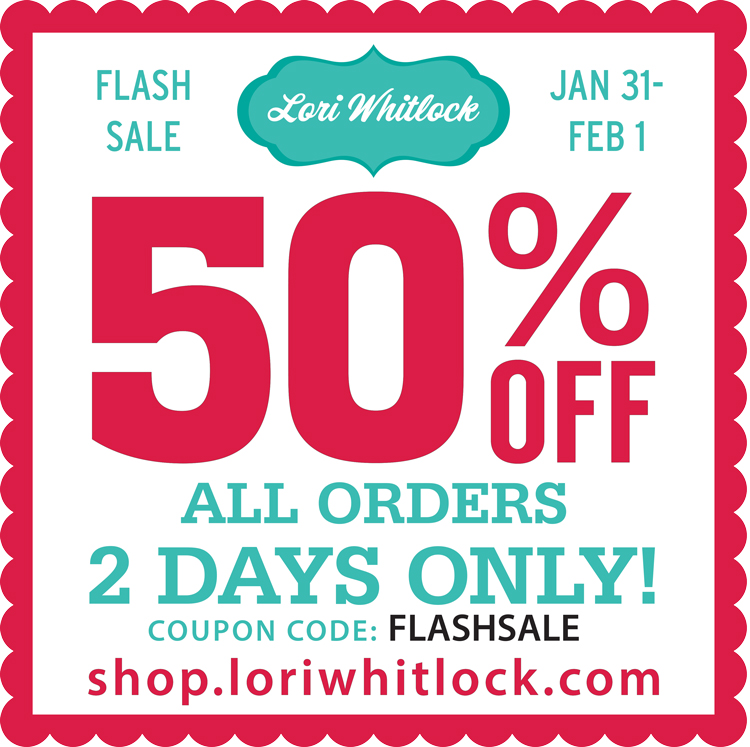
We goofed!  Our last email said 50% off all SVGs, so our mistake is your gain!  Today through midnight tomorrow, you can get 50% Off All SVGs, Fonts, Commercial Licenses and Pattern fills when you use code APR2020 at checkout! It’s the perfect time to stock up!  Don’t wait, sale ends tomorrow.

Silhouette Cut Lines and SVG Files

Hi Everyone!  Currently, there is a glitch in Silhouette Studio that prevents the cut lines on some of the newer files from automatically being turned ON when you go to the SEND panel. You can tell that the cut lines are ON when they are bright red. Silhouette is aware of this and they working to fix the issue.  All of these files can still be cut, I have a quick work around for you.

As you can see below, when I click send on this file, the red cut lines are missing and I’m not able to cut.

To remedy this, first click and drag around the elements on your mat so that they are selected.  You know they are selected if there is a bounding box around the shape.  (see red arrow)

Once your items are selected, navigate to the right side of the screen and click on the word cut. (circled below)

Once you click CUT, the red cut lines appear and you are ready to cut.  If any pieces still do not have a red line, click on that individual piece to select it and click CUT again. For print and cut pieces, you will need to click “Cut Edge.”

This process works with .studio files that you download from Silhoeutte AND SVG files that you import into Silhouette (SVG files can be used in Silhouette if you have the Designer Edition Upgrade of Silhouette Studio)

However, if you purchase SVGs from shop.loriwhitlock.com you can set it up so that the cutlines will automatically be set to CUT when you open them in Silhouette Studio.  Here is how you would do that…

Under the EDIT menu at the top of the Silhouette Studio Screen select PREFERENCES

On the top of the preferences screen click on IMPORT.  On the left side about halfway down under SVG click on the CUT LINES pull down menu and select CUT 0.1pt LINES.  Then click APPLY, then OK.

Now when you import any of the SVG files from shop.loriwhitlock.com into Silhouette, the lines will automatically be set to cut.

I hope this helps you with your Silhouette projects! Thanks for visiting the blog today! Please let us know if you need any help with your files. We want to make sure everyone is happy with their purchase. Have a great week! SHOP HERE