Hexagon Easter Basket Tutorial

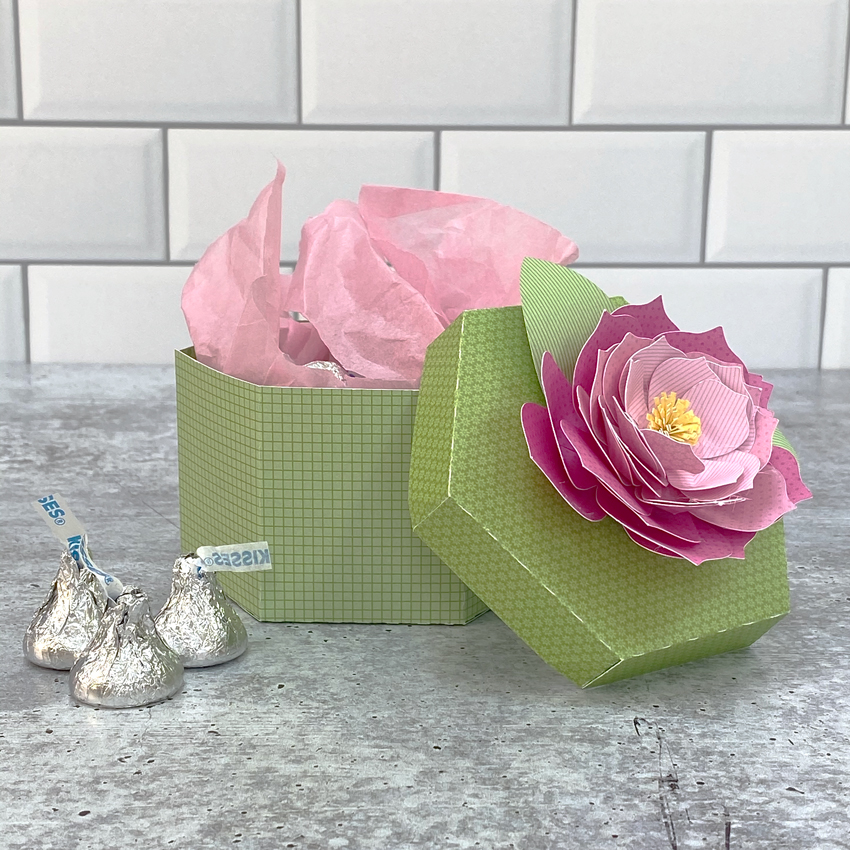
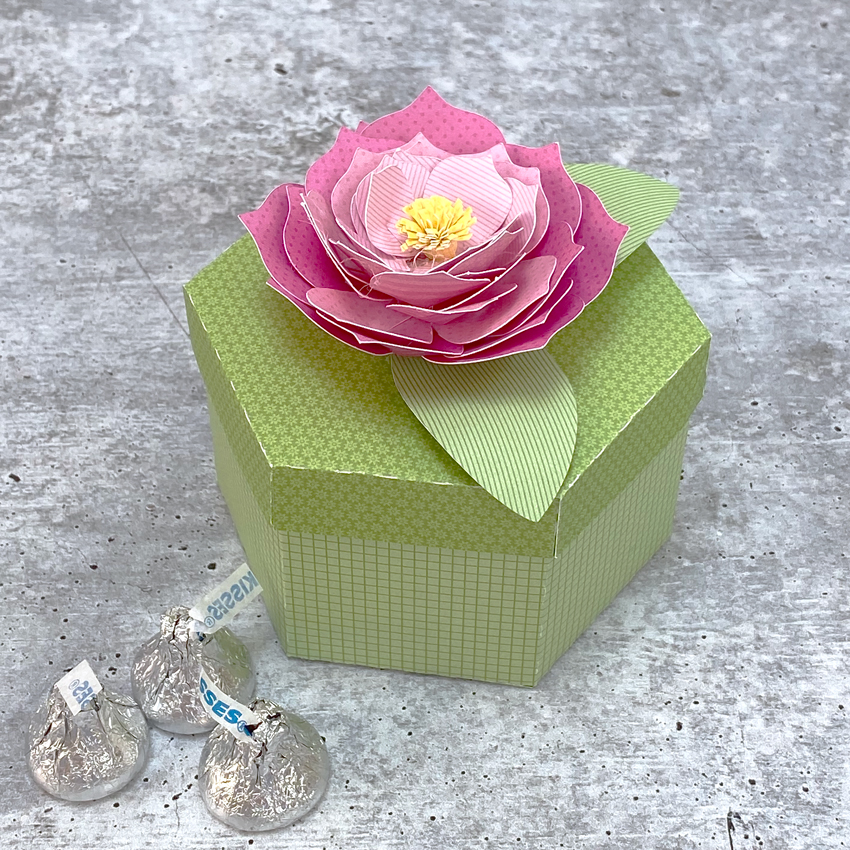
Hello and happy crafty Thursday! Aimee here with you today sharing a tutorial on how to assemble the adorable Hexagon Easter Basket (Lori’s SVG ShopSilhouette). These little baskets are so cute and look great in a rainbow of colors!

First thing to do is match up some 12×12 papers for each basket. And pull the SVG file up on your screen.

This particular SVG file requires you to cut 2 each of the base of the basket and the layering pieces. I cut out 2 of the handles as well. I wanted the handle to be solid colored instead of being able to see the underside of the patterned paper.

Here are the pieces of the basket that I started assembling.

Adhere the two pieces that make the base of the basket. To make it easy, I adhered the side tabs on each piece and laid them flat to make sure that both pieces were even along the top edges. Then I added the layered pieces and then started assembling the bottom tabs to complete the bottom part of the basket.

Glue the two handle pieces together and lay aside to dry.

Adhere the bottom tabs of the basket to the hexagon piece to complete the base of the basket.

Attach the handle to the basket. There are holes in the handle and the basket to add a brad to attach the two together. Last thing to do is assemble the bow and adhere it to the handle.

Then you get to fill your baskets up with some Easter grass and something decorative or some Easter yummies! Add them to your Easter decor or to your Easter dinner table with a chocolate bunny.

Thanks for stopping by today! Hope you find these Easter baskets just as adorable as I do and give them a try!

Aimee

Pop Up Box Card St. Patrick’s Jar Shaker Tutorial

Anita here with a tutorial to make Lori’s lovely cut file for the Pop Up Box Card St. Patrick’s Jar into a shaker card.  You can find the SVG file here in Lori’s shop and here in the Silhouette store.

Here is a photo of the parts of the card after I cut them out.  I cut a piece of overhead projector plastic the same size as the jar.  I used the rectangle shape tool in Silhouette to cut out the center of my green plaid jar top piece for the window.  I also cut an extra jar out of black and trimmed it even with the top of the lid so that you could see the details in the jar cover.  Those are shown glued down in this photo.

Next, I took the green dot jar piece and used foam tape to create both height and space for the shaker materials as you can see from the photo below.

I started to assemble the card which is very easy to put together. (Lori has a Pop Up Box Card Tutorial Here)   I tend to use a wet adhesive as at first it is forgiving and you can move the pieces around a bit and then it holds better than regular adhesive.  I lined up the pieces and then closed the card to make sure everything was where I wanted it.  Here are some photos of the embellished card parts. I added the transparency piece behind the plaid jar outline to create a window.  I filled my shaker with extra shamrocks from the cut file and some sequins.  After filling the jar, I peeled the adhesive from the foam tape and placed the jar with the window on top.   I love how festive it is.

Lastly here is a photo of the card when it is closed.  Lori has many wonderful St. Patrick’s Day files which you can whip up quickly to brighten someone’s day.  Thanks for looking and have a great day.

Hugs,

Anita

Shaped Box Cards 101

The shaped box cards in Lori’s shop are so fun, and look complicated, but they are really easy to assemble.  For each card, there are basically 3 steps to assemble:

  1. Add embellishments to the inserts and outer box.
  2. Form the box
  3. Add the inserts.

It really is this simple!  Let’s look at each of these steps a bit closer.

Add Embellishments to Inserts and Outer Box

I find that it’s easiest to add the embellishments to a box card before assembling the whole card.  When you open a file from Lori, she has grouped the embellishment pieces with their corresponding bases.  Take a look at a few different files:

The first file shown here is the new Rainbow Box Card (SVG, Silhouette).  As you can see, the pieces are grouped together so you can see which embellishment pieces go with which base pieces.  The second card is the Box Card 6 Pack Bottles (SVG, Silhouette). The decorative panels are grouped with their corresponding layers here as well.  Number 3 is the Mason Jar Bouquet Box Card (SVG, Silhouette).  You can see the jar lids are nearby the jar piece and the flowers that go on the inserts are together with their corresponding inserts.  If you need more help with the placement, I recommend printing the picture of the completed card and using that as a guide as well.  Lori’s SVG files all come with a picture of the completed file.  In Silhouette, you can view a larger picture in the library by clicking on the “square” below the file’s picture in your library.

When you click on it you get a larger picture of the completed card.

Once you have all of your pieces glued, it’s time to build your card.

Form the Box

Each file comes with a piece or pieces to make a box shape that is the base of the card.  Some cards have 2 pieces that make up the box, usually so you can have a larger card and remain within the cutting size restrictions of your machine (12×12).  Take a look at the pictures below.  I have labeled the pieces that make up the box shape and the inserts.  For the rainbow file, the “box” is formed by connecting the Back, pink piece with the front clouds piece.  For the 6-Pack, the “box” is the case is an actual box that holds the bottles and for the last card, the “box” is formed from the mason jars.

Regardless of the shape, they are all glued together to make a box shape.  To make that box shape, glue the pieces of the box together first if there is more than one piece.  Tabs go on the “inside”  then fold it into a square shape, gluing together using the remaining tab.

Add Inserts

The final step in assembling a shaped box card is to add the inserts.  Some shaped box cards have only one insert, some have 2-3.  If the order isn’t immediately apparent, Lori has numbered the inserts.  Number 1 would be inserted closest to the front, and number 3 closest to the back.

If an insert does not have “tabs” that means it is glued to the inside front of the card.  For instance look at the Mason Jar Card…

On the bottom right, you see the insert labeled 1.  This has no tabs, so it would be glued directly to the inside of the front of the box shape.  For inserts with tabs, you simple fold all the tabs (for all inserts, you want the tabs folded in the same direction.  I always fold them “back”.  To add them, insert them into the box shape, making sure the insert is aligned with the box base and press the tabs to the sides of the box to secure.

That is really all it takes to assemble a shaped box card!  I’ve cut and assembled the Rainbow Box Card below so you can see the steps in action.

I started by cutting my pieces (including the print and cut sentiment) and adding the embellishments to their corresponding layers.

Next I formed the box by gluing the tabs on the back most piece to the front piece with the clouds.

Once my box was formed, I folded the tabs on the inserts and added adhesive to the tabs.  I like to start with the back most insert.  I placed it into the “box” I formed, aligned the tabs with the bottom and against the back of the box, and pressed to secure.

I repeated that process with the last insert.  Here’s a picture from top so you can see how I aligned the tabs.

That’s it!  Here is the completed card.

I hope this made you want to try a shaped box card!  They really are relatively simple, but make such a huge impact!  That’s it for me today, thanks for stopping by to peek!

BLOG * INSTAGRAM

St. Patrick’s Day House Box

Hi there friends! Brandie here with an alternate theme for the Valentine House Box. (SVG, Silhouette) Thi little house comes in a Spring, Halloween, and Christmas version but I wanted a St Patrick’s Day house.  To get this theme I also used the St Patrick’s Day Icons (SVG, Silhouette) and the Shamrock Cluster (SVG, Silhouette).

Once I had everything uploaded into Design Space I went to work deleting the images I wouldn’t be needing. The hearts, mailbox, and banner. I also only used two of the shamrocks and rainbow/pot of gold images.

I then resized the tree to 3.141 inches wide by 5.183 inches high. I flattened the rainbow and cloud together and resized it to 5.5 inches wide by 4.158 inches high. The pot of gold is 1.216 wide by 1.084 high. The gold coins are 1.739 inches wide by .479 high.  I also color coordinated the images to the papers I would be using.

There is already a great tutorial on how to assemble this box that you can find here. The only things I changed was to glue the tree up front and to glue the rainbow to the back of the house.

I love how easy it to alter this  house box. I think it would be cute with a beach theme, an Easter theme, and Fall theme too. If you go to Lori store and search icons the possibilities are endless.

Thanks for stopping by today!

Brandie

Explosion Box 4 Gift Boxes Tutorial

I’m so happy to formally introduce you to our newest Creative Team member, Michelle Starcher!  Michelle is an educator and a crafter who comes to us from the great state of Texas!  She has a keen eye for coordinating patterns and designing!  We are excited to see what she brings to the Lori Whitlock Team!  You can find Michelle on her blog the Bookish Designer, Facebook, Instagram, and YouTube.

Hello, my crafty friends! Michelle Starcher here today to walk you through the steps to create Lori’s Explosion Box 4 Gift Boxes (SVG, Silhouette).  In this photo tutorial, I will break down the steps to create this fun project.  I created this explosion box for Valentine’s Day, but this project is so versatile.  You can use it for any occasion!

To build Explosion Box 4 Gift Boxes, follow these steps…

Start by cutting and folding all the pieces.  Make sure you cut 4 each of the inside box pieces and the outside cover panels.  I used double-sided patterned paper for this, so that I could mix and match my inside boxes.

Next, adhere the outside cover panels to the large cross. This will create the base for your explosion box.  (I inked the edges of my cover panels before adding adhesive.  This creates a little texture to the project.)  You will repeat this same process for the lid of the box.


Your next step is to build the 4 boxes that will go inside the explosion box. Since I used double-sided paper, my boxes had a different pattern on the lid and the bottom of the box.  This allowed me to have 4 different looks for my inside boxes.  Of course, you can stick with one pattern or color for your inside boxes.  Either way, the explosion box looks great!

Once all of your boxes are assembled, you are going to adhere them to the inside of the bottom base. For this particular explosion box, you will want the inside boxes to be flush against the right edge of the bottom base. (As I added each box, I folded up the sides of the bottom base to make sure the inside boxes were in alignment.)

The final step is to decorate the box as desired.

I love adding extra dimension to my projects, so I used pop-dots to give some of the elements a little more height.   I had to be careful when adding pop-dots to the elements inside the explosion box to make sure they didn’t interfere with closing the box.  If you decide to add extra dimension to your project, just be sure to keep the extra height in the center of the inside boxes.

I hope that you’ve enjoyed this tutorial as much as I have.  The Explosion Box 4 Gift Boxes will make a great addition to your SVG library. Happy crafting!