Thanking the Best Teacher

When you literally have no time and HAVE to throw a card together, Lori Whitlock comes to the rescue with thousands of designs and design elements that can save the day and make you look like a PRO!

All this card took was some patterned paper with a school theme and one of Lori’s designs. I used Cricut Design Space to upload the images, flatten the elements and use the print then cut function to put together my card.

20160405-20160405_221245-Edit

For this card, I used Lori Whitlock’s Teacher Thank You Tags file set.

20160406-2016-04-05_21-38-44
After uploading my files, I flattened the images I wanted to print, then cut.
I did the same with the school house I used on the inside of the card.
This is how the images looked after they were flattened.
Design Space prepared the print then cut for me.
All I had to do was print the file.
Then I chose my printer and the settings I wanted to use.
After printing, my image was ready to cut.
After printing, my image was ready to cut with my Cricut Explore.
Perfect job.
Perfect job.
Ready to cut the front sentiment for the card.
It's just too easy.
It’s just too easy.
The front of my card.
With a little schoolhouse on the inside.

It’s a simple card, but it took no more than 15 minutes and I didn’t have to go out and buy one.

Thanks so much for stopping by.

Please visit my blog at ScrappyDIVAblog.com for many more projects, tutorials and ideas.

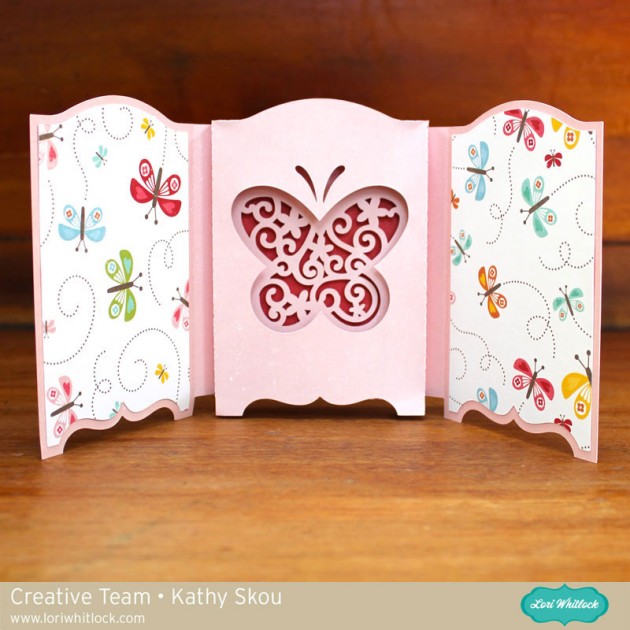
Tri-Fold Shadow Box Card – Butterfly with Kathy

Hi Everyone!  It’s Kathy today with a great card for spring, Mother’s Day or just because… take a peek…

The Tri-fold Shadow Box Card – Butterfly   (here in the Silhouette Shop) so delicate and pretty!  I used some new Happy Summer papers by Lori Whitlock for Echo Park Paper… the Beautiful Butterflies print was perfect!  I’m sending this to a friend’s mom who is having surgery, I hope it brightens her day!  That’s it for me today, be sure to stop by tomorrow for the April Creative Team Blog Hop and to check out all of the new files being added to the shop!

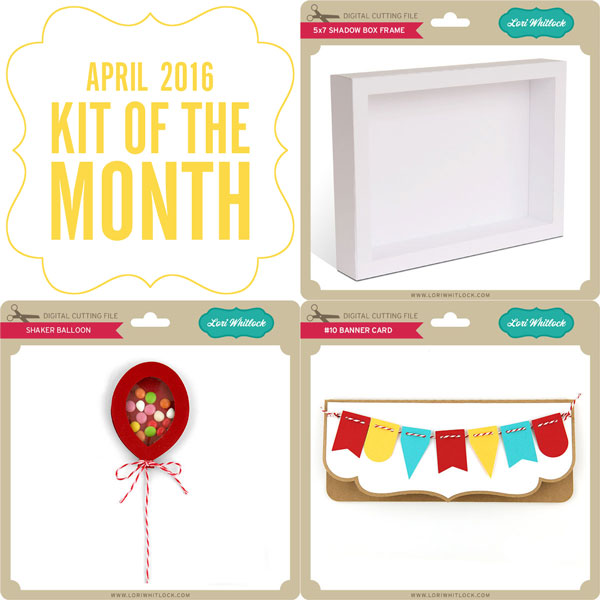
April Kit of the Month

We have a brand new special for the entire month of April! You can get this Free Kit of the Month with any $20 purchase (Purchase must be in one transaction.) No code necessary, the kit will be automatically added to your cart once $20 worth of product has been purchased.  It’s the perfect set to create projects for all sorts of celebrations!


Thanks for visiting the blog today! Please let us know if you need any help with your files. We want to make sure everyone is happy with their purchase. Have a great week!

Strawberry Carton Box Card Assembly Tutorial with Tya

Hi Lori Whitlock fans – its Tya today I am up on the blog to show you how to assemble the adorable new Strawberry Carton Box Card.


This is a little different than the box cards that Lori has previously came out with so I wanted to walk you through how to put this card together. Lets get started!
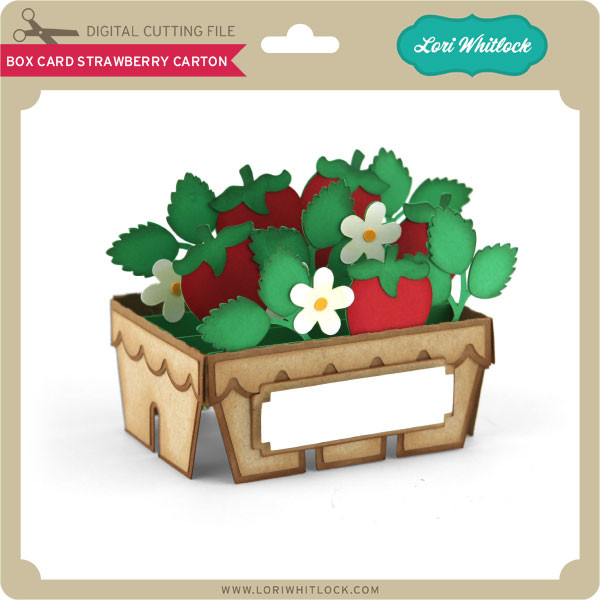
http://cdn6.bigcommerce.com/s-zlf3iiy2/products/4372/images/4711/LW_Box_Card_Strawberry_Carton__19979.1457875888.1280.1280.jpg?c=2


First off – open the file. It can be found here on the Silhouette Store or here on the Lori Whitlock site.  Here’s what it looks like after I have ungrouped the box base from the leaves and strawberries.


Next, just to make things easier – Lori has numbered the leaf layers to make sure you know how the layers go front to back on the inside of the box. I’ve numbered them even bigger so you can see better.

Here are the leaf layers ungrouped by the papers I used.


Just to note – there a little yellow circles on the cut file for the flower centers, but I used some glitter dot stickers on mine instead. 🙂

For the label I did a print and cut title using Lori’s LW Brush Font

Now that all the pieces are cut out, I assembled all the pieces. I added some brown ink to the edges of the cut outs for some added dimension.


Add adhesive to the leave layers as shown.


I then assembled the box.

I then started layering the leave sections into the center of the box. The first section is glued right to the front edge of the inside of the box.


Here is the box all assembled. It folds down nice a easy so you can send it to that special someone.

This was a really fun box to put together and now that I have shown you how easy it is to assemble, I hope I have inspired you to make a few of your own! Thanks for stopping by!

 

Easter Bunny Flip Card with Karin

Hi everyone!  Karin here today sharing a video tutorial for Lori’s adorable Flip Swing Card Easter Bunny. I dressed up the Easter bunny a bit to give him a cotton tail, pink ears and nose. These flip cards look complicated, but they’re not at all. They are super simple. Watch my video below to find out just how easy they are.

20160318-_MG_5114-Edit-2

Here is my tutorial video showing you how to bring the SVG file and pattern paper into Cricut Design Space and set everything up for cutting with your Cricut Explore.  Have a great day!