Custom Kitty Cat Shirt with Connie

Hi friends! Connie here today showing you how to make a fun custom kitty cat shirt out of heat transfer vinyl (HTV). HTV is one of my favorite mediums to use because I can create custom t-shirts in a matter of minutes for any occasion. My daughter is currently obsessed with animals and she was so excited about her “kitty tat” shirt. I used Lori’s cat face file for this project. You can also find it in the Silhouette Design Store using the file ID #200111.

Start off by placing your vinyl colors on the mat. Make sure they line up correctly with the settings on your screen for the machine you are using. I am using a Silhouette CAMEO 3. With HTV, be sure to place the vinyl on the mat shiny side down. Since HTV requires to be cut mirrored, placing it shiny side down allows you to be able to use that clear blacking as a transfer sheet.

Once your vinyl is placed on your mat, load it onto your machine and cut according to your machine settings. Triple check to ensure you don’t forget to mirror your image! You will be very sad if your design cuts backwards, trust me I have been there MANY times. Once it is done cutting, use your hands to peel away the negative parts of the vinyl, in other words, the parts you don’t want pressed onto your final project.

Once it is completely weeded, it will look like this! The cat face is all one piece that will be applied to the shirt. The pink ears and nose are all grouped together, which I did simply to save on space, but be sure to trim them so that you can each one individually so that you can apply them after we press the cat face.

Next, place your image on the center of your shirt. You will need to place the cat face down first. After you adhere the cat face, simply peel the clear backing off and add the pink nose and ears and press again! I used a heat press and heated it 305 degrees, per the HTV manufactures recommendation. If you don’t have a heat press, no problem! You can use a regular clothing iron and use the cotton heat setting. Just be sure to use your entire body weight to press on the image as you iron it on! Pressure is key to ensuring the image will stay on wash after wash.

Here is what your final project looks like! Hope you enjoy this super cute and easy shirt project.

Burp Cloths Tutorial

Hello Everyone:

Anita here with a tutorial showing how to make these adorable burp cloths.  Someone dear to me is going to be a grandmother in the next four months,  and they just found out that the baby is a boy,  so I was inspired to make these burp cloths.  Did you know that in addition to creating for Echo Park and her own cut files, Lori also designs fabric?  I used a collection called Fine and Dandy and I also used a print from her Oh Boy collection for my elephant.


The cut files that I used are called:

Baby Boy Onesie Card                                    In Lori’s store                                      in the Silhouette store
Baby Elephant                                                 In Lori’s store                                       in the Silhouette store
A2 Baby Bottle Shaped Card                        In Lori’s store                                       in the Silhouette store
Lion                                                                                                                                    in the Silhouette store

The are the materials that you will need to make this project.  I used Heat N Bond Lite and of course Lori’s awesome fabric.  I also used my Silhouette Cameo and the fabric blade to cut the fabric.  I used the Cricut Strong Grip mat which comes in their multi pack and a brayer.

I used my cutting mat to organize my cut shapes.  I decided which fabrics I wanted to use for which parts and then put them together on a mat to determine the size of fabric,  and the size of the Heat N Bond I needed to complete my project.  I grouped the shapes together and then figured out the dimensions to cut my interfacing.  I cut that first and then labeled it, including any directional hints I needed to remember.

Here are two that are ready to go.  The onesie haf a directional arrow and the elephant didn’t.  I  ironed on the interfacing and cut around the fabric leaving a 1/4″ border on all sides.  Before you cut, you should peel off the paper backing from the interfacing and place it with the fabric face up on your mat.  Use your brayer on a flat surface to make sure that the fabric is well adhered.  I set my Silhouette to thin cotton fabric and a blade depth of 3.  The more fabric you cut at one time, the greater the likelihood that you might have to increase the blade depth.

Here is what it looks like after it was cut.

Once everything was all cut I pressed the burp cloths and then ironed on the pieces that I had cut out for each design (no steam setting).  Next I headed to my sewing machine to use a blanket stitch to reinforce the designs, to make sure that it could stand up to the many washes that I am expecting them to undergo.

There you have it.  There are so many cute burp cloths out there and you can also use the thick Gerber cloth diapers to delight new parents.  Lori has so many wonderful baby cut files to choose from.  Be sure to check out her SVG store for these and many more awesome files.

Hugs,

Anita


Tuesday Freebie and New in Shop

ALL WEEK, this SVG file is FREE with any $1.99 purchase!

We have a FREE file with purchase all this week! Simply add this A2 Bee Card File to your shopping cart along with ANY $1.99+ purchase from the SVG Shop and this file is yours FREE. Be sure to use Coupon Code: BUMBLEBEE (case sensitive) at checkout. This offer is good through next Sunday.

(Your cart must reach at least $3.98 before the coupon will be applied and then $1.99 will be subtracted from your total at checkout. The files will be available for immediate download after you pay for your order by visiting MY ACCOUNT>COMPLETED ORDERS>ORDER DETAILS inside of your account. Only one discount code per order allowed.)
 

In addition, don’t forget about this special ! You can get this Free Kit of the Month with any $20 purchase (Purchase must be in one transaction.) Simply add the 2017 August Kit of the Month to your shopping cart along with ANY $20.00+ purchase from the SVG Shop and this file is yours FREE. Be sure to use Coupon Code: AUGKOTM (case sensitive) at checkout. This offer is good through August 31, 2017!

(Your cart must reach at least $27.95 before the coupon will be applied and then $7.95 will be subtracted from your total at checkout. The files will be available for immediate download after you pay for your order by visiting MY ACCOUNT>COMPLETED ORDERS>ORDER DETAILS inside of your account. Only one discount code per order allowed.)


Check out our awesome SVG files releasing this week! And, just like always, the NEW files are ON SALE 25% OFF through the weekend in the SVG Shop! These downloads include SVG files for sure and PNG or PDF files when appropriate. No coupon code necessary, the files are all discounted in the shop! Be sure to go get them while they are on SALE this week.
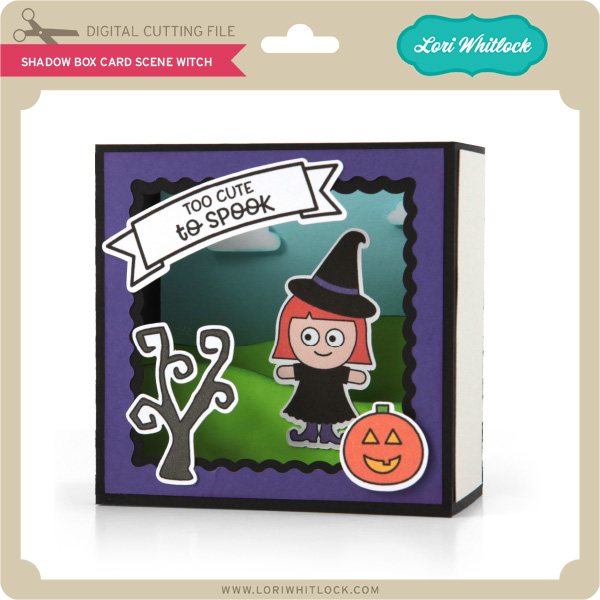
 
I have two fabulous back to school bundles, the School Card and Gift Bundle and the School Teacher Phrase Bundle… perfect for this time of year!


 Thanks for visiting the blog today! Please let us know if you need any help with your files. We want to make sure everyone is happy with their purchase. Have a great week!

Apple Slider Gift Card Holder with Brigit

Hello, Everyone!  It’s Brigit today with a cute gift card holder I created using the school apple and worm layered embellishment file from the Silhouette Design Store. This is also part of the layered fall embellishment set at Lori’s shop. I made a couple of adjustments in Silhouette Studio Designer Edition to make it a slide out gift card holder.

I created rhinestone holes, (size 1 spacing .2) around an internal offset of the apple so I could stitch together a front and back layer using some Doodlebug twine.

The stitching at the top of the apple is only on the front, I needed a gap so the apple core with gift card could slide in and out.

To create the apple core I made an internal offset of the apple and used one of the nested scalloped circles, (Silhouette store here) to subtracted bites from it, I did this a couple of times. The placeholders are from one of the Christmas ornament gift card set, (Silhouette store here).

A cute way to give a back to school gift!  The patterned paper used is by Doodlebug and sentiment is from My Creative Time.

Thanks for stopping by and have a wonderful day!

//

Doodlebug Design: At the Zoo Cut Files Feature

Hi Everyone! Today I’m showcasing another fabulous project using Doodlebug Design’s cut files! These adorable sneakers were created by Karen Hanson for Doodlebug Design.


Karen  used the Leaf #3-At the Zoo file, the Panda Bear- At the Zoo file and the Monkey- At the Zoo files for her sneakers.

I might need a pair of these in an adult size!!

New Doodlebug Design SVG files are being added to the Lori Whitlock SVG Shop on a regular basis, so stop by to see all of the fun SVG files HERE!

Have a great day!