Last Day! 30% Off at the Lori Whitlock SVG Shop!

There are just hours left for the November Sale! All files in the Lori Whitlock SVG Shop are 30% off, just use code NOV2017 at checkout!  It’s the perfect time to get those items on your wish list!


Don’t miss out on this fabulous deal, sale ends at midnight tonight!

Thanksgiving Goodies + 30% Off

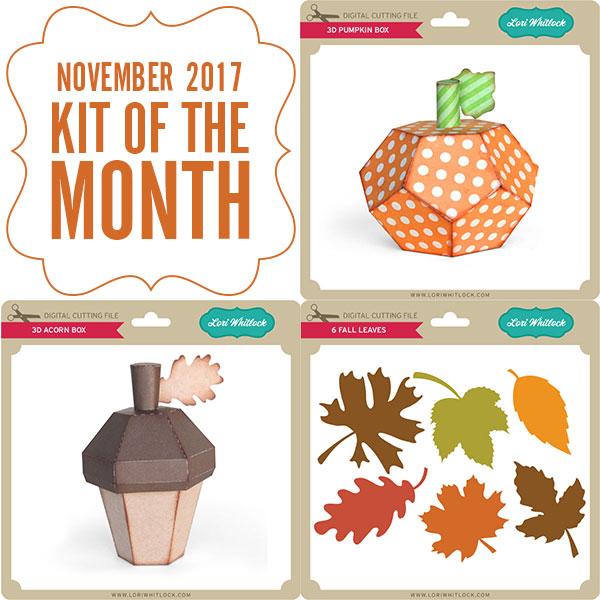
With Thanksgiving coming up in less than a week, it’s the perfect time to make a cute centerpiece for the big day. Get crafting this weekend with these cute pumpkins and a couple of turkeys. Pick them up HERE through Monday and take advantage of the 30% OFF sale going on right now. Use code: NOV2017. Have fun crafting!

Ends Monday! 30% Off all Files!

Are you crafting this weekend?   Maybe some Thanksgiving decorations or getting a head start on Christmas?  Don’t forget about the November Sale happening now in the Lori Whitlock SVG Shop!


All files are 30% off through Monday! Just use code NOV2017 at checkout! Have a great day!


Holiday Dog Bandanas with Anita

Hi:

Anita here with a fun and easy tutorial to make your furry friend a dog bandanna.  My son and daughter-in-law have three dogs and they like to include them in their Christmas photo.  I made some personalized bandannas for my fur grand dogs using some of Lori’s fun fonts and heart cut files.  For Lily and Sully’s bandannas, I used the Wide Marker font at 288.0 pt which can be found here in Lori’s store and here in the Silhouette store.    For Scout’s bandanna I used LW Thick at 288.0 pt which can be found here in Lori’s store and here in the Silhouette store.  The cut file for the hearts is called 4 hearts and can be found here in Lori’s store and here in the Silhouette store.   I found a doggie bandanna pattern on the internet from Sew Caroline and the free pattern is here.

Here are the supplies that I used for Lilly’s bandanna.  You can really use any heat transfer vinyl.

I measured across the part of the bandanna where I wanted to put the letters so that I would have a sense of how wide the name could be and fit nicely.

Lori’s fonts are so easy to find in your Silhouette font library and they start with the letters LW.

I had fun experimenting with some of Lori’s different fonts to see which one I liked the best.


Heat transfer vinyl has a clear plastic sheet which is sticky over the front of the vinyl which allows you to protect the vinyl while ironing it on.  You are going to want to place it with this clear/front side face down on your mat.  You can cut vinyl without a mat but I didn’t want to move my rollers so I put it on a mat.

As you can see from above there are many different types of heat transfer vinyl.  I chose to use a metallic one so that is what I selected in the cut settings.  Notice that the letters are not mirrored on my mat.

Isn’t Silhouette so smart?  They know I am cutting with vinyl and asked me if I wanted to mirror my design.  Given that I was cutting out letters I said to send them mirrored.  I also chose to do two passes as my blade isn’t brand new and I was asking it to cut through three layers.  I could also have mirrored it before sending it to cut.

Wows, my mat is looking well-loved.  Here are the letters cut out and the extra vinyl removed.  Don’t remove the top plastic sheet, you need it on until the letters are ironed down.

Everything is ironed down now.  I used a plastic pressing sheet and did not heat it for the 45-60 seconds as they recommend on the package because my iron runs really hot and I didn’t want to bubble the vinyl. I usually choose a middle point and put the first letter down there and then add the rest one at a time.  I find that things move less that way when ironing.  Apply even pressure, not steam and don’t move your iron back and forth.

I used Velcro circles on each corner point and stitched them down.  I used a seam ripper to gently peel away the top plastic piece, you could also use a pin.   If the vinyl starts to pull up then you might have to reheat it.  Be careful to not overheat it.

Here is Lily’s completed bandanna.

Here are all three bandannas.  Can’t wait to see how the Christmas photo turns out.

Hugs,

Anita


Heat Transfer Vinyl Potholder by Brigit

Hello there, it’s Brigit, I have a fun heat transfer vinyl project to share today. When I saw Lori’s homemade gingerbread phase (here in the Silhouette Design Store) I knew it would look so cute on one of the potholders from the Dollar Tree.

I used white siser easyweed heat transfer vinyl, it cut out beautifully and so easy to weed. To apply I used my new Cricut Easy Press which worked like a charm, but an iron works well also. These are quick and inexpensive gifts for Christmas time, I can’t wait to make more.
Thanks for stopping by and have a wonderful day!!