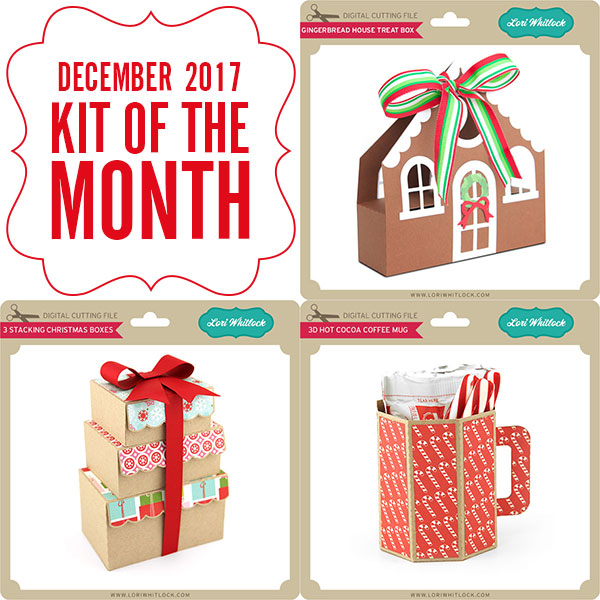
Are you crafting this weekend? Maybe some last minute Christmas Cards or gifts? Don’t forget about the December Sale happening now in the Lori Whitlock SVG Shop!
All files are 30% off through Monday! Just use code DEC2017at checkout! Have a great day!
Welcome to our December 2017 Creative Team Blog Hop! The creative team has been working hard on some new projects to share with you that will get you in the holiday crafting mood. December is my favorite month as we celebrate Christmas (any my birthday). Handmade gifts, decorating for the holidays, and cozy family time are some of my favorite things about the season. I’m glad you’re here to join in the celebration on the blog today because we have some FUN new SVG files, a SALE, a FREE FILE, a GIVEAWAY, and a Christmas Village CLASS COUPON! Be sure to check it all out below.
This week we have a 30% OFF SALE going on at Lori’s SVG SHOP. ALL files (and commercial licenses) from Lori Whitlock, Kolette Hall, Doodlebug Design, Dresden Carri, Rivka’s Renditions and SAS Creative are on SALE now through Monday,December 18th. Be sure to use coupon code: DEC2017 (case sensitive) at checkout in the SVG SHOP. (Only one coupon code per order allowed)
To thank you for joining us in the hop today and sharing the hop with your friends, we have a gift for you! TODAY ONLY, You can download this Happy Holidays file absolutely FREE! Be sure to go grab it while you can.
We have some super fun new files this week! Be sure to grab them while all files are 30% off this weekwhen you use code DEC2017in my SVG Shop! And, as always, the new files are available in the Silhouette Design Store as well. This week, I have some cute bundles including my new Bobble Head Cards! These cards are so much fun! I’ve created a video tutorial to help you assemble the cards. You can watch it below or check it out HERE.
Oh, and I wanted to make sure you all know that you are all invited to join me in my new store-flat Christmas Village class over at my new online classroom cuttingclasses.com! Don’t miss out on the holiday fun as we make this beautiful village with our Silhouette and Cricut cutting machines. Many students are making the village as Christmas gifts because the entire village folds flat to fit inside an adorable box. What a great gift! The class includes the cutting files, a PDF, and step-by-step video instruction. You can go through the class at your own pace and you’ll have access to it FOREVER so you can even make more villages next year! ENROLL TODAY HERE and SAVE 25% with code: 25OFF
Hi Everyone! It’s Kathy today with a little gift card booklet I made from a mini album file. Every year, I give my college girl a few gift cards to her favorite places in a cute little package. It’s one of her favorite Christmas gifts! This year, I made a fun book using Lori’s 4×6 Horizontal Pocket Mini Album Tabbed Pages (available here in the Silhouette Store) and some papers and embellishments from Echo Park’s A Perfect Christmas. Take a peek….
To make the mini album a better size for gift cards, I had to resize the file. To do this, I first loaded the file into my Silhouette. Next, I ungrouped the file and deleted the tabbed pages since I was not using them. I then regrouped the remaining pieces. To size them I drew a rectangle on my mat measuring 3.5″ x 2.25″ which is slightly larger than a standard gift card. I placed the rectangle over the base of one of the gift card pockets and clicked on the upper right corner of the grouped shapes and dragged down until the pocket size was close enough to the rectangle size.
This sized all of the pieces perfectly! Here are some close-ups of some of the inside pages…
I added a belly band to the book to keep it closed since it was a little thick once the cards were inserted. To do this I simply cut a 0.5″ strip of colored paper from a 12″ x 12″ paper and wrapped it around the book. I trimmed the extra and secured the band with my tape runner. Now to finish my shopping and fill it all up! That’s it for me today, thanks for stopping by to peek!
Hello there, it’s Brigit, I have a quick tutorial on how to add colors to these Christmas Border Edge Cards. When I have a large amount of cards to send I love simple cards and this is a quick and easy way to add a splash of color to them.
First I ungrouped and then duplicated the card base, next I used the knife tool to slice the card in half.
On the holly border edge half I right clicked and did a release compound path and deleted just the leaves.
After deleting the holly leaves I selected the card and berries, right clicked and selected make compound path.
Here they are layered back up, super simple! You may have to shave a little off of the green so it fits nicely inside the card without hanging out further than the the back.
Here is a closeup of all the cards I made…
I really like the simplicity of the white with the colored glitter paper, I kind of wished I did the Santa one the same. For the sentiment I did a print and cut using the Merry Christmas Title 2 which you can get here in the Silhouette Design Store.
I did another print and cut using the Merry Christmas from the 3 Christmas Greetings, in the Silhouette Design Store you can get it here.