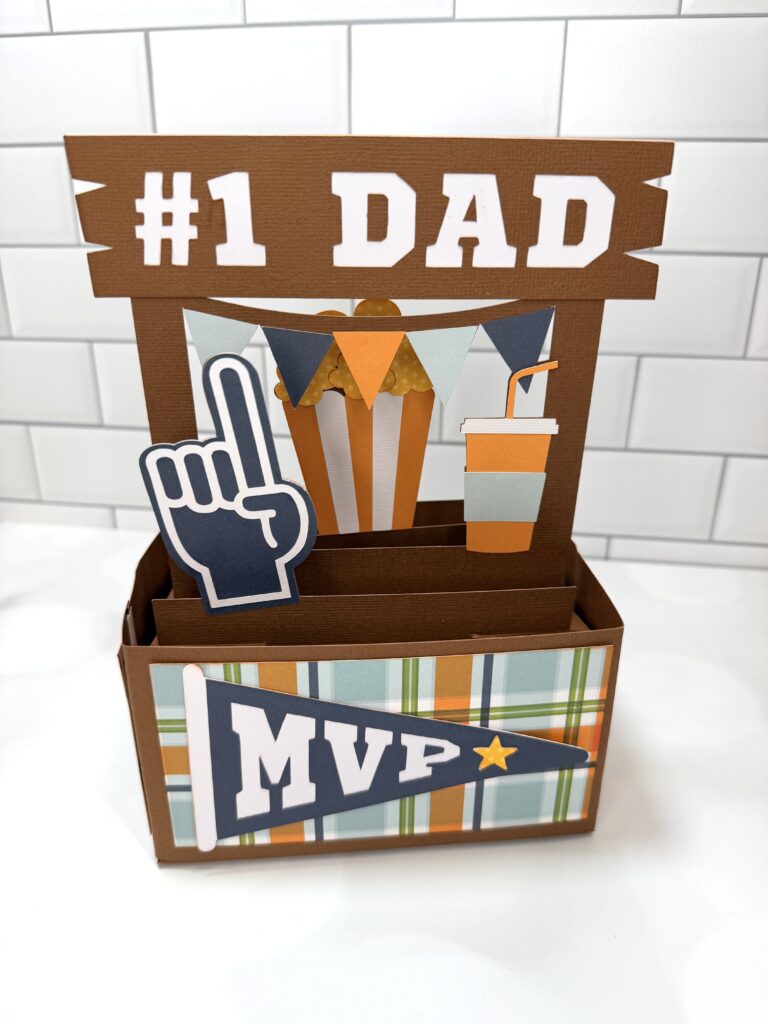
Rectangle Pop Up Card Sports Stand Tutorial

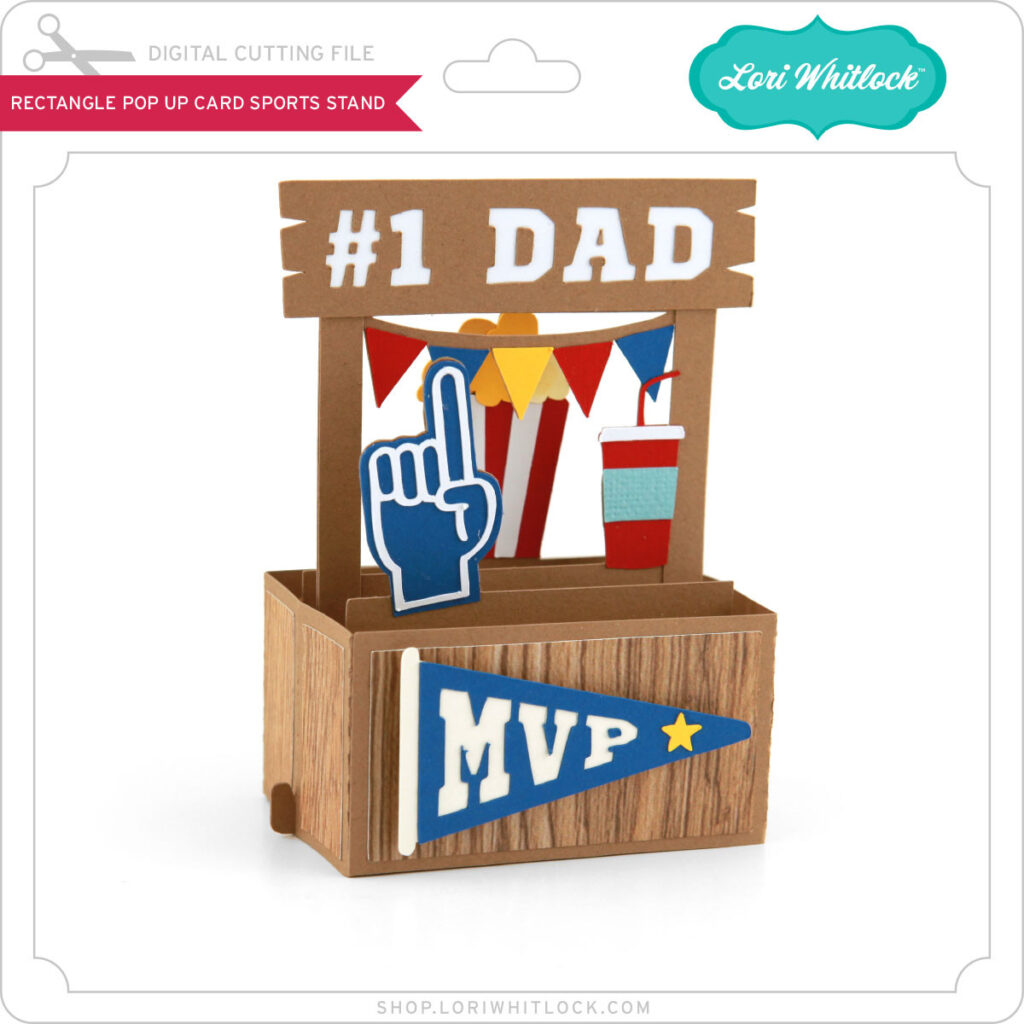
Hello, crafty friends! This is Lindsay, sharing a pop up card with you today. Father’s Day is just around the corner. I wanted to work with one of Lori’s newest files called “Rectangle Pop Up Card Sports Stand.” I used an Echo Park paper collection, also designed by Lori, called “Dino Mite.”  The colors were perfect for this masculine card. You can find the file here: svg, silhouette.
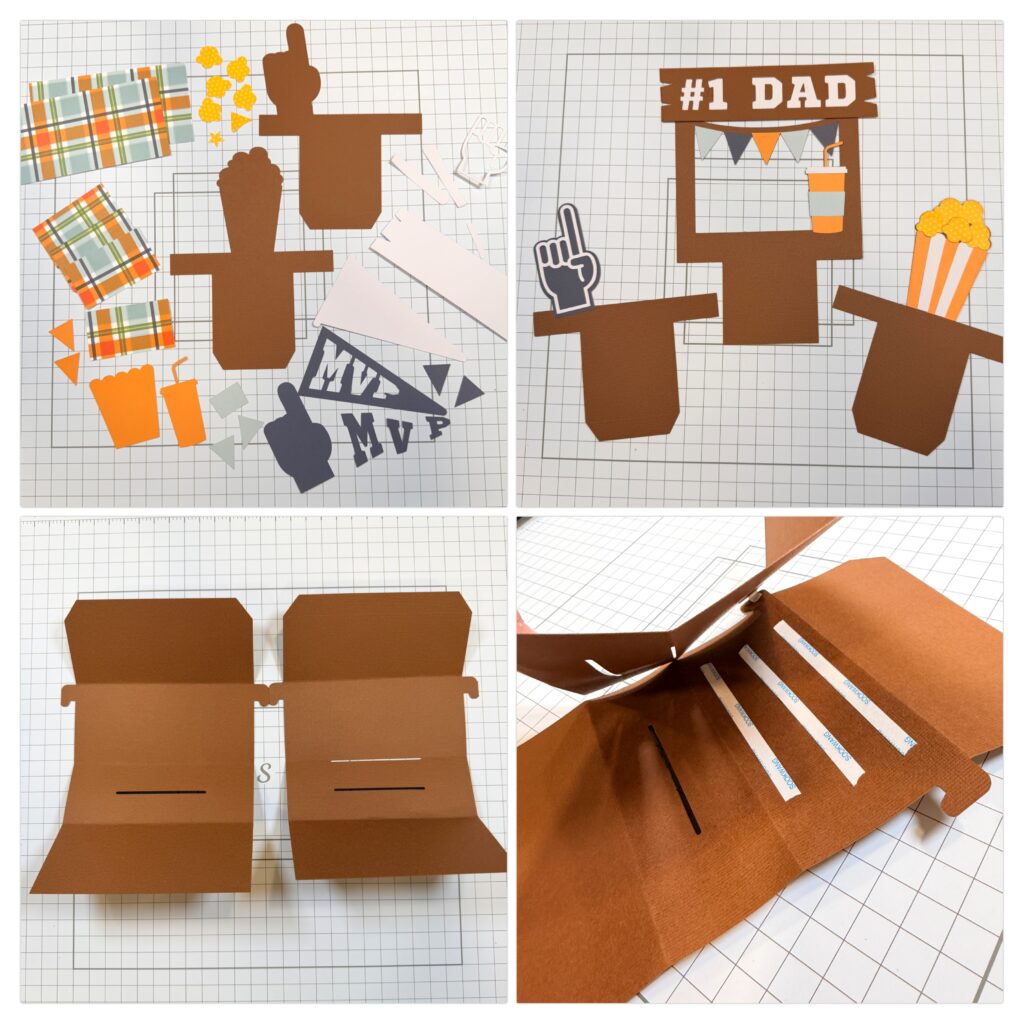
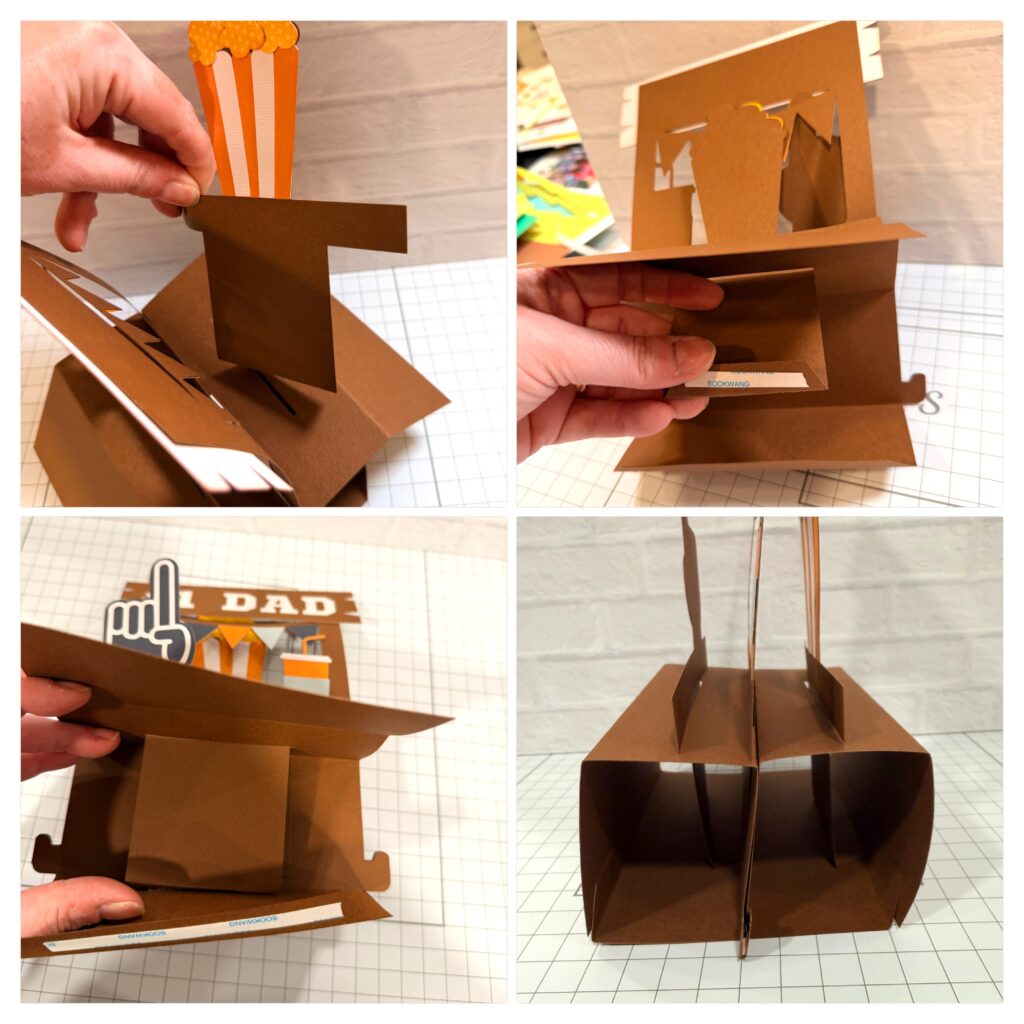
Begin by cutting all pieces you will need. I assembled each section of the card, as shown in photo 2. Next, I folded the large brown base pieces and adhered them back to back, as shown in photo 4.
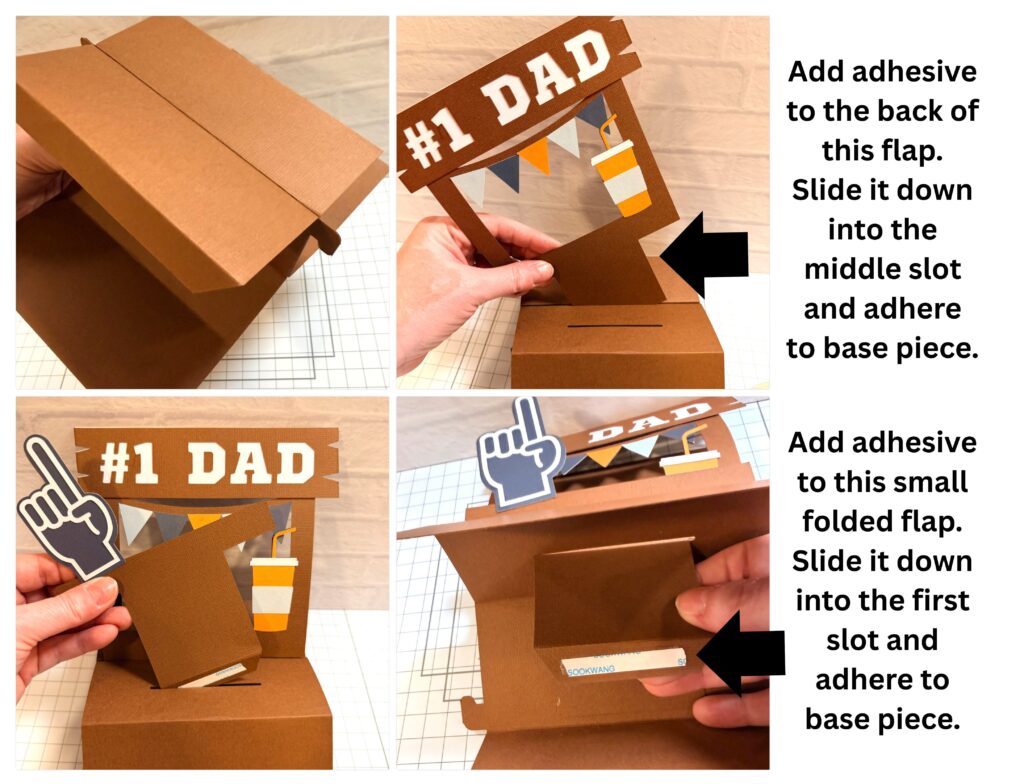
The first photo (below) shows the brown pieces adhered back to back, with the top flaps folded outward. Turn the pieces over to the side with the slots. I inserted the large banner/drink piece into the middle slot (photo 2 below), placing strong tape on the back of the large flap. This is adhered directly to the middle divider inside the card. You will repeat this for the foam finger piece and popcorn piece, placing tape on the small folded flap. Slide it down and adhere to base piece.
After inserting all 3 pieces into the slots, it’s time to close the base piece at the bottom with strong tape. Photo 4 shows a side image of the base once it has been sealed with strong tape.
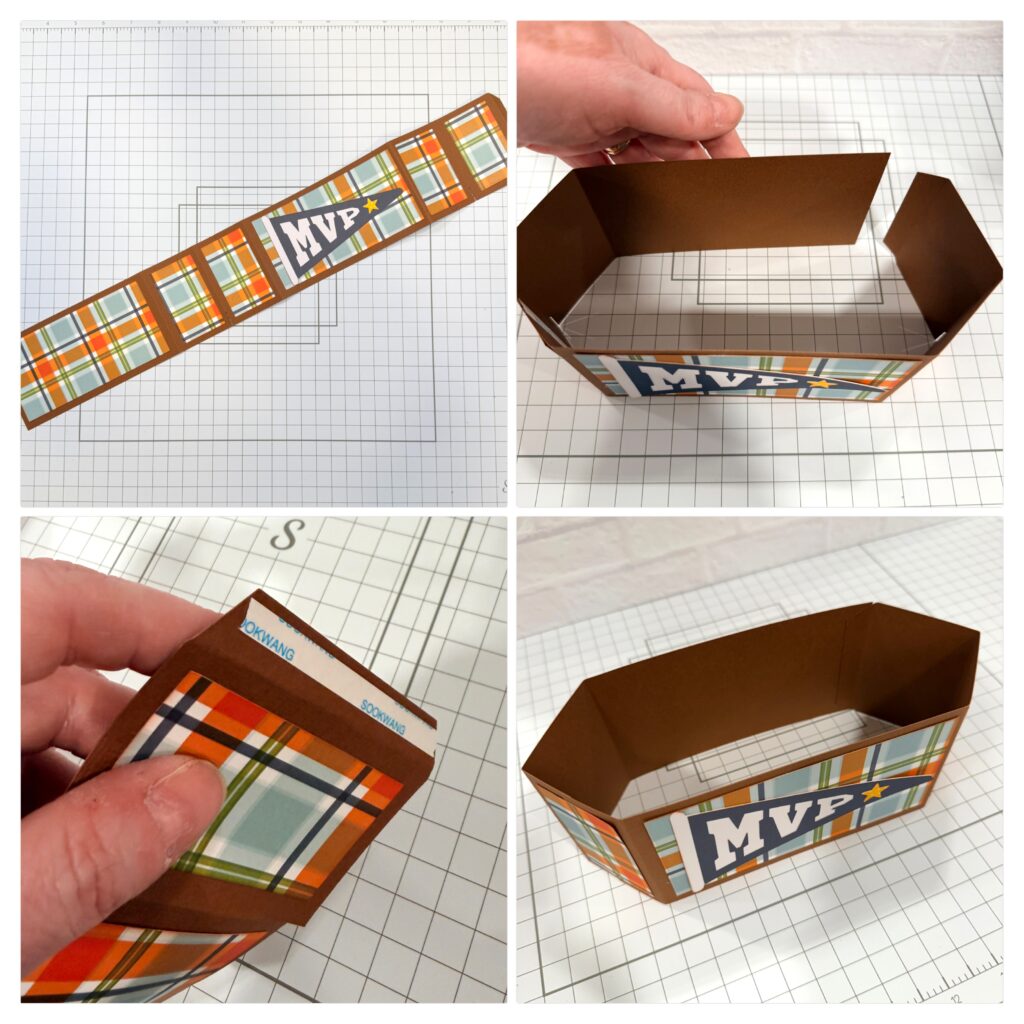
Now prepare the long belt piece by adding patterned paper and folding all score lines in the same direction. This piece will wrap around to form a box. Add adhesive to the small folded flap to complete the shape.
And now it all comes together! Slide the layered base piece into the completed belt piece. You will add adhesive to the upper middle part of the foam finger pieces and the back side of the popcorn piece. The area from the score line down to the small “feet” will extend below and should not have adhesive on it.
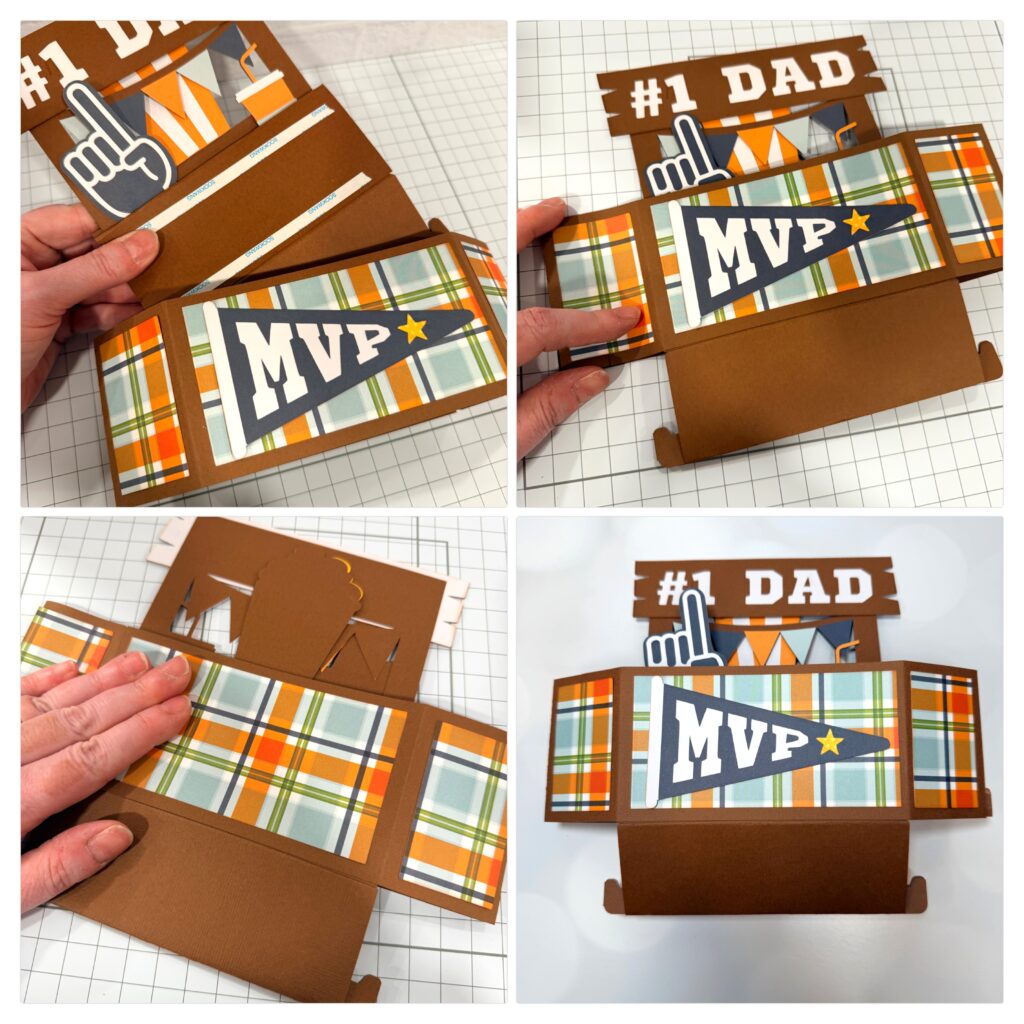
Once the base of the card is secured inside the belt, it’s time to open up the piece and reveal the amazing 3d design! The “feet” should fit into the small cuts on either side of the belt piece.
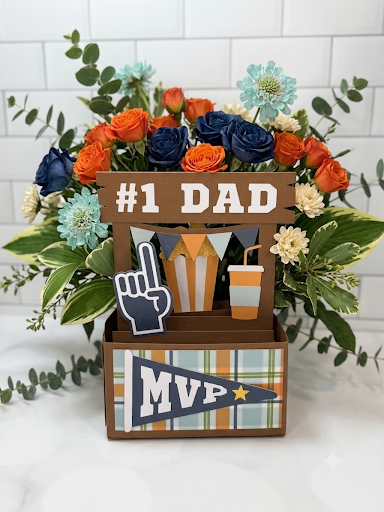
I hope this inspires you to create a pop up card! They are incredible designs that fit together like a die cut puzzle. Click on the picture below, and it will take you right to the file on Lori’s site. Thanks for stopping by the blog today! — Lindsay

 

3D Rainbow Bouquet

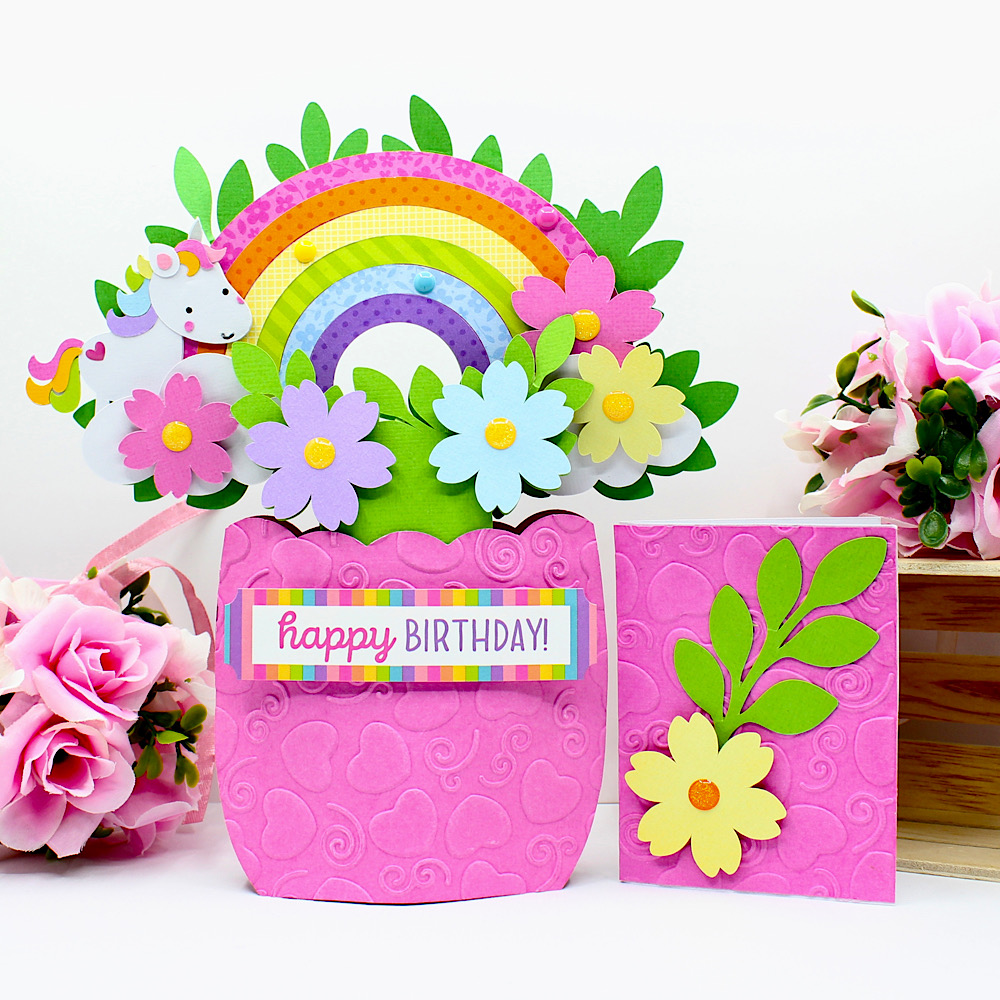
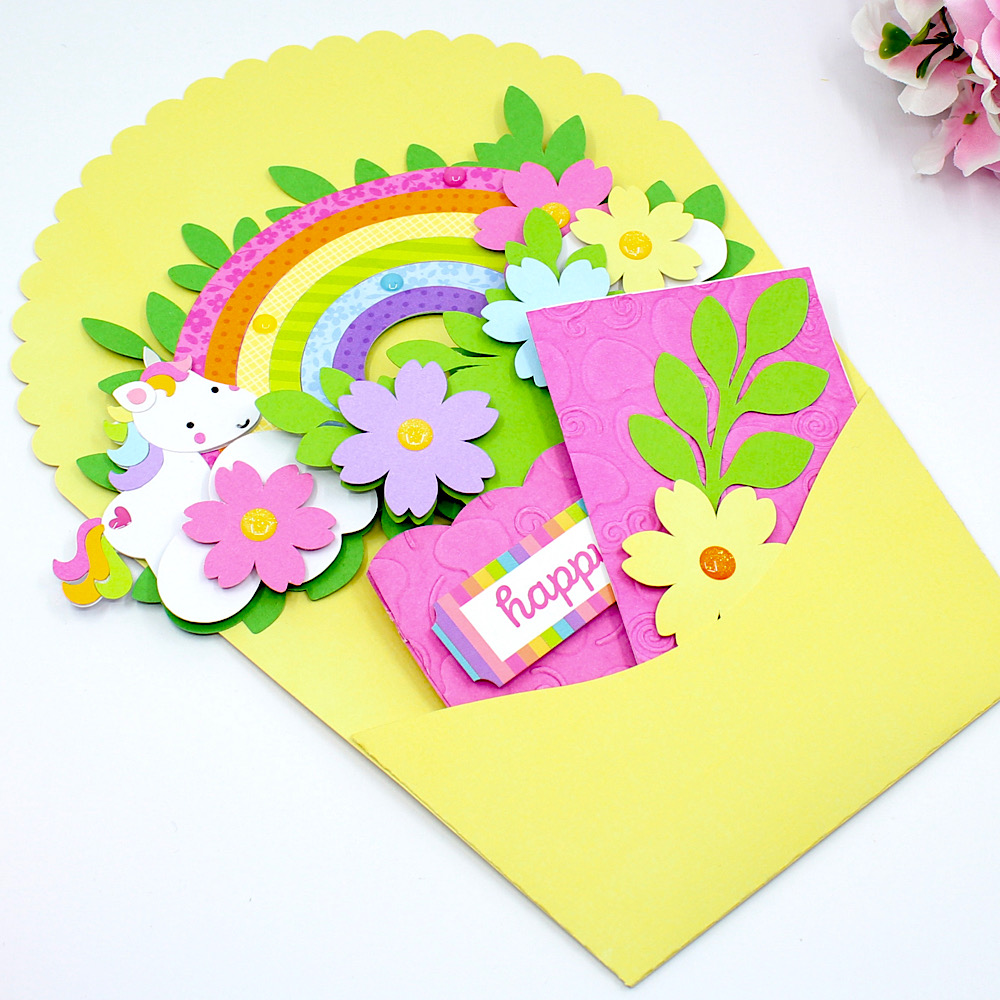
Hello crafty friends, Noelene here today to share another card from the gorgeous 3D Flowers Bouquet 3 release from Lori Whitlock called 3D Rainbow Bouquet (SVG), (Silhouette).
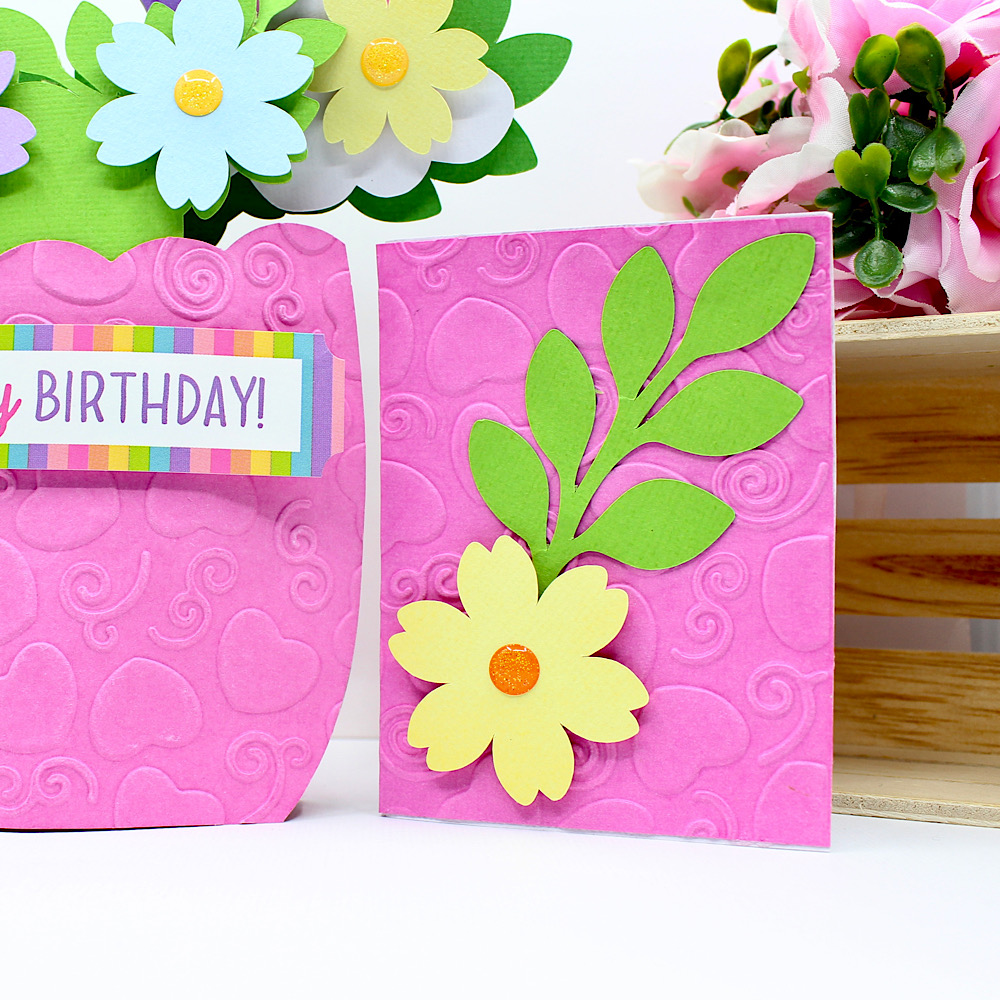
I used foam squares to raise my flowers. I embossed 1 of the vase panels with a pretty swirl & heart embossing folder. I decided to add a cute little unicorn to my card so I used one of the unicorns from Doodlebug Design’s Fairy Tales Collection (SVG), (Silhouette). Lastly I embellished with some sprinkles & added my sticker from the coordinating Doodlebug Design Fary Tales Sticker Sheet.
The bouquet also comes with a coordinating bouquet envelope wrapper & a cute little matching mini card.
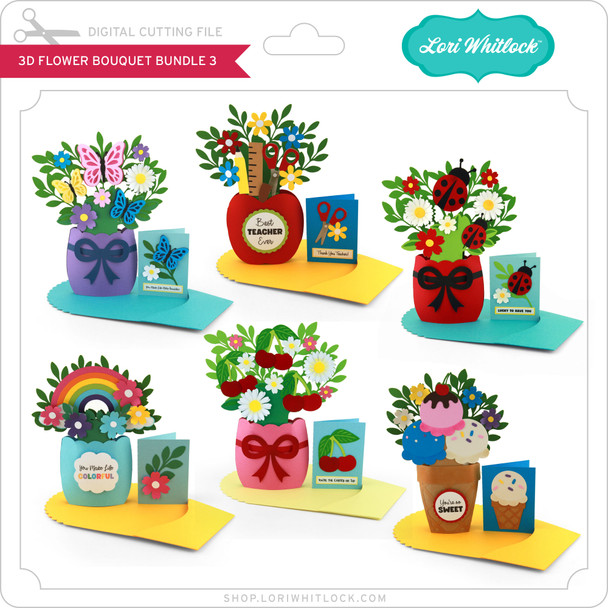
For more value make sure you check out the rest of the elegant 3D Flower Bouquet Bundle 3 here.
For more inspiration, check out my Instagram!
Thanks for stopping by!
Hugs
Noelene 🙂

A Stack of Graduation Cards!

It’s that time of the year to make a stack of Graduation cards!
 
 I chose several files that really give you a lot of bang for your buck! These files include multiple years to use for the future as well! I have made these cards numerous times over the years because they really are so classy looking and are so fast and easy to make! 
 
They are easy to personalize by changing up the colors to reflect your school colors. You can then add school initials or add the grad’s name etc. for a bit of personalization. 
Graduation Shaped Card 2024-2037 (SVG, Silhouette)
 
Instructions for a Silhouette: enlarge the file by 200% by choosing the symbol that looks like a slash (highlighted in blue-top row on the left side)  and click 200%. That was pretty easy right? Sorry-I’m not familiar on how  you do that on the Cricut.
 
 
 I always like to add a white center insert to my cards, it’s an especially fun detail if you have a shaped card.
 
For this inside insert I took the 2026 from the file and after selecting the 2026 you can right click and choose release compound path (about 2/3 down the list). From there you can pull the outline away and delete all the little pieces. 
5 x7 Graduation Shaped Card (SVG, Silhouette)
After cutting out the Congrats Grad pieces – leave all the letters stuck to the mat. It is easier to grab the center parts of the letters and see where to glue them on your card.
Graduation Card with Pocket (SVG, Silhouette)
I just made this next one because it was fast and easy.  I decorated the grad hat like I have seen the grads decorate theirs!
I did add an additional 3×3 black square under the  maroon square of the grad hat. 
I hope you have found some fun Graduation inspiration!
 
🎓🎓🎓Sue Kment 🎓🎓🎓