Tuesday New SVGs & a Free File!

ALL WEEK, this SVG file is FREE with any $1.99 purchase!

Hi Everyone! We have a FREE file with purchase all this week! Simply add this Flexi Card Congrats Grad file  to your shopping cart along with ANY $1.99+ purchase from the SVG Shop and this file is yours FREE. Be sure to use Coupon Code: CONGRATS (case sensitive) at checkout. This offer is good through next Sunday.

(Your cart must reach at least $3.98 before the coupon will be applied and then $1.99 will be subtracted from your total at checkout. The files will be available for immediate download after you pay for your order by visiting MY ACCOUNT>COMPLETED ORDERS>ORDER DETAILS inside of your account. Only one discount code per order allowed.)


In addition, don’t forget about this special ! You can get this Free Kit of the Month with any $20 purchase (Purchase must be in one transaction.) Simply add the 2020 May Kit of the Month to your shopping cart along with ANY $20.00+ purchase from the SVG Shop and this file is yours FREE. Be sure to use Coupon Code: MAY20KOTM (case sensitive) at checkout. This offer is good through May 31, 2020.

(Your cart must reach at least $27.95 before the coupon will be applied and then $7.95 will be subtracted from your total at checkout. The files will be available for immediate download after you pay for your order by visiting MY ACCOUNT>COMPLETED ORDERS>ORDER DETAILS inside of your account. Only one discount code per order allowed.)

Check out the new SVG files releasing this week!  Just like always, the NEW SVG files will be ON SALE 25% OFF through the weekend in the SVG Shop! These downloads include SVG files that may be used with Cricut Explore, Silhouette (Designer Edition upgrade required), Eclips, Brother Scan and Cut, and any other software that will open SVG files. No coupon code necessary, the newly released files are all discounted in the shop! Be sure to go get them while they are on SALE this week.

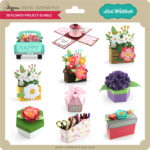
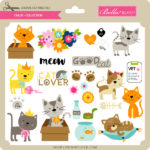
This week I have a new A2 Insert Card Bundle.  We also have files from Jillibean Soup and Paige Evans.


Thanks for visiting the blog today! Please let us know if you need any help with your files. We want to make sure everyone is happy with their purchase. Have a great week! SHOP HERE

Stationery Box

Hi there paper crafting friends!  It’s Michelle Starcher, aka the Bookish Designer, popping in on the blog to share the stationery box I made (SVG, Silhouette).  I decided to make this adorable little card holder for a friend when I ended up with some left over journaling cards from a scrapbook project.  I was able to fit 5 A2 sized cards in the box along with matching envelopes.

If you aren’t sure exactly how to put the box together, Lori has a video tutorial using a box that is similar to this one.  I had to adjust the size slightly to accommodate the size restrictions of my Cricut Maker. However, I was still able to make the box using one sheet of paper on a 12×12 cutting mat.

Although the  box is made to store a set of A2 sized cards and envelopes, you could use it to give a gift card or small gift.  Since they store flat, you can make several of them and simply pop them open when you’re ready to use them.

Until next time,

Michelle

30% Off SVGs Ends Tomorrow!

Are you crafting this weekend? Maybe some Crafts or Cards with the kids?  Don’t miss out on the May Sale in the Lori Whitlock SVG Shop! All SVGs and Commercial Licenses are 30% off when you use code MAY2020 at checkout! Don’t wait! Sale ends tomorrow!

These downloads include SVG files that may be used with Cricut Explore, Silhouette (Designer Edition upgrade required), Eclips, Brother Scan and Cut, and any other software that will open SVG files.


Changing up Sentiments

Hello crafty friends! Aimee here with you today and I wanted to share a little tip with you on changing the sentiments on your Lori Whitlock SVGs that have special print and cut messages. The original message may say Happy Mother’s Day but you can change them to fit any occasion you need such as birthday, Thank You, I miss you, or Congrats!

For the card itself, I used the A2 Box Card Mother’s Day Flowers file (Lori’s ShopSilhouette).

I used the Joyful In Hope sentiment (Lori’s ShopSilhouette)  for one of my box cards and

the sentiment from the Double Slider Card Birthday Balloons (Lori’s ShopSilhouette).

It’s very simple to do. Just open up your file, ungroup the message from its background box, and delete the original message.

1. Duplicate the background box found in the file you intent to use. Import the sentiments you want to use.
2. Ungroup the new message and delete its background box.
3. Move the new message over to the other background box and resize it to fit.
4. Now you have your boxes ready. All you need to do now is print and cut, and then adhere to your project.
Hope everyone is staying happy, healthy and crafty! Thanks for stopping by today!
Aimee