Treat Yourself to a CuttingClasses.com Class!

Are you looking to learn more about your cutting machine and make some fun holiday themed projects?  Then my classes at Cuttingclasses.com are perfect for you!   These self-paced classes give you everything you need to make some fabulous projects.  Take a peek at the classes offered…

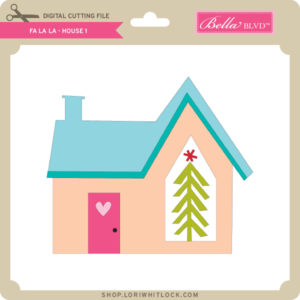
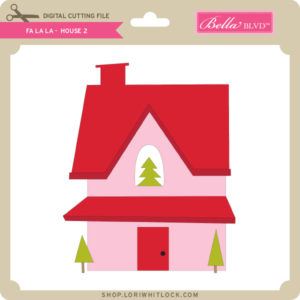
The class has everything you’ll need to make this festive village!  When class starts,  you’ll get all cutting files needed to make the project, a PDF/supply list and video instruction. In the videos I’ll walk you through every step to make this Christmas Village with your Silhouette (.studio files) or Cricut (SVG files) Cutting Machine.  This class is self-paced so you can watch the videos at your own leisure and you’ll have access to it FOREVER. This class is offered exclusively through my online classroom at CuttingClasses.com.  The cost of this class is $35.

Click HERE to register for the Silhouette Class today!
Click HERE to register for the Cricut Class today!
Let’s spread some Christmas cheer together! Join me in this self-paced class;  I will walk you though every step to cut and assemble eleven gorgeous Christmas ornaments using your Silhouette or Cricut digital cutting machine. In the videos I’ll walk you through every step from how to download the class materials, setting up the files for cutting, and full assembly. Along the way, you’ll learn the steps required to perform a print and cut. You’ll glean tips and tricks for paper crafting. The class comes with a printable PDF guide with a materials list. You’ll craft right along with me and leave class feeling more confident in your Silhouette or Cricut skills.  This class is self-paced so you can watch the videos at your own leisure and you’ll have access to it FOREVER. This class is offered exclusively through my online classroom at CuttingClasses.com. Come join the fun!  The cost of the class is just $35!  Sign up now and you’ll have your ornaments complete in no time!

Click HERE to register for the Silhouette Class today!

Click HERE to register for the Cricut Class today!


Have you ever wondered how designers create cut files?  Would you like feel more confident in Silhouette Studio?  Join me over at CuttingClasses.com for this basic design class in Silhouette Studio!  I’ll walk you through the software, and show you how to design this mitten/snowflake card and tag!

This class is perfect for Silhouette beginners and experienced users alike.*  I will walk you through every step from downloading the class materials, setting up your preferences and every step to draw and create the mitten card project.  Along the way you’ll learn lots of tips that will really help you understand how to use Silhouette Studio.  The class also comes with a PDF guide so you can design step by step right along with me.  You’ll leave the class feeling more confident in your Silhouette design skills.

Features of the class include a step by step PDF guide with illustrations, along with downloadable cutting files.  There is an interactive questions forum and your class will be available 24/7 forever.  The cost of this class is $35.

Click HERE to register for this Silhouette class today!

Treat yourself to a fun class today!


Best Stocking Stuffer Ever- A Lori Whitlock SVG Shop Subscription!

Need a Stocking Stuffer for someone special, or maybe for yourself?   Are you getting a new cutting machine for the holidays?  Well now would be the perfect time to sign up for a subscription to the Lori Whitlock SVG Shop!

With each subscription you’ll get monthly credits added to your account balance which you can use to purchase SVG Files, Fonts, Pattern Fills and Commercial licenses within the store. Once you download the content, it’s yours to use much as you’d like. With thousands of SVG + font files and more added weekly we think you’ll love being a subscriber. This is a great way to build your library of images at an incredible discount! Even better, your credit can be combined with sales and other offers! (so really, you can save even more!). Subscriptions start at just $10/month.

There are 2 tiers for subscribers.  The first, you spend $10 each month and you’re Lori Whitlock Account will be credited $20.  That’s a 50% savings!  The Next Tier, you spend $20 a month and get a $45 credit… that is 55% Savings.  If you have unused credit at the end of the month you can carry over up to one month’s worth of credit into the next month.

There are so many files to choose from… In addition to my files, we also have files from Bella Blvd, Doodlebug Design, Dresden Carrie, Jillibean Soup, Kolette Hall, Paige Evans, Pebbles in My Pocket, Rivka Wilkins and SAS Creative!  So many ways to be creative!

Head over to the SVG SHOP now to subscribe!

**  These downloads include SVG files that may be used with Cricut Explore, Silhouette (Designer Edition upgrade required), Eclips, Brother Scan and Cut, and any other software that will open SVG files.  **

Box Card Christmas Sleigh Tutorial


Hi Everyone:

Anita here with a fun and easy tutorial to make this adorable Box Card Christmas Sleigh.  You can find the SVG file for this card here in Lori’s store and  here in the Silhouette Design store.  I pieced it together using Lori’s Echo Park line called  A Lumberjack Christmas.

Here are the pieces that you will cut out to make your box card.  Just a note, if you are using two sided paper, then you are going to want to reverse the design of the sleigh part that is in the top left corner.  It goes inside your sleigh on the back piece and you will want it to be the color of your sleigh.


Start by gluing the Santa, Santa’s Bag and sleigh embellishments to their base pieces.

First you want to assemble the sleigh.  It is formed using the 2 sleigh shaped pieces and the rectangle piece.  Fold along all the score lines.  Attach the front of the sleigh (the longer piece with the snowflakes ) to the back of the sleigh using the tab.  Then add the rectangle to be the front of the sleigh and glue to both sides to complete your “box”.


You then want to add your inserts.  Fold the tabs on all the inserts backward, then add adhesive to the outside of the tab.  Slide them in in order…They are numbered along their glue tabs.  The number one (santa) goes in front.  Slide it in to the sleigh box towards the front of the sleigh, ( about 1/3 of the way into the box) and press the tabs to the sides of the sleigh to adhere.   Next, slide the Santa Bag tab in behind the santa tab about the same distance.  You want the inserts to be approximately equal distance from each other and the sides of the sled.  You are done and have a lovely card which folds flat for mailing.  Thanks for looking and have a great day.

Hugs,

Anita

A New 3D Snow Globe Card Bundle!

The 3D Snow Globe Cards were so popular last week, that I have a new bundle of them this week!  These cards are also available individually in my SVG Shop and have been submitted to the Silhouette Store as well.  Take a peek at the new designs!

3D Snow Globe Card Bird (SVG, Silhouette – coming soon)
3D Snow Globe Card Church (SVG, Silhouette – coming soon)
3D Snow Globe Card Elf (SVG, Silhouette – coming soon)


3D Snow Globe Card Gnome Girl (SVG, Silhouette – coming soon)
3D Snow Globe Card Moose (SVG, Silhouette – coming soon)
3D Snow Globe Card Nativity (SVG, Silhouette – coming soon)

3D Snow Globe Card Rudolph(SVG, Silhouette – coming soon)
3D Snow Globe Card Santa Legs (SVG, Silhouette – coming soon)
3D Snow Globe Card Santa Sleigh (SVG, Silhouette – coming soon)

I have an assembly for these fun cards on my YouTube Channel here.

You can get these cards and all other SVGs and Fonts 30% off through Saturday, November 14th when you use code NOV2020 at checkout!

Don’t miss out, sale ends Saturday!

Have a great day!